

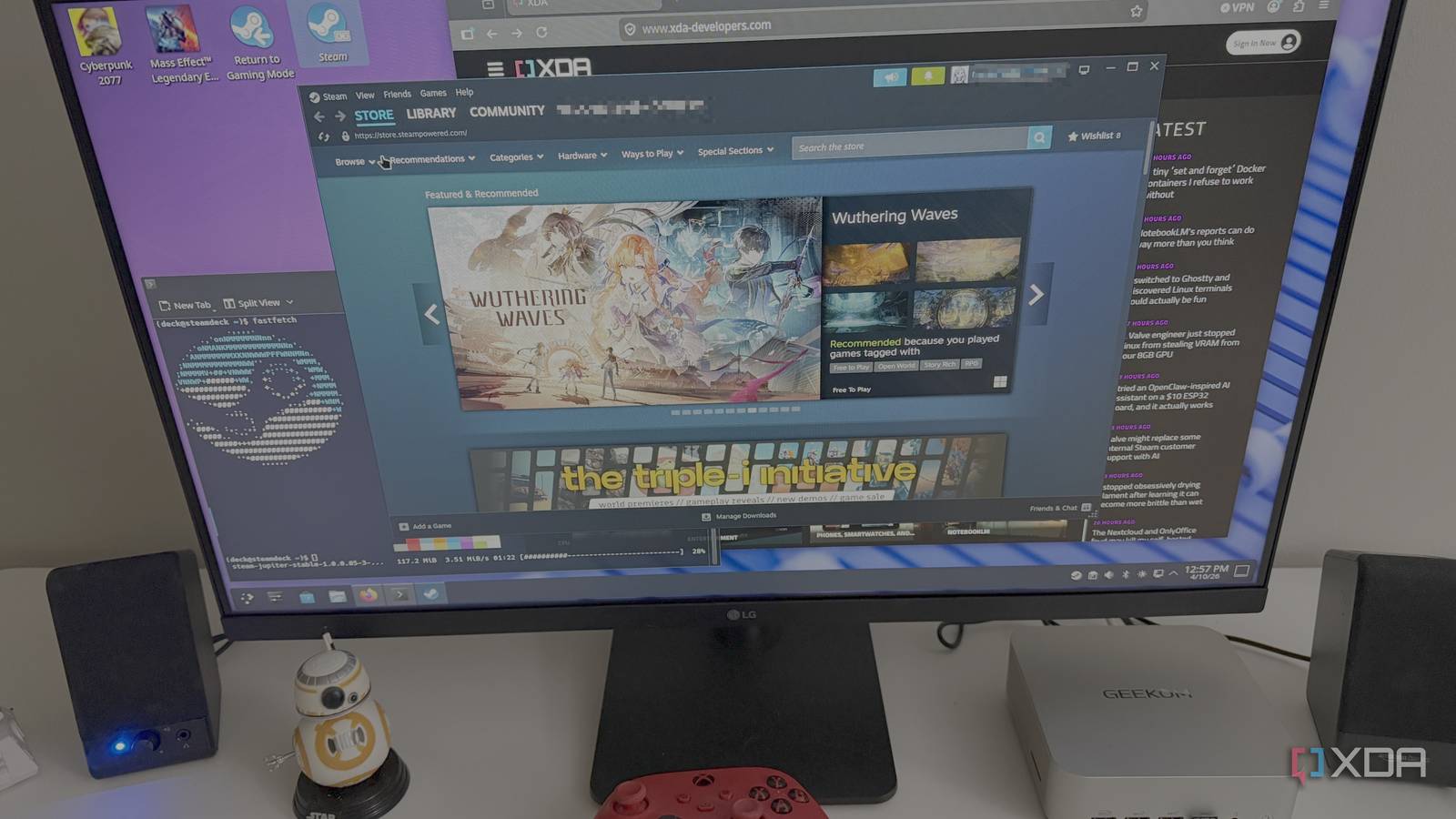
For years, desktop Linux has felt like a trade-off machine to me. One distro nails performance but stumbles on polish. Another looks great until it asks me to solve some weird packaging problem at the worst possible time. A third promises flexibility, only to turn basic maintenance into a weekend project I never asked for. SteamOS is the first one in a long time to make me stop thinking of Linux as a project and start using it like a finished product.

I turned my Steam Deck into a home server, and it’s as crazy as it sounds
If you want to find more uses for your Steam Deck, why not turn it into a home server?
When I first tried SteamOS, it wasn’t because I owned a Steam Deck or wanted to buy into Valve’s hardware ecosystem. I was looking for a better non-Windows way to play the games I actually care about on my Geekom Ryzen 9 AI mini PC. SteamOS 3.7 kept running into kernel panics on that system, and the 3.8 builds weren’t much better, so I ended up pulling a 3.9 image from a community site just to see if it would finally behave. That practical detour is what made the whole experience click for me, because once it was stable, SteamOS started feeling less like an experiment and more like the desktop Linux I’d been wanting all along.
If you’re using SteamOS like a desktop first and a gaming UI second, make Desktop Mode the default boot target. It cuts out the extra hop through Gaming Mode and makes the whole system feel more like a proper Linux PC every time you power it on. It’s a tiny tweak, but it makes daily use feel a lot cleaner.
Use this command to switch your default session to Desktop Mode:
sudo steamos-session-select plasma-persistentTo switch it back to Gaming Mode by default later:
sudo steamos-session-select gamescope-persistent
It finally feels like Linux built around actual use
SteamOS gets the basics right without making a scene
A lot of desktop Linux distributions still carry the weight of their own ambition. They want to be customizable, universal, deeply tweakable, and endlessly adaptable, which sounds great right up until you just want the machine to behave itself. SteamOS feels like it was designed by people who understood that most users do not want every decision pushed back onto them. They want a computer that boots, works, updates cleanly, and stays out of the spotlight unless invited in.
That difference shows up almost immediately. Even on unofficial hardware, once I got onto a version that actually behaved on my Ryzen system, the desktop stopped feeling like a compromise. It felt coherent, which matters more than flashy extras or a huge pile of configuration menus. The interface is familiar enough to be comfortable, clean enough to stay readable, and restrained enough that I never felt like I needed to rebuild it before I could enjoy using it. That sounds basic, but desktop Linux still fumbles that test more often than it should.
What really won me over is that SteamOS doesn’t mistake complexity for capability. It offers a focused gaming experience when that’s what you want, but it can still drop into desktop mode without feeling like you just opened the service hatch on an appliance. I never got the sense that I was stepping into a neglected side room. Instead, it felt like I was using a version of Linux that had been edited down to what matters. That kind of restraint gives the whole experience a level of confidence that many desktop distros never quite reach.
Valve’s approach fixes desktop Linux annoyances I hate
The little quality-of-life details finally stop piling up

The usual Linux pain points are rarely dramatic. They’re small, recurring irritations that stack up until the whole experience feels a little flimsy. Display scaling is just off enough to be annoying. App behavior is inconsistent between package formats. Something works, but only after you remember a workaround you shouldn’t have needed in the first place. SteamOS feels like one of the few Linux experiences that genuinely tries to smooth over those edges rather than treating them as part of the culture.
SteamOS feels like proof that desktop Linux gets dramatically better when the experience is treated as a product rather than an ongoing negotiation.
That matters a lot more than raw feature count. I can forgive an operating system for not doing everything under the sun. What wears me down is an OS that can theoretically do anything, but makes the ordinary stuff feel like a scavenger hunt. SteamOS is unusually good at dodging that trap. Once I had a build that stopped panicking on my hardware, the day-to-day experience became pleasantly uneventful, and I mean that as high praise.
There’s also something refreshing about a Linux system that understands hardware as part of the software story, even when the hardware is not officially in the club. Traditional desktop distros often feel like they’re asking you to assemble your own experience out of solid but disconnected parts. SteamOS feels more intentional than that. It gives off the impression that someone cared about how the whole machine feels to use, not just whether the right components technically exist. That changes everything, because polish is often the difference between an operating system you admire and one you actually stick with.
SteamOS still has limits you can feel pretty quickly
A polished system is not the same as universal freedom
As much as I like SteamOS, I’m not going to pretend it’s perfect in the literal sense. Some of what makes it feel so polished is also what limits it. This is not the Linux distro I would hand to someone who wants total freedom over every layer of the system, plans to swap major components on a whim, or treats tinkering as the whole point. SteamOS has opinions, and those opinions are a big part of why it feels good.
That becomes more obvious the second you step outside the intended path. If your idea of desktop Linux greatness involves rebuilding the desktop to fit your habits exactly, SteamOS can start to feel a little narrow. You can absolutely do things with it, and I’m not pretending it’s locked down beyond use. Still, it often feels like a system designed to help you stay on track rather than encourage you to roam. For some Linux users, that’s going to read as a strength. For others, it’s going to feel like a cage with nice wallpaper.
There’s also the obvious question of trust and support when you’re not using the official path. In my case, that mattered because getting SteamOS 3.9 onto my gaming mini PC meant turning to a community image after Valve’s own available versions kept crashing on my hardware. That worked out well enough for me, but it’s still not the same thing as broad official desktop support. If your priority is guaranteed compatibility, clean documentation, and a path blessed from top to bottom, a more traditional distro may still be the safer answer. SteamOS feels polished, but it doesn’t magically erase the trade-offs that come with running something this specialized.
Those rough edges are also why it works so well
Restraint is what makes the experience feel finished

The funny thing is that most of SteamOS’s weaknesses are tied directly to the quality that makes it so compelling. It is not trying to be every kind of Linux for every kind of user. That restraint gives it shape. Instead of drowning in options and edge cases, it focuses on the experience most people will actually have while launching games, managing a desktop, and living with the machine every day. The result feels calmer than most Linux desktops I’ve used, and calm is worth a lot.
I’ve spent enough time with more flexible distributions to know what that freedom often costs. More control usually means more upkeep, more decisions, more moments where you’re suddenly acting as your own support department. SteamOS avoids a surprising amount of that by narrowing the field on purpose. It doesn’t try to impress me with infinite possibilities. It impresses me by making the core experience feel consistent, modern, and far less fragile than I expect from desktop Linux.
That’s why I keep coming back to the word “perfect,” even though I know it’s doing some work here. I do not mean that SteamOS is flawless, universal, or ideal for every workflow. I mean it gets closer than almost anything else I’ve used to the version of desktop Linux I actually want to live with. It removes friction without making the system feel shallow. That balance is hard to find, and SteamOS nails it better than most.
Why this changed what I expect from Linux
SteamOS didn’t win me over by being the most open-ended Linux distro I’ve ever touched. It won me over by being the one that felt the most finished. That distinction matters more to me now than it used to. Desktop Linux has spent years asking users to tolerate little annoyances in exchange for philosophical victories, and I’m just not that interested in making that trade anymore. I want something polished, predictable, and pleasant, and SteamOS gets remarkably close.
SteamOS feels more polished on the desktop than a lot of Linux distros I’ve tried, but getting it onto unsupported hardware still isn’t always straightforward. In my case, the official builds kept crashing into kernel panics, so I had to look for a community 3.9 image that would actually behave. That messy setup path is still the biggest catch with SteamOS right now. Once it works, though, it feels remarkably close to the desktop Linux experience I’ve wanted for years.
That doesn’t mean it’s the right answer for everybody, and it definitely doesn’t mean the road to getting there was perfectly clean in my case. I had to go looking for it because the official versions available to me kept crashing on the hardware I actually use for gaming. Still, once I got there, the result was hard to ignore. SteamOS feels like proof that desktop Linux gets dramatically better when the experience is treated as a product rather than an ongoing negotiation.
