


Raspberry Pi OS 6.2, based on the Trixie version, introduces small changes, bug fixes, and disables passwordless sudo by default for new installations.
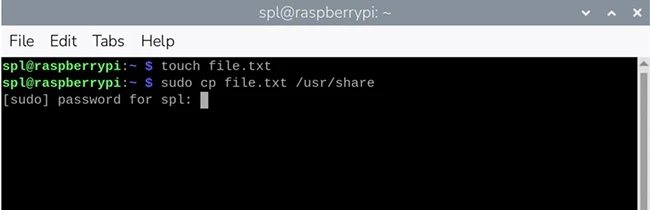
Screenshot of password prompt (Source: Raspberry Pi)
“We continually review the security of Raspberry Pi OS to ensure it is sufficiently robust to withstand potential attacks. This is always a balance, as anything that makes the operating system more secure can inconvenience legitimate users to some extent, so we try to keep such changes to a minimum. This particular security update is one that many users may not even notice, but it will affect some,” Simon Long, Senior Principal Software Engineer at Raspberry Pi, explained.
Access control with sudo
Administrator and regular user are the two types of user accounts in Linux systems. Administrators can write to restricted parts of the file system, while regular users may need to perform administrative tasks. The Linux sudo utility enables this without logging out and back in as an administrator.
Short for “superuser do,” sudo is a command prefix that instructs the system to perform an action with administrator privileges. It is commonly used in the terminal. Since a regular user cannot write to the /usr/share directory, the command sudo cp file.txt /usr/share/ allows this.
This has been configured with passwordless sudo enabled by default. It allows administrative actions from a regular user account without authentication, which creates a potential security risk for anyone with access to the device.
Passwordless sudo disabled by default
With the 6.2 release, passwordless sudo is disabled by default on new installations. Users are prompted to enter the current user’s password to gain administrative access. The prompt appears in the terminal when a sudo command is issued. Entering a valid password allows the action, while an incorrect password denies it.
sudo access is also required for certain actions in the desktop interface. In those cases, a dialog box requests the password. Once entered, additional sudo actions can be performed for the next five minutes without another prompt.
In Control Centre’s System tab, this option can be reverted to passwordless behavior by toggling off “Admin Password.” The system will then run sudo commands without requesting a password in both the terminal and desktop interface.
Long noted that this change does not affect updates to existing installations of Raspberry Pi OS. Passwordless sudo remains enabled on those systems unless manually disabled.
