

Introduction to Endpoint Network Monitoring
Endpoint network monitoring software collects device, network, and application performance data to track the correct functioning of the local system, the network it connects to, and the applications it accesses. This type of network management software enables IT teams to remotely assist work from home and remote employees. Effective endpoint monitoring tools save IT time in supporting remote users, and improve the productivity of remote employees.
Importance in modern IT environments
Adoption of endpoint monitoring software increased when more companies switched to remote and hybrid work. Supporting users that work from home is much more difficult than having them in a controlled environment, such as the corporate network. Home networks are messy due to consumer hardware, unreliable internet services, and interference from neighbors. The ability to collect network performance data on a continuous and real-time mode with remote network monitoring tools provides IT staff the necessary visibility to support remote users.
Challenges in Supporting Remote Workers
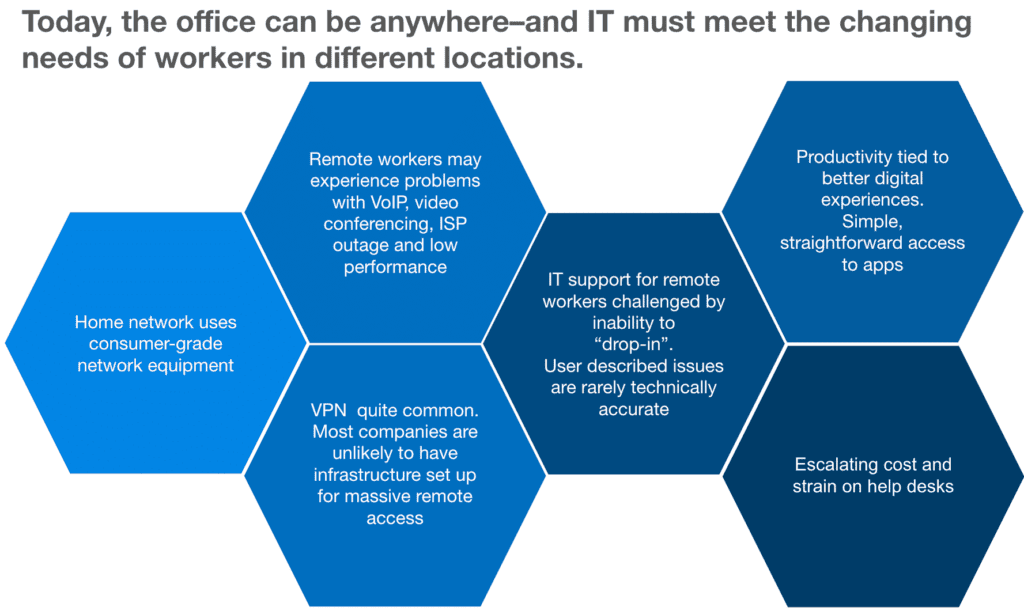
Providing tech support to teleworkers creates a new set of network observability challenges for IT professionals. Medium and large organizations supporting a remote workforce face three recurring challenges:
- Internet Performance Issues – The Internet is now the backbone of the digital world we live in; degraded traffic conditions and ISP outages affect a considerable percentage of the remote workforce; it’s important to automatically detect problems such as packet loss with ISP monitoring best practices and reduce troubleshooting time to keep up with an increased number of remote users.
- Wi-Fi and Home Networks – Home networks are notoriously bad for lack of network design and optimizations that generally happen in enterprise networks. Generally consumer-grade hardware and poor performance of the Wi-Fi network are the main causes of reduced throughput and increased latency. It’s important to recognize any suboptimal configuration and where possible replace the hardware and expand Wi-Fi coverage, supported by WiFi monitoring from the client perspective.
- VPN and VDI Users – Teleworkers that rely on an extra “layer” such as a VPN tunnel, or a VDI connection to access business applications are also adding another variable and possible cause of performance issues. An application-aware network monitoring solution combined with VPN monitoring for secure and reliable connections will help to ascertain whether it’s the network or the application that’s causing problems.
The aforementioned challenges can’t be addressed by traditional network monitoring solutions that are designed for on-prem environments. Endpoint monitoring tools are purpose built for the new needs of remote and hybrid organizations.
What is Endpoint Network Monitoring?
Endpoint Network Monitoring is a network management function that collects data to model the performance of a computer system. This practice is similar to monitoring network servers to ensure their correct functioning and operations. The only difference is that Endpoint Network Monitoring applies to client devices used by the employees of a company for support purposes.
Employees may be equipped with a variety of devices: laptops, mobile tablets, and smartphones. Endpoint Network Monitoring may apply to all of them, or a subset. The most common software for endpoint monitoring generally supports computers running the Windows, Mac, and Linux operating systems. For mobile devices, Android and iOS are the most common operating systems.
Key Components of Endpoint Monitoring Tools
Endpoint monitoring solutions are composed of a client and a server:
The client, also called agent, is a lightweight software application that the IT team installs on a user machine. An agent collects key performance metrics and telemetry data from the user’s device. The software includes different tools for diagnostic purposes. For example, the NetBeez remote worker agent integrates several command line utilities for network diagnostics and application performance. It can run tests like ping, traceroute, iperf, curl for HTTP requests and nslookup and dig for DNS.
The function of the server is to collect and analyze the real-time network and application data from the remote clients. The server analyzes the data to identify issues that could impact the end-user experience. It stores the data for historical retention and provides visualizations and alerting to the IT team.
Incident detection and response mechanisms
There are different types of incidents that endpoint monitoring solutions detect. For example NetBeez detects two main types of incidents:
Agent incident – When an agent incident arises it means that there’s a problem with the endpoint itself, such as a high CPU, or the disk is full. It could also be with the local area network where that the endpoint uses to connect.
Target incident – A target incident indicates a common problem detected by multiple endpoints and that relates to a server or application issue. For instance, a degradation with a voice service such as RingCentral, or a connectivity issue to MS Teams.
How Endpoint Monitoring Works
Collection methods within endpoint devices
There are three main data collection methods for endpoint monitoring that align closely with network testing to improve performance:
- System resources – The client collects device performance data of the local host. Local system resources are for instance its CPU utilization, the disk space and its usage, or the address of its network interfaces.
- Synthetic testing – The second method is by running synthetic network and application tests to mimic end-user activity and model the performance of the network and applications.
- Passive capture – Packet capture inspects incoming and outgoing traffic from the client to identify performance issues in user connection. This method is optional and not implemented in all solutions for privacy concerns as well as being onerous on the system resources of the client, although lightweight hardware such as Raspberry Pi WiFi monitoring sensors can help offload some of this analysis from endpoints.
Monitoring software features
The most common features across endpoint monitoring solutions are:
- Live dashboards enable Network Operation Centers and other IT staff to visualize the real-time data and alerts collected and detected by the solution. Some solutions offer a static dashboard, while others provide customizable dashboards where users can select the widgets and data to display.
- Reporting is used to export the endpoint monitoring data to a document to share with other stakeholders. In comprehensive network performance monitoring platforms, report options include visualization of the data within the dashboard, via email, or as a PDF attachment.
- Integrations and API enable the creation of custom dashboard and integration with other systems and services using a programmatic interface.
Integration with network monitoring and security systems
Integrating endpoint monitoring tools with other network monitoring and security systems can be done following two approaches:
- Using an out-of-the-box integration provided by the tool itself
- Using standard protocols, such as SMTP or syslog
Benefits of Effective Endpoint Monitoring
There are three main benefits of endpoint monitoring tools:
- Proactive approach in detecting performance issues. Thanks to continuous checks on the end-user device as well as network and application tests performed by the client, endpoint monitoring tools are able to detect issues as soon as they happen, and notify the IT team.
- Reduced troubleshooting time and ticket escalations. The data reported by endpoint monitoring tools enables L1 help desk personnel to quickly identify the root causes of end-user experience issues. This translates into less time spent to fix the issue. It also enables the help desk team to be more effective in their work without requiring escalation to higher IT levels.
- Enforced security policies, reducing security risks for emerging threats. Endpoint monitoring tools are used by security teams to ensure compliance with an organization’s security standards.
Challenges in Endpoint Monitoring
Organizations that deploy endpoint monitoring across hundreds or even thousands of devices often run into significant scalability challenges. As these environments grow, IT teams must contend with a range of operational and management issues, including:
- Limited resources within smaller teams, making it difficult to efficiently manage, maintain, and respond to data from a large number of endpoints.
- Alert fatigue, driven by poorly tuned monitoring configurations that generate excessive volumes of data, including false positives, which can overwhelm teams and reduce the effectiveness of incident response, especially when dealing with recurring VPN connectivity troubleshooting issues.
Best Practices for Endpoint Monitoring Software
It’s important to follow best practices during configuration and management of an endpoint monitoring solution. This will help overcoming scalability challenges such as data overload and alert fatigue.
Less is more – First of all, it’s important to focus on a core use case that drives the adoption of endpoint monitoring software. That includes monitoring the performance of a voice system, a SaaS application, or simply the Wi-Fi network. The configuration of the solution that follows should be test driven for some weeks to determine if it is sufficient to identify and fix performance issues. Based on that, the configuration could be expanded to include other use cases, or kept as is.
Keep it simple – Second, the solution should provide intuitive, user-friendly interfaces and dashboards that are easily understood by a wide range of stakeholders, including end users, help desk personnel, and executive teams. When effectively shared across the organization, endpoint performance data can empower users to troubleshoot issues independently, reducing the burden on IT.
Additionally, an endpoint monitoring platform should offer strong integration capabilities, including robust APIs and support for standard protocols, ensuring it can seamlessly connect with existing tools and workflows.
Choosing the Right Endpoint Monitoring Solution
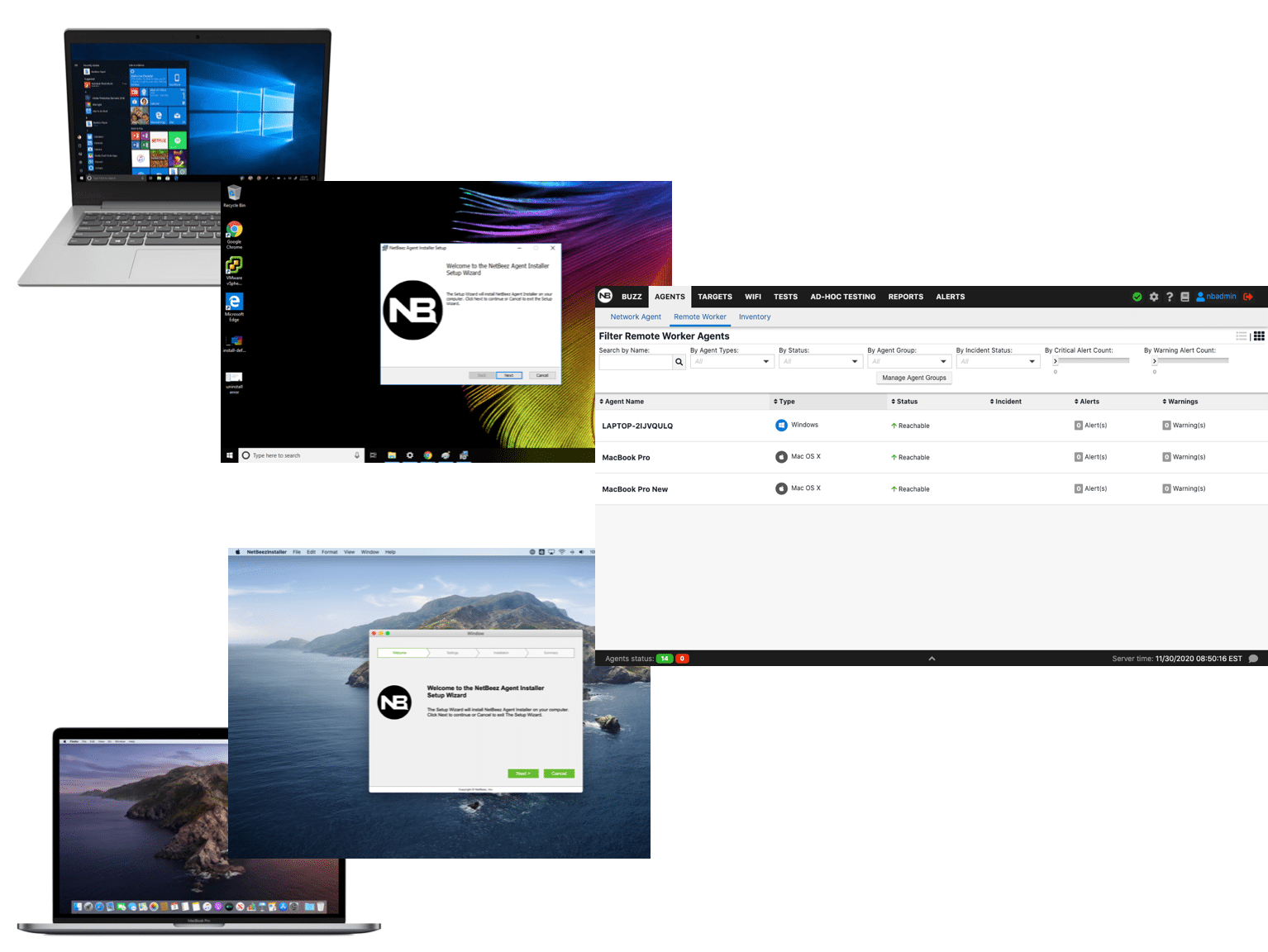
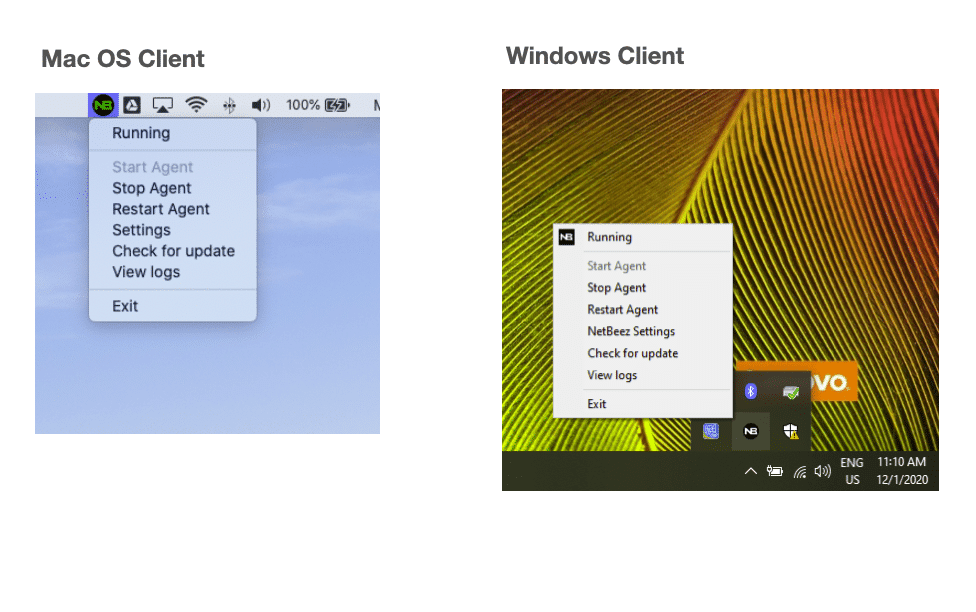
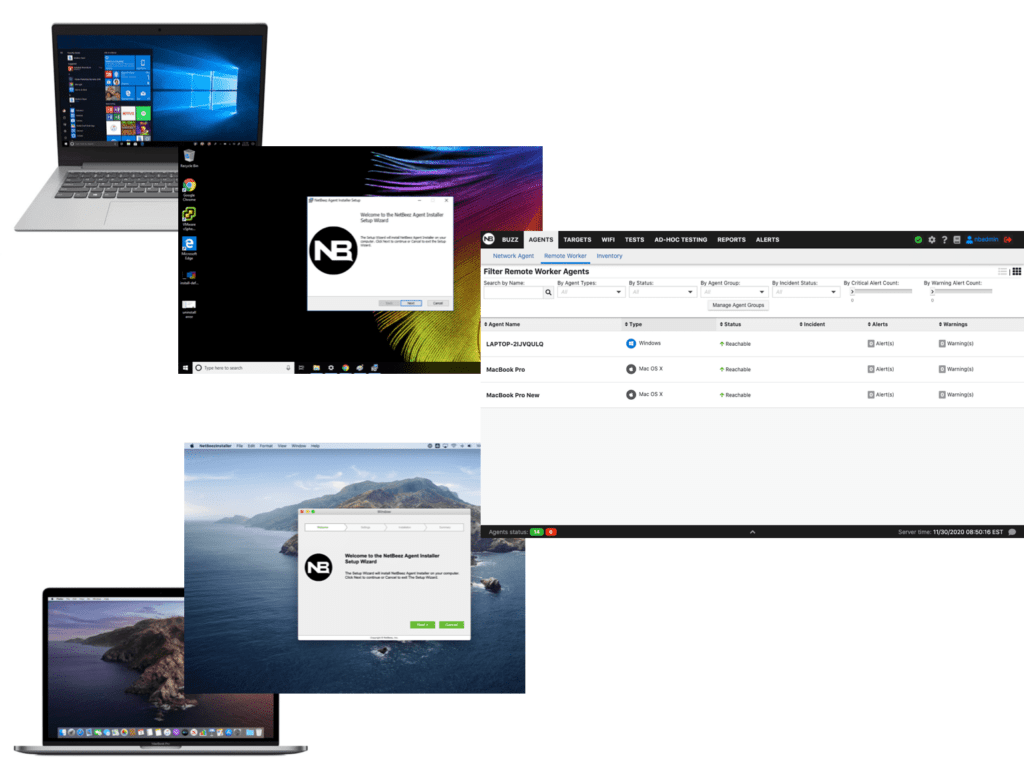
To effectively support remote employees, NetBeez provides a purpose-built solution designed to run directly on end-user devices, including Windows and macOS systems. The lightweight agent performs continuous network and application tests, collecting granular performance metrics that help identify the underlying network conditions impacting application performance and overall user experience.
When issues arise, incident notifications can be automatically routed to on-call teams through integrations with tools like Slack, Splunk, and PagerDuty. For broader interoperability, NetBeez also supports standard protocols such as SMTP, SNMP traps, webhooks, and syslog, ensuring seamless integration into existing IT workflows and aligning with its flexible NetBeez pricing and plans.
The platform offers a centralized dashboard for both real-time and historical analysis. Unlike solutions that rely heavily on sampled data, NetBeez provides raw performance metrics, enabling more accurate troubleshooting and eliminating the guesswork often associated with aggregated time-series data.
As an active monitoring solution, NetBeez runs synthetic tests to proactively assess network performance without capturing or inspecting users’ private or sensitive data, which is especially valuable when monitoring Microsoft Teams performance for remote users. The agent operates transparently in the background, reporting real-time insights to the dashboard without requiring user interaction or disrupting their workflow.
By leveraging endpoint network monitoring, IT teams gain the visibility and control needed to efficiently manage large, distributed workforces. This results in faster issue resolution, improved user satisfaction, and increased productivity, delivering tangible benefits across the entire organization.
Future Trends in Endpoint Monitoring
One of the most exciting future trends in endpoint network monitoring is the integration with Large Language Models (LLM). There are several areas where AI brings improvements to an endpoint network monitoring solution:
- Root Cause Analysis: By aggregating, processing, and analyzing large and comprehensive sets of device performance metrics, telemetry data, and synthetic testing LLMs can independently identify root causes of network and system outages; this enables quick resolution of remote worker issues and reduced load on engineering and support teams.
- Network Automation: An agent could respond to network conditions and autonomously update the network configuration beyond the current scope of routing protocols; many private and open projects for instance sparked the development of MCP servers for network engineers.
Conclusion
In today’s distributed and cloud-driven environments, a complete endpoint monitoring solution is essential to ensure reliable performance across all network access points, from home offices to corporate and cloud services. Endpoint monitoring seeks to deliver comprehensive visibility into device health, application behavior, and network conditions through ongoing monitoring and ongoing analysis of performance data. With robust features that enable effective monitoring, IT teams can quickly detect and resolve performance problems while maintaining operational efficiency at scale. At the same time, modern solutions must incorporate strong security measures to defend against sophisticated cyber threats, while also maintaining awareness of software inventory and endpoint posture. Ultimately, organizations that invest in endpoint monitoring gain the insight and control needed to support remote workforces, optimize performance, and ensure a secure, high-quality user experience.
Test the NetBeez Remote Worker Agent
NetBeez Remote Worker Agents help IT and network teams see whether remote-user issues are coming from home Wi-Fi, ISP performance, VPN connectivity, Microsoft Teams quality, or the corporate network. If your team is spending too much time chasing remote-user complaints without clear evidence, book a short demo session and see how NetBeez can help you isolate root cause faster.
