

I used Claude the same way most people probably do: open a tab, type a question, get an answer, and close the tab. It kind of worked. But I kept running into the same issue: responses that were technically correct but missed the point.
But as it turns out, I wasn’t being limited by the AI; I was being limited by a lazy setup. After a few weeks of trial and error, and some deep-diving into Claude’s more advanced features, I realized I wasn’t unlocking its full potential. Here is how I fixed mine, and how you can do the same.

I tested Claude Code against 3 open-source alternatives, and one came surprisingly close
Claude might not be the only coding agent worth using.
The ‘wrong way’ phase
The learning curve

When I first started using Claude, I treated it exactly like Google — except instead of keywords; I typed full sentences. I would land on the homepage, ask whatever was on my mind, get an answer, and close the tab.
Sometimes the responses were useful. More often, it was generic enough to be nearly useless. But I kept blaming the tool rather than myself. The bigger problem was that I was starting from zero every single time.
Claude has no idea who I was, what I did for work, what kind of writing I produce, or what ‘good output’ even looked like for me. Every conversation was a cold start.
My prompts didn’t help either. I would type things like ‘explain Python in Excel’ and expect something tailored. What I got back was technically correct but completely generic.
The worst part is I thought this was just how AI tools worked, and the people raving about it were either exaggerating or doing something I couldn’t see.
The turning point
Meet Projects

After my below-average experience with Claude, I decided to dig into the sidebar and settings. I was copy-pasting the same style guidelines and ‘Above Me’ snippets into every single new chat.
I finally started paying attention to the Projects tab. I used to just see a list of old chats, but once I clicked into Projects, I realized I could create dedicated ‘buckets’ for my different roles.
I stopped having one giant messy feed and started building specialized environments: one for my tech analysis, another for freelance client work, and a separate one for home lab documentation.
I can create a dedicated project, give relevant instructions, upload files, documents, and client requirements, and build a specialized mini-AI that lives in that folder. It’s like building a NotebookLM notebook right into Claude.
Leveraging Artifacts for live iteration
Enable live preview
Here is where Artifacts truly surprised me. Instead of just generating code, I can ask Claude to build one.
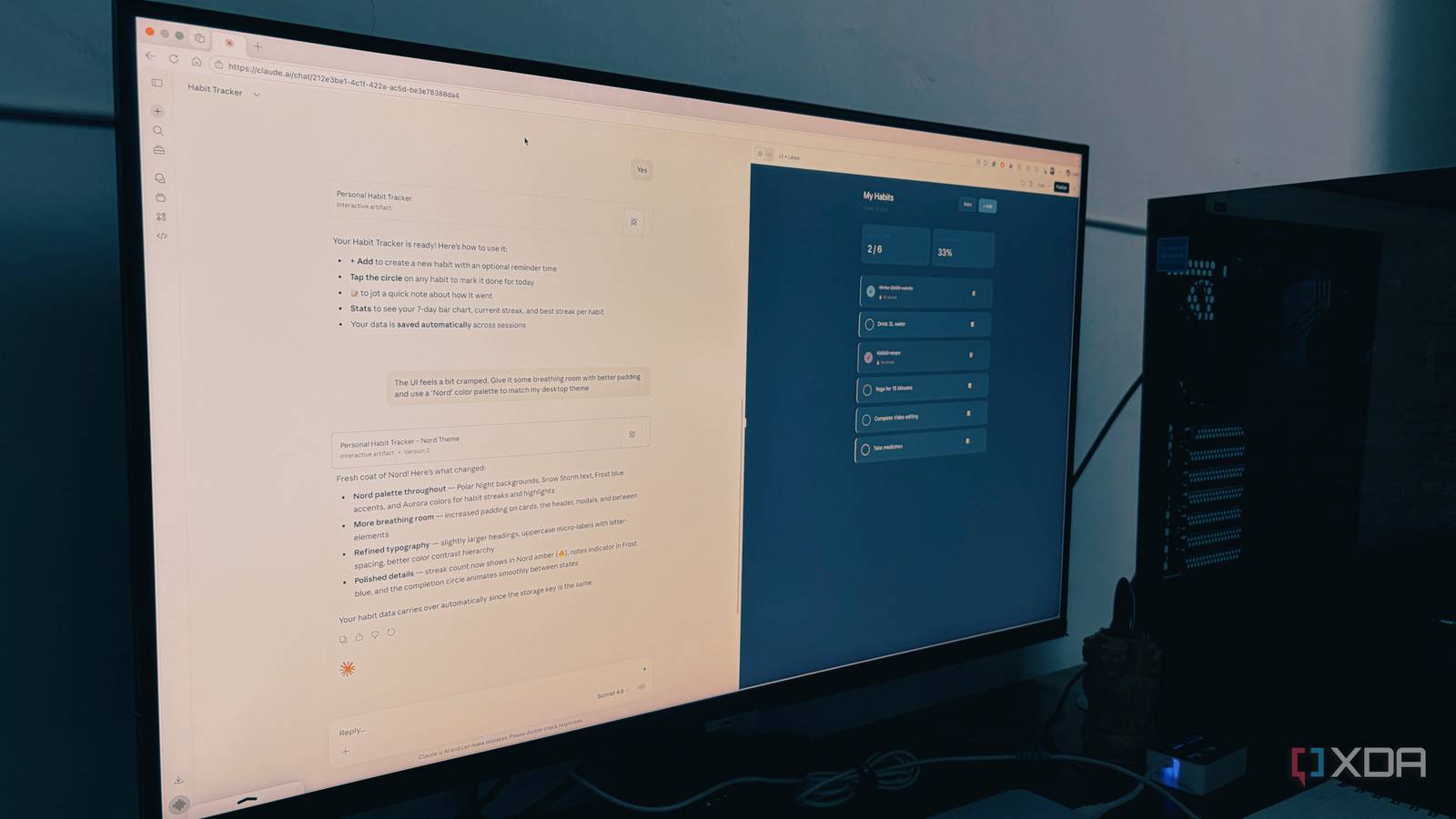
For example, instead of asking Claude to create a habit tracker, I ran a dedicated prompt in Artifacts. In a normal chat, I would have just seen a wall of code that I would have to copy, save as an .html file, and open in a browser.
But with Artifacts enabled, a window slid out from the right, and suddenly, I had a working, styled, interactive dashboard sitting right next to our conversation.
The first version was a basic one, so I further ran the prompt below:
The UI feels a bit cramped. Give it some breathing room with better padding and use a ‘Nord’ color palette to match my desktop theme.
Claude made the relevant changes and created an eye-catching prototype in no time.

I tested Claude’s new interactive visuals, and they’re changing how I explain things
Most LLMs suffer with visualisation, Claude doesn’t
Connect your favorite apps
A game-changer

This is where Claude goes from being a smart writer to a power-user OS. For the first few months, I was stuck in the copy-paste loop. I would download a file or clip from Google Drive, upload it to Claude, and ask for suggestions.
By going into Settings -> Connectors, I linked my Google Workspace and Canva accounts directly. This isn’t just a file upload; it’s a live bridge. Claude can see my folders and act on my files in real-time.
This was the biggest surprise. Because I’m often creating graphics for my blog or social media, I connected my Canva account. I can now say: ‘Claude, look at my Sapa Adventure file from Canva and give me suggestions to improve it.
Claude doesn’t just give generic advice. It searches my Canva account, pulls the design file, and tells me exactly where to trim the clip or which ‘Brand Kit’ fonts would make the text pop.
Similarly, I can connect Gmail, Google Calendar, Figma, and dozens of other tools to boost my productivity with Claude.
Tweaking Claude’s memory settings
A must-have trick

This is the ‘final piece of the puzzle’ for a truly automated setup. While Projects are great for specific silos, the Memory from Chat History feature is what makes Claude feel like a personal assistant that actually grows with you over time.
Before that, each new chat was a total reset. I would have to remind it again that I’m based on Surat, that I prefer my code in Python, and that I despise the word ‘leverage.’
I headed to Settings -> Capabilities and enabled the Generate memory from chat history toggle under the Memory menu. I can even import memory from other AI providers.
Now, when I’m deep into a Docker conversation with Claude, it remembers my hardware from a conversation I had three days prior.
Prompting Claude isn’t enough
The shift from using Claude as a simple chatbot to treating it as a structured workspace changed everything for my workflow. You don’t need to become a prompt engineering expert or spend hours tweaking settings. Just follow the tricks above and get the best out of your Claude plan.
So, what are you waiting for? Take 20 minutes today to set up your first project, upload your style guides, and stop prompting from scratch. Once you see the difference a proper setup makes, you will never go back to a blank text box again.

- OS
-
Windows, macOS
- Individual pricing
-
Free plan available; $17/month Pro plan
Claude is an AI assistant that rivals ChatGPT and Gemini.
