

I enjoy cleaning up storage on my devices. It feels like decluttering a drawer you’ve been ignoring for months. Recently, I cleared up space on my Android phone through a hidden menu, and it reminded me how much unnecessary junk we hold on to. Near-identical photos, duplicate files, random leftovers from apps I barely used, they just sit right there taking up space for no reason.
Deleting these files feels wonderful, but finding them manually is a chore. I’m always on the lookout for features and tools that make these little maintenance tasks easier, and this time an open-source utility did exactly that. It scanned my laptop and flagged identical photos within minutes, saving me from endless scrolling.
After using this tool, my laptop’s storage felt lighter, and my gallery feels far less chaotic now. If you’ve been putting off a cleanup like this, it’s definitely worth trying something similar. I’m sure your device will definitely feel refreshing.

These 7 open-source apps are so good I’d happily pay for them
Some open-source alternatives aren’t just good, they’re good enough to be paid for.
The duplicate detective at work

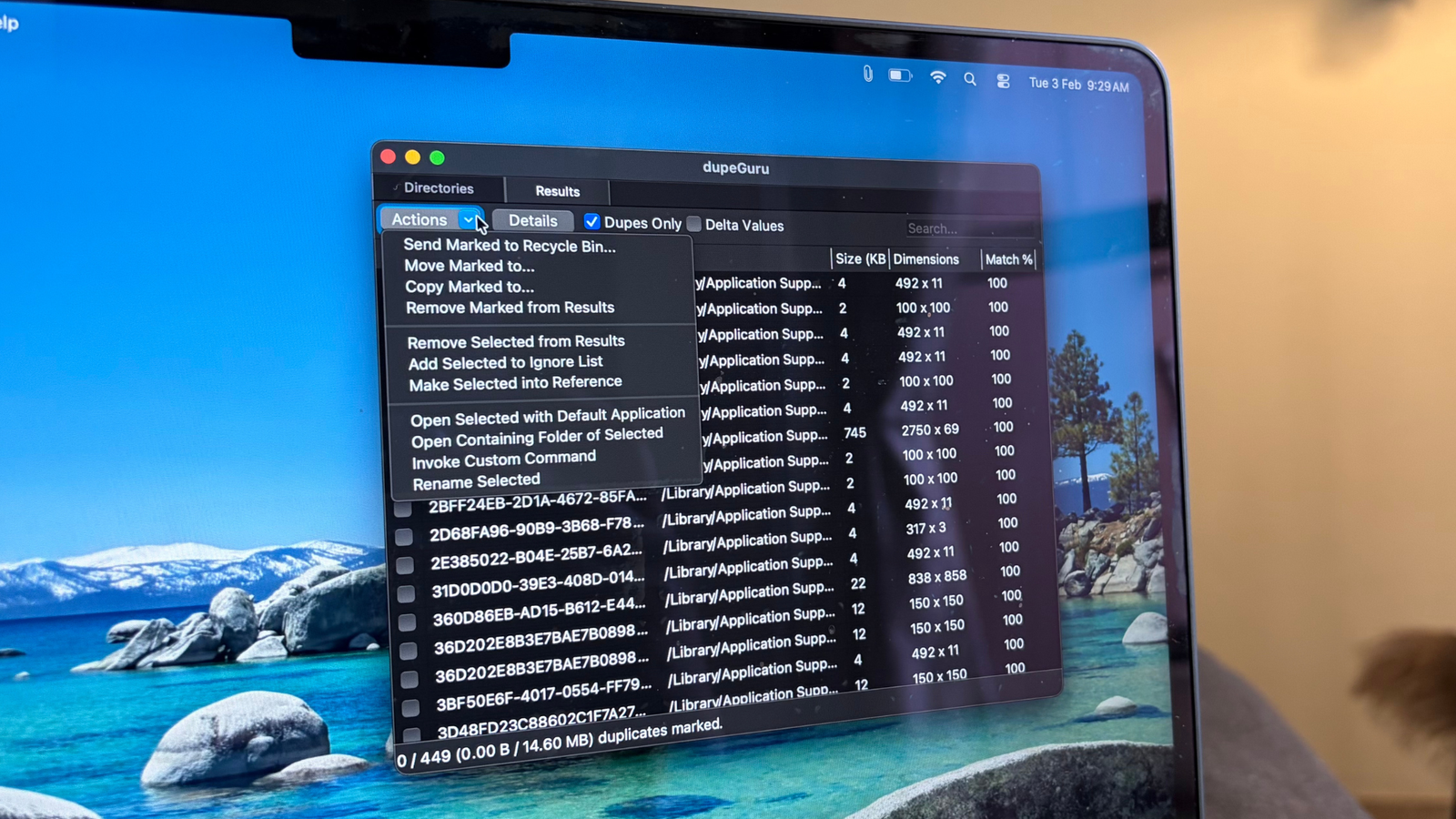
dupeGuru is an open-source utility that helps you track down duplicate files, music, and photos cluttering your system. It scans filenames, metadata and even file contents to surface identical or near-identical copies across your laptop. Once the matches show up, clearing them out is straightforward. The tool relies on fuzzy matching algorithms across file types, which means it is generally quite good at spotting duplicates.
Using dupeGuru to remove duplicates is typically safe. It includes a reference directory system designed to prevent the accidental deletion of files you did not intend to touch. That said, it is still wise to review the results before deleting anything to avoid losing important items during cleanup.
From a privacy standpoint, its open-source nature adds a layer of transparency. The code and processes are publicly accessible, which makes the tool easier to scrutinize and generally more trustworthy when handling your data.
Putting it to work
Time to chase down the twins

dupeGuru works across Windows, Linux, and macOS, so you will need access to one of these platforms to get started. I am putting the tool to work on a MacBook Air M2, so the steps below reflect that experience.
- Start by opening the dupeGuru website in your preferred browser.
- Download the version that matches your device. In my case, I selected the macOS (10.12+) option, which immediately triggered the download.
- Once the file is saved, follow the on-screen setup instructions to install the application.
That’s it for the basic installation process.
Launching the app on macOS may require an extra step. Since Apple cannot verify the developer, you might see a warning when opening it. If that happens, head to System Settings, and go to Privacy & Security. Scroll down to see the security prompt, and select Open Anyway. Enter your password, and the app should launch without further friction.
Now onto the actual legwork. dupeGuru offers three modes: Standard, Music, and Picture. Each is tailored to a specific type of duplicate deletion. Standard mode scans general files, Music mode targets audio libraries, and Picture mode identifies duplicate images. For this walkthrough, Picture mode is the obvious choice. Within the scan type, selecting the EXIF timestamp helps refine the detection process. You can also explore More Options to further customize the scan, such as matching pictures with different dimensions or ignoring hard-linked duplicates. Applying these filters early yields more precise results. Click OK once your preferences are set.

The app does not automatically access your files, so you will need to add folders manually using the Plus (+) icon at the bottom. For example, I added the Photos library from my laptop. Depending on size, loading may take a few minutes. Once the folders appear in the list, click Scan in the bottom-right corner. After a short wait, the results populate on the screen. Switching to Dupes only simplifies the view. From there, review the matches, select what you want to remove, and delete them once you are confident they are safe to clear.

You can follow the same process when clearing duplicate files or music folders on your laptop. Just be mindful of choosing the right filters, as they play a big role in delivering accurate results. What stands out is how efficiently this tool handles the heavy lifting. It surfaces the duplicates for you, yet leaves the final call entirely in your hands. Whether you decide to delete the files or move them into a separate folder for safekeeping, the control stays with you. It streamlines the cleanup without demanding much effort on your end.

Tidying up never felt this good
Open-source tools like this make routine maintenance feel far less tedious. There is a surprising number of open-source apps that rival, and sometimes even outshine, the default utilities we rely on every day. Beyond offering capable features, they often prioritize transparency and user trust, which adds another layer of confidence when putting them to work.
Using dupeGuru simplified what would otherwise have been a time-consuming cleanup exercise. After running it, my laptop felt noticeably lighter in storage and a bit more responsive overall. That improvement likely comes down to clearing out the unnecessary digital clutter that builds up over time. The tool handles everything by identifying duplicates, but the decision-making stays yours. You can choose whether to delete, relocate, or keep files untouched, which keeps the process flexible and safe.
It also serves as a reminder that there are plenty of lesser-known optimization tricks worth exploring, whether it’s open-source utilities or overlooked built-in features that many people never tap into. At the end of the day, anything that helps streamline everyday tech use and improve performance is a win in my book.
