

My speed tests came back smug and green. Downloads were fast. YouTube didn’t buffer unless I actively tried to break it. On paper, my connection looked like something you’d brag about in a Reddit thread. And still … every time I opened a page, there it was. That tiny, irritating pause. No loading bar, no spinner, and no reassuring flicker of activity. Just a weird half-second of nothing, like the internet had to gather itself before committing. It wasn’t long enough to complain about, but it was absolutely long enough to feel.
That kind of delay doesn’t show up in benchmarks. It lives somewhere else. In muscle memory, in expectation, and that subtle “why does this feel off?” that creeps in after the hundredth tab. I did what everyone does. Blamed the browser. I closed and reopened tabs. Considered blaming Vivaldi again because it’s always a little guilty of something. But this wasn’t RAM, it wasn’t the CPU, or even the connection itself. It was DNS quietly dragging its feet before anything else even had a chance to begin.
Why everything felt slow before it actually started loading
That invisible delay wasn’t bandwidth, it was lookup time

Before a website loads, your system has to ask a very basic question: where is this thing? That question goes to a DNS resolver. It translates something human, like a domain name, into something your system can actually connect to. And nothing happens until that question gets answered. No content starts loading, no scripts spin up, and no images appear. Everything sits there, politely waiting for DNS to finish its job.
If that step is even slightly slow, the whole experience feels hesitant. Not broken, just … unsure. Most Linux systems, including Mint and Ubuntu-based setups, default to whatever DNS your ISP hands out. It works in the same way as a slightly dented shopping cart still rolls.
But those servers aren’t always fast. They’re not always close. And they’re very rarely optimized for responsiveness in the way modern public resolvers are. So every new request carries a bit of hesitation baked into it. Not enough to scream, but enough to sigh.
The moment it clicked
Fast internet with slow starts is a very specific kind of annoying
What finally tipped me over wasn’t a failure. It was consistency. Once a page started loading, it flew. No complaints. No lag. It snapped into place as if everything were working perfectly. But getting to that point felt like knocking on a door and waiting just a little too long for someone to answer. So I started paying attention in a slightly obsessive way. Opened the same sites repeatedly. Compared the first loads with refreshes. Watched how cached pages behaved versus new requests.
Cached pages were instant. Like, aggressively instant. Fresh requests? That same awkward pause, every time. That’s when it stopped being a vague annoyance and started looking like a pattern. And DNS fits that pattern perfectly. Once I saw it, I couldn’t unsee it. Every click felt like it had to clear its throat first.
Switching DNS removed the hesitation instantly
A better resolver didn’t make things faster, it made them feel right

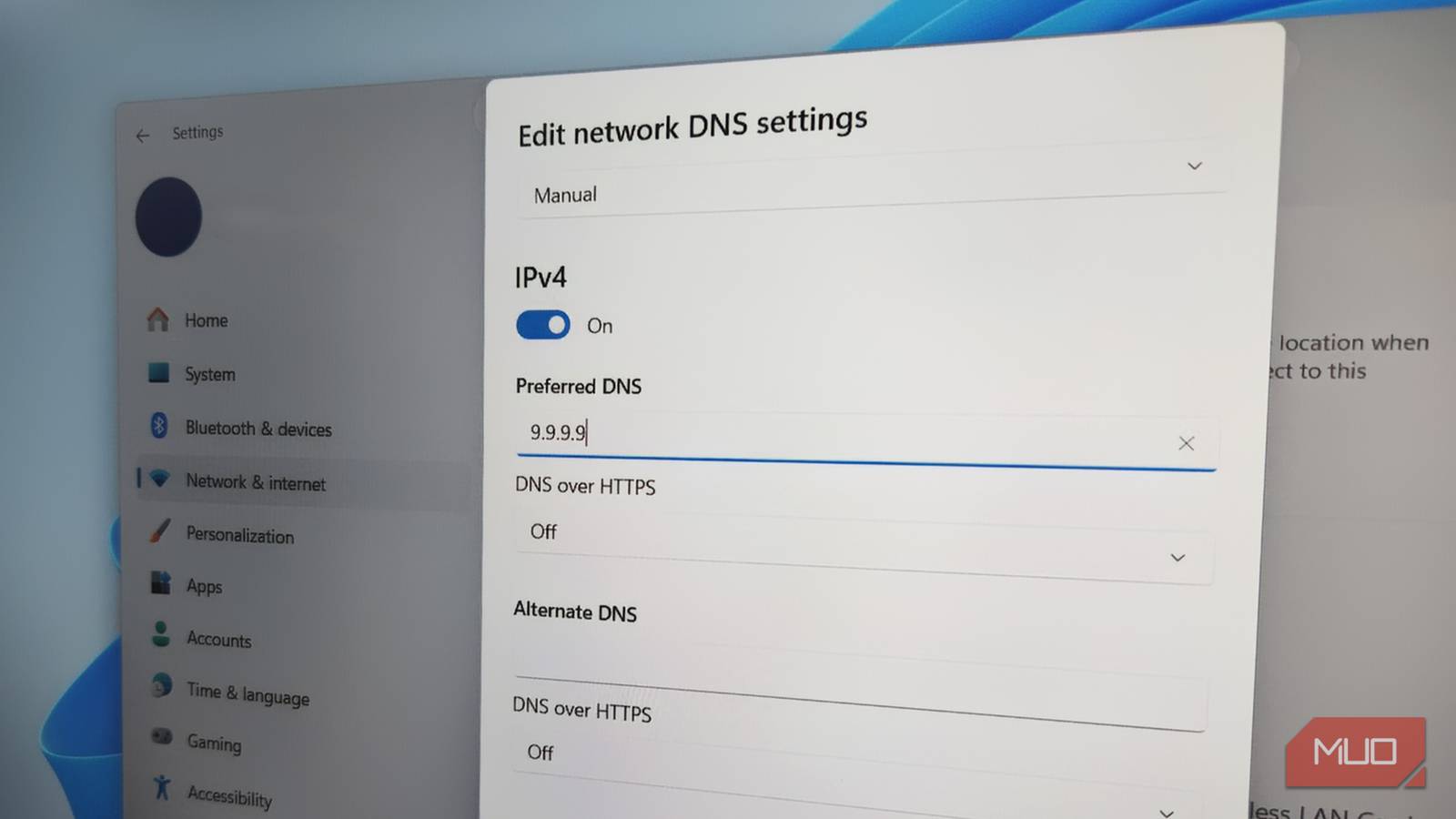
I switched away from my ISP’s DNS and tested a few well-known public resolvers:
- Cloudflare (1.1.1.1)
- Google DNS (8.8.8.8)
- Quad9 (9.9.9.9)
No big ceremony. No system overhaul. Just a quiet change in network settings and a reconnect. And the difference was immediate in a way that’s almost annoying. Pages didn’t pause anymore. They just opened. New tabs stopped feeling like a negotiation. Links responded the moment I clicked them. That weird micro-delay that had been quietly living in every interaction just disappeared. Same system, same browser, same everything.
But the entire experience felt tighter. More confident. Like the internet had finally decided to stop hesitating. It’s one of those changes that doesn’t show up dramatically anywhere, but once you notice it, going back feels like your system has suddenly developed commitment issues.
Journald made the behavior impossible to ignore
Watching DNS queries in real time turns a feeling into proof

At this point, I didn’t just want to feel the improvement. I wanted to catch it in the act. So I turned to journald, because if something is happening on a Linux system, it’s usually talking about it somewhere.
On systems using systemd-resolved, you can watch DNS queries live:
journalctl -u systemd-resolved -f Before switching DNS, the pattern was clear. Queries would come in, pause briefly, then resolve. Nothing dramatic, just slightly sluggish responses stacking up over time. After the switch, everything tightened. Requests are resolved faster, with fewer weird delays and less back-and-forth. It looked cleaner, more decisive, like the system wasn’t second-guessing itself anymore. And that’s a very satisfying part.
This wasn’t one of those tweaks where you convince yourself it feels better. The logs backed it up. The behavior changed in a way you could actually observe. That made the whole thing feel less like tweaking and more like fixing something that should never have been that slow to begin with.

Router vs. Computer DNS Settings: Here’s What Was Faster
Comparing DNS at the router versus PC level led to real improvements in my network’s speed and performance.
Removing friction beats chasing raw speed every single time
This isn’t about maxing out your connection. Your download speeds won’t suddenly double. Your speed test results won’t turn into bragging rights. Nothing about your bandwidth changes. What changes is how everything starts. And that’s where most of the experience lives. We don’t spend our days downloading massive files. We click. We browse. We jump between tabs. We follow links faster than we consciously think about them.
If every one of those actions has even a small delay before it begins, it adds up in a way that feels heavier than it should. It’s not dramatic. It’s not measurable in a way most tools care about. But it absolutely affects how your system feels. Switching DNS removes that hesitation. It makes everything feel immediate again. Responsive. Predictable. And once that friction is gone, it’s very hard to tolerate its return. Because now you know it was never your internet being slow. It was just waiting for someone else to answer a very simple question.
