
Close Menu
    Facebook X (Twitter) Instagram
    Wifi PortalWifi Portal
    • Blogging
    • SEO & Digital Marketing
    • WiFi / Internet & Networking
    • Cybersecurity
    • Tech Tools & Mobile / Apps
    • Privacy & Online Earning
    Facebook X (Twitter) Instagram
    Wifi PortalWifi Portal
    Home»SEO & Digital Marketing»Google Chrome Skills Turn Gemini Prompts Into Reusable Workflows
    SEO & Digital Marketing

    Google Chrome Skills Turn Gemini Prompts Into Reusable Workflows

    adminBy adminApril 14, 2026No Comments2 Mins Read
    Facebook Twitter LinkedIn Telegram Pinterest Tumblr Reddit WhatsApp Email
    Google Chrome Skills Turn Gemini Prompts Into Reusable Workflows
    Share
    Facebook Twitter LinkedIn Pinterest Email

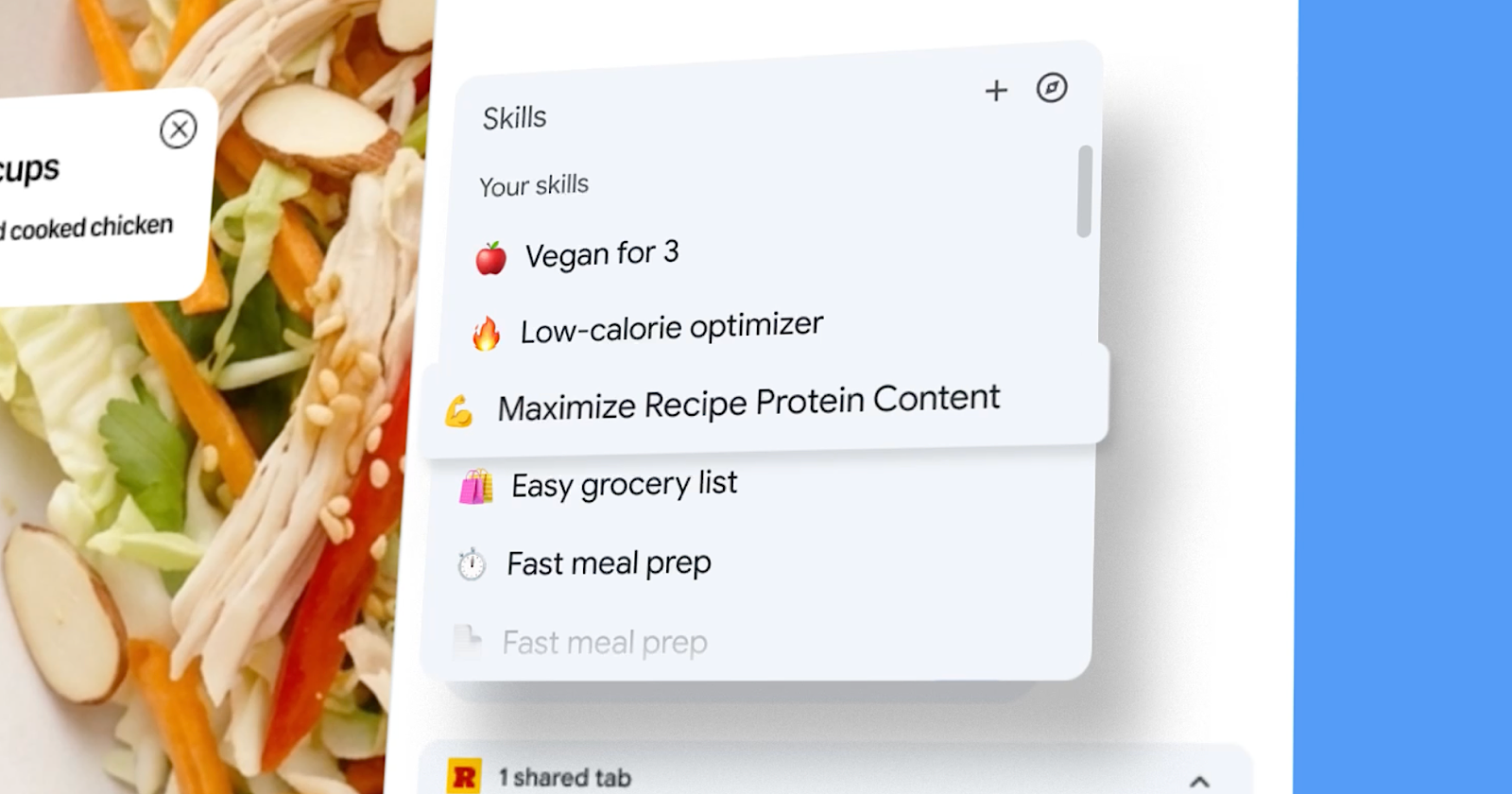
    Google announced Skills in Chrome, a new Gemini in Chrome feature that lets you save prompts and rerun them as one-click tools across selected pages and tabs.

    What’s New

    Skills turn a prompt you’ve already written into a saved tool you can trigger again later. After running a prompt in Gemini’s Chrome side panel, you can save it as a Skill from your chat history. The next time you need it, type a forward slash or click the plus sign in Gemini in Chrome, select the Skill, and it runs on whatever page you’re viewing.

    The feature also works across tabs. You can select additional open tabs when running a Skill, which means a single saved prompt can pull information from multiple pages at once.

    Google is launching a library of prebuilt Skills that includes workflows for breaking down product ingredients, comparing specs across tabs, and cross-referencing a gift budget with a recipient’s interests. You can add any library Skill to your saved collection and edit the underlying prompt to customize it.

    Why This Matters

    This update changes how Chrome’s AI features work together. Over the past year, Google has added page-aware prompts and multi-tab context, connected apps like Gmail and Calendar, and auto-browse for multi-step tasks. Skills add reusability to those capabilities.

    A saved prompt that reads a page, compares it against two other open tabs, and drafts a summary email through a connected app is closer to a lightweight automated workflow than a chatbot conversation.

    How It Helps

    For SEO and marketing work, the multi-tab capability creates several possibilities. You could save a Skill that compares competitor pages against yours, or one that extracts structured data from product pages you’re auditing. A repeatable prompt that checks title tags, meta descriptions, and heading structure across client sites would save time during routine audits.

    The launch categories focus on shopping, productivity, and wellness rather than developer or enterprise tools. That suggests Skills are intended more as a consumer productivity feature rather than a power-user API.

    Looking Ahead

    Skills is the latest in a series of Chrome updates that have upgraded the browser’s AI capabilities.

    Taken together, they point to Chrome becoming a more persistent AI assistant rather than a one-off side panel.


    Featured Image: Google, 2026. 

    Chrome Gemini Google Prompts Reusable skills turn workflows
    Share. Facebook Twitter Pinterest LinkedIn Tumblr Telegram Email
    Previous ArticleYou Can Get Microsoft Visual Studio Pro for Just $28 Right Now
    Next Article Microsoft ends desktop detour for sensitivity labels in Office web apps
    admin
    • Website

    Related Posts

    The automation drift and how to correct course

    April 15, 2026

    Why ChatGPT Cites One Page Over Another (Study of 1.4M Prompts)

    April 15, 2026

    The AI Slop Loop

    April 15, 2026
    Add A Comment
    Leave A Reply Cancel Reply

    Search Blog
    About
    About

    At WifiPortal.tech, we share simple, easy-to-follow guides on cybersecurity, online privacy, and digital opportunities. Our goal is to help everyday users browse safely, protect personal data, and explore smart ways to earn online. Whether you’re new to the digital world or looking to strengthen your online knowledge, our content is here to keep you informed and secure.

    Trending Blogs

    Sweden Blames Pro-Russian Group for Cyberattack Last Year on Its Energy Infrastructure

    April 15, 2026

    The automation drift and how to correct course

    April 15, 2026

    Posts in your Shorts? What to expect from YouTube’s experiment

    April 15, 2026

    Microsoft, Salesforce Patch AI Agent Data Leak Flaws

    April 15, 2026
    Categories
    • Blogging (63)
    • Cybersecurity (1,329)
    • Privacy & Online Earning (167)
    • SEO & Digital Marketing (814)
    • Tech Tools & Mobile / Apps (1,590)
    • WiFi / Internet & Networking (224)

    Subscribe to Updates

    Stay updated with the latest tips on cybersecurity, online privacy, and digital opportunities straight to your inbox.

    WifiPortal.tech is a blogging platform focused on cybersecurity, online privacy, and digital opportunities. We share easy-to-follow guides, tips, and resources to help you stay safe online and explore new ways of working in the digital world.

    Our Picks

    Sweden Blames Pro-Russian Group for Cyberattack Last Year on Its Energy Infrastructure

    April 15, 2026

    The automation drift and how to correct course

    April 15, 2026

    Posts in your Shorts? What to expect from YouTube’s experiment

    April 15, 2026
    Most Popular
    • Sweden Blames Pro-Russian Group for Cyberattack Last Year on Its Energy Infrastructure
    • The automation drift and how to correct course
    • Posts in your Shorts? What to expect from YouTube’s experiment
    • Microsoft, Salesforce Patch AI Agent Data Leak Flaws
    • Why ChatGPT Cites One Page Over Another (Study of 1.4M Prompts)
    • I Tried Binge, the Letterboxd Alternative That I Now Like More Than Letterboxd
    • How Endpoint Network Monitoring Enables Remote Work
    • Actively Exploited nginx-ui Flaw (CVE-2026-33032) Enables Full Nginx Server Takeover
    © 2026 WifiPortal.tech. Designed by WifiPortal.tech.
    • Home
    • About Us
    • Contact Us
    • Privacy Policy
    • Terms and Conditions
    • Disclaimer

    Type above and press Enter to search. Press Esc to cancel.