


A big part of SEO isn’t strategy. It’s the menial, repeatable upkeep: re-running the weekly site audit, catching the post that quietly shed a third of its rankings, noticing the DR 80 backlink you lost last Tuesday, checking whether AI assistants still describe your product accurately.
All of this needs someone in the room, reliably, on a schedule, doing the same diligent checks every time. But it doesn’t need you particularly. It just needs to ping you when something’s worth your attention.
This is the part of SEO you can hand to Agent A.
Here are some of the best use cases you can get started with. We’ve already built most of them as skills or apps in Agent A, but I’ve also given you a starter prompt to use if you’d like to build them yourself.
What is Agent A?
Agent A is a marketing agent from Ahrefs—an AI assistant with direct access to the full Ahrefs dataset that can carry out marketing tasks autonomously, rather than just answer questions.
Agent A includes:
- Unrestricted access to Ahrefs endpoints. Every endpoint we use to build Ahrefs is available, including many you cannot reach via API or MCP.
- Serious tech stack underneath. Postgres for state, Flask for UIs, an OpenRouter proxy with 300+ models, web fetch with full-page parsing, PDFs, OCR, scheduled jobs.
- Native connectors to marketing tools. Slack, HubSpot, GitHub, Notion, Linear, Mailchimp, Resend, SendGrid, Stripe, Gong, WordPress, Airtable, Apify, and even Semrush.
- Expert skill library. The Ahrefs team has contributed pre-built marketing skills and applications that encode how we actually work.
Keyword research isn’t hard. It’s tedious. You pull 4,000 candidates, then spend an afternoon throwing 3,800 of them away, reading SERPs one keyword at a time, and dragging the survivors into something that resembles a plan.
Sam, our VP Marketing, decided he was done doing that by hand. He had Agent A build a keyword research tool that will take your niche (e.g., “coffee”), sort them into clusters, and give you the ability to spin up a content brief for each one.
When you type a niche into the tool, Agent A expands it into seed keywords, then does an entire afternoon’s work in twenty minutes.
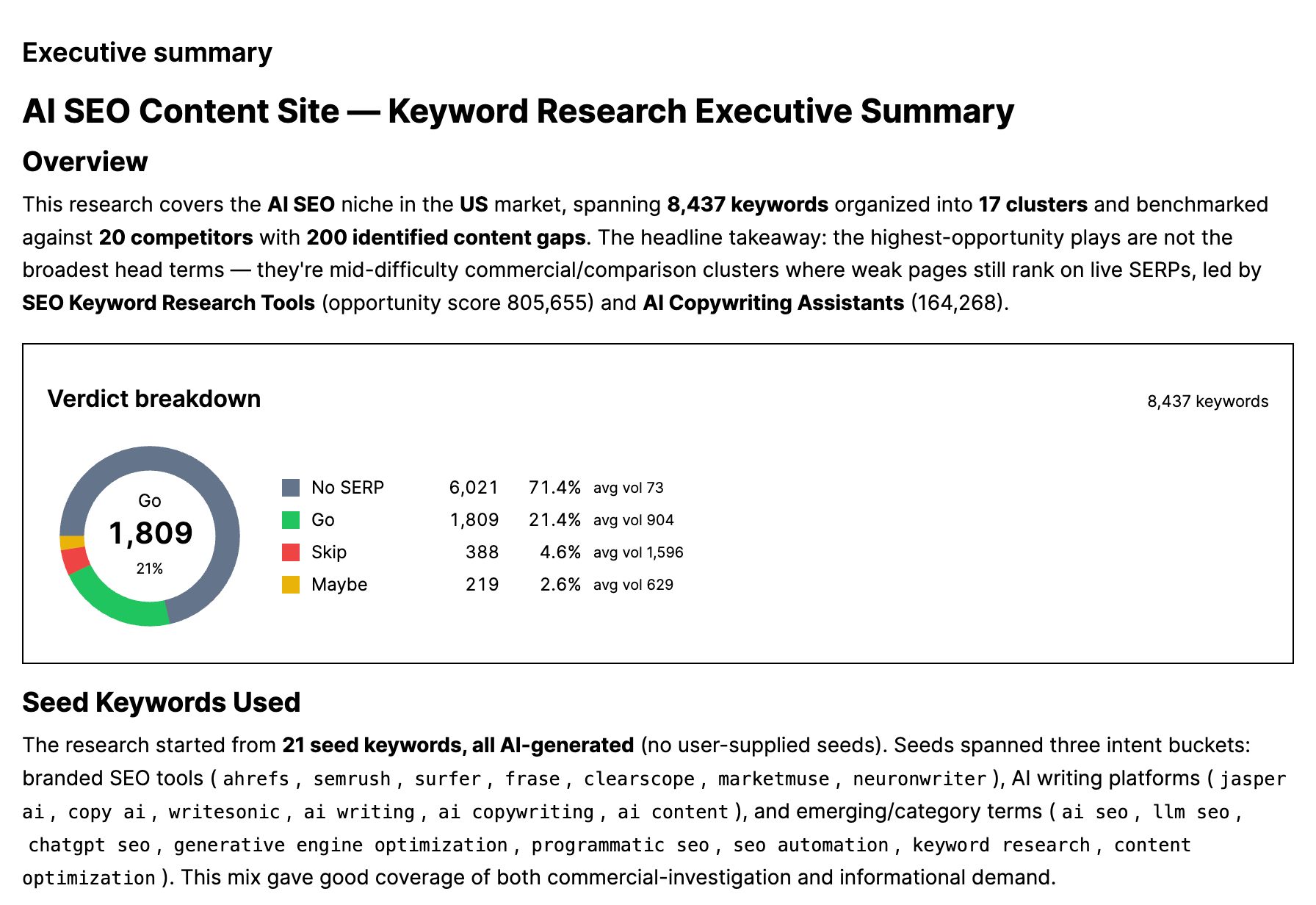
It pulls real volume from Keywords Explorer and reads the SERP for every surviving candidate, analyzing search intent, keyword difficulty, and who’s already ranking. For each keyword, it counts the page-type make-up of the top 10 (e.g., editorial articles versus product pages, YouTube videos, or Reddit threads).
Everything comes out graded Go, Maybe, or Skip, with the easy wins flagged, plus your competitors mined for gap keywords you don’t cover yet.
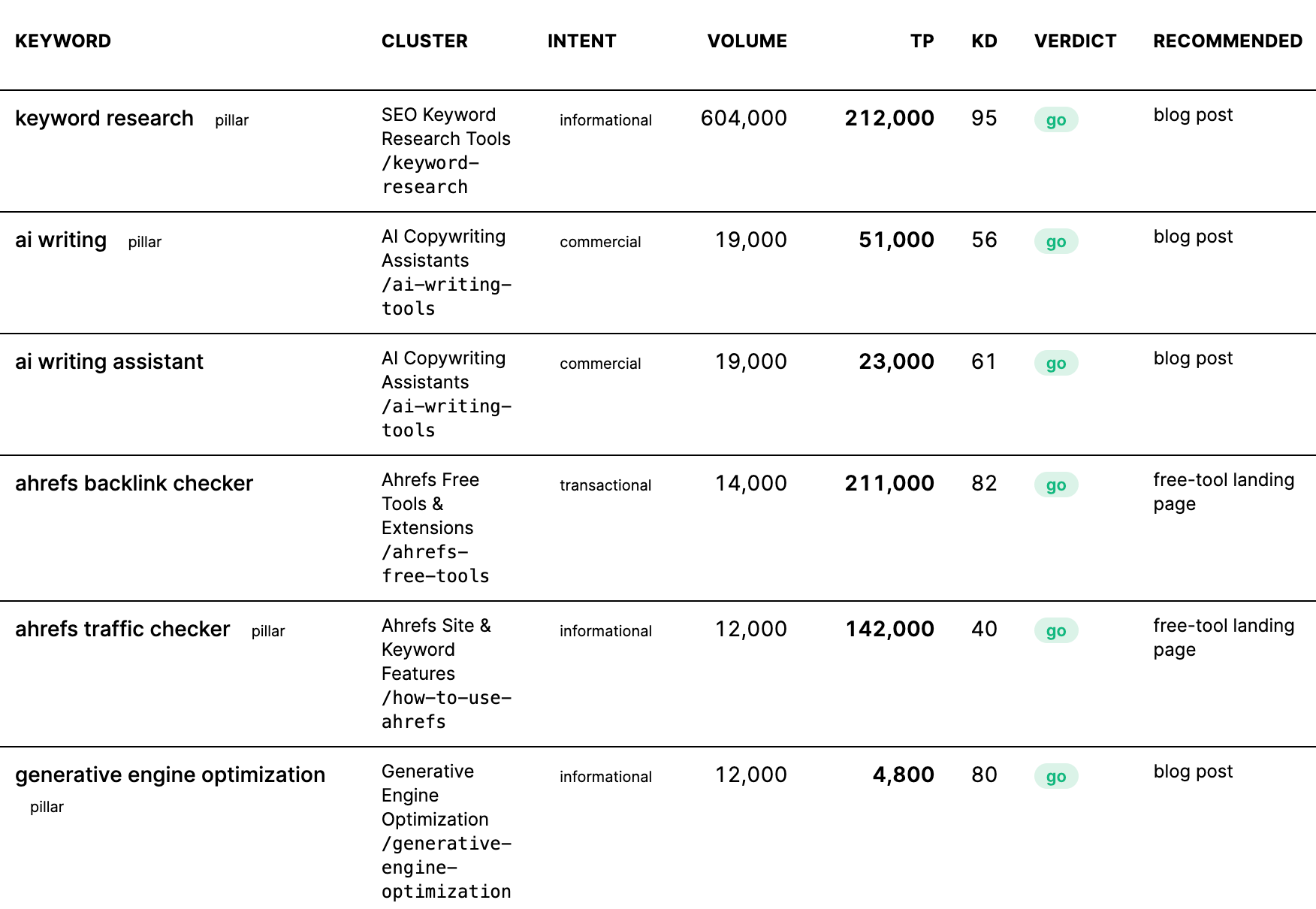
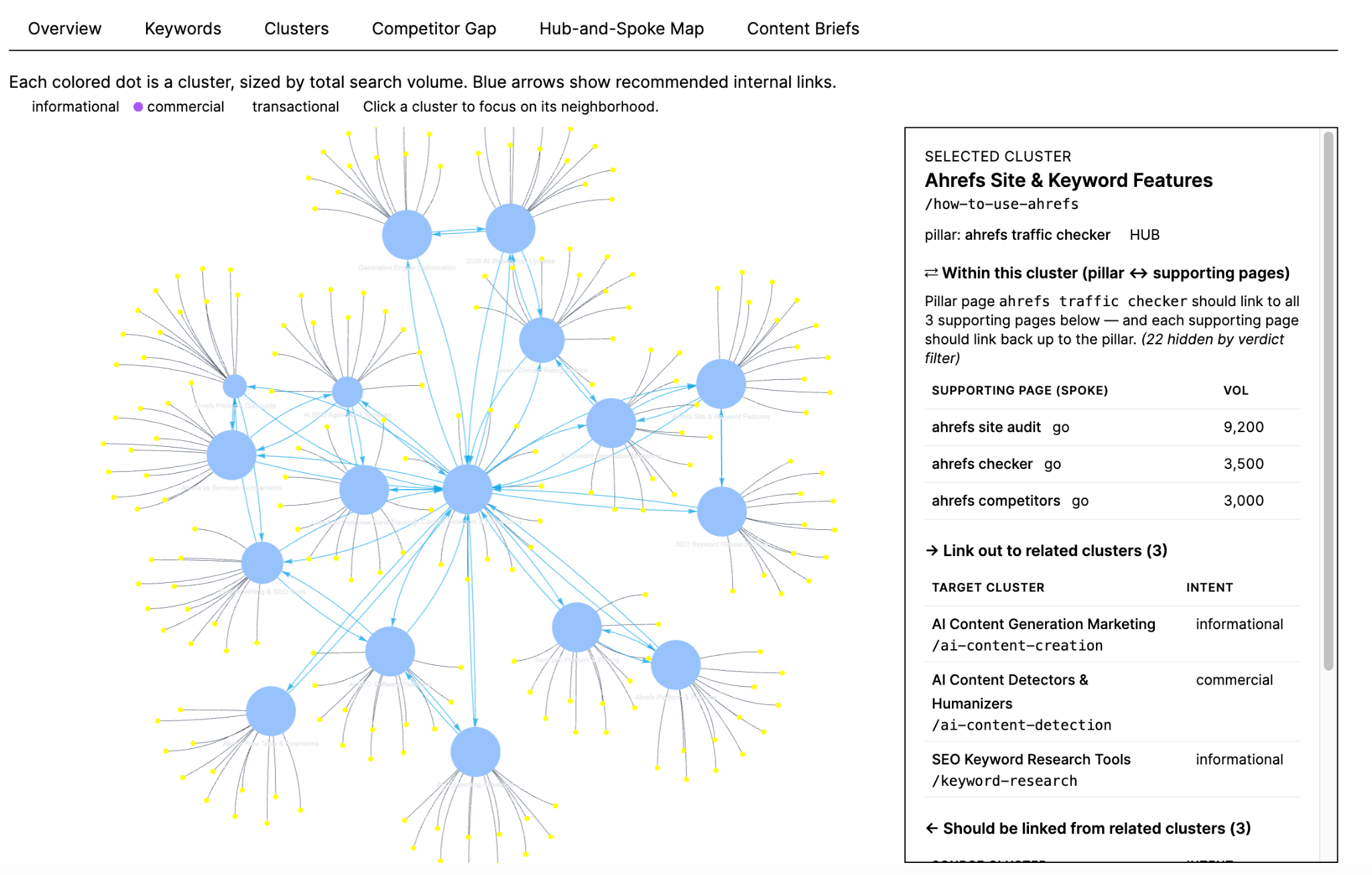
Twenty minutes later, you come back to five tabs:
- Overview (with charts)
- A graded keyword list
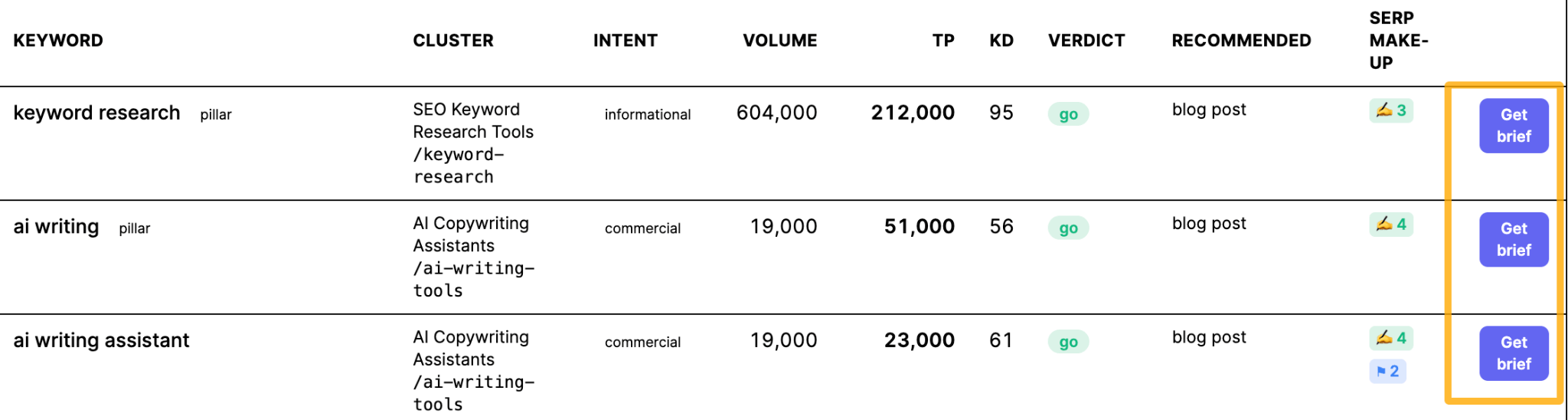
- Clusters grouped into topics (each with pillar keyword, total volume, traffic potential, average difficulty, and SERP make-up at a glance)
- Competitor Gap list
- Hub-and-Spoke Map of how it all links together
Then, if you click on the “Get brief” button on any keyword, Agent A writes the spec a content editor would: three title options and a meta description, a URL slug, a word-count target set to beat the pages currently ranking, a full H1/H2/H3 outline, FAQs mined from the actual Reddit and Quora threads in that SERP, internal-linking tables, and a differentiator aimed at the weakest competitor on page one.
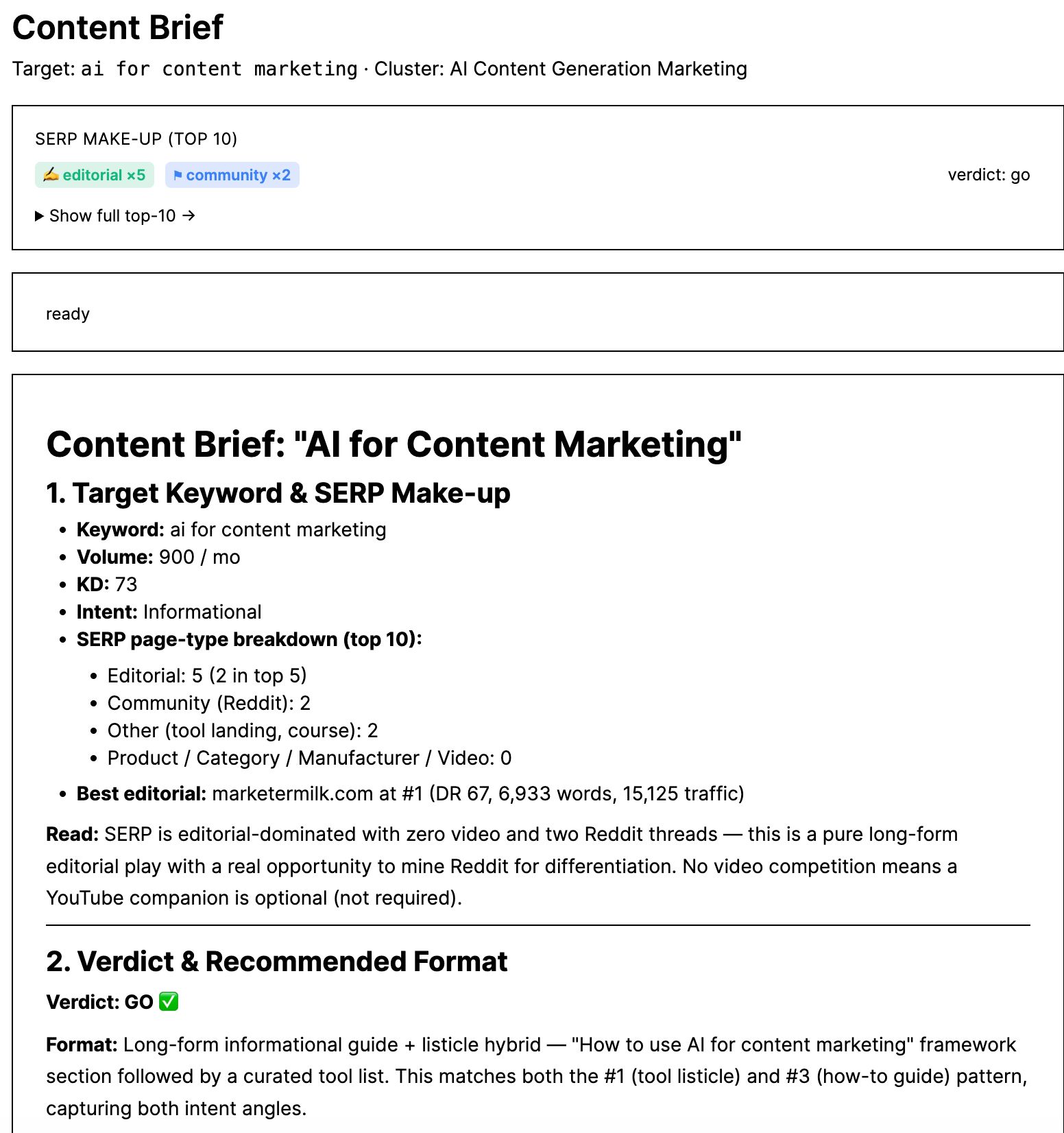
If the SERP is video-heavy, it tells you to shoot a YouTube video alongside the article.
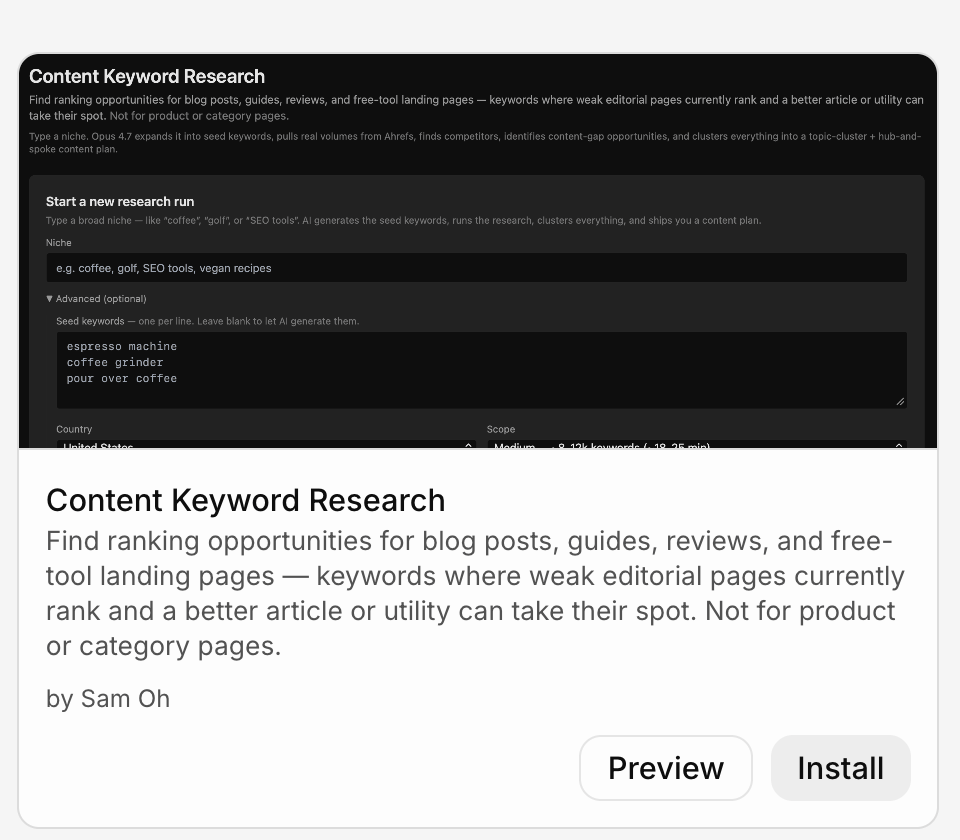
We’ve built Sam’s Content Keyword Research app in Agent A, so all you have to do is to install it.
If you’d like to build your own, here’s a starter prompt:
Starter prompt
Build me a keyword research tool. Input: a niche (one word or phrase). Pipeline: (1) fetch keyword suggestions + global and top-country volume from Keywords Explorer; (2) vet each candidate, dropping low-volume, single-word, and off-intent terms; (3) run a SERP analysis per surviving keyword to score difficulty and classify intent; (4) cluster keywords into topic groups; (5) optional: generate a content brief per cluster. Show clusters in the UI with volume and intent per keyword, and an “export” button. Run as background jobs the UI polls.
Site audits are great at producing findings and terrible at getting them fixed. The report fills up with issues and the issues sit there.
So here’s how to automate that in Agent A.
Set up a job that runs every Sunday. Ask Agent A to pull your most recent Ahrefs Site Audit, rank the issues by priority, and open a GitHub pull request scoped to the high-severity fixes: indexability problems, broken pages, broken internal links, and more.
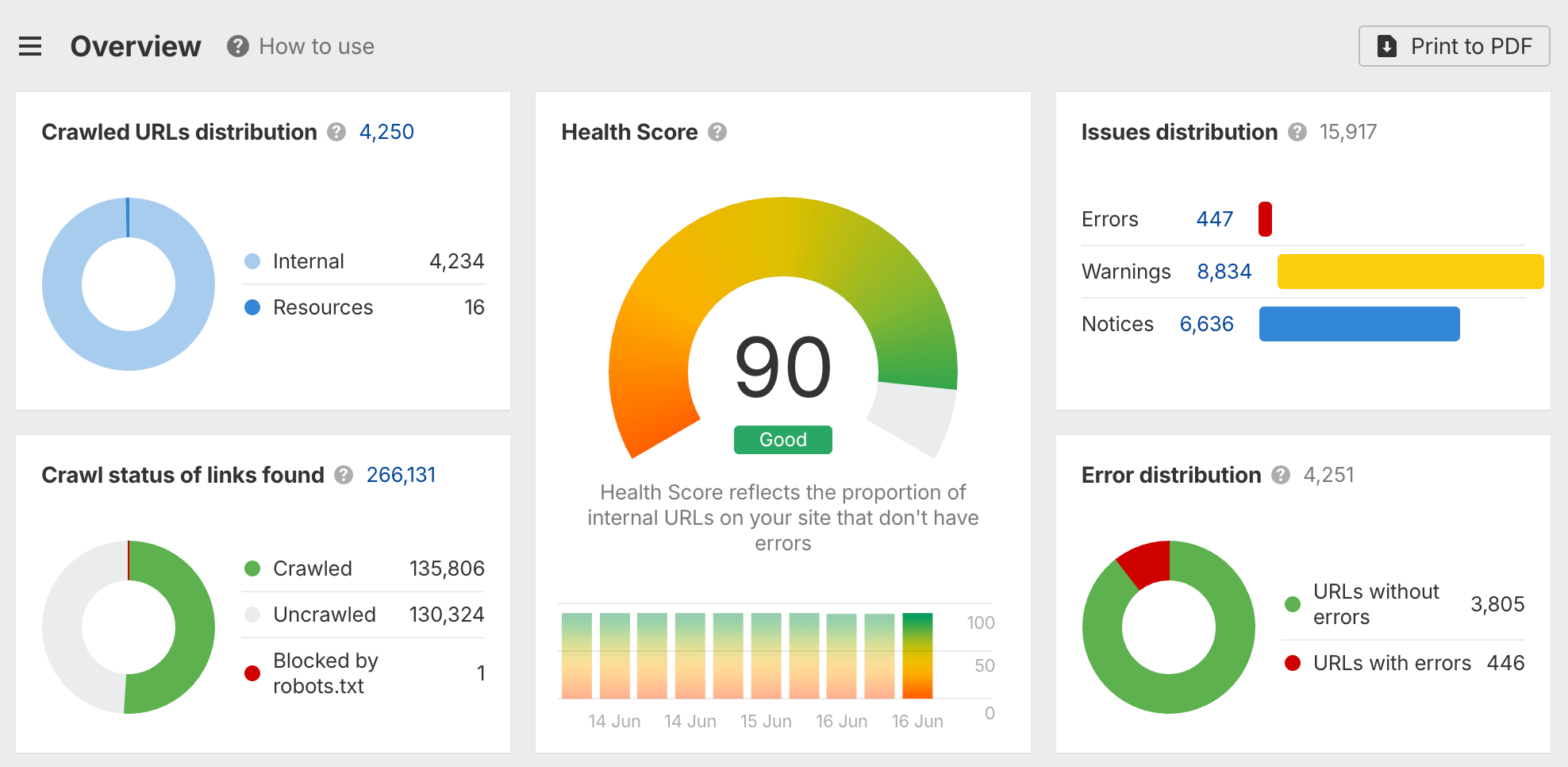
The PR lands with a checklist and the audit data attached, so the developer picking it up Monday morning doesn’t have to re-derive what’s wrong.
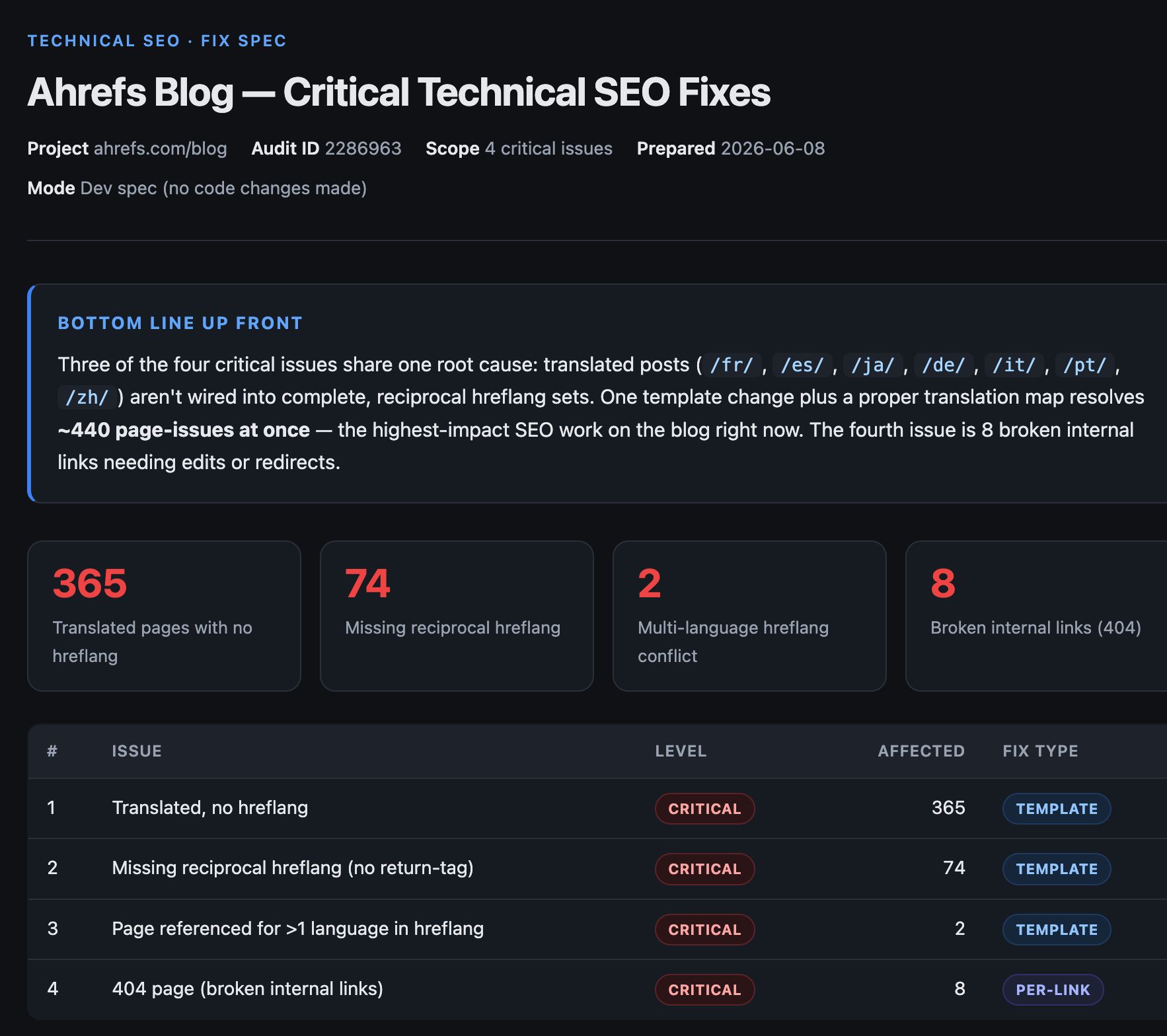
Both processes are already built in Agent A as Skills. The Site Audit Discovery skill surfaces and prioritizes the issues, and Site Audit Issue Fixer drafts the fixes.
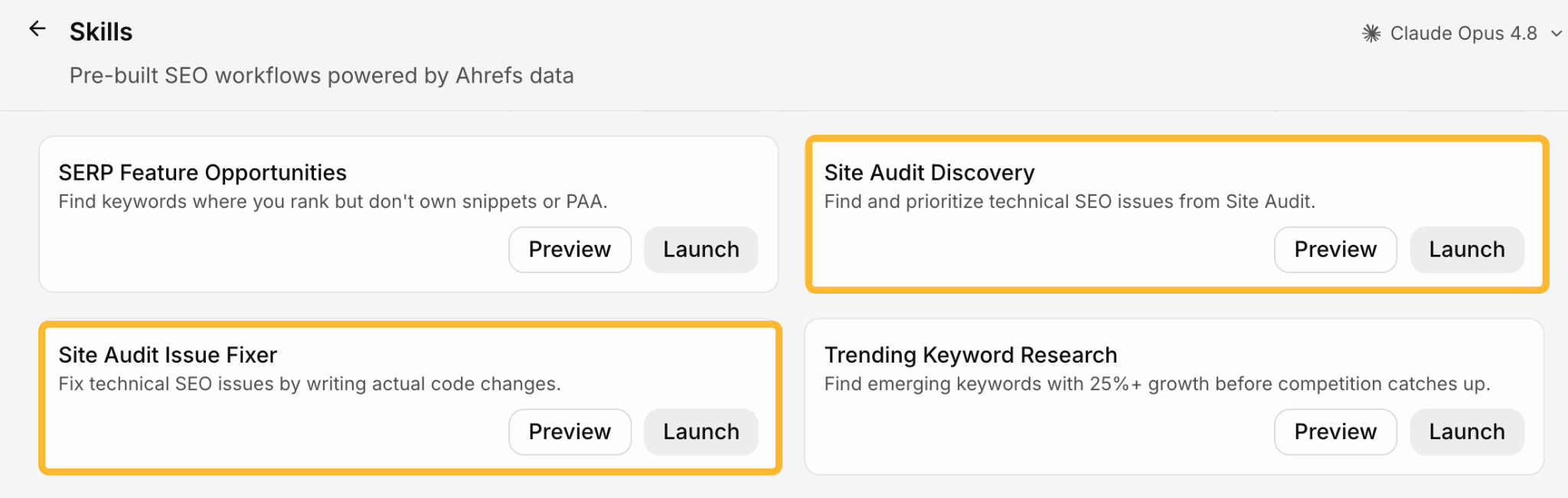
Once launched, you can ask Agent A to run this every Sunday so it’s automated.
Starter prompt
Build me a weekly site-audit-to-GitHub job. Every Sunday, fetch my latest Ahrefs Site Audit, filter to high-severity issues (broken links, missing canonicals, redirect chains, indexability), group them by fix type, and open one GitHub PR per group with a checklist body and the affected URLs. Skip any issue that’s already in an open PR. Post a one-line summary of what was opened.
Traffic decay is invisible day to day and painfully obvious in hindsight. A post that quietly lost 40% of its traffic over a quarter doesn’t trip any alarm, but it hurts you over the long run.
Here’s how to automate it. Once a quarter, get Agent A to compare every blog post’s organic traffic against the prior period, flag the ones trending down, and write a refresh suggestion for each: what’s likely causing the drop and what to update.
Ground the analysis in real numbers by connecting Ahrefs Web Analytics and pulling in Search Console data through Ahrefs’ GSC Insights report.
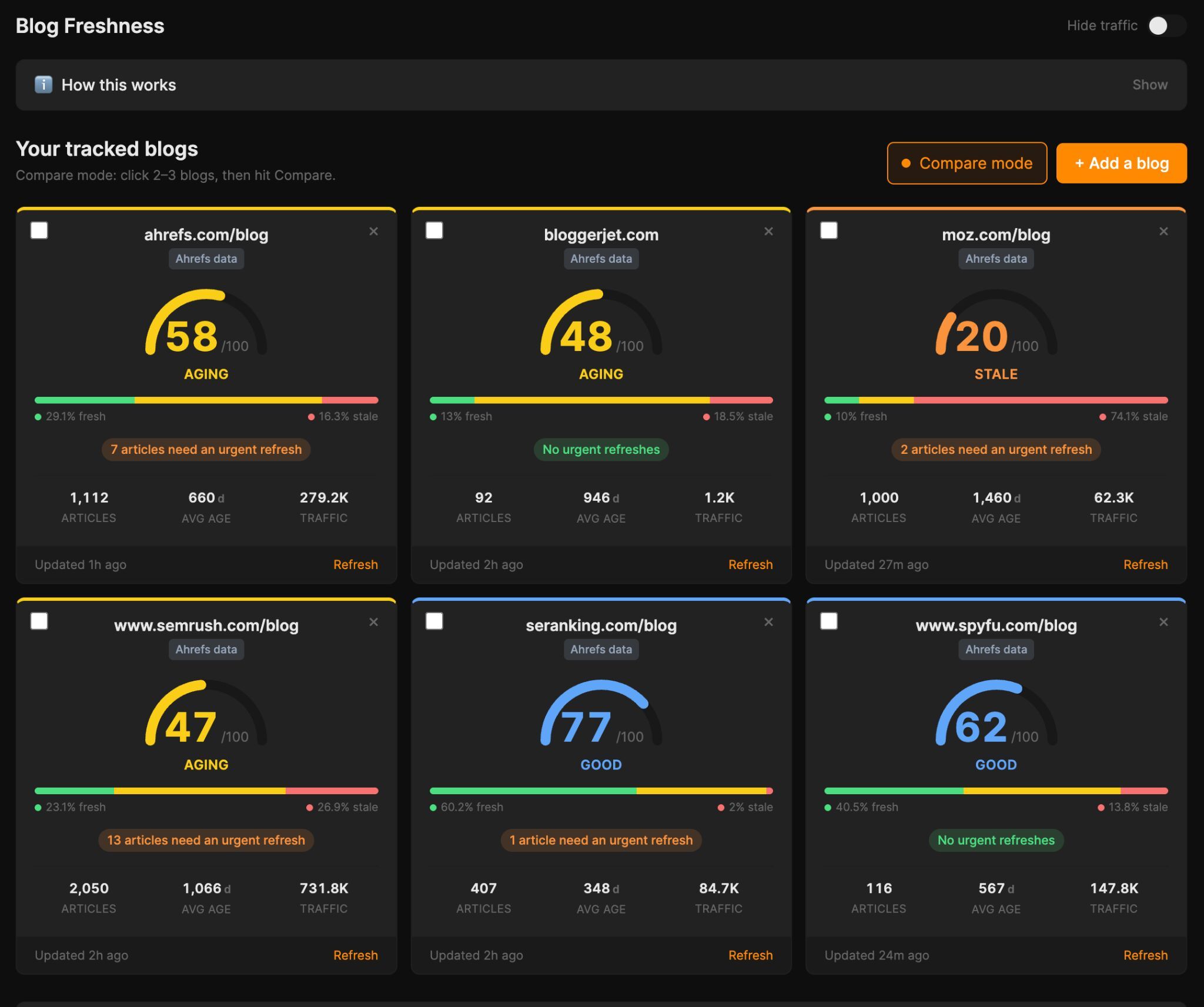
This process is available in Agent A as a Skill or an App. The Declining Content Detection skill does the decay analysis, while the Blog Freshness app gives you a standing dashboard of refresh candidates with the diagnostics attached.
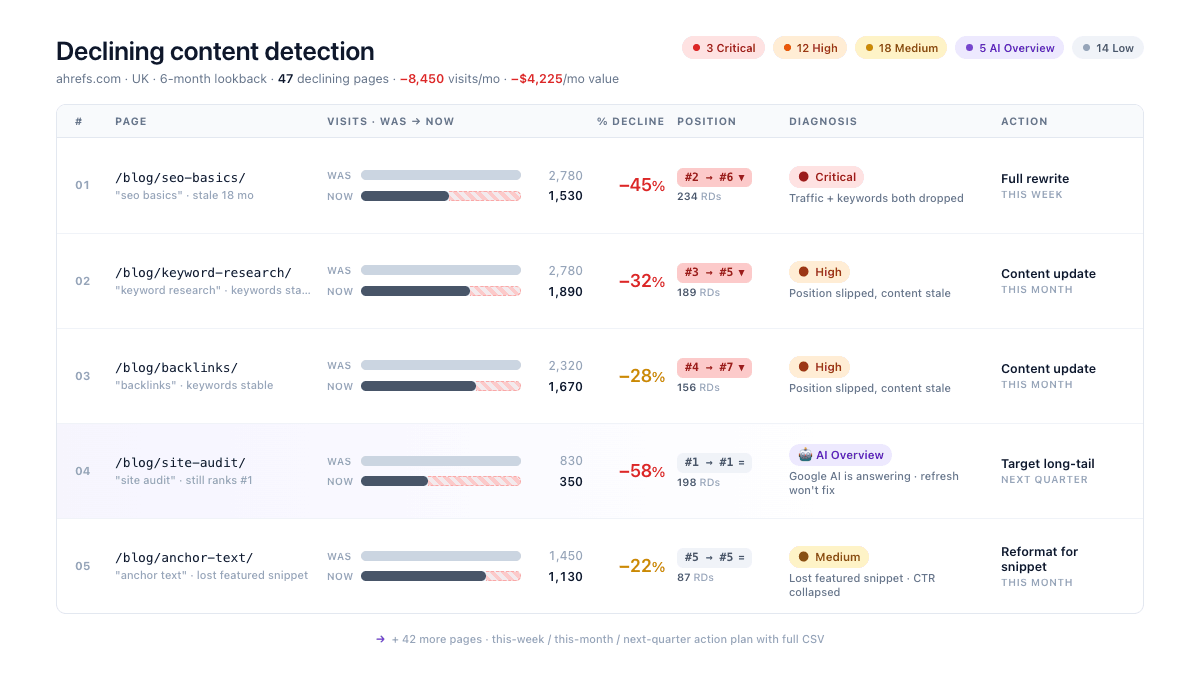
Ask Agent A to set up a schedule for this so it runs automatically without you having to prompt it.
If you’d like to build your own, here’s a starter prompt:
Starter prompt
Build me a quarterly content-decay job. Pull organic traffic for every blog post for the current quarter and the prior one. Flag posts where traffic dropped meaningfully. For each, write a refresh suggestion (likely cause + what to update) and append it as a new row in my Notion editorial database. Sort by traffic lost so the biggest decays are at the top.
You can also use Agent A to build out a pipeline where you can paste an URL from the above tool and update them. This is exactly what our Director of Content Marketing, Ryan Law did.
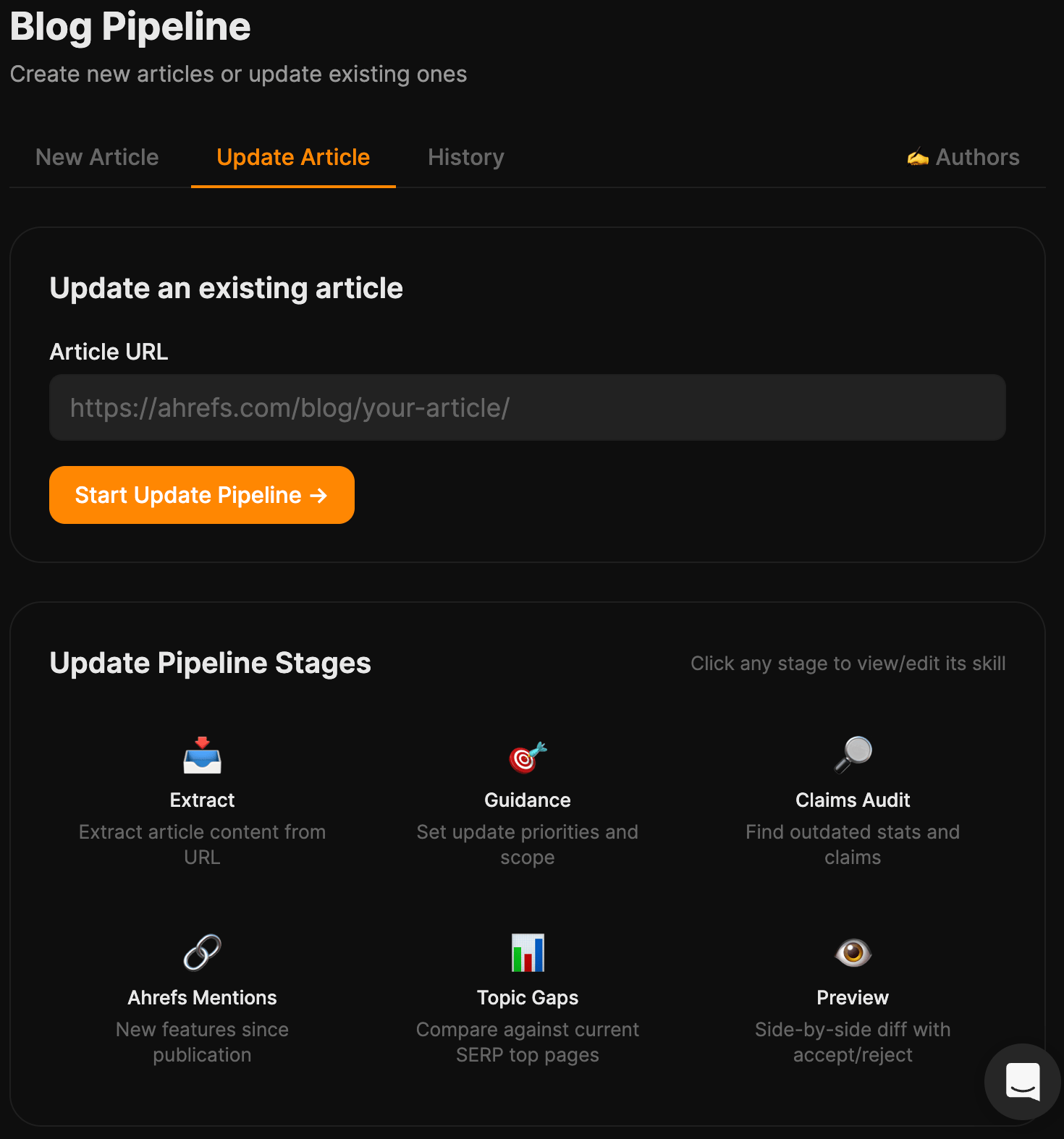
The pipeline fetches the article and run five diagnostics:
- Scope guidance — Set whether this is a light refresh or a full rewrite.
- Claims audit — the LLM flags every statistic, study reference, and dated assertion in the post, grades each for staleness, and where needed suggests a replacement URL.
- Ahrefs mentions — cross-checks the article against features released since publication and suggests where to mention the new ones.
- Topic gaps — re-runs the SERP against current top-ranking pages and surfaces topics they cover that mine doesn’t.
- Authoritative pages — finds new linkable sources published since the article was published.
The final stage is a side-by-side diff between the current article and the proposed updates, with accept/reject per change.
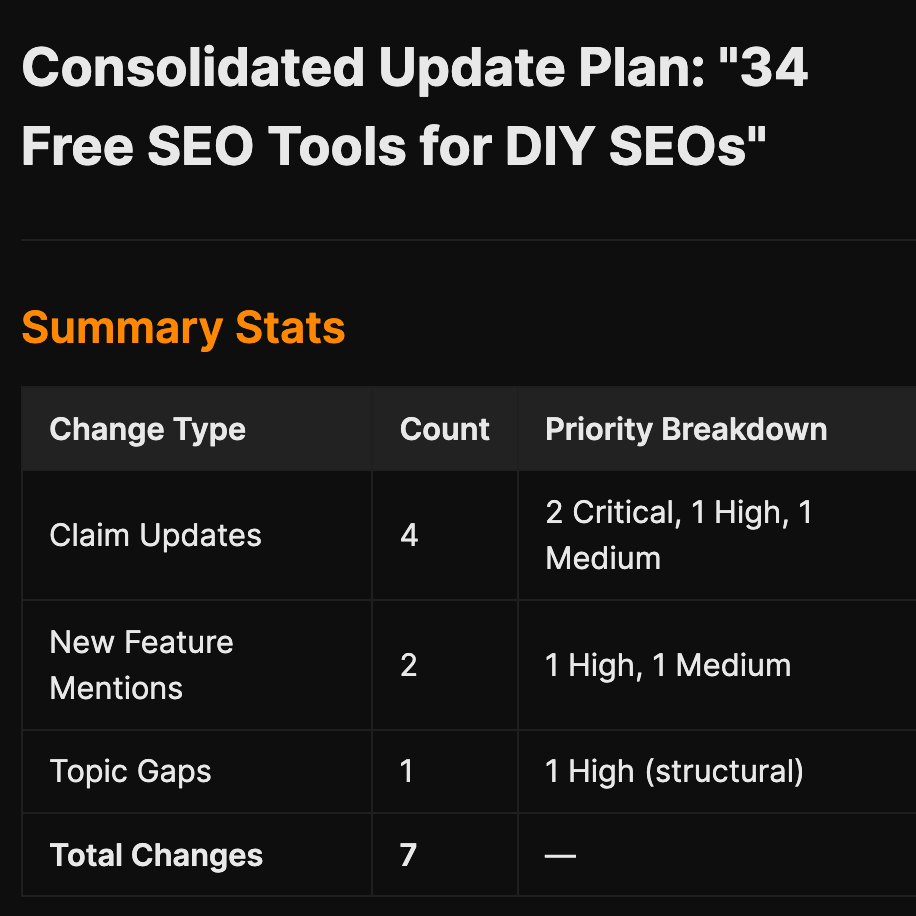
Here’s a starter prompt to build the update pipeline:
Starter prompt
Build me a blog-post update pipeline. Input: a published URL. Fetch the article. Run five diagnostic stages: (1) Guidance — I set scope (light refresh vs. full rewrite); (2) Claims Audit — LLM extracts every stat, study reference, and dated assertion and grades each for staleness with a suggested replacement; (3) Ahrefs Mentions — cross-check against Ahrefs features released since publication and suggest where to drop new ones; (4) Topic Gaps — re-run the SERP, surface topics current top-ranking pages cover that mine doesn’t; (5) Authoritative Pages — find linkable sources published since my article. Final stage: side-by-side diff between current article and proposed updates, with accept/reject per change. Export the accepted version as markdown and WordPress shortcodes.
Every AI writing tool sells you the same trick: a finished draft in two minutes. What they don’t mention is the rest of the week that you then have to spend fixing it. The last mile is where the time went all along, and a faster first draft doesn’t touch it.
Here’s why: “Write me an article” is one prompt doing the work of nine jobs at once, and it does all nine badly. Real SEO content is a chain: keyword research, SERP analysis, gap analysis, outline, draft, internal links, citations, images, formatting. Collapse that into a single ask and you can feel every skipped step in the output.
So Ryan ran the chain instead of the prompt. He built the Blog Pipeline on Agent A: 11 stages, a target keyword in one end, a publish-ready draft out the other.
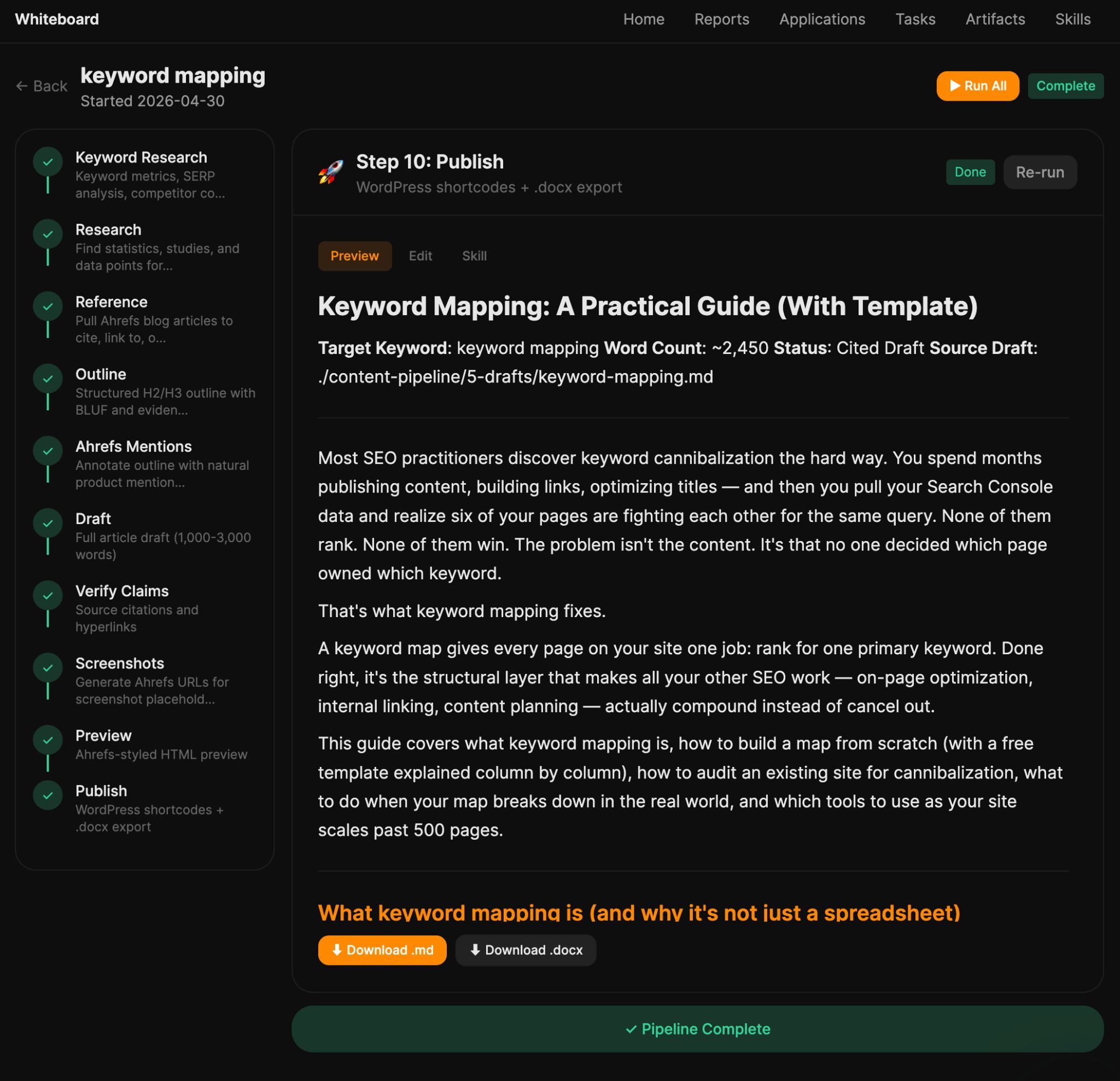
The difference is that you see, and can edit, every stage as it goes. Agent A does the assembly; you keep the judgment. You stop salvaging AI drafts and start approving them.
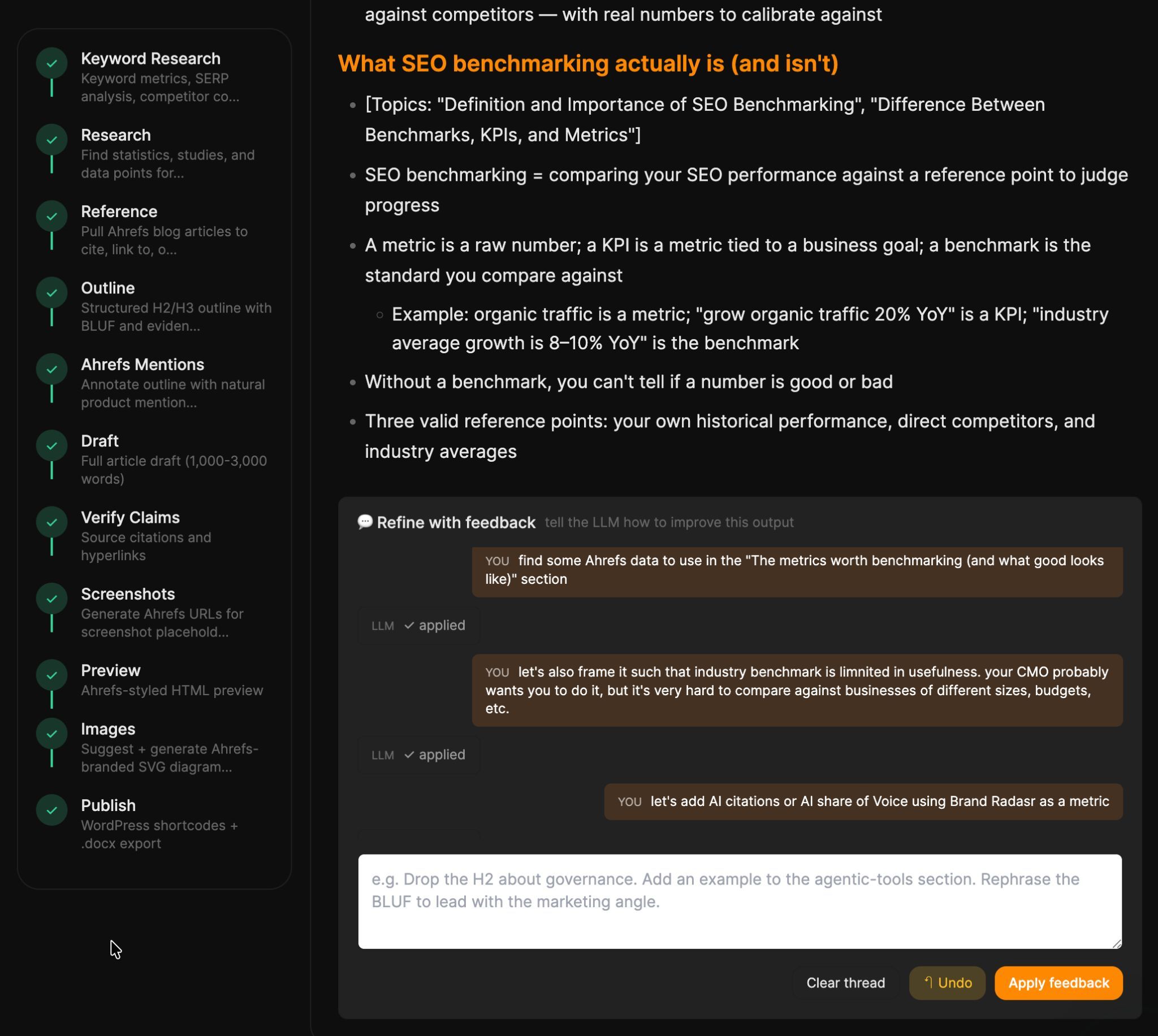
Starter prompt
Build me an assisted long-form article pipeline. Atomic input is a target keyword. Stages run sequentially as background jobs the UI polls: (1) keyword research via Ahrefs, (2) competitor SERP fetch, (3) AI Content Helper topic snapshot, (4) bulleted outline with mandated topic coverage, (5) data-mention placement, (6) full draft, (7) polish, (8) WordPress shortcode formatting + .docx export. Each stage shows its output, has an “edit” textarea, and a “refine with feedback” chat that re-runs the stage with my notes. Style guide comes from a per-author voice profile.
Every team wants the monthly performance report. Nobody wants to make it.
So Ryan used Agent A to write it. Now, on the 1st of each month, Agent A builds a blog performance report and pulls the numbers together from Ahrefs Web Analytics and Ahrefs’ GSC Insights report so they stay consistent.
Crucially, it isn’t traffic-only. The report covers the full SEO picture: clicks and impressions, keyword rankings and position changes, referring domains and backlinks gained or lost, plus KPI tiles, month-over-month trends, and top movers. That’s what makes it an SEO report rather than a traffic report.
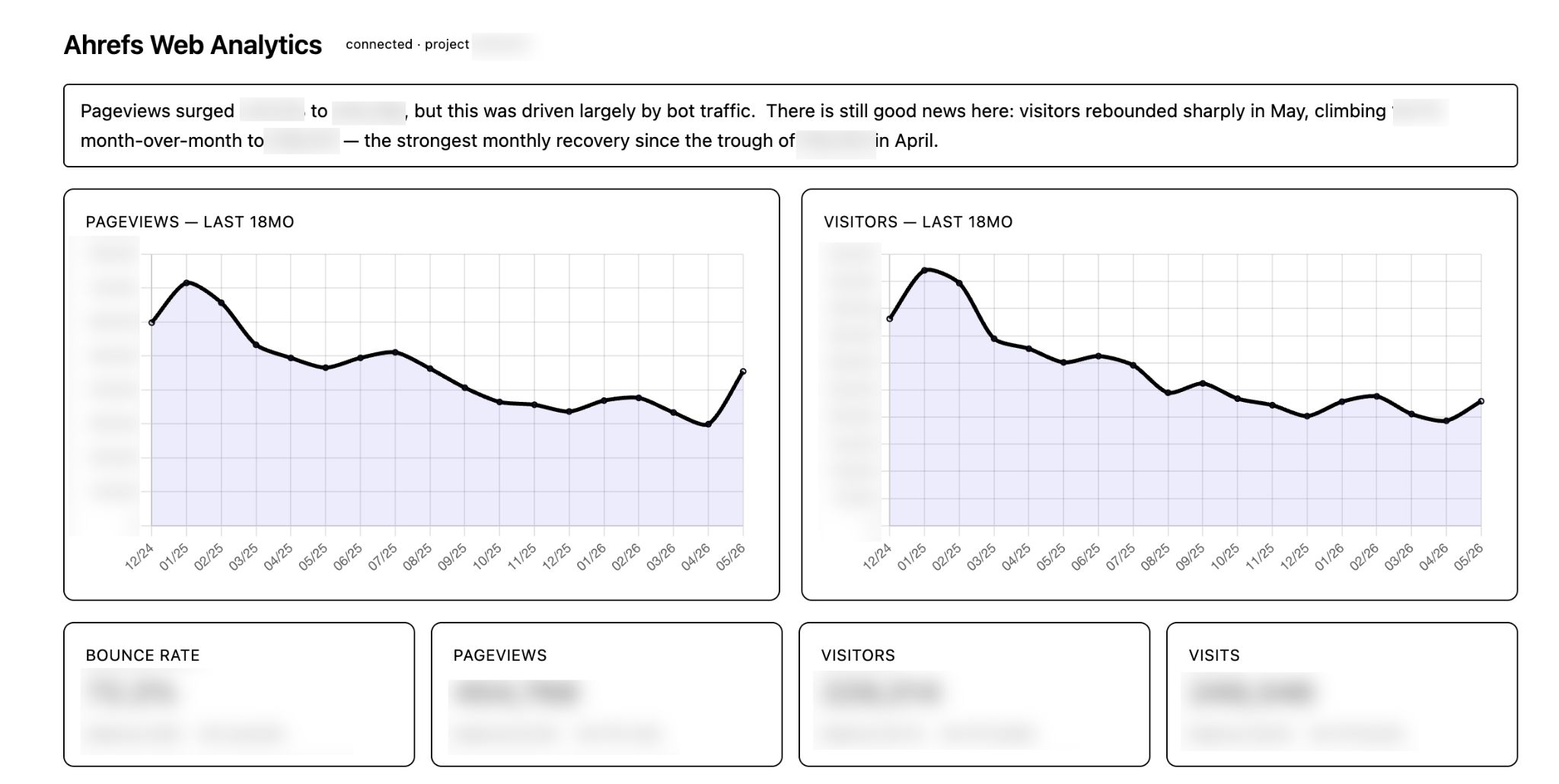
In the future, I can foresee Ryan piping this directly into our #blog Slack channel via the Slack integration.
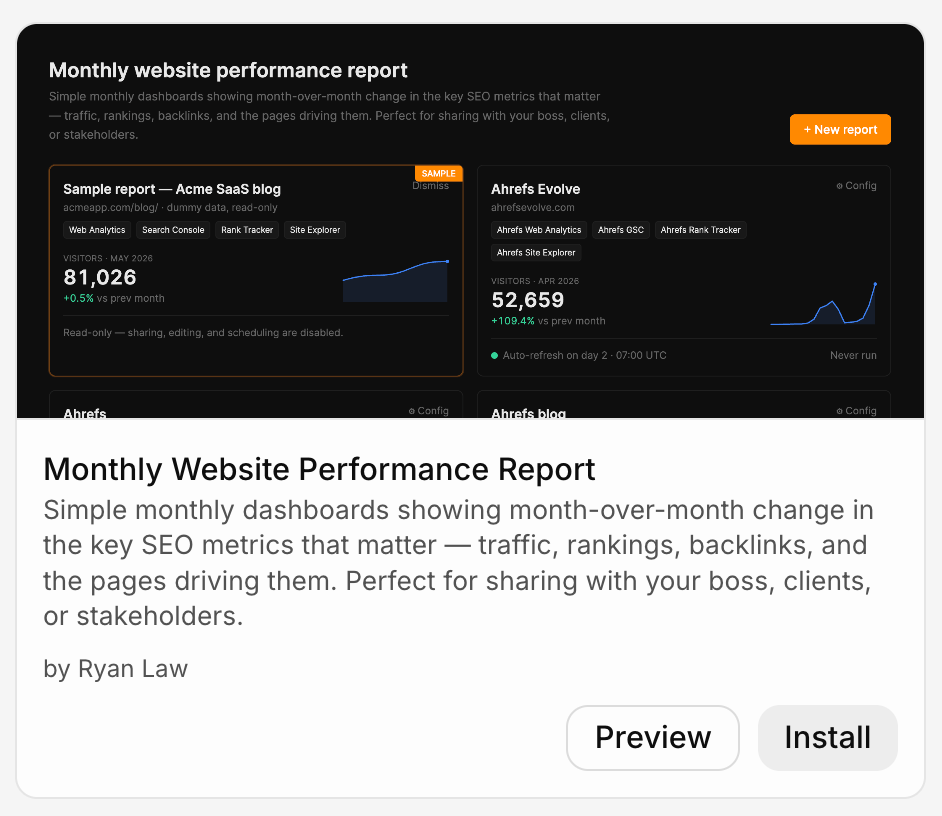
You can do exactly the same as Ryan by installing the Monthly Website Performance Report app, available in Agent A. Point it at your property, set the schedule, and pick your Slack channel.
If you’d like to build your own, here’s a starter prompt:
Starter prompt
Build me a monthly blog report job. On the 1st of each month, pull GSC + Ahrefs Web Analytics for the prior month, compute KPI tiles (clicks, impressions, top gainers, top losers) with month-over-month deltas, render a short summary, and post it to my #marketing Slack channel. Include a link to the full report.
Every month, your competitors earn links you’d love to have. Most of those are link opportunities sitting in plain sight.
Here’s how we can automate them in Agent A.
Once a month, get Agent A to look at your main competitors, find their best new referring domains (sorted by the referring domain’s own traffic and Domain Rating) and log them as a prospecting list.
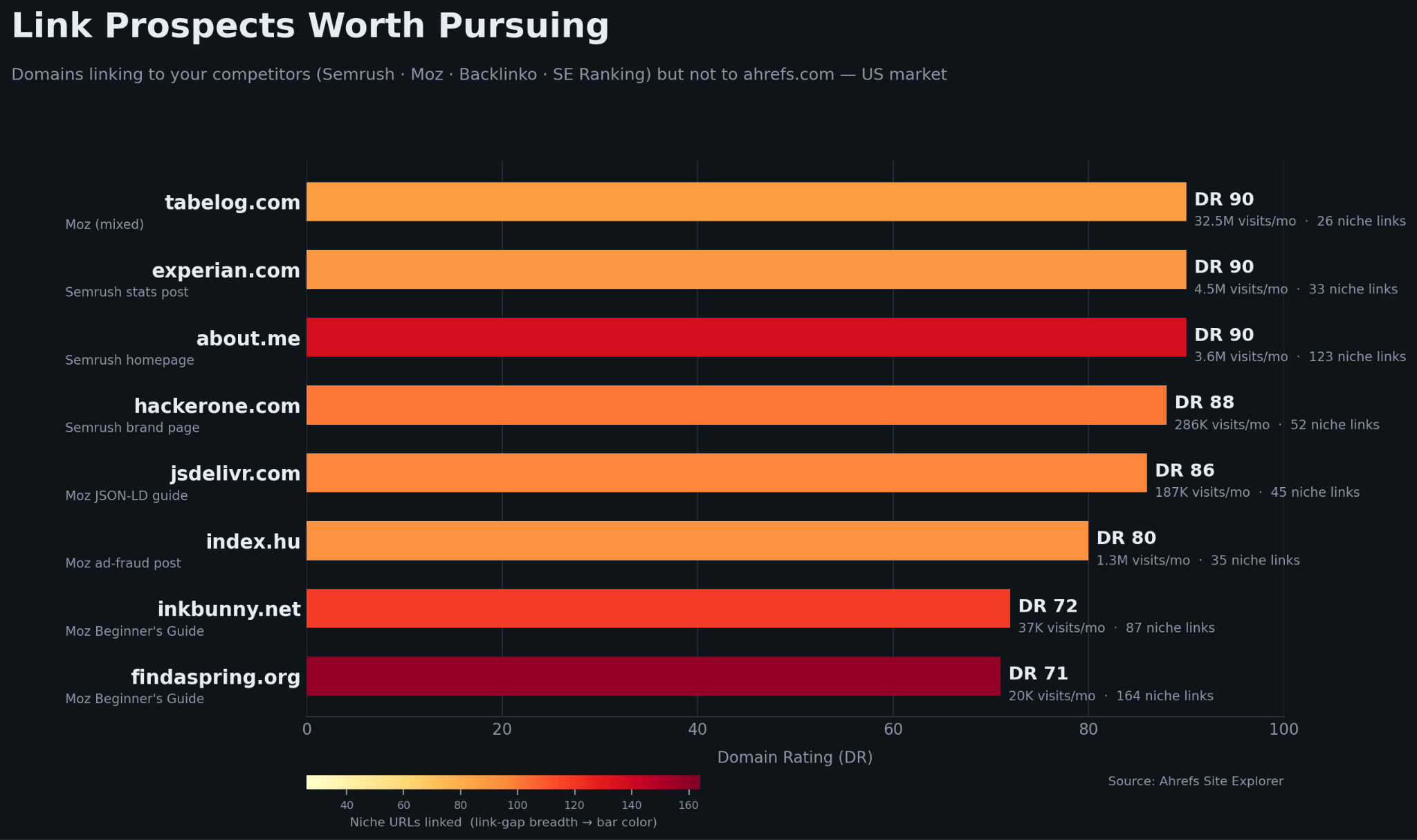
These are potential prospects. The point is to see which publications and pages are linking out in our space right now, so outreach goes to places that demonstrably link to sites like ours. A high-DR site that just linked a competitor is a far warmer target than a cold list.
You can do the same by using the Link Intersect Prospecting skill to find domains linking to competitors but not to you.
If you’re specifically looking for broken link building opportunities or linkbait opportunities, we have those skills available too.
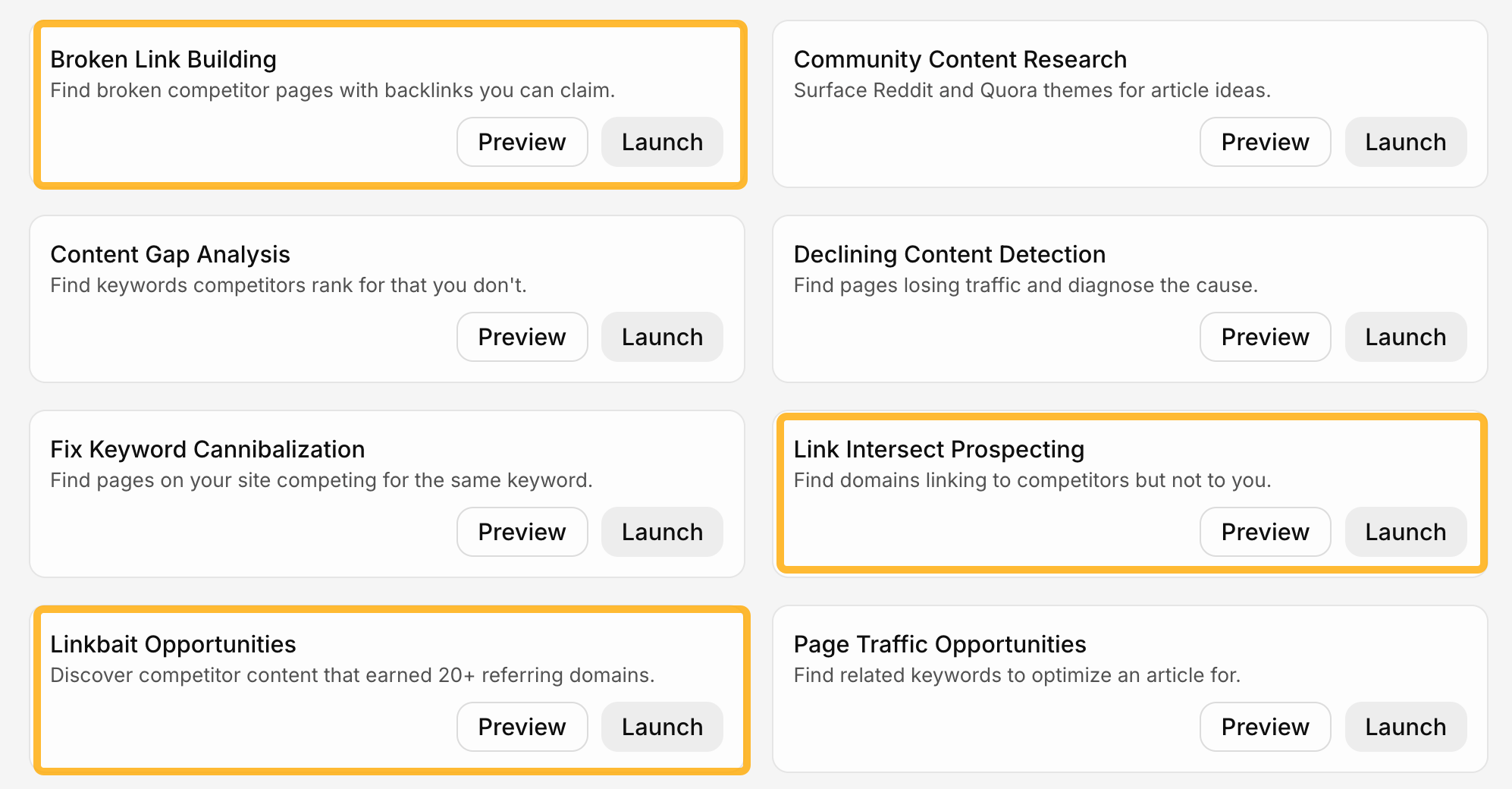
Run these skills, then get Agent A to set it up as an automation.
Or if you’d like to build your own, here’s a starter prompt:
Starter prompt
Build me a monthly competitor backlink job. For my list of competitor domains, fetch new referring domains gained in the last month via Site Explorer, sort by the referring domain’s own traffic then Domain Rating, drop low-quality and known-spam sources, and append the top results to an Airtable base with columns for source URL, referring domain, DR, traffic, and which competitor it links to.
AI assistants are quietly becoming a discovery channel, and what they say about you isn’t always what you’d say about yourself.
Optimizing for how you appear in AI answers, whether you call it AEO or GEO, is increasingly the SEO team’s job, because it’s the same work: understanding what surfaces win visibility, and earning your place in them.
Here’s how to automate it.
Ask Agent A to run a weekly analysis of your brand mentions across the major AI assistants (or just the one that matters most to you). Agent A checks how the brand is being described, then logs any recurring negative themes (wrong pricing, an outdated feature claim, a competitor framed as better).
If you use Notion or Airtable, you can pipe them in there, too, so you can track patterns over time.
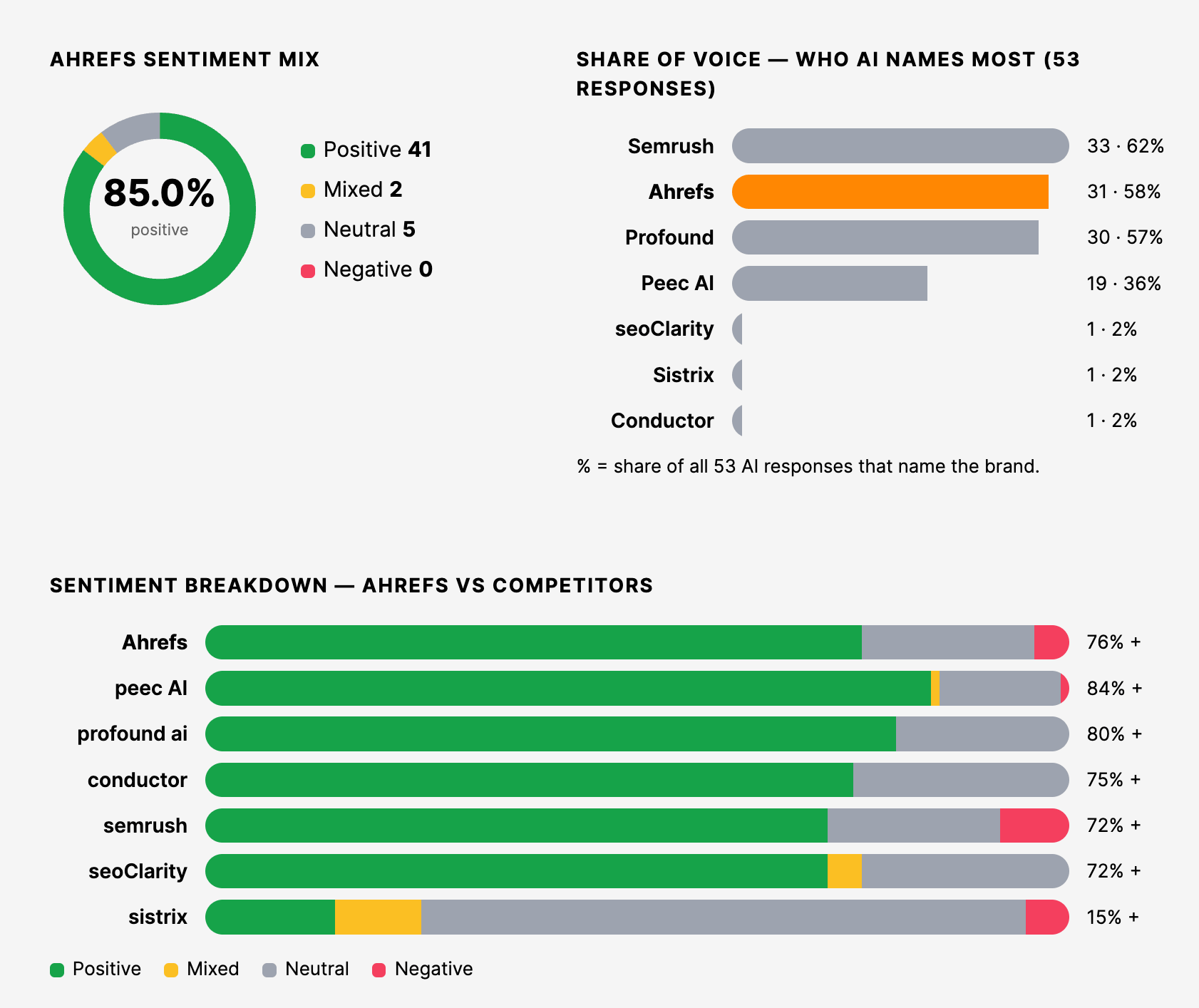
You can easily do this in Agent A by using the AI Brand Sentiment skill to run the prompt panel and track framing over time. Then, pair it with the AI Mention Gap Analysis skill to see the queries where competitors get cited and you don’t.
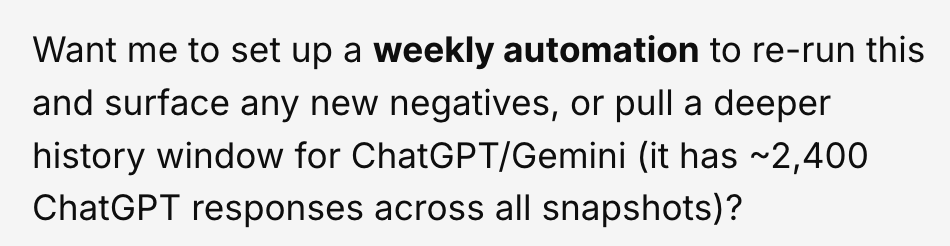
Ask Agent A to set it up as an automation for you and you’re all set. (Or Agent A will even ask you if you want the automation.)
If you’d like to build your own, here’s a starter prompt:
Starter prompt
Build me a weekly brand-mention monitor for ChatGPT. Each week, check how my brand is described in AI answers via Brand Radar, extract recurring themes, and log negative or inaccurate ones (wrong pricing, outdated claims, unfavorable competitor framing) into an Airtable base with the theme, an example quote, and the date. Only report AI share-of-voice relative to my named competitors.
Reddit is eating the SERPs. There’s a good chance a Reddit thread now outranks your carefully optimized page for some of your keywords.
Here’s how you can automate this in Agent A.
Once a week, get Agent A to scan your top keywords for newly-ranking Reddit discussions worth engaging with. It checks the SERP for each priority keyword, isolates the Reddit results that recently broke into the top positions, and passes you a shortlist.
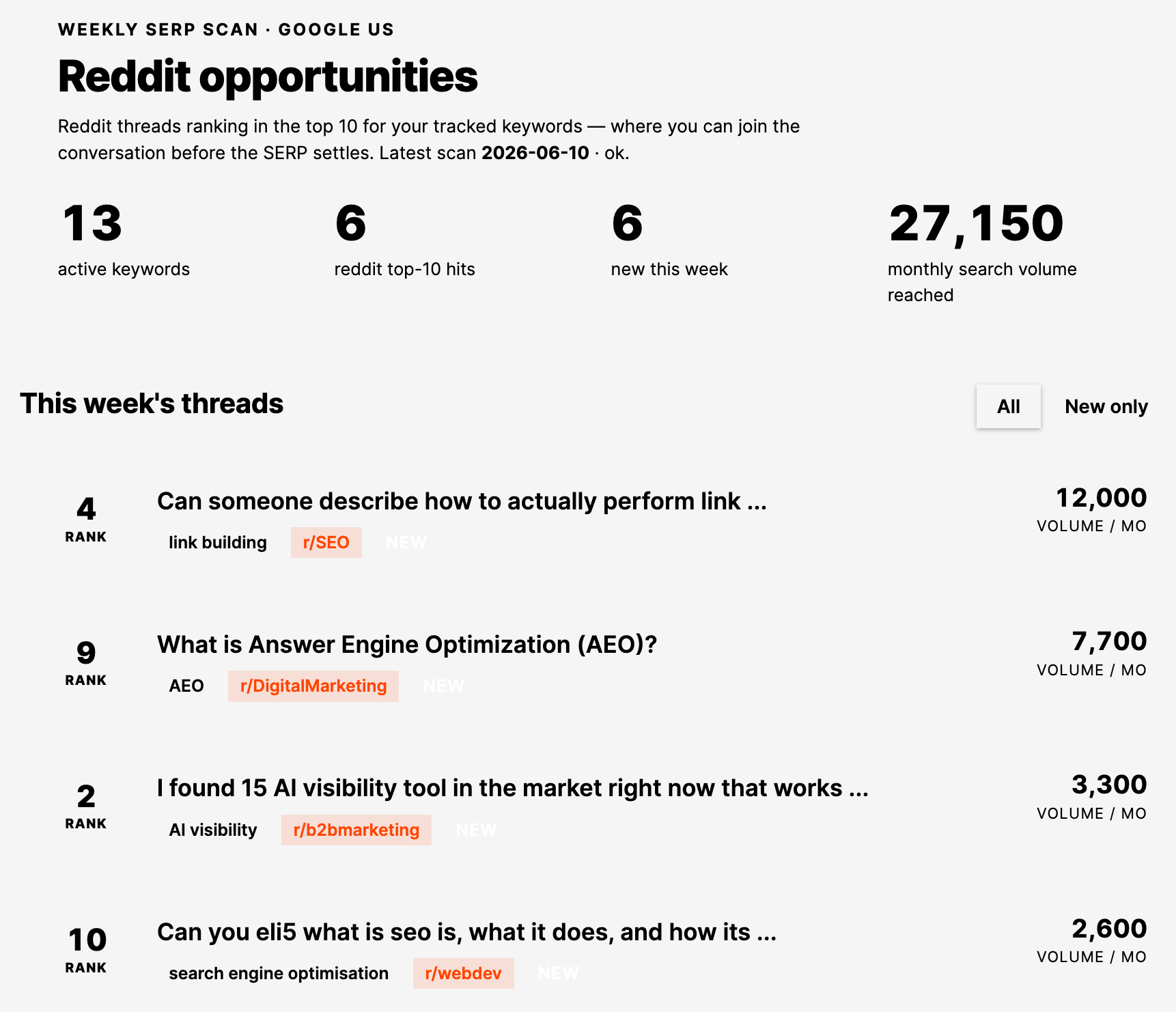
The value is timing. Jumping into a thread that’s actively ranking, while it’s fresh and the question is live, is worth far more than finding it six months later.
Starter prompt
Build me a weekly Reddit-opportunity scanner. For my list of top keywords, pull the current SERP via Keywords Explorer / SERP overview, isolate reddit.com results ranking in the top 10, and flag ones that newly entered the top positions this week. Give me a digest: keyword, thread title and URL, current position, and the question being asked, sorted by keyword volume.
Everyone agrees internal linking should happen on every publish. Almost nobody does it on every publish.
It’s the flossing of SEO.
To fix this, Ryan built the Internal Linker. Give it a new article (a published URL, or just pasted draft markdown if it isn’t live yet) and it tells you which of your existing posts should link to it.
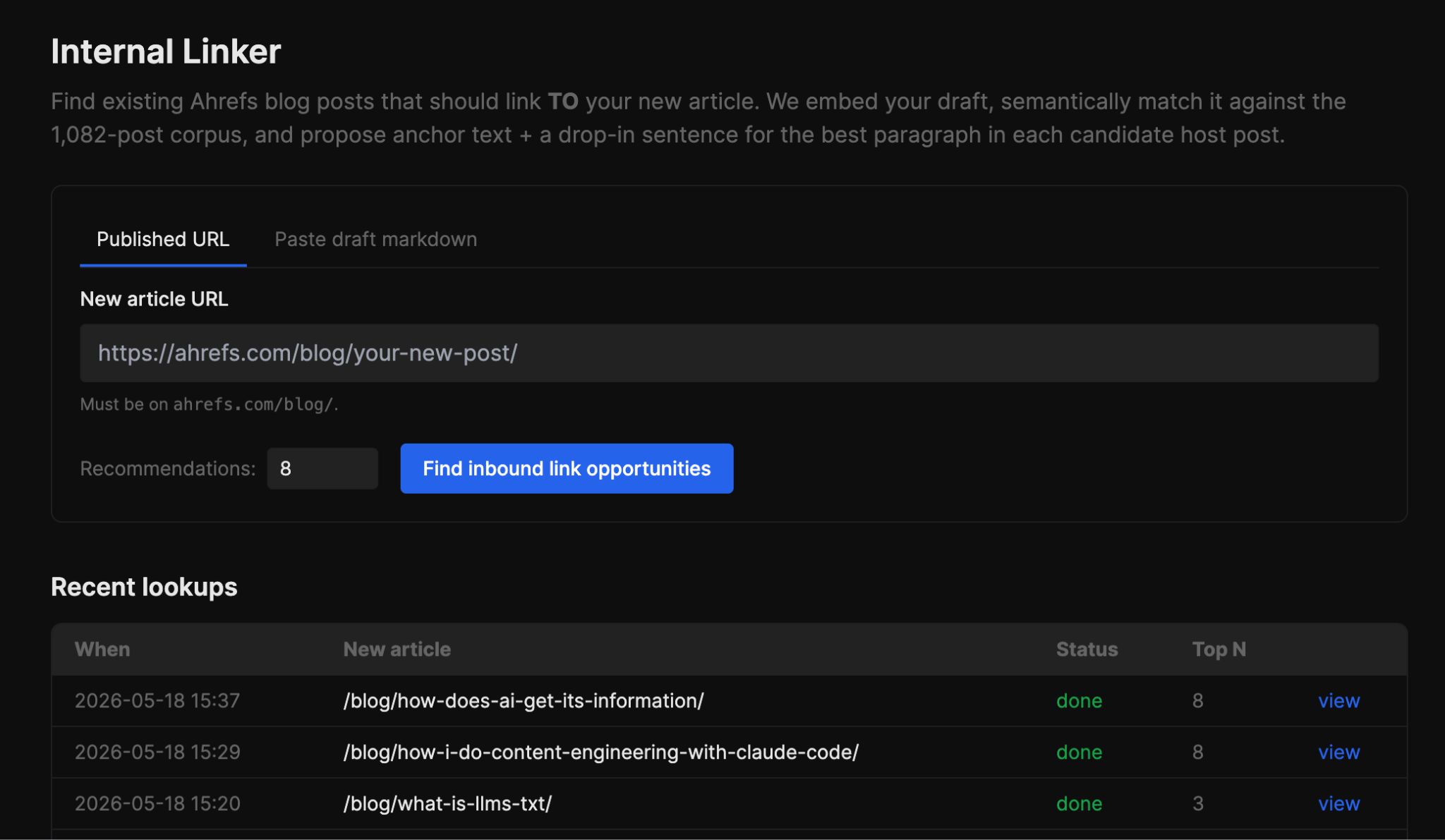
The matching isn’t keyword-guesswork. It vector embeds your article with Gemini and cosine-compares it against every other post on the sitemap, then re-scores the top matches by traffic, so a relevant post pulling real organic traffic ranks above an equally relevant one that nobody visits. A link only helps if it sits on a page with authority to pass.
It also reads each candidate’s markdown and quietly drops any post that already links to you, so the list is only places you haven’t covered yet.
It even finds the single paragraph that best fits your new article, and has Agent A write a natural 2-6 word anchor and rewrite that one sentence to include it. You copy the rewritten sentence straight into the old post. No deciding where the link goes, no wording it yourself.
Here’s a starter prompt to recreate this for yourself:
Starter prompt
Build me an internal-linking tool. Input: either a published blog URL or pasted draft markdown for unpublished pieces. Embed the input article with Gemini and cosine-compare against my pre-cached blog post vectors. Rescore top candidates with authority weighting: 0.7 × similarity + 0.3 × log(org_traffic). Auto-exclude any host already linking to me (parse each candidate’s markdown body). For each top host, identify the single paragraph most semantically aligned with the input article, and that’s where the link goes. Have Claude draft a natural 2-6 word anchor and rewrite a sentence in the host paragraph to include it. Cache passage vectors per host so repeat lookups are instant.
Losing a link from a DR 80 site matters. Losing it silently, and finding out a quarter later when rankings slip, is the problem.
Here’s how you can automate this in Agent A.
Every Monday, get Agent A to summarize your recently lost backlinks from high-authority domains. If you have a dedicated outreach person (or whoever’s in charge), you can even get Agent A to ping them automatically in Slack (via the integration.)
It pulls lost backlinks from Site Explorer, filters to referring domains with a Domain Rating of 50 or higher, and includes the lost URL plus the page it used to live on, so reclamation outreach can start the same day.
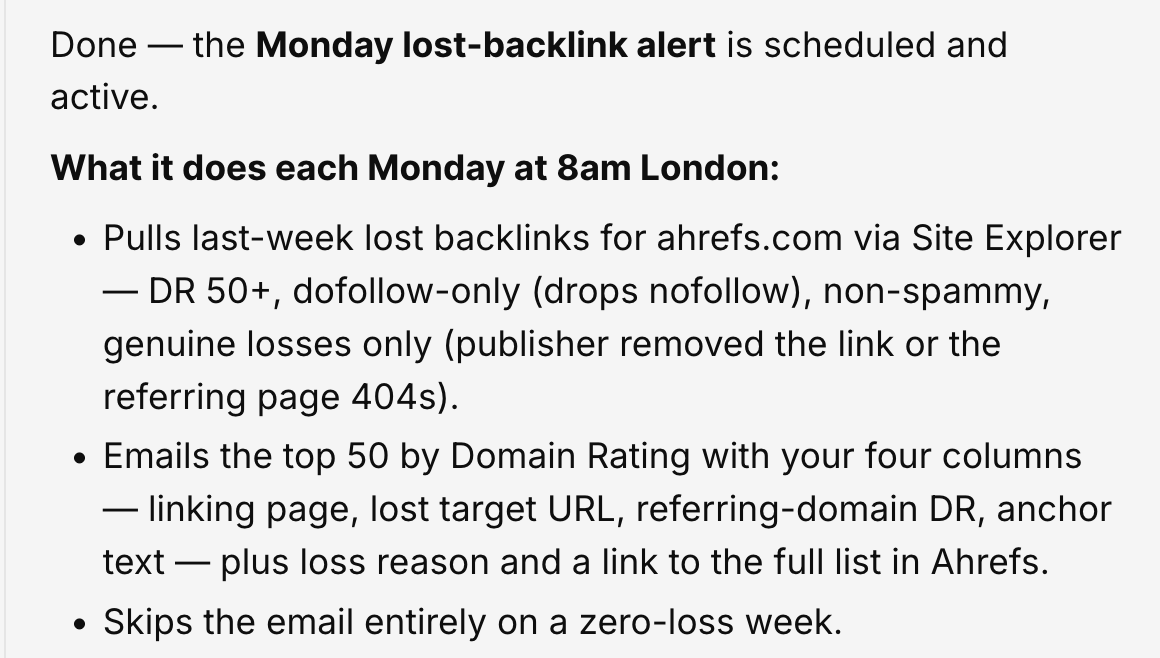
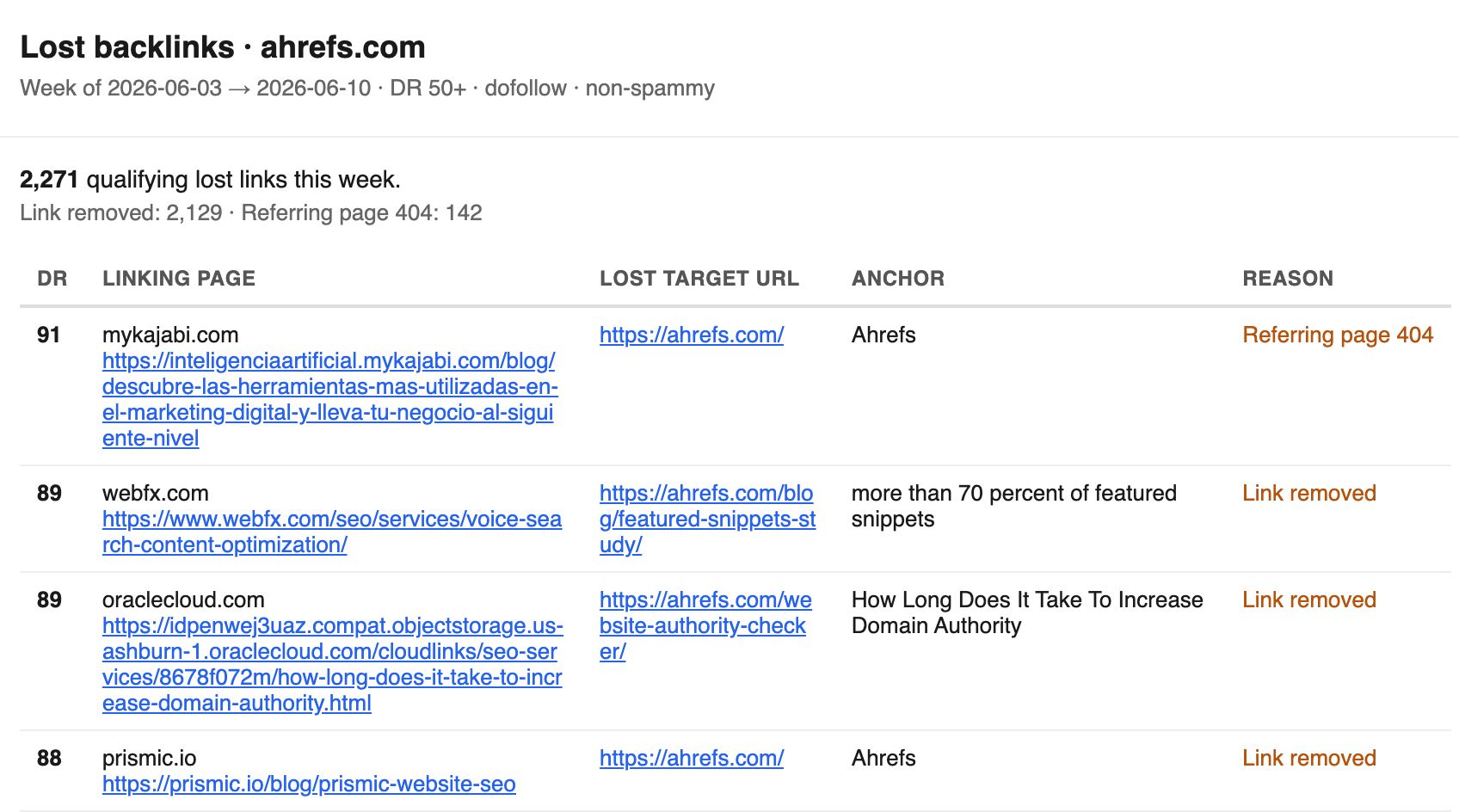
Here’s a starter prompt to build this yourself:
Starter prompt
Build me a Monday lost-backlink alert. Each Monday, pull backlinks lost in the last week via Site Explorer, filter to referring domains with DR 50+, drop nofollow-only and known-spam losses. For each: the linking page, the lost target URL, the referring domain’s DR, and the anchor text that was used.
Glen’s research found that “best of” lists are 43.8% of the pages ChatGPT cites. So, getting added to a list like “best SEO tools” is a massive win. But these lists change constantly, and your spot in them matters, so a quiet demotion can cost as much as removal.
Here’s how we can use Agent A to fix this.
Whenever you discover a new listicle mention, ask Agent A to add it to Firehose for tracking. Then ask Agent A to re-check each tracked page for changes every two weeks: did our entry get removed, did we slide down the ranking, did a competitor get added above us?
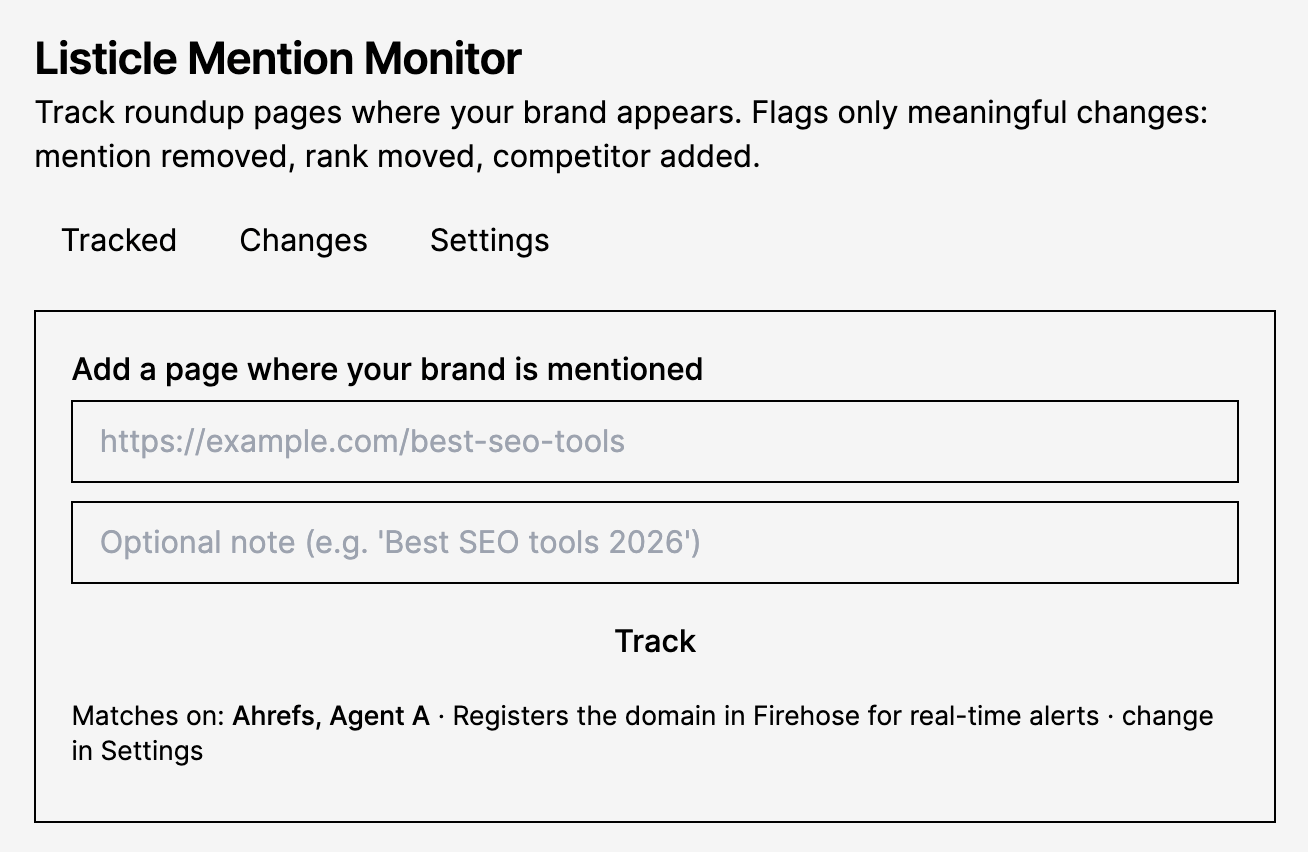
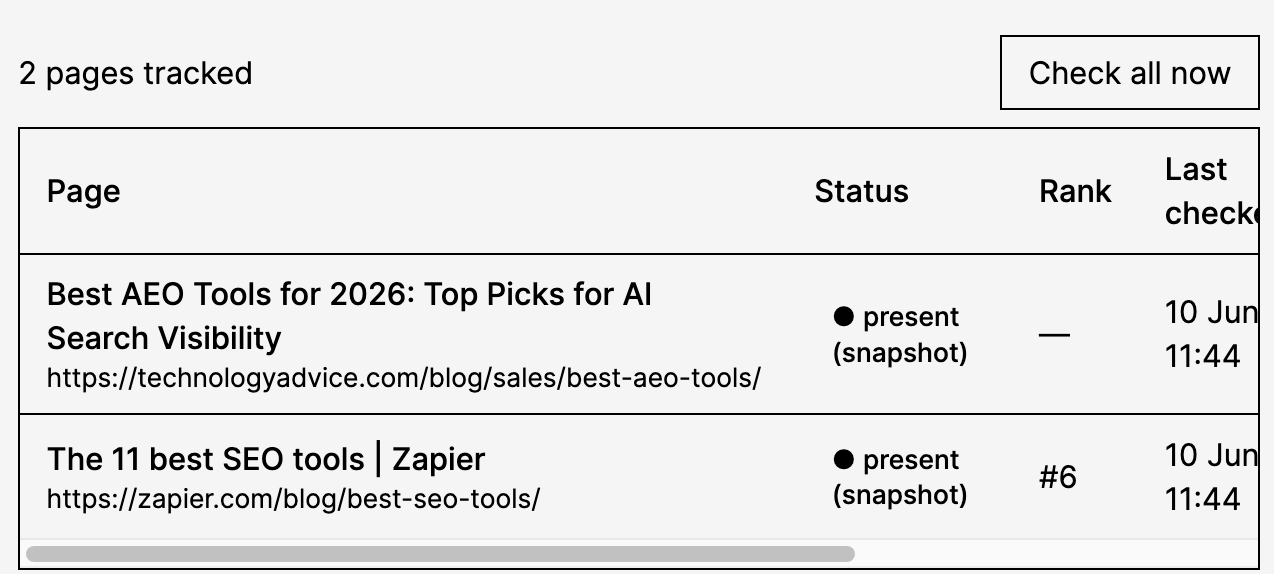
It uses Page Inspect to diff the page against its last snapshot, so you only hear about it when something actually changed
Starter prompt
Build me a listicle-mention monitor. When I add a URL where my brand is mentioned, register it in Firehose for tracking. Every fortnight, re-fetch each tracked page, diff it against the last snapshot, and flag only meaningful changes: my mention removed, my rank position changed, or a competitor added. Send me a digest of just the changed pages with a before/after of the relevant section.
Final thoughts
If you’re an Ahrefs customer, you can try Agent A for free for one month.
Launch any of the mentioned skills, install the apps, or paste the starter prompts into a fresh workspace and your own Agent A will start building, or grab the finished tools from the application library.
