

NotebookLM is pretty powerful on its own, but it’s rarely used in isolation. We all “pair” it with our other tools in one way or another, whether a browser for source retrieval, a notes app for capturing knowledge, or a chatbot for quick understanding. One of the things that makes NotebookLM so compatible with browser-based work specifically is the extensions. I honestly don’t know what I’d do without them because I already live in my browser – it’s where all my NotebookLM sources come from.
Every NotebookLM extension promises something similar: closing the gaps between user touchpoints by automating certain tasks. NotebookLM Tools has been my favorite extension so far because it gives me so much to work with, eliminating the need for multiple extensions. It not only takes care of the browser-to-NotebookLM workflow, but also gives you the organizational tools NotebookLM users have been begging for.
It lets you add sources to your notebooks in bulk
The primary reason I gravitate toward NotebookLM Tools over other extensions is that it lets you add sources to your notebooks in bulk. We’ve all been there – 12 tabs open with no intention of actually doing anything with them. Well, with NotebookLM Tools you don’t have to. The coolest thing is that it not only lets you instantly add your current webpage to NotebookLM, but it also detects every webpage that is open in your browser. This means you can add as many links to a notebook as your NotebookLM tier will allow (50 for me, since I’m still using the free version).
To use this function, open the extension and navigate to the Tabs section. NotebookLM Tools might ask you to connect to NotebookLM first if you haven’t already. It will automatically detect and list all your current tabs, and you can select/deselect the relevant ones, then add them to a new or existing notebook in one swoop.
The extension doesn’t stop at weblinks. It has similar batch functions for YouTube videos. If your current tab has a YouTube playlist loaded, it will detect it and let you add the entire playlist to a notebook. This can be found under the Playlist tab in the same part of the interface. You can also manually copy-paste a playlist link into the link field. And it lets you curate the video list via the Parse button, so you can remove anything that isn’t relevant to the topic or notebook.
Then there is the extraction feature, found under the Links tab. This function basically scans whatever page you’re currently on, and extracts all the embedded weblinks from it. This is a fantastic way to get source-related topics into the same notebook, but keep in mind that it extracts everything. So you’re going to get the About links from the footer of the page, the profile link of an article’s author, and potentially some ads too. I recommend using the Include and Exclude buttons to edit the extraction list.
You can actually organize your notebooks
NotebookLM Tools gives us the organizational features that NotebookLM won’t
One of the biggest user complaints about NotebookLM has been its lack of organizational features. Notebooks can be a little awkward to navigate, with no option to group or filter them. Even the sources and other contents inside the notebooks aren’t optimized for an organized workflow – again, no filter or search options.
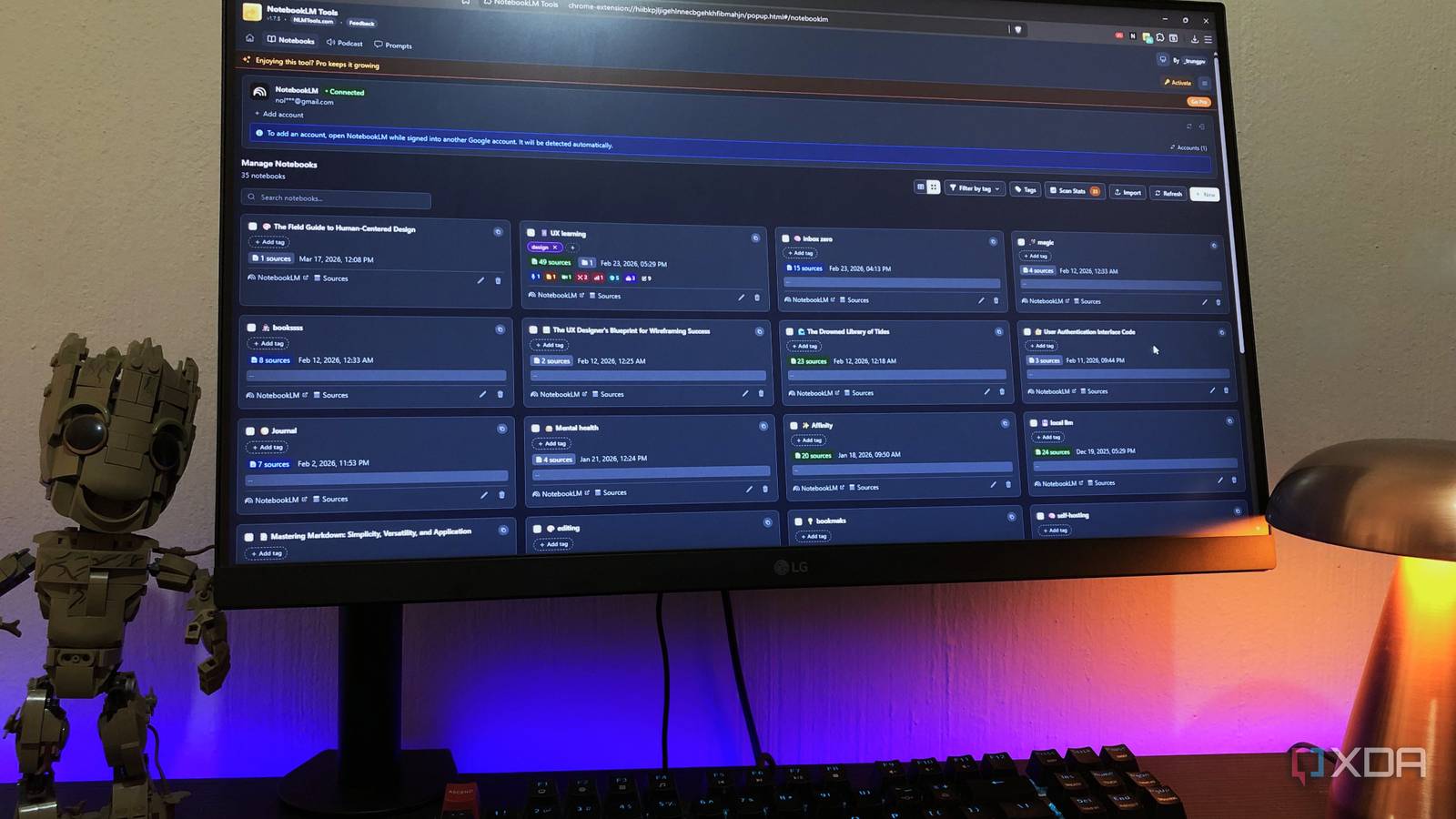
NotebookLM Tools has a dedicated page just for organizing and filtering your notebooks. Open the extension and hit the Notebooks button, and you’ll be directed to a new window. All your notebooks will be laid out neatly with options for managing them, and the biggest win you’re getting here is the filtering options. There are global filter and search tools for your notebooks, and when you open individual notebooks, you can filter, search, and view sources and contents by type. This includes everything you’ve created in your notebooks too, such as mind maps and audio overviews.
You can even organize the sources and generated contents into folders. Notebooks, sources, and generated contents can be renamed from within the extension interface, which will reflect in your notebooks in real-time. Last but not least: tags. NotebookLM lets you create and add tags to your notebooks, which enables you to filter your notebooks by topic. Another nice little touch is the Scan Duplicates function, which basically just removes duplicate sources from your notebooks, which can be a huge help for those conserving their quota in the free tier.
This extension makes NotebookLM feel like a complete tool

NotebookLM is already powerful when you use it on its own. But it needs content to actually work, and getting your sources into the app can be a major friction point, not to mention keeping your sources and notebooks organized. NotebookLM Tools solves pretty much each one of those problems. Batch-adding fixes the input bottleneck, tags and filters fill in the organizational gap, and I don’t have to find workarounds for managing my work in NotebookLM anymore.
Ideally, NotebookLM would include some of these features in the app itself. But the extension has a pretty easy interface of its own, and because it lets me add content in batches, I don’t have to tool-hop between Tools and NotebookLM. Everything gets handled in one swift go.
