

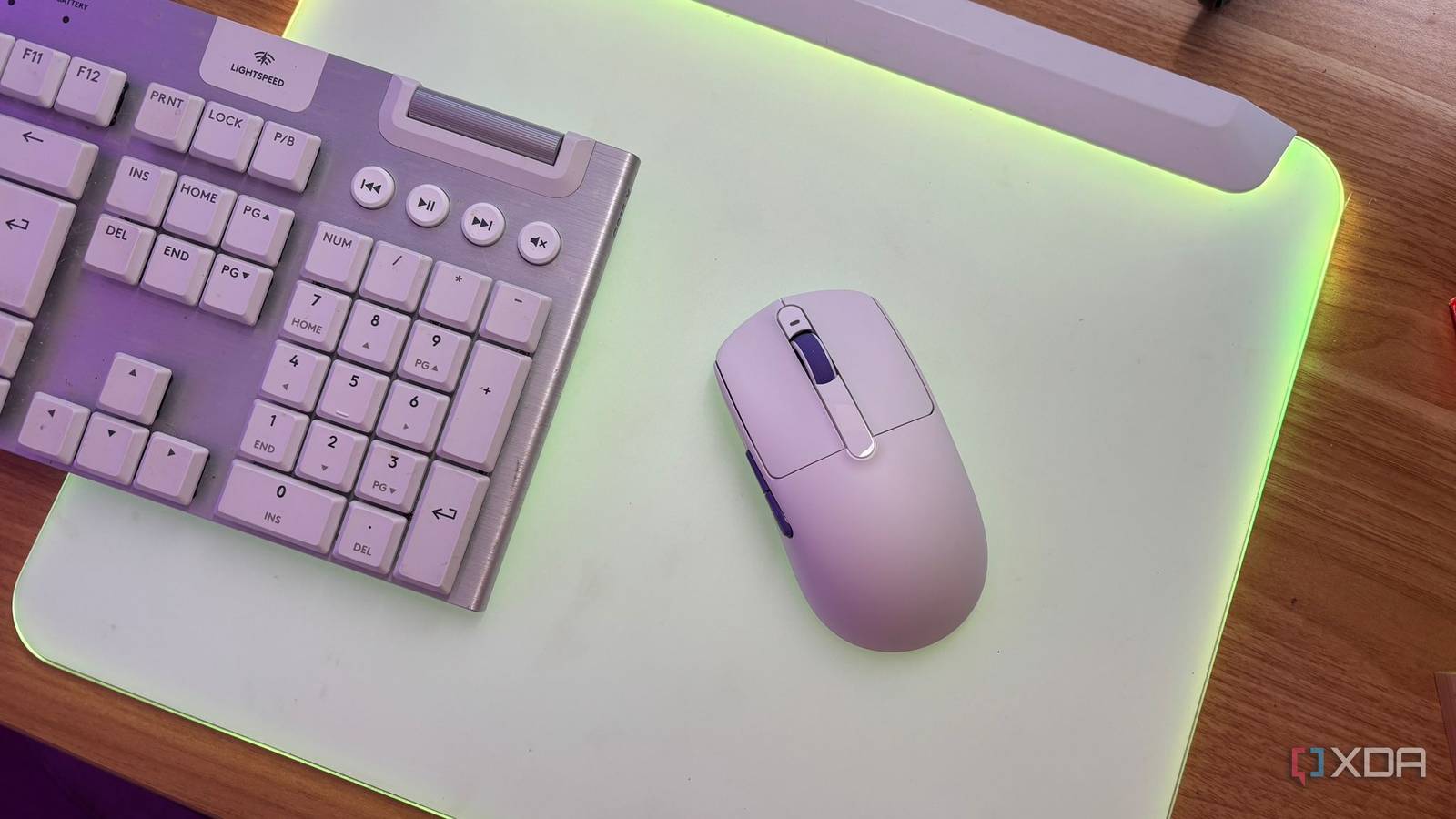
In a market where Razer and Logitech dominate with $160-plus flagship mice, Akko, a brand that is usually known for mechanical keyboards, has quietly dropped a giant killer. The Razer Viper V3 Pro and the Logitech G Pro X Super Lite 2 are the gold standards, but they carry a premium price tag as well as some features you might not need that most gamers just accept as the cost of entry.
The Akko Dash Ultra V9 has now disrupted this market. For $70, it matches their weight at 40 g, their sensor in the form of the PAW3950, and their polling rate at 8k. It uses the exact same top-tier internals as the industry leaders but cuts the brand tax by over 60%. We’ve reached the peak mouse era; you no longer need to spend flagship money to get flagship performance.

Lofree’s first-ever ultralight gaming mouse is as expensive as it is high-end
The Lofree Hypace combines high performance with killer looks, but the price might be its Achilles heel.
A powerhouse on a budget
With all the same internals as expensive alternatives, what’s not to love?
When it comes to the internals and specifications, you get no-compromise components. The Akko Dash Ultra V9 isn’t a cheap mouse; it’s just an affordable one.
In terms of the sensor, you get a PixArt PAW3950. This is the current king of sensors, coming with a native 30,000 DPI, which is overclockable to 42,000, and the ability to track on glass. This is a feature that’s usually reserved for mice that are over $150, but now comes on this budget-friendly $70 mouse.
In terms of the brain, you get the Nordic 54L15 MCU. This is actually an upgrade over many flagships that still use a 52-series chip. It provides significantly better power efficiency as well as more stable 8,000 Hz wireless polling. You get amazing optical switches too, in the form of Omron optical switches, which means you get no double-clicking issues ever.
But what really set this mouse apart for me was the three-month battery life. Most 40g mice use tiny 200mAh batteries in order to save weight; however, Akko managed to fit a 300mAh cell into their mouse and still have it way above alternatives on the market. Of course, even with a cell this big, achieving a three-month battery life can be difficult. This is where I utilize the tri-mode connectivity to take advantage of the best battery life possible.
You have access to Bluetooth and 2.4GHz. Bluetooth gives you a slightly longer battery life, meaning, for daily work and browsing, I swapped to Bluetooth as it wasn’t as fundamental to have the benefits of 2.4GHz when I wasn’t gaming. But when I was gaming, I was easily able to flip the switch to 2.4GHz with ease. You can choose your polling rate, and since I’m not a professional player and don’t need the 8K polling rate, I stuck to 1K in order to make the battery life last as long as possible.
However, if you are someone that’s going to be taking advantage of the 8k polling rate, running at the 8000Hz esports mode will drain the battery of your mouse in closer to 20 to 30 hours. This is still significantly longer than alternative flagships on the market, and the fact that you can choose between proper performance and endurance is the real win here. If you want your mouse to last longer in terms of battery, then you have that option. If you want the 8k polling rate, you have that option too.
Stunning design
Without the horror of honeycomb

In terms of the design itself, the weight of this mouse is absolutely fantastic. 40g is remarkably light. When compared to a standard office mouse, which is 100g plus, it feels like air. Compare it to alternative flagships on the market, and it matches the feel despite the fact that it’s sometimes less than a third of the price.
It has EDM or electrical discharge machining finish. This makes it raw and grippy in terms of texture, so you don’t have to worry about any peeling or it getting sticky like the rubberized coatings on some expensive flagship models. You also don’t have to worry about the open honeycomb design that can cause trypophobia flare-ups for those who suffer from it. Instead, there is a weight-saving design on the baseplate with an open bottom. It’s functional and also looks cool for the enthusiast crowd.
For those who absolutely hate bloatware, you get access to Akko Gaming Hub, which is a simple Windows-based utility for DPI and macro settings. Once you set your profiles, you can delete the software because the mouse has onboard memory, meaning you don’t need to deal with updates and pop-ups from the application.
A couple of things to keep in mind are that this mouse definitely isn’t perfect. In terms of size, it’s a small to medium mouse. If you have larger hands, it might be too small, particularly if you like a palm grip. For those with smaller hands, it is absolutely perfect. It’s also symmetrical, which can be a downside for some gamers.
While you get three types of skates in the box (red, white, and gray) for different friction levels, some enthusiasts might still prefer aftermarket glass or ceramic feet. If you’re someone who is very picky about the glide of your gaming mouse, then be sure to consider this before picking it up.
Stop paying the brand tax
You’ll even get a better battery life in return
Overall, it feels like if you can get the same sensor, better battery life, and 8K wireless polling for $70, then the $160 alternative starts to look like an aesthetic tax. The Akko Dash Ultra V9 isn’t just a budget mouse; it’s a wake-up call to the industry overall. It’s essentially taken the internal blueprint of a flagship mouse from some of the largest manufacturers in the world and packaged it into a $70 shell, proving that the brand tax in gaming peripherals is finally reaching its breaking point.
