

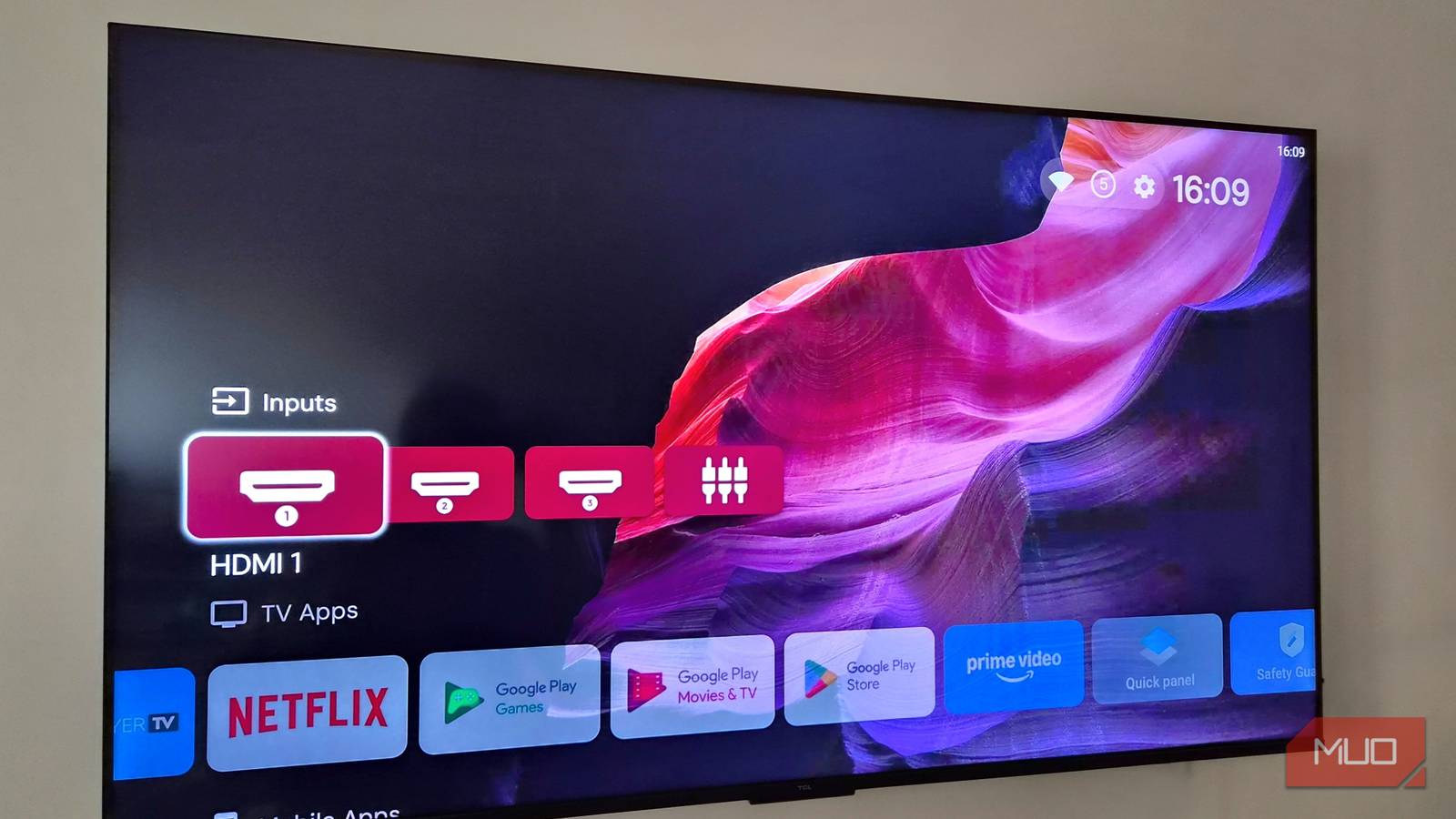
The first thing you’ll notice when turning on a smart TV is flashy banners, rows of content and those annoying auto-playing previews. It’s chaotic and often more about pushing ads on your TV than helping you actually watch something. And the reason this feels normal is that almost every smart TV on the market is like that.
Projectivy Launcher is an app that changes that. It strips away all the noise and gives you a clean and customizable home screen that is a joy to interact with. It’s the kind of experience that should be default, but somehow isn’t.

Your Android TV is wasted without these 5 amazing apps
Stop using your Android TV the default way.
Projectivy Launcher is the fix for your TV’s messy interface
Set it as your default and you’ll never look back
Setting up Projectivy Launcher on your smart TV is fairly simple. Once you’ve downloaded it, go through the prompts and allow it all the necessary permissions. By default, Projectivy Launcher won’t set itself as the default experience, which means any time you press the home button, your TV will take you to the default launcher. To change that, head to Projectivy Launcher Settings > General and enable Change default launcher and Override current launcher options.
One of the first things you’ll notice is how clutter-free the launcher is. You’ll see neatly organized sections like Inputs, Apps, Settings, System, and more. The real highlight here is the flexibility. You can create more sections if you want to group your apps better, and the launcher also lets you rearrange them. This way, if you want your apps to appear at the top and push categories like Inputs or Display all the way to the bottom, you can do that.
My favorite option is the ability to switch from row to grid layout, much like Google TV’s Apps-only mode. This lets me view more apps at once, which means less scrolling. Another thing that’s clearly noticeable is just how fast it feels. This is especially handy for older TVs.
The best part is, there are no sponsored rows or top recommendations sections trying to steal your attention. The only content you’ll see will be under the Watch Next section, and even that can be turned off.
A home screen you can personalize with freedom
Personalization without limits

A major problem with most smart TV launchers is customization, or rather, the lack of it. Projectivy Launcher is not like that. If anything, it almost overwhelms you with how many options it offers.
You can start small, like hiding category icons or app titles for a cleaner, more minimal look. Then you can go deeper. Tweak the spacing between elements, change the size of thumbnails and icons and pick an accent color you like. It all depends on how far you want to take it.
Even the status bar gets the same level of attention. You can set it to hide while scrolling for a distraction-free view, or keep it visible for quick info at a glance. Once you’re done with the details, you can pick a custom background. Here, you’re not just limited to static wallpapers — a GIF or video will also work just fine. All of this makes your smart TV a lot less boring and more personal.
It’s the small details that stand out
Subtle upgrades you’ll love

Even if you don’t care much about customization, Projectivy Launcher still gives you plenty of reasons to use it. It’s packed with thoughtful little features that can improve your everyday experience.
For instance, if you have little ones at home, the Parental Control option lets you lock down specific apps and sections. You can even lock launcher settings themselves, so nothing gets changed accidentally.
Another underrated feature is display profiles. It lets you set up different profiles for different use cases. One can be optimized for streaming, another for gaming, and another one for casual browsing. This way, instead of constantly tweaking things, you just switch profiles, depending on what you’re doing.
And if you enjoy sideloading apps on your TV, there’s no need to download APKs on another device and transfer them over. Projectivy Launcher includes a built-in option where you can simply paste the link of an app and install it directly from there. Another small, but useful feature is the ability to set apps to auto launch on boot. This lets you jump to your favorite app every time you turn on the TV.
Honestly, it’s rare that a free app can completely change how a device feels, but that’s exactly what Projectivy Launcher did for my smart TV. It’s not entirely free, though. Some features require a one-time premium upgrade that costs $7. This includes things like custom wallpapers, unlimited parental control protected apps, and unlimited display profiles. But yes, the free version already gives you everything most people will need, which is what makes it so easy to recommend. Of course, if you end up loving it, it’s always best to support the developer.

- OS
-
Android TV, Google TV
- Pricing model
-
Free, Pro version available
Projectivy Launcher is a customizable, ad-free Android TV launcher that replaces your default home screen with a sleek, personalized hub featuring flexible layouts, dynamic wallpapers, app organization, parental controls, and shortcuts for inputs and settings.
