

Summary
- PowerToys may get a Command Palette Dock for persistent, instant access to favorite tools.
- The dock is highly customizable: pin to any screen edge, arrange tools in three columns, and devs can style items.
- Still a proposal; community support is strong, so acceptance looks likely, but it may not ship.
One of the coolest parts of keeping tabs on open-source software is that you get to peek into what the developers are making next. Proprietary software developers typically hide their hands to avoid competition from poaching their ideas before they have a chance to release, but FOSS apps don’t share that problem. As such, you’ll more often than not have the opportunity to see what everyone is working on and get some sneak peeks into potential new features.
Such is the case with PowerToys, which is an open-source toolbox for Windows. Anyone can take a peek within the project’s GitHub repository and see what everyone is working on. And one such feature is a Command Palette Dock, which, while still very much in the proposal phase, already looks amazing.

The newest PowerToys update makes the Command Palette a lot more useful
Activating tools just got really quick.
PowerToys may be getting a sleek new Command Palette Dock
Big emphasis on “may”

As spotted by Neowin, a new proposal has popped up in the PowerToys GitHub repository. Titled “Proposal: Command Palette Dock,” it’s the idea of PowerToys contributor niels9001, who envisions a new way for people to use PowerToys extensions:
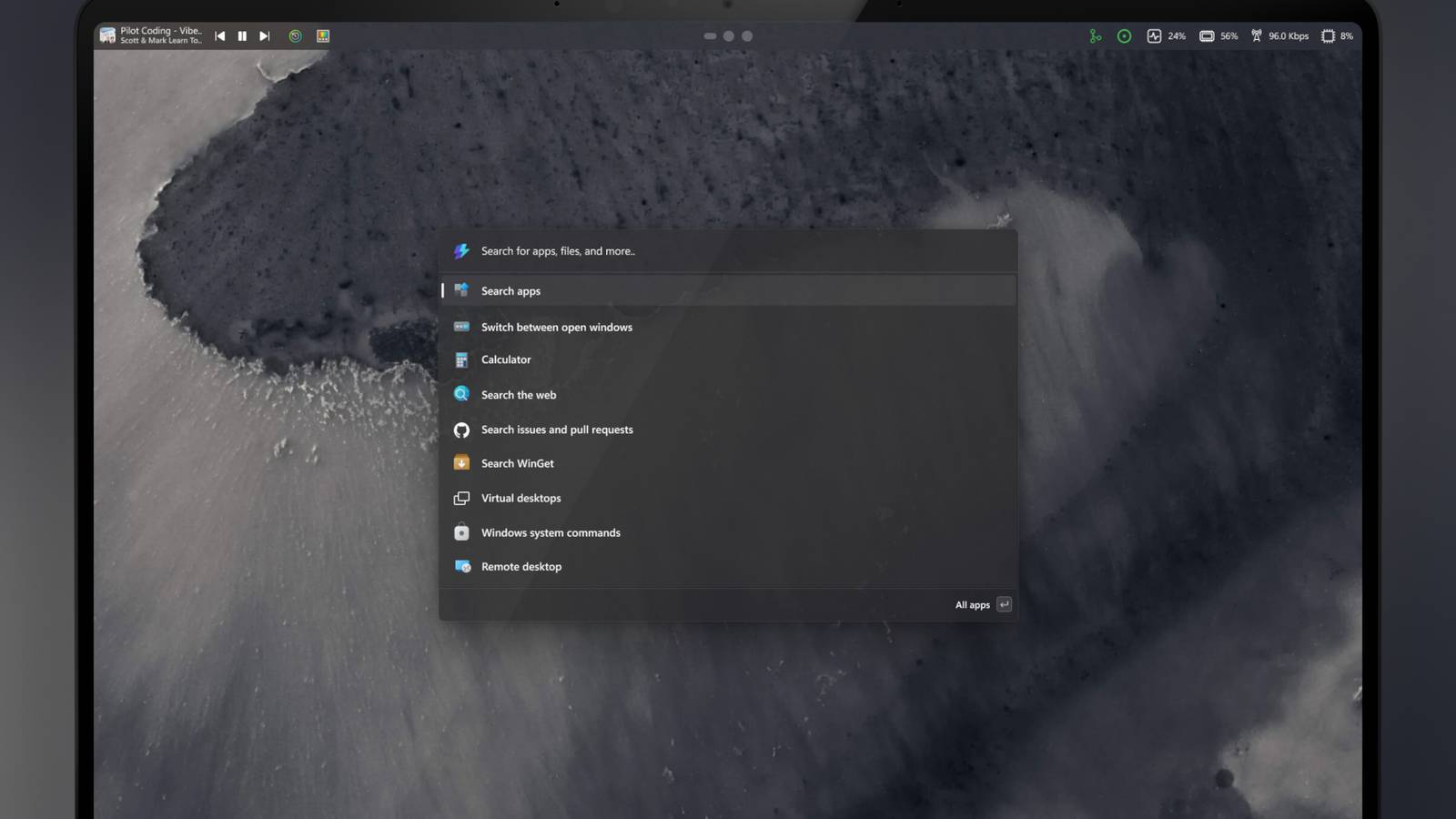
The Command Palette Dock is a new optional UI surface that provides persistent, quick access to selected Command Palette extensions, and work in tandem with the Command Palette launcher.
The dock can be enabled from Command Palette settings and pinned to any edge of the screen. You’d be able to pin your favorite extensions to the dock for instant access, without opening Command Palette or interrupting your workflow. The goal is have a your favorite powertoys/tools one click away and can help with things like monitoring your system resources without opening task manager.
Niels9001 goes on to explain that they want the dock to be highly customizable. This involves sticking the dock on any edge of the screen and sorting tools within the dock into one of three columns. It’ll even let other developers customize how their tools appear on the dock.
As cool as this feature is, it’s just a proposal right now, so there’s a chance we may never see it released on PowerToys proper. However, I don’t see a reason why it shouldn’t get accepted, and the comments seem very supportive of the idea, so here’s hoping it makes its way onto the app proper.
