

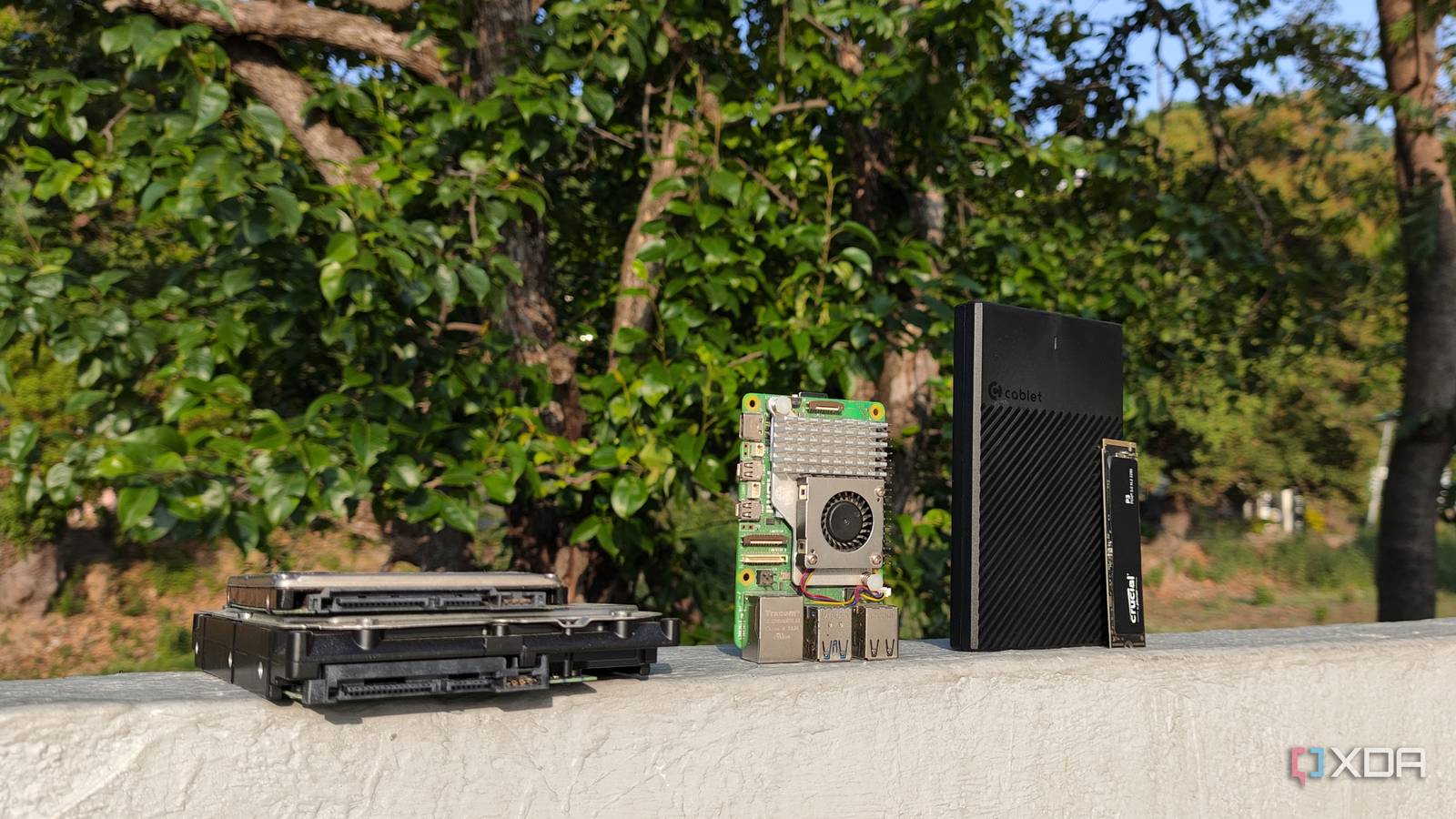
A Raspberry Pi looks like the perfect NAS starter kit when you’re just starting out. It’s small, quiet, cheap to run, and backed by a community that has turned the little board into just about everything. I had drives, I had spare time, and I had the kind of optimism that usually shows up right before a project gets weird. On paper, it felt like an easy win.
I was building around the Raspberry Pi’s limits and pretending that counted as progress.
For a while, it even seemed like one. I could share files, move media around, and enjoy the special home-lab feeling that comes from making modest hardware do something ambitious. But the more I used it as a real NAS rather than a weekend experiment, the more the compromises piled up. Eventually, I had to admit that I wasn’t building a clever alternative to a dedicated box. I was building around the Raspberry Pi’s limits and pretending that counted as progress.

I ditched HDDs for an all-SSD NAS — here’s why I went back
The trade-offs I didn’t expect
The storage setup never felt as clean as it should
External drives solved capacity, but created fresh headaches fast
The first issue was storage itself, because a NAS without dependable storage is just a very patient disappointment. A Raspberry Pi doesn’t give you the neat internal drive bays, backplanes, or native SATA options that make dedicated NAS hardware feel tidy and intentional. You’re usually dealing with USB drives, adapters, powered hubs, or some awkward stack of accessories that turns a clean little board into a desk octopus. It works, but it rarely feels elegant.
A Raspberry Pi can share files just fine, but scaling storage is where the cracks start to show. Once you’re relying on USB adapters, external enclosures, and extra power bricks, your “tiny NAS” can turn into a surprisingly fragile tangle. That doesn’t mean it can’t work. It means you should go in knowing you’re building around limitations, not avoiding them.
That mess matters more than it seems. Every extra cable, dongle, and power brick becomes another potential failure point, and storage is the last place where I want to introduce extra uncertainty. A loose connection isn’t just annoying when your whole goal is reliable access to files. It becomes a little trust tax you pay every time something disconnects, remounts incorrectly, or disappears after a reboot. I kept finding myself checking whether the setup was still behaving instead of simply using it.
Then there’s the question of growth. NAS projects seldom stay at the size they started at because once you have centralized storage, you want room for more backups, more media, and more services. The Raspberry Pi made expansion feel improvised instead of planned. I could technically add more drives, sure, but every step forward felt like another workaround instead of a proper upgrade path.
Performance compromises show up the longer you live with it
File serving is easy until multiple jobs overlap daily

A Raspberry Pi can absolutely move files around the network, and for light use, that may be enough. The problem is that a NAS rarely stays limited to one person copying a few folders now and then. Once I started using it for regular transfers, media storage, and the occasional background task, I noticed how quickly the experience shifted from fine to fussy. Nothing was catastrophic, but very little felt comfortable and fast.
Part of that comes down to the fact that a NAS isn’t just a drive with an IP address. It’s often handling SMB or NFS shares, indexing, permissions, maybe a media library, maybe some containerized extras, and sometimes backup jobs that kick in when you least want them to. Even when the Raspberry Pi could technically do those things, it left little breathing room. The box never quite felt relaxed. It always felt like it was one new task away from reminding me what class of hardware I was actually using.
That makes everyday use less pleasant than the spec sheet suggests. A slow copy here and there is easy to shrug off, but a system that gets sluggish the moment two things happen at once starts to shape how you use it. I found myself scheduling around the hardware instead of expecting the hardware to serve me. That’s the moment a fun project starts acting like a needy roommate.
There is a fair case for keeping things simple
For light storage needs, a Raspberry Pi can work

To be fair, I don’t think turning a Raspberry Pi into a NAS is a foolish idea in every case. If all you want is a small shared folder, a simple backup target, or a low-power place to store and stream media files, it can do the job. For a single user with modest expectations, the Pi’s strengths are still real. It’s affordable, approachable, and far less intimidating than a bigger server build.
There’s also value in the learning experience. A Raspberry Pi NAS teaches you a lot about file sharing, permissions, remote access, drive mounting, and the basic reality of self-hosted storage. That’s useful knowledge, especially if you’re trying to understand what a NAS actually does before you spend more money. I wouldn’t discourage someone from trying it as a project. I just wouldn’t sell it as a satisfying endpoint for most people.
And yes, power consumption matters. A Raspberry Pi sipping electricity all day is appealing compared with larger systems that draw more power, generate more heat, and require more space. If your needs are tiny and your budget is tight, that tradeoff can be reasonable. There is a version of this project that makes sense, and I don’t want to pretend otherwise.
The problem is that good enough stops feeling good
Saving money upfront can cost convenience and trust

My problem is that storage is one of those categories where “mostly fine” gets old fast. I can tolerate a quirky smart home gadget or an underpowered test box because the stakes are low and the inconvenience is temporary. A NAS is different because it tends to hold the files I actually care about. Once I realized I didn’t fully trust the setup, the whole premise started to wobble.
That’s what finally pushed me away from the Raspberry Pi approach. I didn’t want a NAS that I had to explain away with enough caveats and patience. I wanted one that felt boring in the best possible sense, where drives stayed put, performance stayed predictable, and expansion didn’t require another layer of creativity. Boring is a compliment when you’re talking about storage. It means the box disappears into the background and does its job.
And once I looked at the alternatives, the Pi stopped making as much sense. A used mini PC, an entry-level x86 system, or a proper NAS enclosure can cost more, but they usually give you a cleaner path to better storage options and less friction. You gain room to grow, fewer compromises, and a setup that feels more like infrastructure than a science project. That difference is hard to unsee once you’ve lived with both kinds of systems.
The better answer was choosing hardware built for the job
I don’t regret trying it, because the experiment taught me exactly what I want from a NAS and what I don’t want to babysit. The Raspberry Pi is still one of my favorite pieces of hardware, but liking a device isn’t the same as forcing it into every role. It’s brilliant for a lot of things. In my experience, long-term NAS duty just isn’t one of its best assignments.
So I stopped, and I’m glad I did. A Raspberry Pi NAS can be a fun project, a learning tool, or a stopgap, but I don’t think it’s the right destination for most people who want dependable storage. Once your files matter, convenience matters too. That’s when I learned the difference between something that works and something I’d actually want to keep using.

- CPU
-
Arm Cortex-A76 (quad-core, 2.4GHz)
- Memory
-
Up to 8GB LPDDR4X SDRAM
Your Raspberry Pi 5 can make an “okay” NAS, but you have to keep its limitations in mind.
