

Microsoft says it’s rolling out a revamped Windows Insider Program experience as part of the broader plans to address reliability concerns in Windows 11.
For those unaware, the Windows Insider Program is a beta testing program that allows you to test early Windows releases and provide your feedback to Microsoft.
Until now, Microsoft has not really listened to all the feedback from testers, and all that has added up to a poor Windows experience.

To address this, Microsoft is now making the Windows Insider Program simpler and more transparent in the hope that it will help with the development of Windows 11.
In a blog post, Microsoft admitted that the current channel structure is confusing.
Insider Program used to be simple when Microsoft replaced Insider Rings with Channels, similar to Chromium (Beta, Dev, and Canary), but over time, the structure has become more and more confusing.
There’s no clarity on what channel you should pick if you want to be on the edge and test new features as they develop internally at Microsoft. In fact, most testers never get access to experimental features, thanks to Microsoft’s Controlled Feature Rollout (CFR).
Microsoft has acknowledged that the experience is frustrating: you read about a new feature on the internet, update your PC, hoping to test and provide feedback, and then find out it’s not there.
“That experience, where features are announced but only some of you receive them due to how we gradually roll things out, is the single biggest frustration we hear,” writes Alec Oot, who is responsible for the Windows Update experience at Microsoft.
While you can use third-party tools like ViveTool to enable experimental features, it’s not the ideal experience and isn’t what you signed up for.
Microsoft says the Windows Insider Program is now simpler and more transparent
Microsoft says it’s listening to feedback, making all channels simpler, and moving the Insider Program to just two channels.
The first new channel is ‘Experimental,’ which replaces the Dev and Canary channels. The name makes it obvious that it’s the channel you should sign up for if all you want to do is test experimental features, which may never ship in production.
The second new channel is still called ‘Beta,’ which is an updated version of the original Beta Channel.
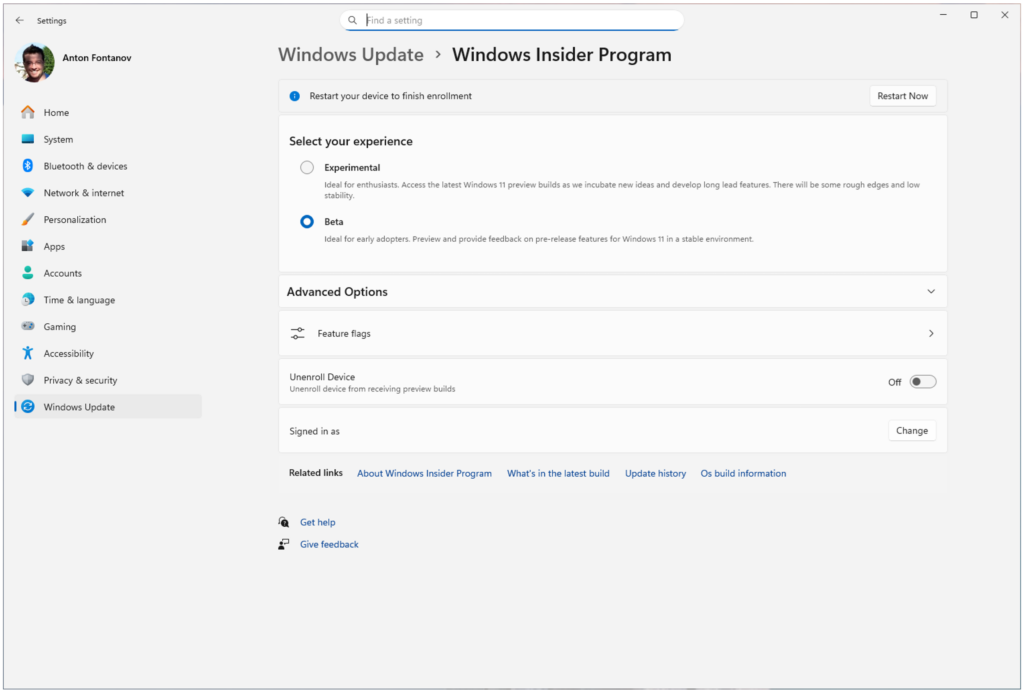
Source: Microsoft
In the Beta Channel, Microsoft is ending gradual feature rollouts, which means all new features mentioned in the release notes will be immediately available.
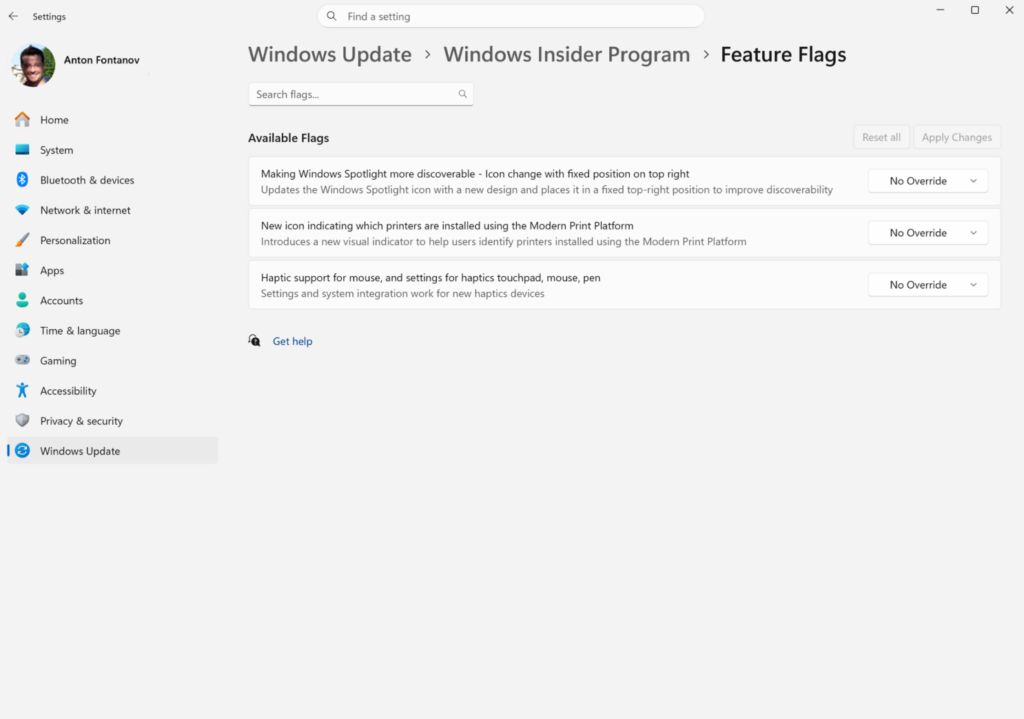
In the Experimental channel, you’ll be given access to some features out of the box, but others will be locked behind a flag.
Source: Microsoft
The good news is you can manually toggle experimental features from Windows Settings.
For example, if you want to try out new haptic features for the mouse but the feature isn’t showing due to a gradual rollout, you can open Windows Insider Program Settings > Feature flags, then turn on the feature.
Microsoft explains how it’s rolling out the new channels to Windows Insiders
Microsoft says it is moving Insiders to the new channels in phases, starting with Dev Channel users, who will now move to Experimental.
If you are in Dev and do not see the new Experimental channel UI yet, Microsoft says you can manually turn it on by going to Settings > Windows Update > Windows Insider Program > Feature flags and enabling the new experience.
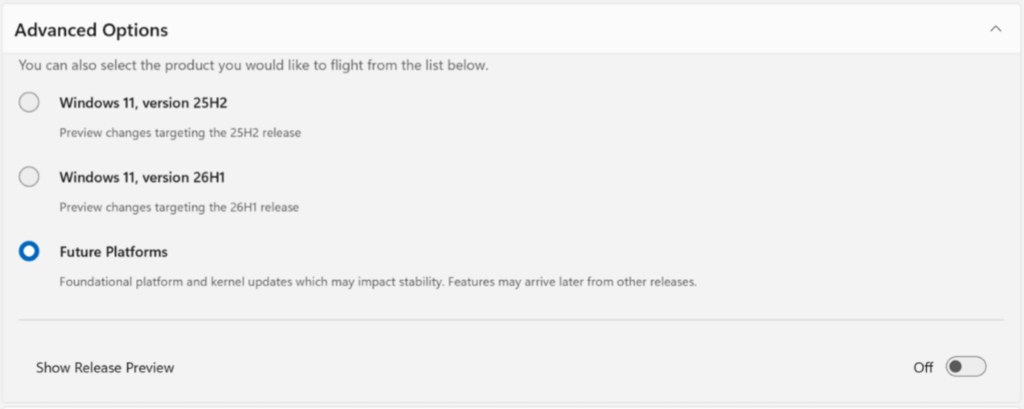
Over the next few weeks, Microsoft will also move Canary users to specific versions of Experimental.
Those on the Canary 28000 series will move to Experimental (26H1), while users who installed the optional 29500 series update will move to Experimental (Future Platforms).
Source: Microsoft
Beta Channel users will move to the new Beta experience, but Microsoft says some minor feature changes may happen during the transition.
If you want to keep access to all existing experimental features, Microsoft recommends moving from Beta to Dev before the transition, as Dev is being moved to Experimental. Microsoft is also changing how it shares build details.
As part of today’s rollout, Microsoft is shipping Build 26220.8283 for Beta, Build 26300.8289 for Experimental, Build 28020.1873 for Experimental 26H1, and Build 29576.1000 for Experimental Future Platforms.
Today’s update includes early access to a new Windows Update experience where you can pause updates as you desire, avoid forced reboots, and more.

AI chained four zero-days into one exploit that bypassed both renderer and OS sandboxes. A wave of new exploits is coming.
At the Autonomous Validation Summit (May 12 & 14), see how autonomous, context-rich validation finds what’s exploitable, proves controls hold, and closes the remediation loop.
