

When I set up Linux, it typically runs as expected. Somewhere in the background, it creates files, updates configurations, and builds caches. However, I rarely peek under the hood to see any of these processes if nothing is broken.
For once, I wanted to do it differently. I decided to watch everything as it happened in the background. So, I used the inotifywait command to monitor real-time activity. I was surprised by how powerful this command was. It revealed how even the simplest actions can create several background operations.
The Linux feature that tracks everything
File activity is easier to monitor than you might think

Inotify is a kernel-level subsystem that was added to Linux in version 2.6.13. This feature captures real-time file system events and reports them as they occur. It’s simply the kernel notifying you of changes.
It constantly tracks file creation, modification, deletion, access, and moves to report these events. What I liked about using inotify is how it only adds minimal overhead during typical use. This is because it’s simply reporting signals that the kernel already generates; it’s not running a background scanner.
You can’t directly interact with inotify, and that’s why you need inotify-tools. It provides two user-space utilities that make the kernel feature usable from the terminal.
|
Component |
What it does |
|---|---|
|
inotify |
Kernel subsystem that generates file system events |
|
inotifywait |
Streams those events live to your terminal |
|
inotifywatch |
Counts how many times each event type occurs over a set period |
Of these components, inotifywait is the option that allows access to real-time monitoring.
The one command that lets you watch apps live
From zero to real-time file tracking in seconds

To get started, you only need one command to set up inotify-tools since inotify is already in the kernel.
|
Distro |
Command |
|---|---|
|
Ubuntu/Debian |
sudo apt install inotify-tools |
|
Fedora |
sudo dnf install inotify-tools |
|
Arch Linux |
sudo pacman -S inotify-tools |
|
openSUSE |
sudo zypper install inotify-tools |
Once it’s installed, you can confirm it’s ready for use by running inotifywait --version, and then running inotifywait -m ~/DocumentsIt’s important to include the -m flag so that when the command runs, it doesn’t exit after the first event. Instantly, you start to see changes in the directory, in this case, the “Documents” directory. The events you see follow the format: watched directory/event type/file that triggered the event. For example, you may have /home/user/Documents/ MODIFY notes.txt.
Once you have an event, you can use a few flags to make the report more useful.
|
Flag |
Purpose |
|---|---|
|
-m |
Keep running continuously instead of exiting after one event |
|
-r |
Watch all subdirectories recursively |
|
-e |
Filter for specific event types, e.g., -e create,modify,delete |
|
–format |
Control the output structure for readability or logging |
|
–timefmt |
Add timestamps to each event |
These are the basic commands you will be using; you only need to point them to something real.
What I actually saw when I used it on real apps
File behaviors you normally never notice
To see what happens on my computer, I used apps the way I typically do while pointing inotifywait to specific directories. What actually surprised me wasn’t what it showed me, but the sheer amount of background activity.
I started with a text editor. While monitoring my Documents folder, I saved a file. I was expecting to get notified of one event, but what I got was a sequence. It showed a temporary file being created, followed by moved_from and moved_to events. In all this, my text editor never touched the original file directly. As I created the file, it wrote to a throwaway file before swapping it in. This way, the original file remains intact even if something happens mid-write.
I then switched to the ~/.mozilla/firefox/ directory, where I monitored Firefox. Once I launched the browser, there was an instant burst of writes. Within seconds, I had places.sqlite for bookmarks and browsing history, then sessionstore.jsonlz4 for open tabs. However, what I found interesting was the constant writes even while the browser was idle. This appears to be normal browser behavior. I have noticed similar idle writes with Chrome. The substantial amount of background activity in Firefox is important because it continuously flushes session data to disk, ensuring that tabs can be recovered after a crash.
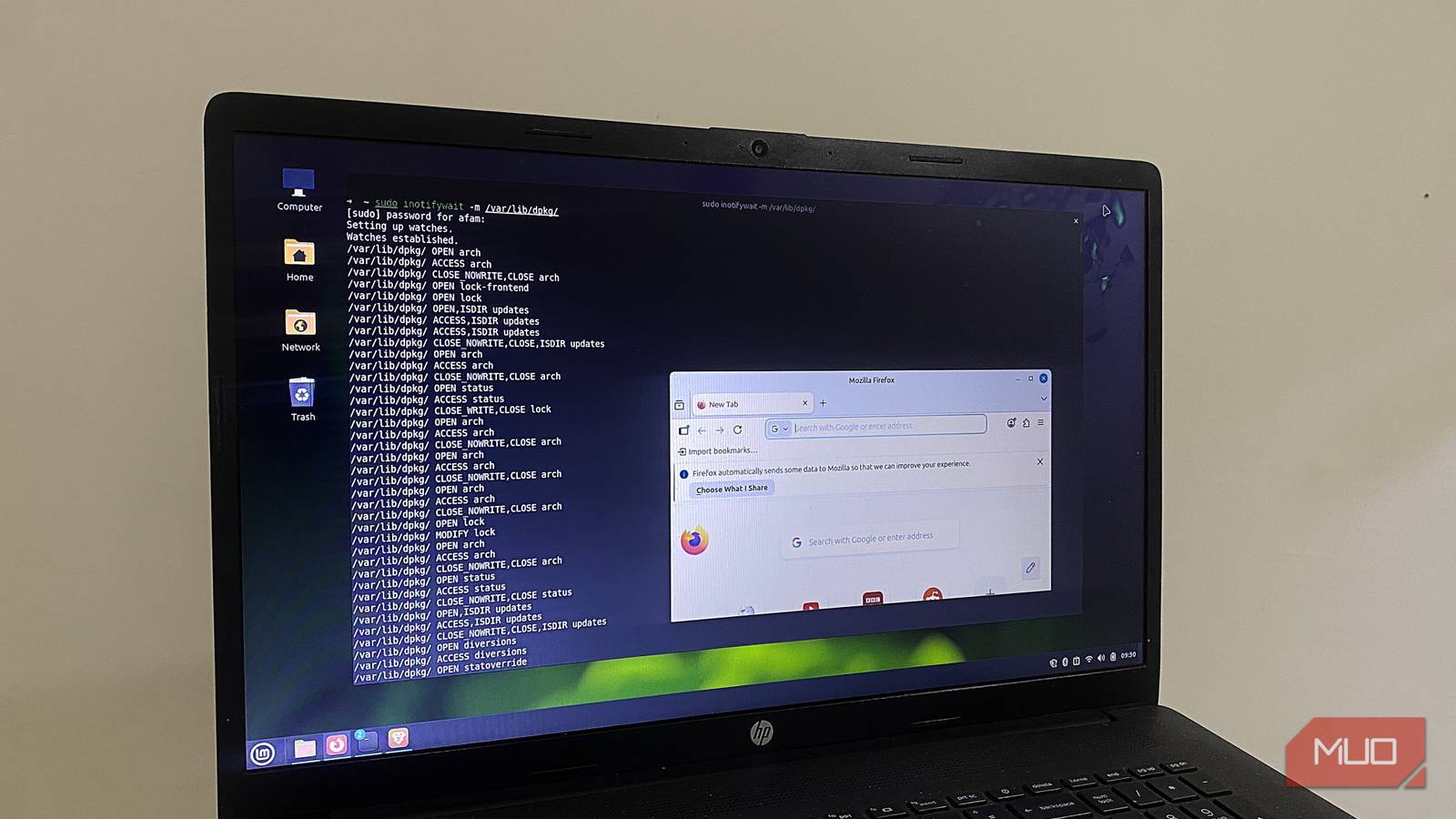
However, of all these, package installations caused the most noise. I ran apt install while watching /var/lib/dpkg/, and I saw a lock-frontend file appear first. This is an important mechanism that ensures package operations don’t run concurrently. After that, there were just so many writes happening across the package database.
What was consistent across the three directories that I observed was that there was never a single clean file operation. They all came with layers.
When this becomes genuinely useful in real life
This started as an experiment, but it only took a few sessions before inotifywait became a tool I naturally reach for. It is an important tool for debugging configuration issues. Watching the config directory and noting overwritten files as they happen can give you some clarity when a setting keeps resetting itself.
I also reach for it when I have to evaluate software that I’m not familiar with. I no longer need to guess where the software stores its data, since I can now watch what it touches. It’s an easy way to catch which apps write outside their expected directories.
However, if you are using inotifywait, be ready for very noisy output. A second limitation is that even though it shows what has changed, it doesn’t explain why. That said, it’s become one of the most useful commands I use for managing Linux.
