

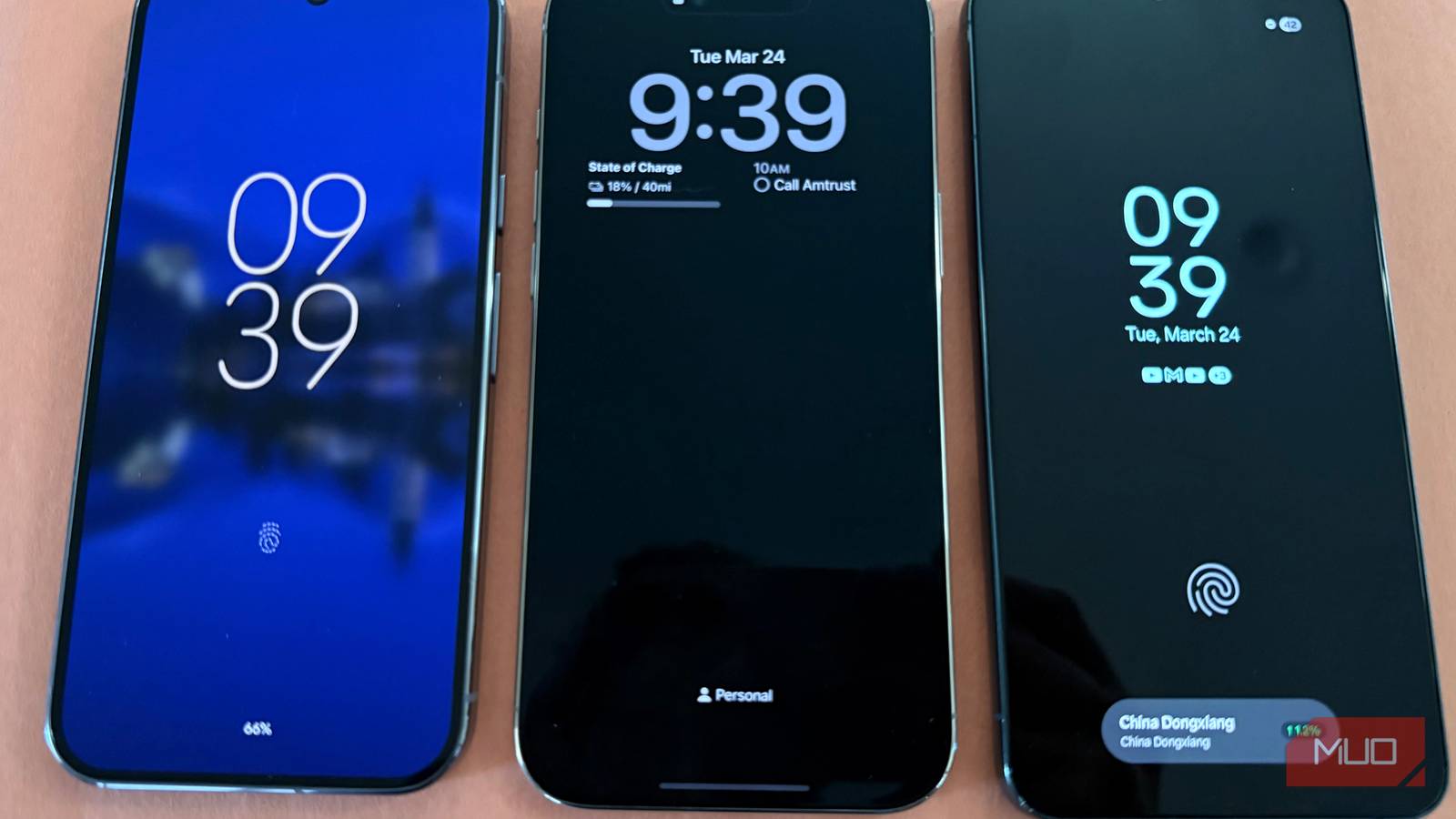
Always on display, or AOD, has been with us now for over ten years, and it’s something I always turn off because I frankly think it’s one of the most wasteful and pointless features of modern phones (though you can customize it with themes). There’s a 10-15% hit to battery life while running AOD, no matter the phone (and on Samsung phones, it’s part of a suite of features you don’t need), but what’s even worse is that AOD is a pointless, distracting feature: why must your phone screen be on all time to persistently show you the clock and a few notification icons? If you have a smartwatch, AOD is especially redundant since you can see this same info if you just glance at your wrist.
Not only that, but we live in an era of phone experiences that are designed to keep you engaged constantly with endless content feeds and frequent nudges and notifications from every app you have, inviting you to re-engage and keep using your phone. AOD makes this all worse and invites you to use your phone even more (and I don’t know about you, but for sanity I want to have a “pull” relationship with my notifications).
AOD drains battery
Do you really want to kill the 10-15% battery just to always see the time?

I have used AOD on numerous Android phones (including devices from Samsung, OnePlus, Google, and Huawei) as well as the most recent iPhones. And one thing is for certain: keeping your phone’s display on all the time, even on phones with an AMOLED screen (where only illuminated pixels require power), comes at a cost of approximately 10-15% less battery per day.
That’s right: if you usually end the day with a 30% battery, turning on AOD will often mean you’re limping to the charger with 15–20% battery by the time you plug in. Your mileage may vary and some devices, like those from Samsung, are a bit better because they have an LTPO display that can go all the way down to a 1Hz refresh rate, which helps, but there’s still a significant battery tax with AOD on even the most advanced, power-efficient displays.
AOD is a distraction
You’re paying an attention tax

We’ve normalized the idea that our screens should never be off. And that’s a problem. Most of us spend hours a day on our phones, which is fine, it’s 2026, but you don’t need yet another on-ramp to obsessively use your phone by having the display always illuminated and encouraging you to pick it up 24 hours a day.
If you need to check the time — just double-tap the screen to show your lock screen! If you need to check for notifications, just lift your phone to wake it to see your list of notifications. If you don’t want to miss a text from your partner or your mother, or your child, you can tweak notification settings to audibly alert you to certain notifications so you don’t need to constantly check your phone. Every app on Android has its own notification settings if you go to Settings -> Notifications -> App Notifications.

I disabled background activity for these 5 Android apps and now my battery lasts much longer
Meet the real culprits
Samsung’s Now Bar is useful
And can be featured on the AOD

I owe Samsung an honorable mention here because of the Now Bar, introduced in early 2025 starting with One UI 7. This handy feature is designed to offer real-time glanceable info, kind of like Apple’s Dynamic Island, but the cool part is that Samsung lets you show the Now Bar on your AOD.
This can show you real-time info like sports scores, ridesharing info, and media controls (which you cannot control via AOD since it’s read-only), timer countdown and upcoming alarms, and even health tracking data from Samsung Health. I admit, this is useful, and the only justification I can think of for keeping AOD turned on, but only on Samsung phones that have the Now Bar.
We’ve normalized the idea that our screens should never be off. And that’s a problem
AOD is pointless in most cases
Just turn it off, you don’t need it and it kills battery

This is perhaps my most pressing point: AOD is pointless in most cases, and is redundant with your smartwatch, or even just your lock screen (which you can trigger instantly with either a double-tap-wake, or by just picking up the phone to trigger the “lift to wake” feature). There’s really no practical reason you need to see the status of your notifications at all times.
Some AODs, like the one on iPhone and Pixel, even display a dimmed version of your wallpaper, which to me is insanity because it compounds the battery life issue by illuminating millions of pixels instead of just showing you the time: why do you need to see your wallpaper 24 hours a day? You don’t, unless you don’t care about pointlessly using battery just so you can constantly see your wallpaper. So save battery and preserve your well-being by turning off AOD because it’s pointless in most cases and might be detrimental to your sanity.
