

Tubi is one of the best free streaming services around. Yes, it’s ad-supported, but it offers an excellent collection of classic movies and TV series that you can watch anytime, anywhere. However, like every streaming service, finding something new to watch is a chore. Most days, I spend so much time scrolling through the catalog that I’m done with my dinner before I’ve picked something to watch.
That’s where AI has started to help me lately. I’ve already been using ChatGPT to catch phishing scams with surprising accuracy, so when I noticed that Tubi had quietly joined the long list of third-party apps in ChatGPT, I decided to give it a try. Instead of opening the Tubi app and scrolling endlessly, I asked ChatGPT to find me something to watch, and the experience was much better than I expected.
Why I bothered asking ChatGPT for a movie
When scrolling becomes the meal

The frustration had been building for a while. On most evenings, I sit down with my dinner, open Tubi, and start scrolling. Twenty minutes later, my food is cold, and I’m still stuck on the home screen. The “Because you watched…” carousels keep recommending the same six titles I’ve already seen, and the genre rows feel like they’re showing me the same handful of movies in a different order each time.
I know I am not the only one with this problem. I’ve seen people complain about the same habit, which shows that scrolling has almost become part of the meal itself. The food becomes the side activity, and the search for something to watch takes over. One way to fix this is to pre-pick a show before you sit down, or better yet, keep a watchlist that you can pull from, but most of us just scroll until we settle on something out of frustration.
Tubi happens to be the first major streamer with a ChatGPT app, which made it the easy one to try first. Instead of scrolling through rows of thumbnails, I could just type what I was in the mood for and get a short list back. Sounds simple enough, and it mostly is.
How Tubi works inside ChatGPT
A natural-language front end for Tubi’s catalog
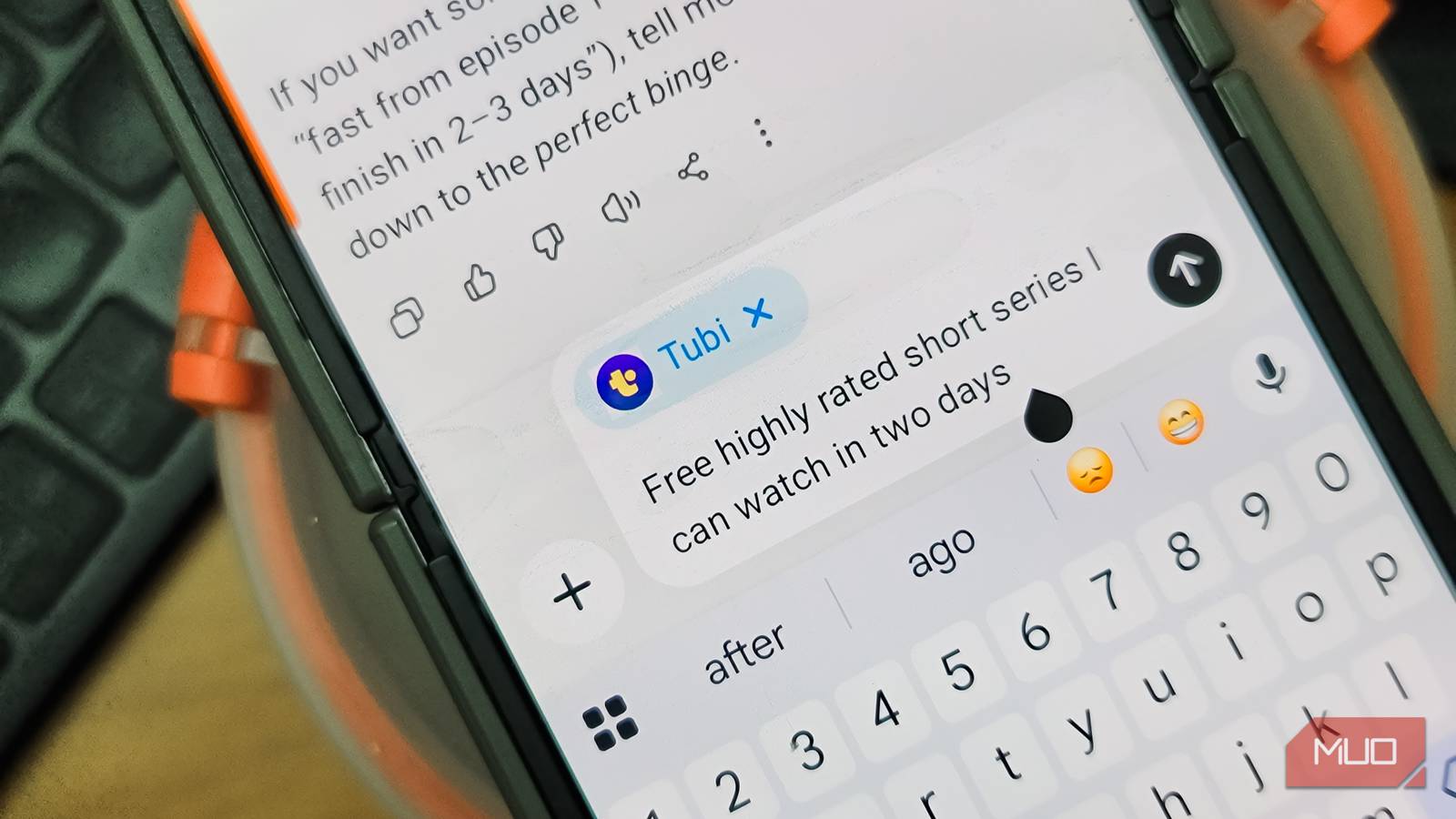
To get started, you need to connect the app to your ChatGPT account. In ChatGPT, click Apps in the left sidebar, search for Tubi, and hit Connect. Once connected, you can invoke it inside any chat by clicking the plus (+) icon in the message box and choosing Tubi, or by typing @Tubi followed by your request. It works on both free and paid ChatGPT accounts and is available across the web, Windows, Mac, iOS, and Android apps.
The real value is that you don’t need to know what you want to watch. You can describe a mood, a vibe, a vague idea, or a specific title, and Tubi will pull recommendations from its catalog of over 300,000 titles. I asked for “A slow-burn neo-noir from the early 2010s with a great soundtrack” and it suggested Drive, Only God Forgives, Nightcrawler and a few more. Another time, I asked for British sci-fi shows in the spirit of older Doctor Who episodes, and it pulled up UFO, Ultraviolet, The Prisoner, and Primeval. Sure, you still need to open them in Tubi, but that’s the easier part.
It can also handle broader queries like “show me what people are watching on Tubi this week” or “the most acclaimed TV dramas to come out since 2020.” There’s even a hidden trivia mode you can launch by asking it to quiz you on movies and TV, which turns into a quick guessing game. Each result in the chat is clickable, and tapping one opens the title directly on Tubi’s website so you can start watching.
What Tubi inside ChatGPT can’t do
A discovery tool, not a player

You may have guessed it by now, but it goes without saying that ChatGPT doesn’t actually play anything. It’s strictly a way to find things, not watch them. Once you click a recommendation, you’re sent over to Tubi’s website or app, and everything tied to your viewing experience lives there too, including the watchlist, resume-where-you-left-off across devices, and any parental controls. ChatGPT also can’t manage your Tubi profile, change settings, or open the rest of Tubi’s interface, like its live TV channels or category rows.
The recommendations have a few rough edges as well. Now and then, the integration throws a catalog access error and quietly slips into generic AI mode, where the suggestions aren’t tied to Tubi at all. It tends to lean on whatever’s popular, even when those titles aren’t part of Tubi’s library, which can leave you clicking through to a dead end.
The other thing worth flagging is that the suggestions can only go as deep as Tubi’s catalog allows. A search for old-school costume dramas gave me a thin list of titles I’d already heard of, with no real surprises. The model also has a habit of always offering an answer, even when nothing fits, so the results can sound more confident than they deserve to. It’s a fast way to narrow things down, but it’s not the same as a recommendation from someone whose recommendation you usually trust.

- OS
-
Android, iOS, Web
- Developer
-
OpenAI
ChatGPT is the flagship AI chatbot from OpenAI, and it’s loaded with features.
If you watch Tubi, you can’t miss it on ChatGPT
Tubi inside ChatGPT makes it easier to pick something to watch on most evenings. The natural-language search is genuinely better than scrolling through the Tubi app, and I find myself spending less time deciding and more time watching. For anyone who already uses both ChatGPT and Tubi, it’s a free addition that quietly removes one of the most annoying parts of free streaming.
That said, I wouldn’t lean on it for everything. The catalog errors and the occasional off-target recommendations mean you still need to verify what’s actually on Tubi before you get your hopes up. Treat it as a starting point, rather and pair it with the Tubi app when you want to browse what’s trending or check on a specific title. As long as you know its limits, it’s a small but useful upgrade to how you find something to watch.
