

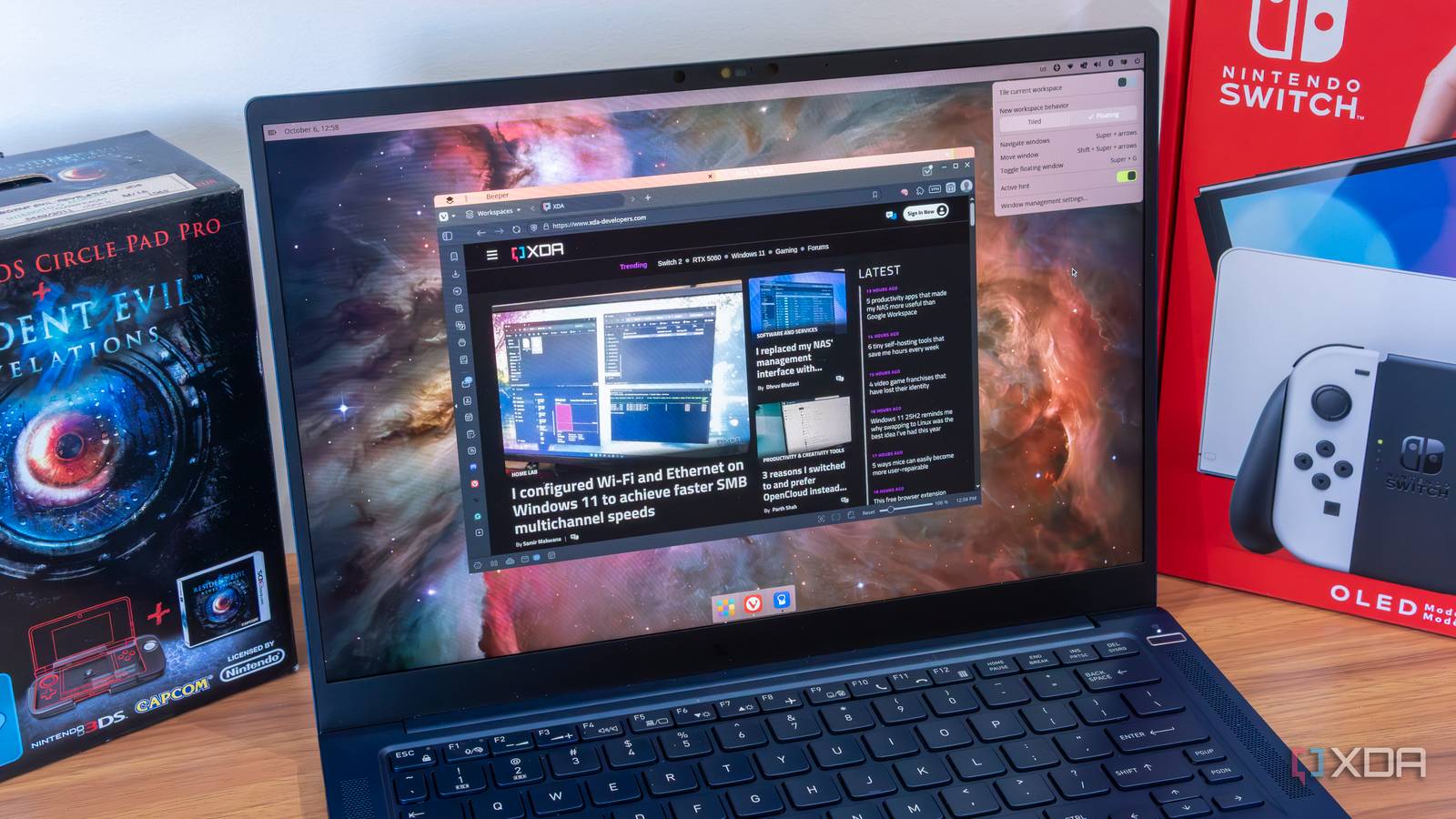
Linux is a versatile operating system because each distribution gives it a unique spin. Distributions further adopt a desktop environment that adds a GUI on top of the Linux kernel. While there are many popular desktop environments like KDE, XFCE, GNOME, and more, nothing excites me more than COSMIC. I’ve tried numerous distros, each with one of the above-mentioned desktop environments or a custom/personalized one, but COSMIC is poles apart from them.
Pop!_OS ditched GNOME for COSMIC and now ships with it as a default desktop environment. It’s a desktop environment that adopts modern technologies, is actually superior in performance, supports adequate customization, can handle tiling and floating windows, and doesn’t look out of place.
Focusing on important aspects
User-friendly interface
It’s easy to install a new Linux distro or switch to a new desktop environment. Most of us do it because the current desktop environment feels inadequate. When a user switches to Linux for the first time, the desktop environment’s simplicity makes a great impact. Think of someone transitioning from Windows 11, which offers exceptional snap layout support, to Ubuntu with the GNOME desktop environment.
GNOME lacks a useful tiling system, and the only way to improve it is via extensions. But a new user who’s just opened the desktop and finds the terminal cumbersome won’t be pleased about having to put in the effort to add extensions. It’s the kind of support that should be there natively, and COSMIC supports it.
There are many other features, such as desktop customization, ease of use, and granular control, that are missing in most desktop environments. XFCE is lighter on resources, but is moderately customizable and looks outdated, while GNOME doesn’t have rich desktop customization support like COSMIC or KDE.
The overall presentation matters to the end users, and complicated options, deeply nested settings, toggles, and heavy reliance on external tools for basic tasks ruin the desktop experience. I certainly won’t use a desktop environment that requires me to download extensions and find apps to make it barely usable.

Windows can learn a lot from Linux, but this is the one feature I really want
Desktop environments are so cool
Tiling and stacking support
Unmatched experience
A new user won’t even worry about tiling or floating workspaces until they spend some time with a desktop environment. I, too, didn’t have any idea about it until I started using multiple windows, and then came the surprising revelation. Ubuntu’s GNOME supports floating windows but doesn’t support advanced tiling like Windows 11.
Similarly, KDE supports tiling but needs some effort to get it going. COSMIC supports both floating and tiling windows, and the latter feels so simple and effortless to use. You can enable tiling on a desktop workspace, and the apps start to auto-arrange according to the available space. I can lock the tiling behavior for one workspace, and that’s a power missing from most DE options. Moreover, I can force one workspace to use tiling while continuing to use floating windows in another one.
So, you don’t need to constantly juggle between windows, resizing them to make them fit your workflow. The default system works nicely without the need to implement a third-party tweak. Another great feature of COSMIC is stacking. Opening multiple windows and tiling them is cool, but what if you could have one main window and all the apps would live inside it as tabs?
COSMIC labels this feature as stacking, which means you can have multiple apps open as tabs and switch to them faster. It’s way better than opening multiple app windows and then overloading the taskbar with icons. Stacking also supplements the tiling mechanism. For example, you can open four app windows with 25% screen space, and then stack all the related app windows for each main window inside them.
Modern tech, familiar feel
Rust and Wayland are default

COSMIC doesn’t carry the GNOME baggage like its previous versions. It’s a completely redesigned desktop environment written in Rust and enables native Wayland support, so it can work nicely on modern hardware. I’m impressed by the overall desktop experience while launching apps, switching workspaces, jumping between menus, and changing windows. The animations and transitions feel fluid and not clunky, as if it were a beta release.
The redesign carries a familiar feel of a mature desktop environment. It supports theming and other customization options like a mainstream OS desktop, while not offering overwhelmingly deep options like KDE. I’ve had my fair share of problems with GNOME extensions, and they tend to crash and don’t work properly. COSMIC strikes a perfect balance between performance and appearance, and doesn’t look like a cheap knockoff of Windows or macOS.
It’s the right time to make Linux desktop environments stop appealing to a niche user base. COSMIC gets every desktop element right, be it the floating launcher at the top, a top taskbar, a bottom panel with applet support, or the native apps and store library. You can tweak each element, and the desktop environment doesn’t prevent you from doing so.
COSMIC is the future
When I say COSMIC is the future of Linux desktop environments, I have enough examples to back up the claim. It’s a lightweight, snappy, and modern design that users will wholeheartedly appreciate. The main reason is that COSMIC tries to fix inherent problems and doesn’t transfer them to end users. Everything from the window manager, tiling, customization, and performance is meticulously thought out and refined, and the difference is visible. If you haven’t tried COSMIC yet, give it a spin on a spare VM or your system.
