

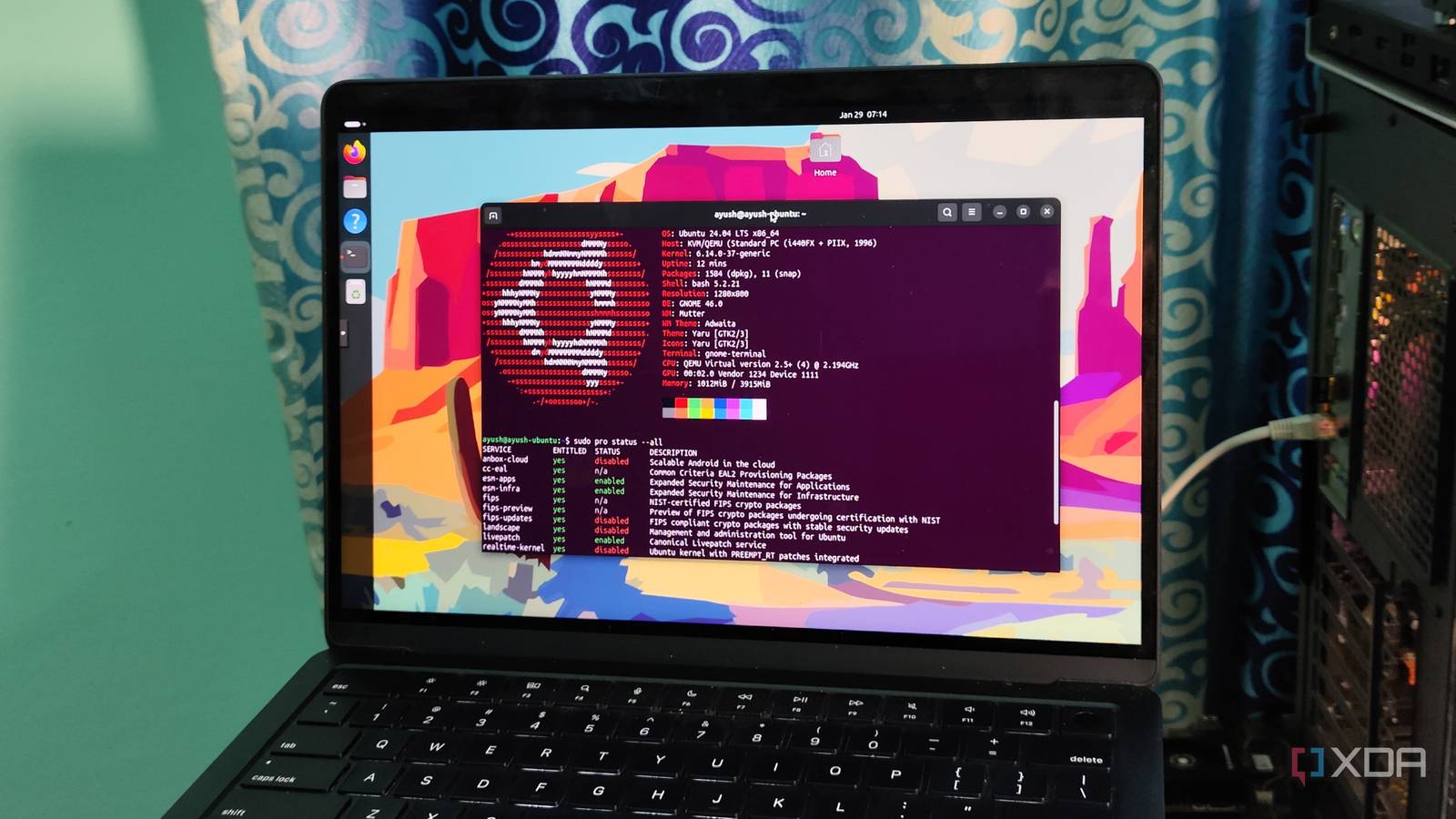
When you install Ubuntu for the first time, you’ll notice a post-installation wizard popping up on the screen. Aside from a couple of slides on driver updates and GNOME tweaks, it will also include a slide about Ubuntu Pro. If you’re anything like me, you’ll probably skip it and go about your tinkering adventures without giving it a second thought.
But after getting a taste of Canonical’s surprisingly useful MicroCloud a few weeks ago, I figured I should try looking into Ubuntu Pro. Now that I’ve enabled it on a few Ubuntu VMs and a bare-metal setup, I have to admit that it has a couple of perks for veteran tinkerers relying on Canonical’s distro for their home lab tasks. But for most users, Ubuntu Pro isn’t all that useful, and you aren’t missing out on anything important by skipping it altogether.

New to Linux? Here are 7 of the best beginner-friendly distros for you to try
Get up and running with Linux in no time.
In case you’re wondering, then no, this post wasn’t sponsored by Canonical. This is just my observation log after using Ubuntu Pro with my home lab systems.
Ubuntu Pro is a decent upgrade for hardcore home servers
The expanded security maintenance program is handy for nodes that run 24/7

If you’re active in the Windows ecosystem, you’re probably aware that Microsoft is still supplying extended security updates to premium Windows 10 users, even though support for the OS technically ended in 2025. Well, Ubuntu Pro does something similar, except Canonical promises extra updates for up to 15 years, instead of just 3. To put that into perspective, the age-old Ubuntu 14.04 will receive legacy add-on updates until 2029, and this version was released back in 2014!
As much as I love to upgrade my server nodes to the latest packages (after confirming that they aren’t riddled with bugs, of course), there’s some utility in the expanded security maintenance program. If you’ve got a mission-critical home lab built on Ubuntu Server, upgrading to the latest version can result in a few hours of downtime, and you could also end up with stability issues. Since Ubuntu Pro offers security updates for long periods, you could stay on the same version of the distro for a long time without worrying about newly-discovered vulnerabilities breaching your system’s defenses.
Aside from home labbers, this feature is also somewhat useful for tinkerers with really ancient machines. Let’s say you’re running Ubuntu Desktop on a dinosaur laptop that can’t support modern Linux distributions. Configuring Ubuntu Pro packages should keep you safe from security problems until you manage to get your hands on a new PC.
Live patches are just as useful

Although there are a bunch of security measures you can deploy on your home lab, a single vulnerability is all it would take to infect your precious nodes with malware – and that’s where security patches come into play. But you’ll often need to reboot your system and go through a bunch of commands and config files to apply them. Ubuntu Pro’s live patch can apply security fixes to the kernel without rebooting your system, and it’s pretty straightforward to use, too.
Configuring Ubuntu Pro is fairly simple
Plus, it’s free for non-commercial use

When I first heard about Ubuntu Pro, I figured it’d be another premium tool with constant subscriptions. But credit where it’s due, Canonical lets you use Ubuntu Pro for non-commercial projects without paying a dime – and it’s just as easy to set up. Once you’ve registered at Canonical’s website, you can use the Ubuntu Pro subscription page to add it to your account for free. Then, you can use the token generated by the platform to hook your system up with the Pro version with the sudo pro attach token_number command.
But it’s not necessary for most folks
You don’t need Ubuntu Pro’s enterprise features unless you’re a home lab veteran
Having armed my Ubuntu Server cluster and Desktop VMs with the Pro version, I admit that it’s a neat addition to my home lab systems. But unless you’re as deep into the server rabbit hole as I am, you can just ignore the Ubuntu Pro pop-up. Receiving security updates for as long as 15 years sounds neat, but if you’re on a system that’s so ancient that it needs to remain on older versions of Ubuntu, you might as well try out minimal distributions.
I also don’t see why the majority of server enthusiasts would care about a few hours of downtime when updating to the latest versions of Ubuntu or patching a CVE or two. The Advanced AD policies are useful for training your DevOps skills, but they’re borderline useless for the average PC owner.
But on the flip side, you don’t have anything to lose by enabling Ubuntu Pro for non-commercial tasks, either. Canonical doesn’t require you to enter a credit card number just to use the free tier, and there’s nothing wrong with getting extended update support for your Ubuntu Desktop-powered daily driver.

Kali Linux is my favorite Linux distro to play around with
And it’s pretty safe as long as I keep my tinkering antics in moderation
