
Close Menu
    Facebook X (Twitter) Instagram
    Wifi PortalWifi Portal
    • Blogging
    • SEO & Digital Marketing
    • WiFi / Internet & Networking
    • Cybersecurity
    • Tech Tools & Mobile / Apps
    • Privacy & Online Earning
    Facebook X (Twitter) Instagram
    Wifi PortalWifi Portal
    Home»Tech Tools & Mobile / Apps»Android 17 Will Finally Let You Remap Your Gaming Controllers
    Tech Tools & Mobile / Apps

    Android 17 Will Finally Let You Remap Your Gaming Controllers

    adminBy adminApril 9, 2026No Comments3 Mins Read
    Facebook Twitter LinkedIn Telegram Pinterest Tumblr Reddit WhatsApp Email
    Android 17 Will Finally Let You Remap Your Gaming Controllers
    Share
    Facebook Twitter LinkedIn Pinterest Email


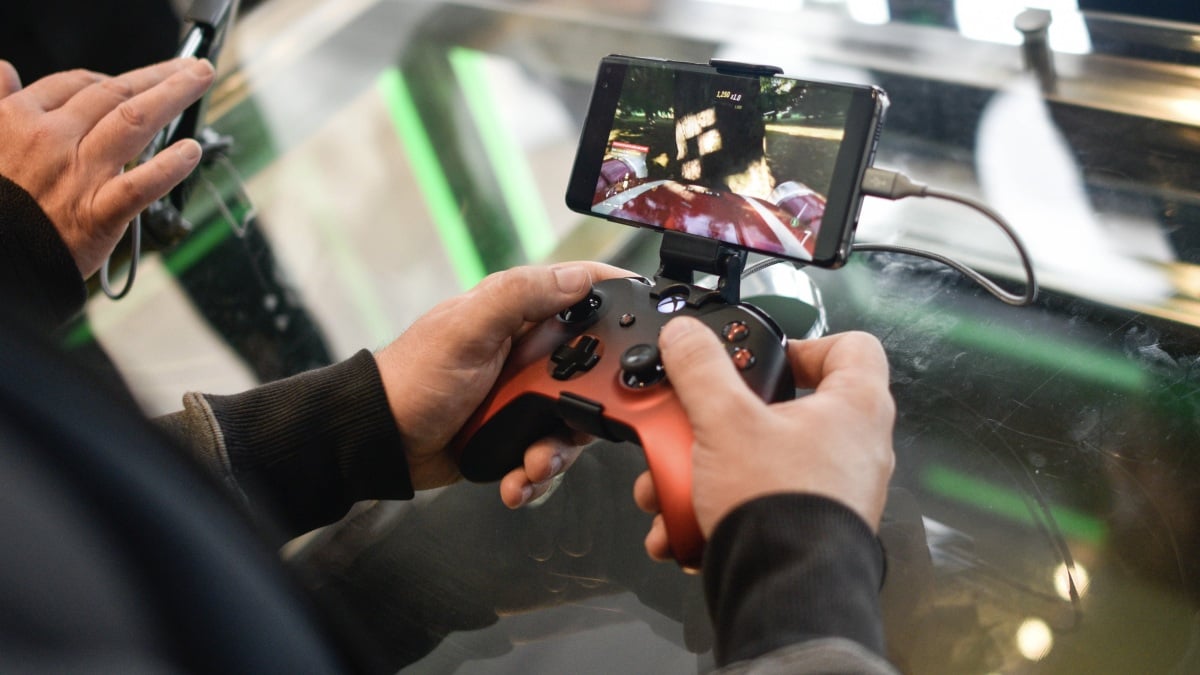
    While iOS has caught up in recent years, Android is still the most versatile OS when it comes to smartphone gaming—especially if you’re looking beyond downloading games from app stores. Android supports a huge number of emulators, as well as game controllers and game pads. If you want to play a game, there’s a decent chance you can get it up and running on Android.

    And yet, the OS doesn’t have something that many other modern gaming platforms do: native controller remapping. The idea is, you get to choose which of your controller’s buttons do what. If you’d prefer your down button to have the same effect as the L1 button, or the D-pad to have the same inputs as the right stick, you can. While individual Android games may offer these options, it doesn’t apply to the entire OS, which leads to some inconsistent gameplay situations.

    GameSir G8 Plus Bluetooth Mobile Game Controller for Switch & iOS & Android & Tablets, Wireless Gamepad with Hall Effect Joysticks/Hall Trigger, Play Minecraft, Genshin Impact, Call of Duty Mobile

    GameSir G8 Plus Bluetooth Mobile Game Controller for Switch & iOS & Android & Tablets, Wireless Gamepad with Hall Effect Joysticks/Hall Trigger, Play Minecraft, Genshin Impact, Call of Duty Mobile

    Google is testing controller remapping with the Android 17 beta

    As it turns out, Android 17 will introduce system-wide controller remapping options—assuming it makes it out of beta. Former tech journalism-turned Google employee Mishaal Rahman shared the news in a post on r/AndroidGaming, acknowledging the Android gaming communities’ repeated requests for controller remapping, and confirming the company is testing the feature in the Android 17 beta. Rahman says that Google is interested in two key points here: accessibility, so more players can remap buttons to fit their physical needs; and reducing issues with muscle memory when swapping between games.

    Those two points really are huge for gamers. It can be frustrating to jump between games with different button layouts, and make mistakes only because you’re used to the layout from the previous game. But, more importantly, controller remapping makes gaming much more accessible for players who might not be able to play with a game’s default layout or control scheme. When some games support it and others don’t, it makes gaming on Android unbalanced. Now, assuming Android 17 really does launch this feature, gaming on phones like Pixel and Galaxy will be more accessible for everyone.

    How to try controller remapping on Android 17

    These tools are currently live in the latest Android 17 beta (beta 2). You can try it out now if you enroll your eligible device in the Android beta—just be warned that installing beta software on your device may result in bugs, instability, or data loss. I’d recommend making a full backup of any important data before install the beta.


    What do you think so far?

    With the latest Android 17 beta running on your device, you have two choices, depending on whether you’re using a wired or Bluetooth controller:

    • Wired controllers: Head to Settings > System > Game Controller and choose your controller from the list.

    • Bluetooth controllers: Head to Settings > Connected devices then choose the menu icon next to your controller. From here, go to the Device details page then choose “Game Controller” settings.

    Either way, you’ll see a list of all the buttons and inputs on your controller. Tap one to make any available adjustments. Rahman does warn that glyphs—the icons that appear next to each button or input—may not be accurate as of this beta.

    Android Controllers finally gaming Remap
    Share. Facebook Twitter Pinterest LinkedIn Tumblr Telegram Email
    Previous ArticleShaky Ceasefire Unlikely to Stop Cyberattacks From Iran-Linked Hackers for Long
    Next Article Why Product Feeds Shouldn’t Be The Most Ignored SEO System In Ecommerce
    admin
    • Website

    Related Posts

    This 55-Inch LG OLED TV Is Nearly Half Off Right Now

    April 16, 2026

    4 reasons I use a 19-year-old app to copy and move files in Windows

    April 16, 2026

    Opera’s browsers just picked up a new AI feature that’s actually useful

    April 16, 2026
    Add A Comment
    Leave A Reply Cancel Reply

    Search Blog
    About
    About

    At WifiPortal.tech, we share simple, easy-to-follow guides on cybersecurity, online privacy, and digital opportunities. Our goal is to help everyday users browse safely, protect personal data, and explore smart ways to earn online. Whether you’re new to the digital world or looking to strengthen your online knowledge, our content is here to keep you informed and secure.

    Trending Blogs

    Google AI director outlines new content playbook

    April 16, 2026

    This 55-Inch LG OLED TV Is Nearly Half Off Right Now

    April 16, 2026

    4 reasons I use a 19-year-old app to copy and move files in Windows

    April 16, 2026

    UAC-0247 Targets Ukrainian Clinics and Government in Data-Theft Malware Campaign

    April 16, 2026
    Categories
    • Blogging (63)
    • Cybersecurity (1,342)
    • Privacy & Online Earning (168)
    • SEO & Digital Marketing (823)
    • Tech Tools & Mobile / Apps (1,606)
    • WiFi / Internet & Networking (225)

    Subscribe to Updates

    Stay updated with the latest tips on cybersecurity, online privacy, and digital opportunities straight to your inbox.

    WifiPortal.tech is a blogging platform focused on cybersecurity, online privacy, and digital opportunities. We share easy-to-follow guides, tips, and resources to help you stay safe online and explore new ways of working in the digital world.

    Our Picks

    Google AI director outlines new content playbook

    April 16, 2026

    This 55-Inch LG OLED TV Is Nearly Half Off Right Now

    April 16, 2026

    4 reasons I use a 19-year-old app to copy and move files in Windows

    April 16, 2026
    Most Popular
    • Google AI director outlines new content playbook
    • This 55-Inch LG OLED TV Is Nearly Half Off Right Now
    • 4 reasons I use a 19-year-old app to copy and move files in Windows
    • UAC-0247 Targets Ukrainian Clinics and Government in Data-Theft Malware Campaign
    • Why Your Search Data Doesn’t Agree (And What To Do About It)
    • Opera’s browsers just picked up a new AI feature that’s actually useful
    • GitHub lays out copyright liability changes and upcoming DMCA review for developers
    • Mi Browser 14.54.0-gn APK Download by Zhigu Corporation Limited
    © 2026 WifiPortal.tech. Designed by WifiPortal.tech.
    • Home
    • About Us
    • Contact Us
    • Privacy Policy
    • Terms and Conditions
    • Disclaimer

    Type above and press Enter to search. Press Esc to cancel.