

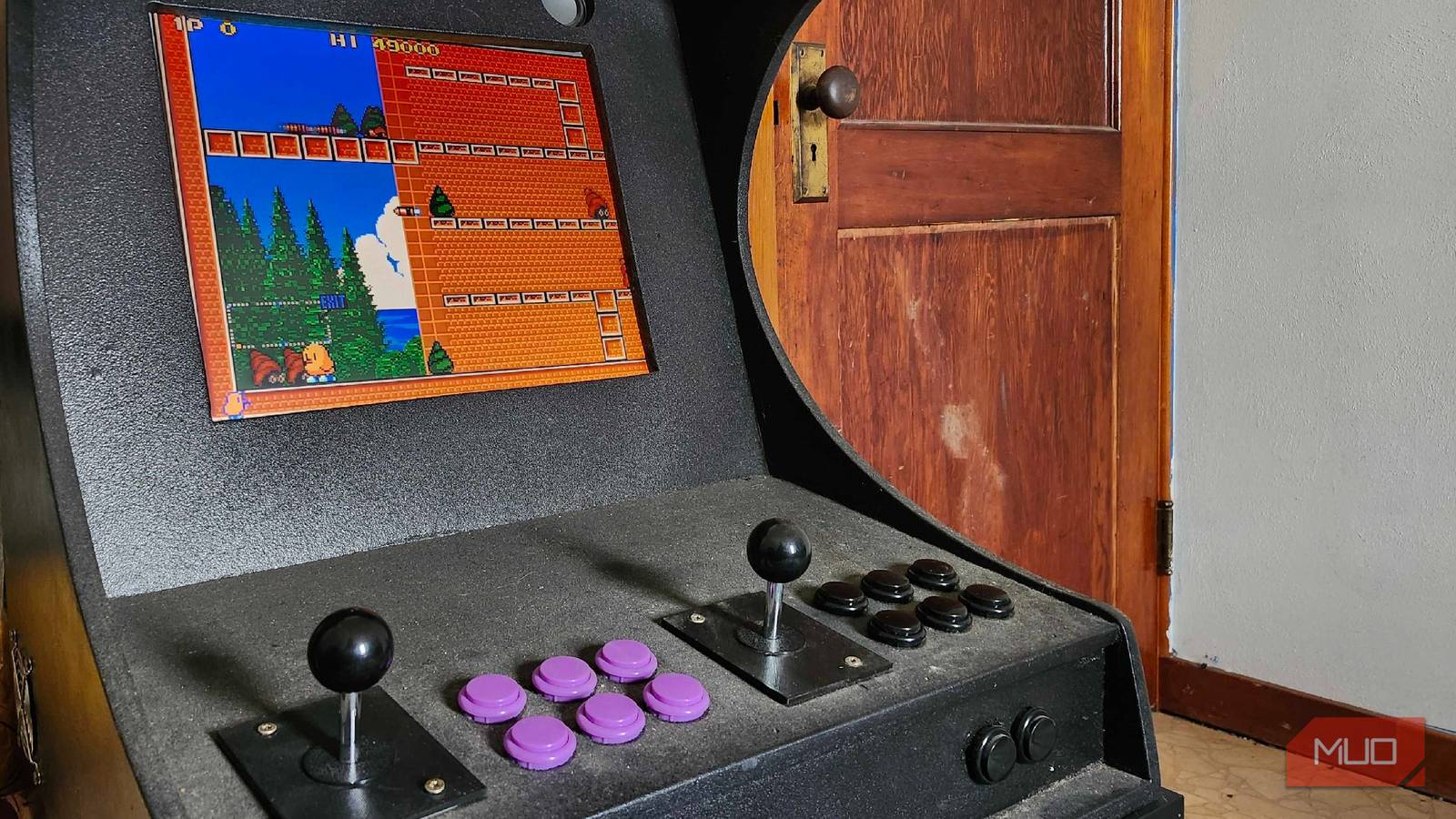
In 2019, my father and I embarked on the most epic of quests: turning a humble Raspberry Pi into a fully functioning arcade cabinet. With his woodworking skills and my knack for hitting buttons and making things eventually work properly, we made it happen with some fairly fantastic results. Reflecting on the project nearly seven years later, there are some things we could have done differently.
If you’ve got the time and money, it’s a very fun project to embark on for yourself. If you’re a fan of all things retro, and you’ve got a spare Raspberry Pi lying around, you can turn it into the ultimate nostalgia machine. As a first effort, this arcade machine turned out great, but if I could tell my past self some new things, these are the things that I would have changed.
Don’t cheap out on parts
Get the joysticks and buttons you want now to save time in the future

One of the most important things I wish I could have told myself in the past? Save time and effort by just getting the joysticks you want from the start. Don’t go for pure aesthetics. I went with “competition-styled” joysticks that I had purchased off of AliExpress without putting gates, comfort, or thoughts about usability into perspective. After one quickly failed, and I needed to attempt to fit my larger hands into a very small space to mess with wires, I quickly regretted my decision. Even though the Raspberry Pi 3 Model B+ is an older board, that was the least of my worries here when it came to cheaping out on materials.
Seeing as I built this cabinet with the idea of multiplayer in mind, I had to spend the money to replace both joysticks, falling into the trap of “buy it nice, or buy it twice”. Do the research that you need and, depending on the types of games you’ll be playing, go with the proper joysticks that fall in line with your choice.

The rookie PC building mistakes I regret most (and how to dodge them)
Most of my costly PC building mistakes are easy to avoid once you know what to watch for.
Choose your paint type wisely
It can handle bumps and bruises, but getting dust out of it is a nightmare

This sounds incredibly obvious now, but at the time, using a bed liner seemed like a great option for keeping this build looking sharp. It was meant to be a more “mobile” unit, one that I could bring with me to different places to play with friends or family. Despite its large size, it’s actually rather easy to take different places, and the bed liner was meant to protect it from scuffs and scrapes along the way.
Now, as it spends the majority of its time upstairs in my home, it’s begun to collect dust. Getting dust out of the bed liner is a near-impossible task, seeing as I can’t spray this cabinet down with water like you can with a truck bed. I’m blaming Dad for this one, but I know that it’s partially my fault here, too. On a side note, bed liner works incredibly well for grip if you need to carry something like this somewhere.
Plan the size appropriately
It was meant to be a “barcade” cabinet, but ended up much bigger
When my dad and I originally made this cabinet, it was meant to be a “showstopper” piece, used at my wedding reception. And that it was: we had folks doing Mortal Kombat II matches while others were on the dance floor. It was a fun and interesting way to keep people occupied, but after the reception had come to a close? It became a little more difficult to find a proper home for this piece of equipment.
Seeing as we’re nearing the seventh year of the build, I may ask Dad to help me reduce the overall size of this cabinet by a fair margin. Seeing as a Raspberry Pi is all that powers this whole machine, there’s a lot of empty space in the back. By tearing it apart, sanding it down, and refinishing it again, we could breathe some new life into this machine. It’s a great machine, but calling it “chonky” would be an understatement.
Easier access to the actual hardware
Updates, adding more games, and accessing wires are kind of a pain right now

One of the fatal flaws of this particular build has nothing to do with the hardware that the machine is actually running. It’s with how we built it, and the screws we used to hold everything together. See, in most cases, it would make sense to use standard Phillips or flat-head screws to hold the backing on. But seeing as this machine was meant to originally travel a bit, we used a specialized set of hex screws.
If I need to access anything, I have to remove four screws from the back, remove the housing, and then access the small Raspberry Pi inside. Looking back at it now, we could have just implemented a small door to access things or placed hinges to pivot the side of the cabinet to access things more easily. Could have, should have, didn’t. Finding a way to easily access your internals is far more than just having the right screws.

- Brand
-
Raspberry
- CPU
-
Broadcom BCM2711, Quad core Cortex-A72 (ARM v8) 64-bit SoC @ 1.5GHz
- Memory
-
4GB LPDDR4-3200 SDRAM
- Ports
-
2 USB 3.0 ports, 2 USB 2.0 ports, 2 micro-HDMI ports (up to 4kp60 supported)
Regardless of its flaws, I still love and cherish this project we made together
There are a ton of ways to access your favorite arcade classics, from restoring classic machines, building your own, or leaving it to companies like Arcade 1Up to provide you with an expertly crafted project. But if you’re eager to try something new, I strongly recommend giving a project like this a go. Or, if you’re not a gamer, you can easily make the best streaming box around with a Raspberry Pi and a free weekend.
If I had the technical know-how I have now back then, this project might have turned out much more “professional” than it did. But as a spur-of-the-moment DIY project between a father and son? I think it turned out absolutely brilliant. More than creating another way for me to play video games, it created a memory that I will cherish forever. Now it’s time to mess around with more Raspberry Pis in the future and make some other fantastic little projects with this wonderful SBC.
