

We’ve written many column inches about why Synology is a bad buy. I should know — I wrote many of them. I’m not here to bash them further, but I have realized one thing. We spent so much time talking about the whys and wherefores that we forgot to do direct comparisons at the low end of the market, where prebuilt bespoke NAS enclosures usually reign supreme.
Sure, it’s one thing to say you can build a NAS for cheaper than a premium Synology unit, but what about the four-bay units that sell like hotcakes to the general consumer? Or the two-bay units that everyone buys before they know any better. Can you still build a NAS from off-the-shelf parts for less and have it do more? I think you can, and remember we’re talking about bare units here without storage drives inside.

I’ve stopped recommending Synology to friends, and here’s what I tell them to use instead
There are plenty of other options for NAS enthusiasts besides Synology
The value proposition
Two boxes, one price range, vast difference in capability
Okay, let’s talk value. Or perhaps perceived value, because it is very hard to beat the Synology DiskStation DS223j on the face of things. I’d be hard-pressed to put together a PC that could hold two HDDs for the same price, though some mini PCs would be an option if you wanted to use SSDs instead. But that’s exactly the point, it’s too good to be true. This is the gateway loss-leader, the small sniff of success that gets you hooked on Synology’s software systems.
And then what happens? You need more storage, or your needs outgrow the underpowered CPU, and a four-bay NAS enclosure costs four times as much as a two-bay. But they’ve already got you, your data is stored in their file system, and you’ve gotten used to the mobile apps and the desktop-like experience while using the NAS. The time between buying a couple of drives, filling them, and needing more space varies, but Synology is betting you’ll need it soon enough.
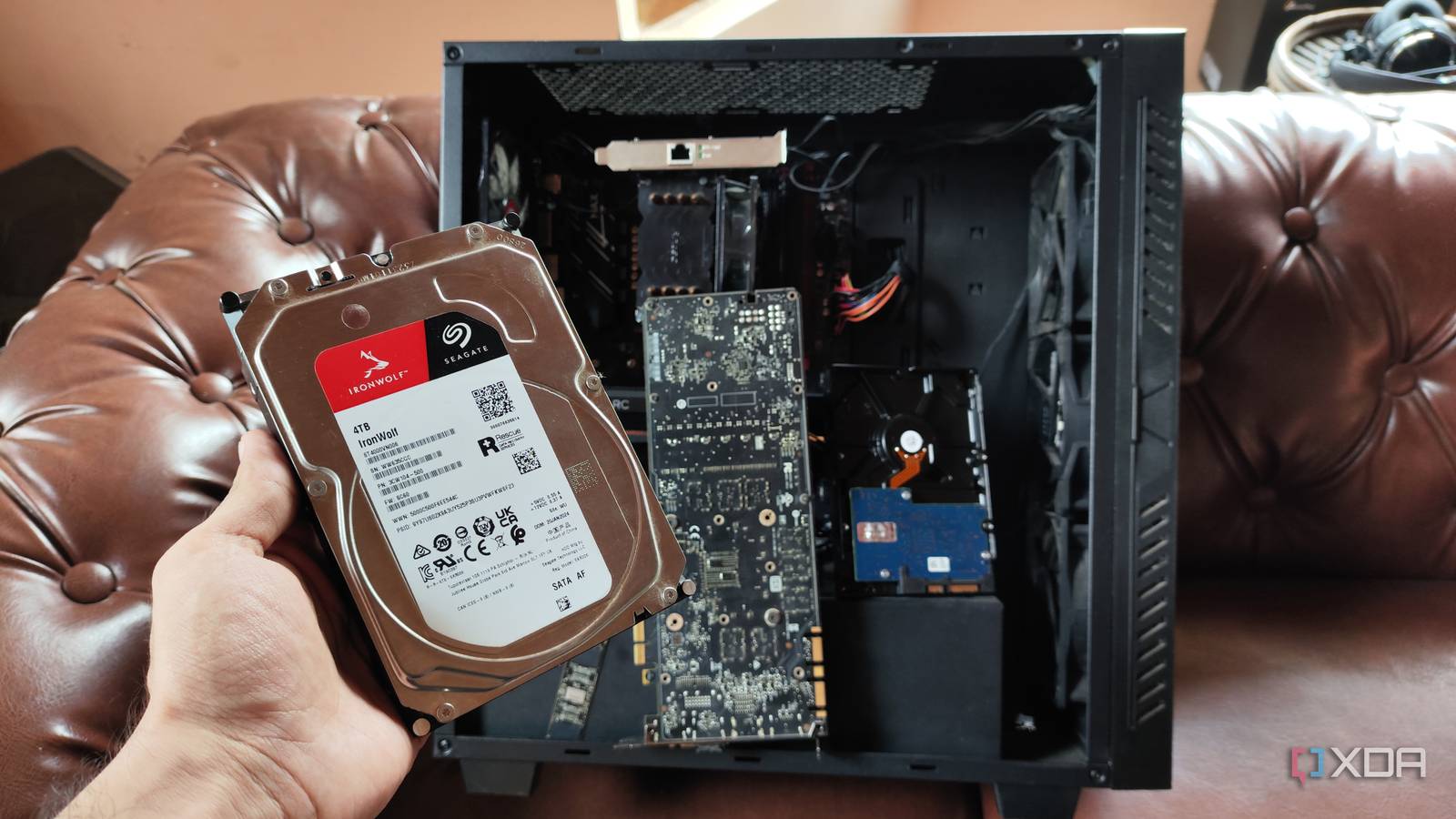
Now, if you were going to build from scratch, you’d want a few things. A chassis with at least four 3.5-inch drive slots, a CPU with integrated graphics for transcoding video streams, a compatible motherboard, and at least 4GB of RAM. Oh, and a PSU that won’t blow up on you, but it doesn’t need to be more than 550W or so.
That’s a fairly modest list of parts, although RAM prices are insane right now. The rest of the parts are easily sourced, whether you go with AMD as I have here, or Intel. And, well, because we’re building a NAS, we’ve got a choice of free operating systems to run on it, so we’re not spending extra cash on something to run on it.
-

- Motherboard Size (Max.)
-
Mini-ITX
- Graphics Card Size (Max.)
-
170 – 310 mm
- 3.5″ Drive Slots
-
6
- Power Supply Size (Max.)
-
160 mm
- CPU Cooler Height (Max.)
-
165 mm
- Exterior Dimensions
-
250 x 210 x 374 mm
-

- Brand
-
AMD
- Cores
-
6
- Threads
-
12
- Socket
-
AM5
- Base Clock Speed
-
4.1 GHz
-

- Brand
-
Gigabyte
- Memory Slots
-
2
- Memory Type
-
DDR5-6400
- Form Factor
-
Mini-ITX
- Chipset
-
AMD B650
You don’t even need to build your own enclosure
Want a faster NAS and already have a bunch of NVMe drives? You’ve got a ton of options for all-flash mini PCs that are either marketed for NAS use or can be used as one, and they’re all going to be cheaper than the 4-bay Synology. If you’re lucky and find a sale, you might even get one for cheaper than the two-bay NAS enclosure, and then you’re well set up for the foreseeable future.
What this DIY NAS can do that Synology can’t
You’ve got more options to play with
Okay, so the base build cost for a four-bay DIY NAS is similar to a bespoke Synology enclosure. Unless you’ve got spare PC parts around the house, which is likely, and then the cost has been paid years ago already. But that initial cost is the high point of DIY NAS use.
Any extra parts you want to add, whether it’s a GPU for transcoding, network cards for faster transfers, or other PCIe adapters that might be useful, can all be found on the second-hand market for less cash. And you don’t have to worry about compatibility restrictions, which is how Synology charges over the odds for NVMe adapters, network cards, and any of its specifically-made add-on cards.
And you can choose your operating system
Choices, choices, choices. That’s what else you get. Whether it’s TrueNAS, HexOS, a more basic Linux server, or Proxmox with your OS as a virtual machine, you don’t have to limit your horizons to those features and software packages that Synology wants you to choose from. You could even run Windows, if you have a key kicking around, although it’s less usable as a NAS when there are so many open source choices around.
Software packages are often already in the package manager for your new NAS OS, or it’s a matter of spinning a new Docker container on the hardware you’ve put together, except you can do it the easy way, as you don’t need Synology’s Container Manager.

5 open source OS options for your self-built NAS
Break free from the constraints of prebuilt NAS devices.
There are some things Synology is better at

The ecosystem of Synology’s apps is hard to break out of, and I still haven’t found a comparable solution for how easy the various backup features are to set up. The software experience for basic features that you’d want to use is virtually frictionless, which is also the grease sliding you into the trap. Once you want to use more advanced features, Synology starts to fall flat, and I’d rather use almost any other NAS OS.

I tested Ugreen’s most powerful NAS, and it exposes everything Synology is getting wrong
Synology has been coasting for far too long.
I built a more capable NAS for less than a four-bay Synology and so can you
Synology’s big selling point is the ease of use of the DiskStation Manager operating system, with tons of apps and features that fit most use cases. But you pay for that, and it means even the modest enclosures can be expensive, and that’s before you think about drives, and Synology’s approved accessories, which are all extremely expensive compared to ex-enterprise eBay alternatives. It’s not hard to outbuild the modest internals of a bespoke NAS, but you have to want to do it in the first place, and hopefully you now know it’s not a difficult task.
