

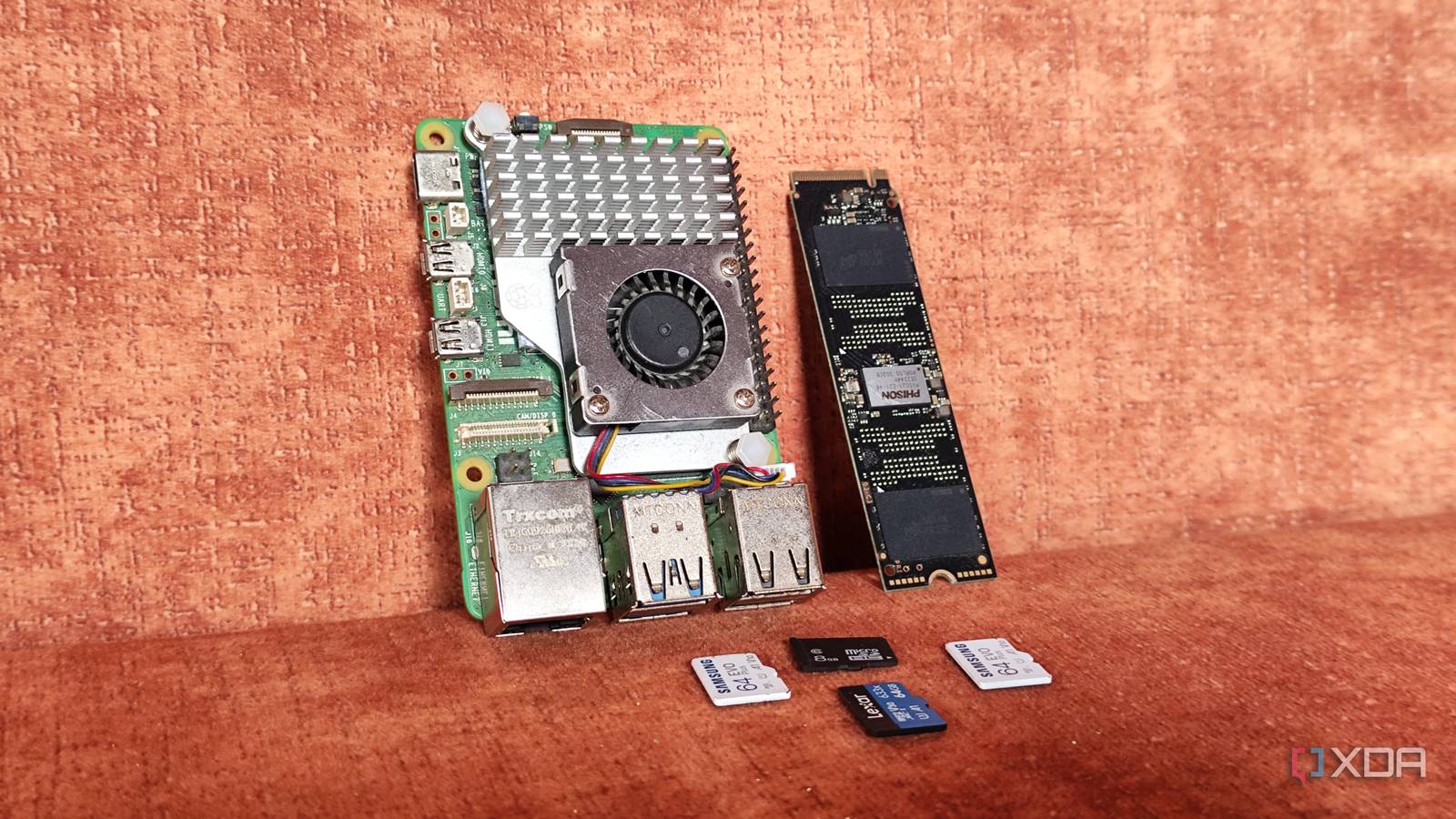
Raspberry Pi evolved is an integral part of self-hosted projects. It has become a popular recommendation for almost anything you want to build or host. However, like any other device, a Raspberry Pi doesn’t fit into every mold, requirement, or scheme. It’s a tiny computing device, and most of us overestimate its capabilities. There’s also a problem of using the incorrect Raspberry Pi model for a project, due to which the overall setup feels sluggish and underpowered.
I’ve had my fair share of Raspberry Pi mishaps where using the wrong Pi model or an SBC forced me to rebuild everything from the ground up. Let’s discuss the things you must keep in mind before selecting a Raspberry Pi variant for your project.
Not all Raspberry Pis are created equal
Performance, power demands, and I/O differences
Just because you can put a lightweight Linux distribution on a Raspberry Pi, you start to think that all software will work similarly on it. Each Pi model serves a unique use case, and you must understand it before randomly buying a bunch of similar models.
Take the Raspberry Pi Zero 2W, for example. It’s an inexpensive Raspberry Pi model that offers 512MB RAM, an entry-level SBC CPU, and just one micro USB port. It was my first personal purchase, and I had high hopes for it. But when I installed the 32-bit Debian 11-based Raspberry Pi desktop OS on it, the hardware showed its limits. It was usable, but not to the extent of a regular desktop OS. I didn’t intend to use it as a desktop, but even for minimal interactions, everything was barely usable.
So, I built a remote downloading device with it and didn’t use it in other desktop-focused projects. It also had severe I/O limitations and had a single USB port for everything. A USB hub expanded its slots but still lacked wired network capabilities. The biggest upside of a Pi Zero is low-power consumption, and using it as a downloading device or a local password manager hosting solution makes more sense. Therefore, it’s fit for single-use case roles like these.
A Raspberry Pi 4 model B or 5 is a more powerful system. It’s a wise choice when running multiple Docker containers, building computing clusters, or deploying demanding tools like NextCloud or Home Assistant. These high-end models offer multiple memory options (2,4,8, or more), so you can pick them based on present and future demands.
You also get ample USB ports, and even faster generation USB ports compared to the Zero lineup. While the older models, like the Pi 3, lack a USB 3.0 port, it still wins in sheer numbers. The newer Raspberry Pi has an Ethernet port, which makes it easy to build projects like Pi-hole, a local cloud solution, or anything else.
Storage options don’t vary much, but the Raspberry Pi 5 series supports NVMe drives. If your project can benefit from an M.2 SSD, skip the Raspberry Pi 4 model B and other variants.

4 Raspberry Pi projects I abandoned after realizing sub-$150 mini PCs run them all better
After all, cheap mini-PCs crush Raspberry Pi SBCs on the performance and OS compatibility fronts
Don’t ignore the price
Costs quickly add up
Jumping a generation above can bump the price. Raspberry Pi 5 is selling at an all-time high, and the Pi 4 model B is a bit cheaper. You must wisely pick the model that can run your batch of self-hosted tools and has enough connectivity options for embedded projects.
Don’t forget the additional investment in power adapters, cables, USB hubs and storage, and cases. Since it’s a barebones system with a limited upgrade scope, your costs can rise as you add more Raspberry Pis to the project. Even the latest Raspberry Pi 5 forces you to spend more money.
Competitor SBC brands include an NVMe slot, but the Pi 5 doesn’t. So, you must purchase an additional HAT module to add an NVMe drive to it. These are small, hidden costs that you don’t think much about before upgrading to a new SBC.
Pi’s have a limited scope
Explore mini PCs, laptops, and workstations

Raspberry Pi cannot run all kinds of tools and services. Even if it can, the performance difference is wild when you compare it to an x86 mini PC, an old laptop, or an enterprise workstation. It’s true that a lightweight alternative to most self-hosted services exists, but the experience and features also differ.
A good example that I personally tested and now use in Paperless-ngx. It’s a document management software that is a little overbearing for the powerful Raspberry Pi models. After you integrate a local LLM with it, the Pi cannot handle it.
Services like Paperless-ngx and many other AI-based tools need a powerful GPU, and the Pi cannot compete with it. You might think of adding the official AI HAT, but that’s no match for an Nvidia GPU. So, be conservative with your expectations about what a Pi can comfortably run, or go for a mini PC or laptop with more powerful hardware.
Picking the correct Raspberry Pi
It’s evident that one Pi model doesn’t fit in every use case. If you want to run one or two self-hosted services, like a password manager, or use it as a remote download or file browsing tool, a Pi Zero 2W can handle it.
If Docker and containers are necessary, you must choose a Pi 4 model B or 5 with 4–8 GB of RAM to run multiple services. Don’t put a powerful Pi in a place that needs just 200MB of memory to work. Lastly, think twice before putting $150–$200 into a Pi when you can get a mini PC or an old laptop for that price. If power usage is the least of your concerns, SBC shouldn’t be your first choice.
