

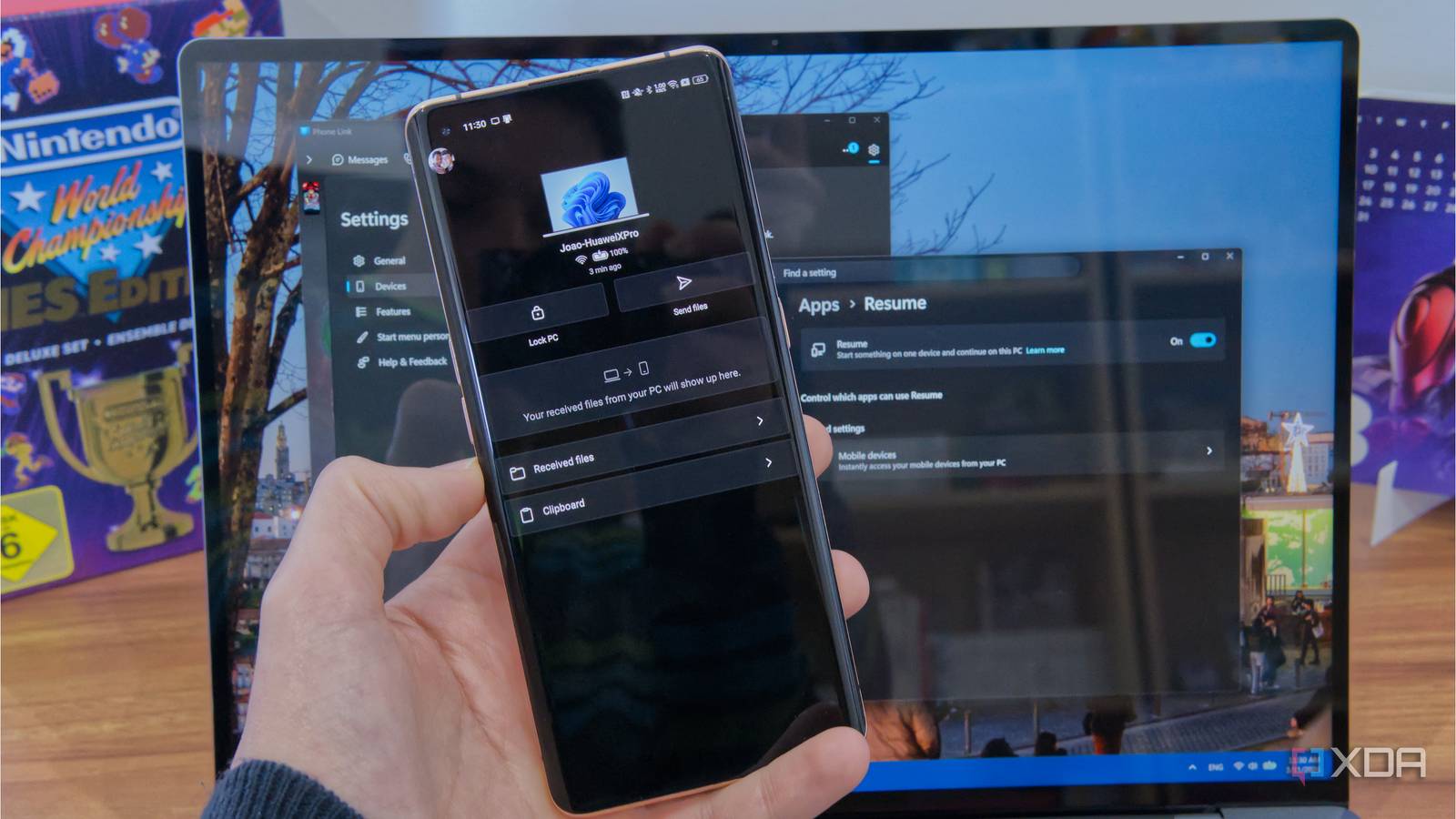
Microsoft keeps trying to make Windows 11 better, and one specific area of focus recently has been cross-device communication in an attempt to counter the tight integration between iOS and macOS. One of the latest improvements in this area has been cross-device resume, which allows you to continue working on something form your phone on your PC.
It’s a genuinely cool concept that could make moving from one device to another a breeze, but you’ll quickly realize that it doesn’t actually work for the vast majority of things you’d want to use it with. The limitations of Microsoft’s Cross-device Resume feature become apparent quickly, and they’re frustrating.

Forget Phone Link — 5 apps you should use instead
There are better ways to link up your phone and PC
You need the right phone
It’s barely supported

As time goes on, it seems more and more like Microsoft is supporting phone models based on some kind of licensing deal or monetary exchange. A lot of phone linking features used to be exclusive to Samsung devices, and while that has (thankfully) expanded to more brands, it’s still oddly limited.
One of the most notable apps to support Cross-device Resume is Microsoft 365 Copilot, but in order for it to work, you need to have a supported phone from Samsung, Oppo, Honor, Vivo, or Xiaomi. To be fair, that does cover a wide range of the market, but you have to wonder if Microsoft can cast such a wide net with all these brands, why not just open it up to all phone manufacturers? These five brands do dominate most of the market across the world, but there are also a lot of other brands not covered by this.
Even aside from the iPhone, there are plenty of Android brands that still have a relevant market presence, including OnePlus, Motorola, or Google’s Pixel line. There’s no reason they shouldn’t be supported.
There’s even one feature that only works with Vivo phones because it’s specifically designed for the Vivo web browser on mobile. It’s meant to make it easier to send pages from your phone to your PC, and the concept is nice, but again, why is it limited to such a specific brand of phone?

How to use Phone Link with an iPhone
Own an iPhone and also use Windows 11? You can now see your texts right on your PC using the Phone Link app.
Barely anything is supported anyway
There’s just not enough there

Even if you set aside the fact that most of these features only work on specific brands of phones, Microsoft’s support page for Cross-device Resume only lists a whopping three apps supporting the feature. That includes the aforementioned Microsoft 365 Copilot, exclusive to five brands of Android smartphones, as well as the Vivo browser integration. Even then, the Microsoft 365 Copilot integration only works with documents stored in your OneDrive, so it has limited appeal on that front, too.
The only other supported app is Spotify, which doesn’t seem to be restricted by brand. But Spotify is also an app that easily lets you change the playback device between active devices in your account, so if you want to move your songs from your phone to your PC, you already have that option without needing the Link to Windows app or anything of the sort.
On top of that, even apps that do support this feature only go one way. It’s always about moving from the phone to the PC, and I undertsand that’s a more likely scenario, but only having one-way connectivity makes this feature even more worthless. If I need to review a document and need to step away from the computer, it would be great to be able to pass things from the PC to the phone as well.
If Microsoft wants this feature to have wider adoption, it needs broader support, but it’s going to be hard to do that when it can’t control the Android platform. It’s always going to depend on specific developers wanting to enable this capability, and I can’t imagine many out there will care to do so.

Why Universal Control isn’t the continuity solution I expected
Universal Control was billed as the peak of Apple’s continuity magic, but it hasn’t been what I expected. In fact, I have it disabled.
Apps can just do this on their own
More easily than Windows, a lot of the time

On top of all the limitations, it’s worth noting that apps that benefit the most from this kind of integration already tend to offer some kind of continuity feature built in. Spotify is an example that basically duplicates this feature by using Cross-device Resume, but many others only have their own version of it, because what’s the point of duplicating things?
For example, the Vivaldi web browser, which anyone can install on any phone, lets you send pages from any device to any other. You can send them from your phone to your PC and vice versa, and that’s on top of automatically syncing your open tabs already, so you have multiple ways to move your experience across devices.
On the web, you have services like Google Maps that can send directions to your phone, so you can make searches on your desktop before you leave and be ready to get on your way once you’re out the door. All these things work just fine without Windows getting in the way, and if apps aren’t doing it, it’s likely because they have no reason to do so. Microsoft’s Cross-device Resume doesn’t do anything these apps couldn’t do on their own, and if anything, it limits their ability to work on more platforms.

I’m using Vivaldi to manage my tabs now, and it’s better than Chrome extensions
Productivity on a new level
Phone Link is still kind of cool
There’s more to it
As critical as I may be, I do think there’s still some usefulness to Microsoft’s Phone Link as a whole. Cross-device Resume is just one part of Phone Link, and everything from being able to take calls on your PC, see your notifications, answer texts, and browse your gallery of photos are all solid reasons to want to use Phone Link, and Cross-device Resume is there as an add-on.
Though, even then, the coolest Phone Link features are also exclusive to specific models. You can actually run your Android apps on your PC, but only with a selection of phones from Samsung, OPPO, and other brands. And when I say that, I should note that Samsung is massively overrepresented here. Only a handful of other brands’ phones can do this. And if you have an iPhone, then only texts, calls, and notifications work.

KDE Connect does something between my phone and PC that even Apple hasn’t figured out
Linking your devices is finally worth it
And while it is cool that this is possible at all, it’s also worth noting that other solutions exist for this kind of connectivity that can make it even better. I recently tested KDE Connect on my phone and a Linux laptop (a Windows version also exists), and it has some cool features that Phone Link doesn’t have, like a presentation remote and using your phone as an input for your computer.
Still, Phone Link does have some interesting features, and as a concept, Cross-device Resume is great. It just needs more support, but most apps can offer similar features on their own, so it may not make sense to really invest in it.
