

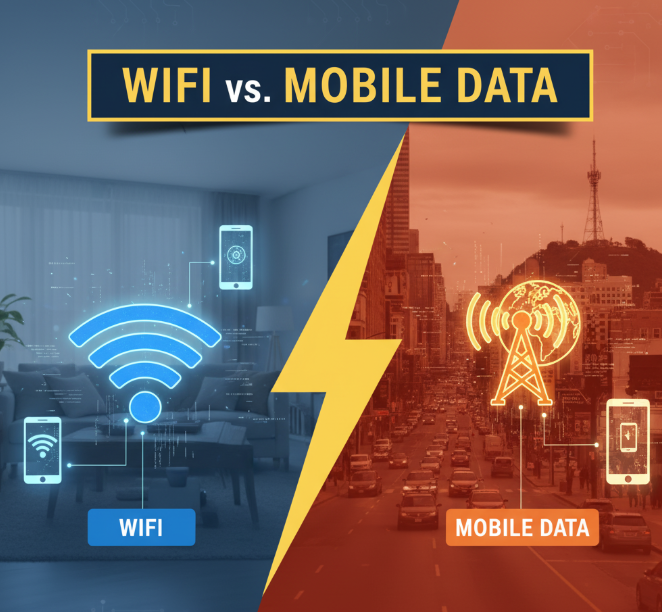
Staying connected to the internet has become an essential part of our daily lives. From chatting with friends to streaming movies, working online, or browsing social media, we depend heavily on two main sources of internet access: WiFi and mobile data.
But here’s the big question: which one is better?
Both WiFi and mobile data have their strengths and weaknesses. Sometimes WiFi feels like the perfect choice, but at other times, mobile data seems more reliable. This article dives deep into the differences between WiFi and mobile data, exploring speed, cost, coverage, security, and more to help you make the best choice for your needs.
The Basics: What Are WiFi and Mobile Data?
Before comparing them, let’s break them down in simple words:
-
WiFi: A wireless technology that lets devices connect to the internet through a router. Usually linked to a broadband or fiber connection at homes, offices, or public places.
-
Mobile Data: Internet service provided by cellular networks (3G, 4G, and now 5G) that you access through your SIM card and mobile carrier.
Both allow you to browse the web, but how they work and what they offer is quite different.
Quick Comparison: WiFi vs Mobile Data
Here’s a table showing the main differences at a glance:
| Feature | WiFi | Mobile Data |
|---|---|---|
| Source | Router connected to broadband | Cellular network towers |
| Speed | High (depends on plan & router) | Varies (3G/4G/5G coverage) |
| Coverage | Limited to WiFi hotspot range | Wide coverage – works anywhere signal exists |
| Cost | Usually fixed monthly bill | Pay-as-you-go or monthly data plan |
| Security | Can be secure if encrypted | Safer by default, harder to hack |
| Reliability | Can fail during power/internet cuts | Works independently of electricity |
Internet Speed: Which One Wins?
Speed is often the deciding factor when choosing between WiFi and mobile data.
-
WiFi Speeds
-
Home broadband can range from 50 Mbps to over 1 Gbps depending on your provider.
-
Perfect for heavy tasks like online gaming, 4K video streaming, or downloading large files.
-
-
Mobile Data Speeds
-
4G networks usually offer 10–100 Mbps, while 5G can reach 1–10 Gbps in ideal conditions.
-
But speed depends heavily on your location, network congestion, and signal strength.
-
📊 Example Speed Chart
| Task | Minimum Needed Speed | WiFi (Average) | 4G Mobile Data | 5G Mobile Data |
|---|---|---|---|---|
| Browsing / Social Media | 1–5 Mbps | ✅ | ✅ | ✅ |
| HD Video Streaming (1080p) | 5–10 Mbps | ✅ | ✅ | ✅ |
| 4K Video Streaming | 25 Mbps | ✅ | ⚠️ Sometimes | ✅ |
| Online Gaming | 10–25 Mbps | ✅ | ✅ | ✅ |
| Large File Downloads (10 GB+) | 100 Mbps+ | ✅ | ⚠️ Slow | ✅ |
👉 Verdict: WiFi is usually faster for home use, but with 5G, mobile data can sometimes be just as good or even better.
Coverage and Accessibility
-
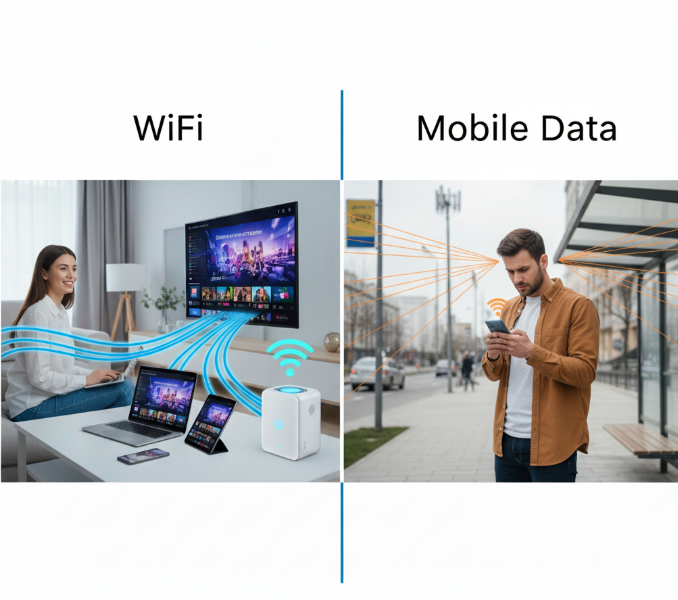
WiFi: Limited to the range of your router, usually 30–50 feet indoors and 100–150 feet outdoors. If you’re not near your WiFi, you’re disconnected.
-
Mobile Data: Works anywhere there is cellular coverage—whether you’re traveling, outdoors, or in rural areas.
✅ Best for mobility: Mobile data clearly wins when you’re on the go.
Cost: Which One Is Cheaper?
Money plays a big role in choosing internet access.
-
WiFi Costs:
-
Monthly fixed bills, often $30–$100 depending on speed and provider.
-
Unlimited usage—great for households with multiple users.
-
No extra charges for heavy downloads or video streaming.
-
-
Mobile Data Costs:
-
Usually pay per GB or subscribe to data bundles.
-
Can get expensive if you stream movies or play online games frequently.
-
Unlimited data plans exist but often cost more than home WiFi.
-
💡 Tip: For heavy internet users (families, students, gamers), WiFi is usually the more affordable choice in the long run.
Security and Privacy
This is where things get tricky.
-
WiFi Security
-
Strong if your network is password-protected and uses WPA2/WPA3 encryption.
-
Public WiFi (cafes, airports, hotels) is risky—hackers can intercept your data.
-
-
Mobile Data Security
-
Generally more secure because your connection is encrypted by your mobile provider.
-
Harder for hackers to break in unless your device is already infected with malware.
-
👉 Verdict: Mobile data is safer when using the internet in public places. WiFi is secure if properly configured at home.
Reliability and Stability
-
WiFi:
-
Stable and strong if you have a good broadband provider.
-
But vulnerable to electricity outages, router problems, or ISP downtime.
-
-
Mobile Data:
-
Works even during power cuts.
-
But may become unstable in crowded areas (e.g., concerts, sports stadiums) where thousands of people use the same network.
-
✅ Winner for everyday stability: WiFi.
✅ Winner during emergencies: Mobile data.
Battery Consumption
Did you know your choice affects your phone’s battery life?
-
WiFi: Consumes less battery because your phone doesn’t need to constantly search for signals.
-
Mobile Data: Drains battery faster, especially if the signal is weak (your phone works harder to stay connected).
💡 Tip: If you want to save battery, stick to WiFi whenever possible.
Best Situations to Use WiFi
WiFi is the smart choice when:
-
You’re at home, office, or school with a stable connection.
-
You need to stream movies, download large files, or play online games.
-
Multiple people are sharing the same internet.
-
You want unlimited data without worrying about charges.
Best Situations to Use Mobile Data
Mobile data is best when:
-
You’re traveling or outside WiFi coverage.
-
You need a secure connection in public areas (instead of risky public WiFi).
-
Electricity or home internet is down.
-
You’re using apps like GPS navigation while driving.
Environmental Impact
Yes, even internet choices affect the environment.
-
WiFi Routers: Consume electricity 24/7.
-
Mobile Towers: Require huge amounts of power to keep running.
💡 Using WiFi at home is generally more energy-efficient than relying heavily on mobile data.
The Future: WiFi 6 vs 5G
Technology is moving fast.
-
WiFi 6 (latest WiFi standard) promises:
-
Faster speeds
-
Better performance for multiple devices
-
Improved efficiency and range
-
-
5G Mobile Data promises:
-
Ultra-low latency (great for gaming and video calls)
-
Faster speeds than fiber in some areas
-
Expanded coverage worldwide
-
📊 Comparison of New Technologies
| Feature | WiFi 6 | 5G Mobile Data |
|---|---|---|
| Speed | Up to 9.6 Gbps | Up to 10 Gbps |
| Latency | 1–5 ms | <1 ms |
| Best Use | Homes, offices, IoT | Outdoor, mobile devices |
Myths About WiFi and Mobile Data
Let’s clear up some common misconceptions:
-
❌ Myth 1: Mobile data is always slower than WiFi.
-
✅ Fact: 5G can sometimes be faster than home WiFi.
-
-
❌ Myth 2: Public WiFi is always safe if it has a password.
-
✅ Fact: Hackers can still exploit weak networks.
-
-
❌ Myth 3: Using mobile data doesn’t drain your battery much.
-
✅ Fact: It drains faster, especially with weak signals.
-
Pros and Cons of WiFi vs Mobile Data
| Aspect | WiFi (Pros) | WiFi (Cons) | Mobile Data (Pros) | Mobile Data (Cons) |
|---|---|---|---|---|
| Speed | Fast & stable | Depends on provider | Fast (especially 5G) | Can be slow in weak areas |
| Cost | Cheaper for heavy use | Monthly fixed cost | Pay-as-you-use flexibility | Expensive for heavy use |
| Coverage | Unlimited within router range | Limited range | Wide coverage everywhere | Weak in remote areas |
| Security | Secure if set up properly | Risky in public places | Safer by default | Carrier may track usage |
| Reliability | Consistent in homes/offices | Stops in power outages | Works during outages | Crowded areas cause slowdowns |
Practical Tips for Smart Usage
-
Use WiFi for heavy tasks like downloads, streaming, and gaming.
-
Switch to mobile data when in public places or during internet outages.
-
Secure your WiFi with a strong password.
-
Turn off mobile data when not in use to save battery.
-
Consider a mix: WiFi at home + mobile data outdoors = best of both worlds.
Conclusion: WiFi or Mobile Data – Which Should You Choose?
The answer isn’t one-size-fits-all.
-
If you want speed, affordability, and unlimited usage → Go for WiFi.
-
If you need flexibility, mobility, and extra security outdoors → Rely on mobile data.
In reality, most people use both. WiFi takes care of heavy work at home or office, while mobile data keeps you connected everywhere else.
👉 The best choice isn’t about picking one over the other—it’s about knowing when to use WiFi and when to switch to mobile data for maximum convenience.
