

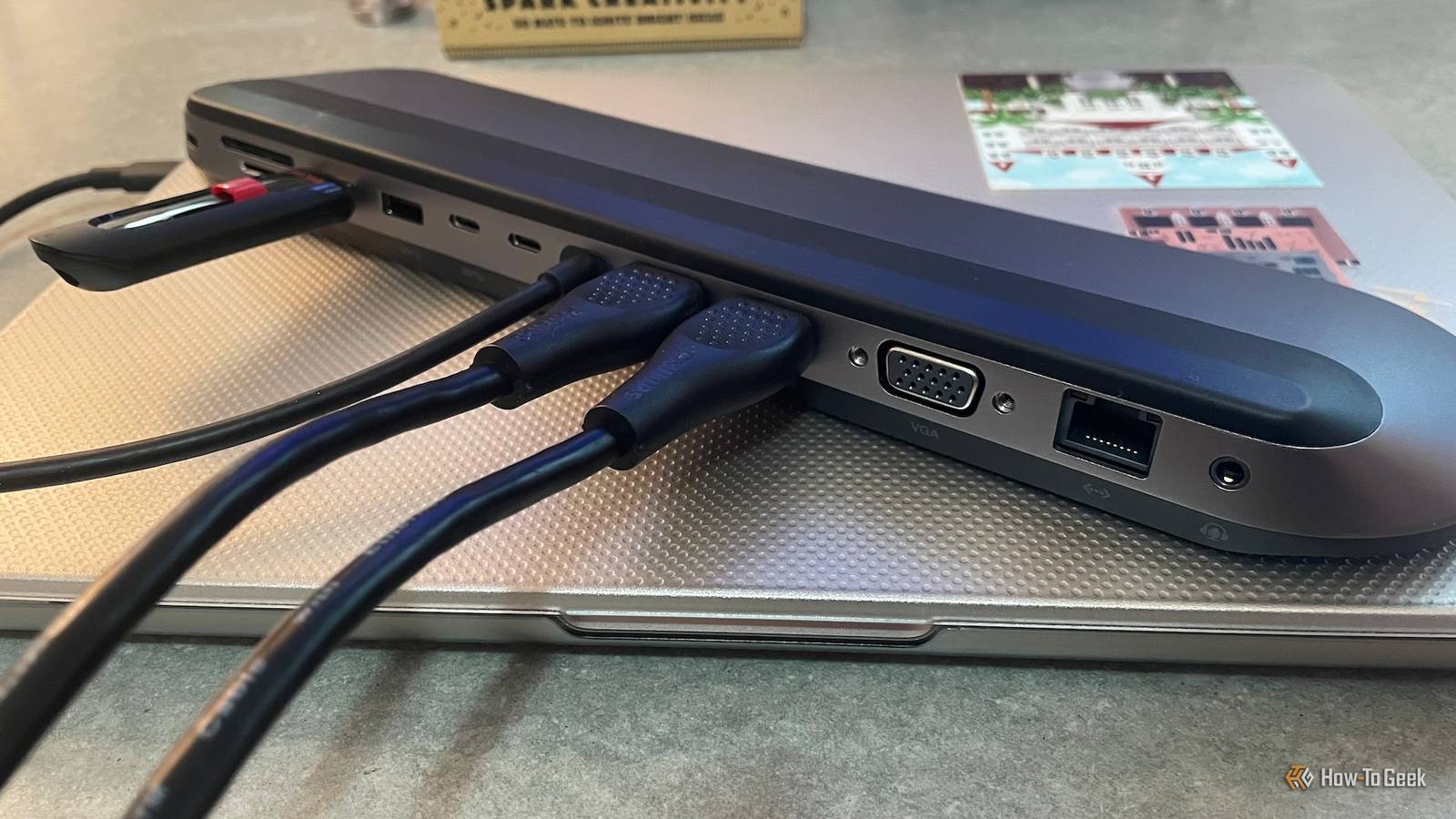
A single-cable future feels like it hasn’t gotten any closer through the years. Despite technological upgrades and widespread adoption, the reality of USB-C docking stations still falls short of this utopian vision. This leaves even the most tech-savvy users struggling with unexpected limitations and confusing performance bottlenecks.
If you’re considering buying a new dock or trying to streamline your workspace, you need to understand that it is still lacking in key areas. In 2026, these docks still can’t do many things.
Guarantee “Universal” Compatibility

Even now, years after its launch, the truth is that USB-C is still just the shape of a connector, not a promise of what it can actually do. The industry kept hyping a “universal” solution, but the port is merely a physical hole hiding a confusing mess of protocols, everything from plain data transfer to fast Thunderbolt.
Not all USB-C ports are built the same, and some are only wired for basic data transfer, while others support the alternate modes needed for video, like DisplayPort Alt Mode or Thunderbolt. When you use an expensive dock, it basically has to dial down to whatever the host computer can support, meaning those advanced dock features are completely useless if your laptop port physically can’t handle the required protocol.
The headaches don’t stop there; power delivery is also conditional, so universal charging is a bit misleading. Sure, a dock might push out 100W of power, but high-performance gaming laptops usually need proprietary signals or much higher wattages just to run under load. This means that the universal dock fails to keep your machine charged when you really need it.
Support “Daisy Chaining” Without Thunderbolt

That dream of just linking endless accessories using one port is still tough to achieve for regular USB-C users. If you’re running a standard USB-C dock (non-Thunderbolt), you typically can’t just plug another hub or a fast SSD right into the back of it and actually expect the speeds you need for those intense workflows. This limitation comes from how basic USB hubs are built.
They work less like endless extension cords and more like traffic merges with fixed lanes. Adding a second dock further down the line increases lag and causes voltage drops. This often makes devices turn on and off or vanish completely. This is unlike the Thunderbolt setup, which was specifically engineered to handle daisy-chaining layouts so multiple high-bandwidth devices can work one after the other.
While USB4 has theoretically introduced the ability for hub structures similar to Thunderbolt, the reality is that reliable daisy-chaining for environments mixing data and video is still a premium feature. It’s largely locked behind that Thunderbolt certification, which guarantees the 40Gbps or 80Gbps bandwidth that you need to sustain a functional chain.
Fully Power “Desktop Replacement” Gaming Laptops

The USB-C Power Delivery (PD) 3.1 specification technically lets power support up to 240W using the Extended Power Range (EPR) voltages of 28V, 36V, and 48V. However, the vast majority of consumer docks still limit their host charging output somewhere between 100W and 140W. This restriction creates a critical problem for people who own high-end desktop replacement gaming laptops.
These machines often have power-hungry components like specialized dedicated GPUs and high-wattage processors that can easily push total system power needs beyond 300W or even 330W just to maintain peak performance without performance throttling. While a 100W or 140W dock is totally fine for keeping the battery charged during simple tasks like web browsing or spreadsheets, it’s completely inadequate when you drive the hardware to its limits.
During these high-load situations, like when you start a graphically intense AAA game or begin rendering 3D assets, the laptop uses energy much faster than the USB-C connection can resupply it. This will make your battery percentage drop, even though the device is plugged in. Eventually, this causes severe performance throttling, or the laptop will shut down entirely once the battery runs out.
Run Long Cables Without Signal Loss

Physics is still physics, so if you want fast data, it has to travel short distances. To hit those promised 40Gbps speeds, the cable running from your dock to your machine usually needs to be shorter than just a couple of feet. If you really need a longer, 2-meter cable that still guarantees those full speeds, you’re going to have to shell out for an active cable.
Active cables have special signal-boosting chips and can easily cost you $60 or possibly even more. The main issue is that as data transfer rates increase, the frequency of the transmission gets higher. This makes it extremely susceptible to degradation as it moves down a simple copper wire. So either pay an expensive fee or lose your speed.
You can’t avoid these costs and limitations by daisy-chaining simple USB-C extension cables because you’ll hit some big issues. The USB-IF specifications technically forbid these extensions because they defeat built-in safety mechanisms like e-markers. Physically, using an extender introduces insertion loss at the mating interface, which acts as a massive penalty against the already tight signal budget required for high-speed data.
Manage Smart Power Distribution

Most USB-C docking stations are still incredibly simple, or ‘dumb.’ These hubs operate on Fixed Power Delivery, so power is treated like a static, locked-in reservation, not a dynamic negotiation based on what you actually need right now. When you plug in a power source, like a 100W brick, the pass-through dock immediately takes a mandatory tax for itself and its potential peripheral needs.
This often creates a fixed reserve you just can’t touch. For example, a basic dongle might permanently allocate 15W or more for its internal components and ports, and that leaves less power for your main computer, even if nothing is actually plugged into those ports and drawing current.
Advanced Smart Power Management (SPM) technology can fix this problem. It monitors the real-time current draw so it can dynamically shift any unused budget from peripherals right back to the host. However, doing this requires complex management controllers that just aren’t standard in typical consumer docks yet. Until dynamic SPM is everywhere, you can’t rely on your dock to smartly prioritize a dying laptop over an accessory that’s fully charged.
If you’re looking at USB-C docking stations, the big lesson here is that you really need to keep your expectations realistic. For high-performance and complex setups, you should assume it’s going to require a premium investment in specific, actively managed, and often proprietary gear.
This single-cable utopia still may be years away. So buying a powerful dock that doesn’t have limitations depends on matching what your device needs against the dock’s proven, certified limitations.
