

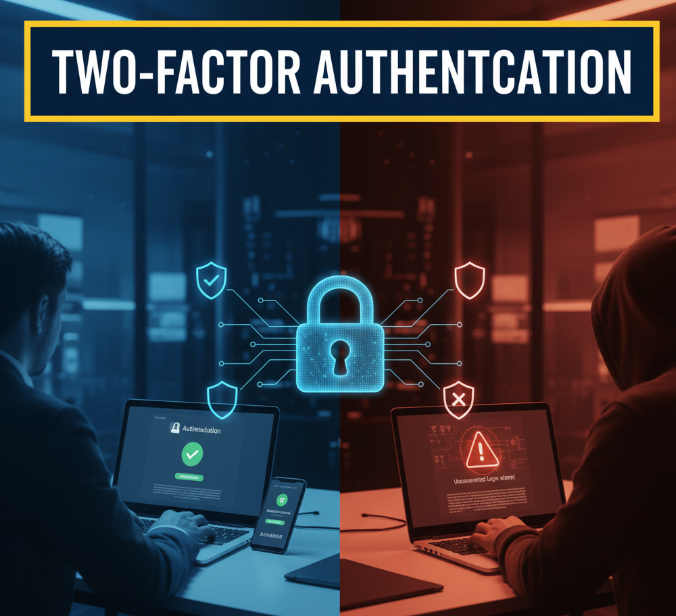
Introduction: Why One Password Is Not Enough
Think about how many things in your life are locked with just a password—your email, social media, banking apps, online shopping accounts, even your school or work portals. Now imagine if someone cracks that single password. All your personal information, money, and private data could be at risk.
That’s where Two-Factor Authentication (2FA) steps in. Instead of relying only on one password, 2FA adds an extra lock to your digital door. It asks you for something more—a code, a fingerprint, or a confirmation on your phone—before letting anyone inside.
This article will explore everything about two-factor authentication: how it works, why it’s important, different types, and how you can set it up to protect your online life.
The Basics: What Exactly Is Two-Factor Authentication?
In simple words, two-factor authentication (2FA) means you need two different proofs of identity before you can log into your account.
The idea is based on three categories:
-
Something you know → like a password or PIN.
-
Something you have → like your phone, a token, or a smart card.
-
Something you are → like your fingerprint, face, or voice.
2FA usually combines the first factor (your password) with one of the other two.
👉 Example: You enter your password (something you know), then get a code on your phone (something you have). Only with both steps will the system let you in.
Why Two-Factor Authentication Matters Today
Cybercrime is growing at lightning speed. Hackers don’t even need to be geniuses anymore—there are entire black markets where stolen passwords are sold cheaply.
Here are some eye-opening facts:
-
Over 80% of hacking-related breaches are linked to stolen or weak passwords.
-
On average, data breaches cost companies $4.45 million worldwide in 2023.
-
A single leaked password can unlock multiple accounts if you reuse it across websites.
Without 2FA:
-
A hacker just needs your password.
-
If your password is leaked, your account is instantly vulnerable.
With 2FA:
-
Even if hackers get your password, they still need the second factor.
-
It acts like a safety net, blocking unauthorized access.
Different Types of Two-Factor Authentication
There isn’t just one way to do 2FA. Let’s break down the most common types and how they work.
1. Text Message (SMS) Codes
-
After entering your password, you receive a code by SMS.
-
You must type this code in before logging in.
✅ Pros: Simple, easy to use, doesn’t need apps.
❌ Cons: Can be intercepted (SIM swapping attacks).
2. Email Codes
-
Similar to SMS but sent to your email inbox.
-
You enter the code received in your email.
✅ Pros: No special setup needed.
❌ Cons: Weak if your email itself isn’t secured with 2FA.
3. Authentication Apps
Apps like Google Authenticator, Authy, and Microsoft Authenticator generate time-based one-time passwords (TOTPs).
-
You scan a QR code once during setup.
-
The app gives you a 6-digit code that changes every 30 seconds.
✅ Pros: More secure than SMS or email.
❌ Cons: If you lose your phone without backup, recovery can be tough.
4. Push Notifications
-
Instead of typing a code, you just confirm a login request on your phone.
-
Used by apps like Duo Mobile and Microsoft Authenticator.
✅ Pros: Very easy, just tap “Approve.”
❌ Cons: Can be risky if you accidentally tap “Yes” on a fake request.
5. Hardware Tokens
-
Physical devices like YubiKey or RSA tokens.
-
Generate codes or plug into your computer/phone.
✅ Pros: Extremely secure, can’t be hacked remotely.
❌ Cons: You must carry the device everywhere.
6. Biometrics
-
Fingerprints, facial recognition, or voice recognition.
-
Often built into smartphones or laptops.
✅ Pros: Convenient, fast, unique to you.
❌ Cons: Can sometimes fail if your fingerprint/face isn’t recognized.
Quick Comparison Table: Popular 2FA Methods
| Method | Security Level | Convenience | Common Uses |
|---|---|---|---|
| SMS Code | Low-Medium | High | Banking, social media |
| Email Code | Low-Medium | High | Email accounts, websites |
| Authenticator App | High | Medium | Google, Microsoft, crypto |
| Push Notification | High | High | Work accounts, cloud apps |
| Hardware Token | Very High | Low-Medium | Developers, IT professionals |
| Biometrics | High | Very High | Phones, laptops |
Real-Life Examples of 2FA in Action
Let’s make this practical.
-
Banking Apps → You enter your PIN, then confirm the transaction using your fingerprint.
-
Gmail or Outlook → After your password, you must enter a code from an authenticator app.
-
Facebook or Instagram → You get a login approval notification when logging in from a new device.
-
Workplace Accounts → Many companies require hardware tokens for secure employee logins.
Step-by-Step: How to Turn On 2FA for Popular Platforms
1. Google (Gmail, YouTube, etc.)
-
Go to myaccount.google.com/security.
-
Under “Signing in to Google,” click 2-Step Verification.
-
Choose SMS, authenticator app, or security key.
2. Facebook
-
Open Settings > Security and Login.
-
Tap Use two-factor authentication.
-
Select text message, app, or security key.
3. Instagram
-
Go to Settings > Security > Two-Factor Authentication.
-
Select SMS or authenticator app.
4. WhatsApp
-
Go to Settings > Account > Two-step verification.
-
Create a 6-digit PIN.
5. Microsoft Account
-
Visit account.microsoft.com/security.
-
Turn on 2FA.
-
Use app, SMS, or email for verification.
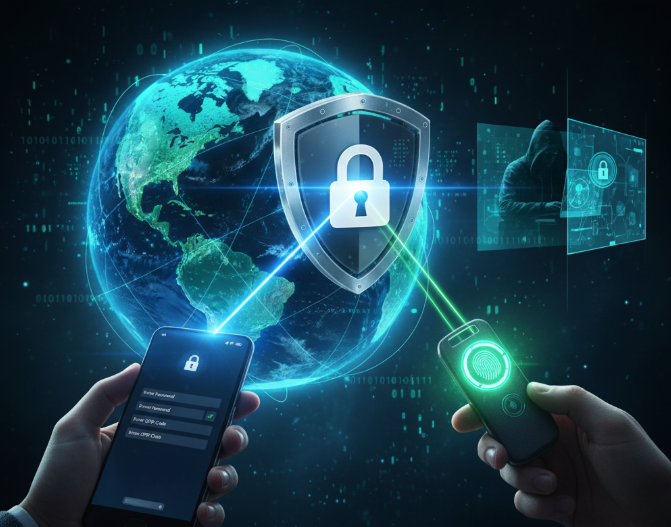
Two-Factor Authentication
Benefits of Using Two-Factor Authentication
-
Protects against stolen passwords → Hackers can’t log in with only one credential.
-
Secures sensitive data → Banking, shopping, and personal emails stay private.
-
Boosts trust → Companies that use 2FA appear more reliable to customers.
-
Prevents identity theft → Stops criminals from pretending to be you.
-
Peace of mind → You know your accounts are safer.
Common Myths About 2FA
-
“I don’t need 2FA because I’m not rich.”
→ Hackers don’t care who you are; they want any data they can sell. -
“It takes too much time.”
→ Most 2FA methods take less than 10 seconds. -
“SMS 2FA is 100% safe.”
→ SIM swapping can break SMS security; apps or tokens are better. -
“Biometrics can’t be faked.”
→ They’re harder to fake, but not impossible—so they should be combined with other methods.
Challenges of Two-Factor Authentication
While 2FA is powerful, it’s not perfect.
-
Lost Devices → Losing your phone means losing access to your codes.
-
Phishing Attacks → Hackers may trick you into giving your 2FA code.
-
Inconvenience → Some people find it annoying to always use a second step.
-
Cost → Hardware tokens can be expensive.
How to Overcome These Issues
-
Always set up backup codes.
-
Use authenticator apps instead of SMS.
-
Never share your 2FA codes with anyone.
Infographic Idea: The Journey of a Login With and Without 2FA
-
Without 2FA → User enters password → Hacker enters stolen password → Account hacked.
-
With 2FA → User enters password → System asks for extra step → Hacker fails without second factor.
(Visual flowchart or infographic can be added here for better engagement.)
Future of Two-Factor Authentication
Technology is evolving, and so is security.
-
Passwordless logins → Using biometrics and security keys directly.
-
Multi-Factor Authentication (MFA) → Combining more than two steps for ultra-security.
-
AI-based authentication → Monitoring typing style, location, or behavior.
-
Widespread adoption → More apps and websites are making 2FA mandatory.
Practical Tips for Staying Secure
-
Turn on 2FA wherever it’s available.
-
Prefer authenticator apps over SMS.
-
Keep backup codes safe in a password manager.
-
Regularly update your passwords.
-
Don’t approve suspicious login requests.
-
Educate family members about enabling 2FA.
Conclusion: A Small Step for Big Protection
In today’s digital world, your password alone is like a thin lock on a big treasure chest. Hackers are clever, and one leaked password could put everything at risk. Two-Factor Authentication adds a second lock—stronger, smarter, and much harder to break.
Whether you’re a student logging into online classes, a professional handling work emails, or someone shopping online, enabling 2FA is one of the simplest yet most powerful things you can do to protect your digital life.
Don’t wait until it’s too late—turn on 2FA today and enjoy peace of mind knowing your accounts are truly yours.
