

Whether you’re using your own domains in the home lab or building publicly visible websites, DNS is at the heart of it. It can be used to block malware and other nasty things, or serve you an endless stream of cat videos. It’s also pretty public, and you can use a host of tools to convert domain names to IP addresses, see who owns a website’s name, and other pieces of the public infrastructure.
The problem with many easily accessible lookup tools is that they give you results without context or an explanation of how they connect to the rest of the internet. Fine if you know what you’re doing, less so if you’re still learning the ropes. And that’s where Wirewiki comes in. This new site shows the links between the scattered lookup tools, a few other handy DNS tools I’ve struggled to find good sources for, and plenty more planned. I think it deserves bookmarking if you’re a home labber, web dev, or DevOps engineer, or anyone else who wants to learn a little more about what’s behind their favorite websites.

10.0.0.1 times it really was DNS
Sometimes memes are grounded in truth.
What is Wirewiki, anyway?
See the underlying structure of the internet in one place

Wirewiki probably isn’t a domain name you’ll know, but you may have heard of NsLookup. NsLookup.io is one of the top results when you want a DNS lookup tool, trusted by over 600,000 users a month to find the associated records with any domain name. It’s also designed by the same developer as Wirewiki, who quit his day job a few years ago to devote his time to creating great tools for universal access.
The new site has a ton of fantastic tools with a clean UI, which is often overlooked in these projects. As of right now, the list of features is as follows:
- DNS lookup
- DNS propagation checking
- SPF validation
- IP address and DNS server data
- MX lookup
- TXT lookup
- Zone transfer checker
- Reverse DNS checking
The best part isn’t the tools. It’s that when you search using any of them, you get the interconnected information as well. DNS records include IPv4 and IPv6 records, domain verification checks, mail server details, and so on. Plus, you get an explainer text explaining why a result looks the way it does, not just another cryptic message you then need to research further.
And with more planned
That’s already a ton of handy tools in one place, but he’s got plans to add CDN and ASN data later this year, making it easier to see which content delivery networks are involved. It’s also planning to add checks for domain registrars and hosting providers, which I can’t wait to see, especially if it includes stats on uptime, latency, and other relevant metrics.
I love not needing to go to multiple sites
While it’s true enough that many of these tools exist on the command line, you don’t get added context or interrelationship diagrams from the CLI. Wirewiki can show you those, plus there’s a button to show the CLI commands used on the backend, so you can learn how to use them without the GUI. It’ll show you IP addresses, or if CDNs or Anycast are being used to serve the records to multiple locations, and almost anything else you could want to know.
I love this approach; it’s far more accessible than most learning tools, and it’s wrapped in a good-looking website with accompanying company names and logos, making it easier for visual learners.
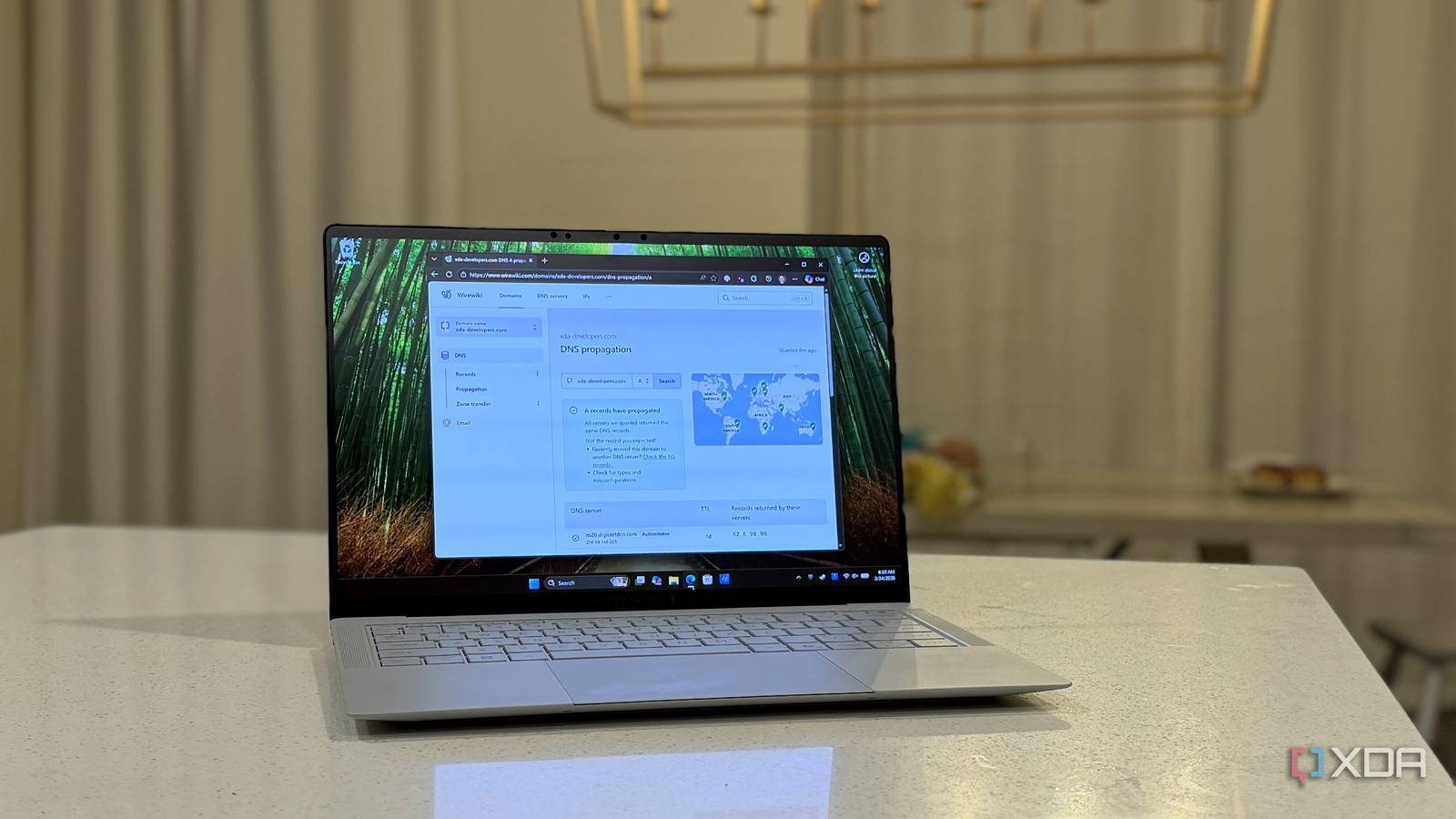
But my favorite is mapping DNS propagation

One of the most common DNS tasks for me is adding subdomains for self-hosted services. This always annoys me, as there is a significant lag between adding new records to Cloudflare and being able to access the domain in a browser. Waiting is a special kind of torment for me, so I love that I can stick in new records and hop over to the tool to watch them propagate across the authoritative nameservers.
Wirewiki is a fantastic resource for anyone in DevOps or who dabbles in DNS
Being able to see the DNS records across the internet isn’t just idle curiosity. It’s essential for anyone who uses DNS in their hobbies or job, and a powerful research tool. Wirewiki seems to have more utility than most online resources, with all the tools I’d expect to see (and a few I didn’t) and plans to add more over time.
