

Myself and many others want to love Firefox. It’s the last bastion against the Chromium monopoly. However, the push for Firefox View, the integrated ads and sponsored shortcuts, and a UI that sometimes feels stuck between Modern and Legacy means I’m slowly dying a death by a thousand cuts. It’s hard to stay invested in software that feels like it’s constantly working against you.
That’s where Zen Browser, a Firefox fork, comes in. It’s more than just a skin; it’s the Gecko experience re-imagined for people who actually use their browsers for work. Long gone are the days of worrying about Mozilla’s UI decisions and the bloat that comes with modern browsers.
All of the perks of Zen browser
There are so many features and advantages
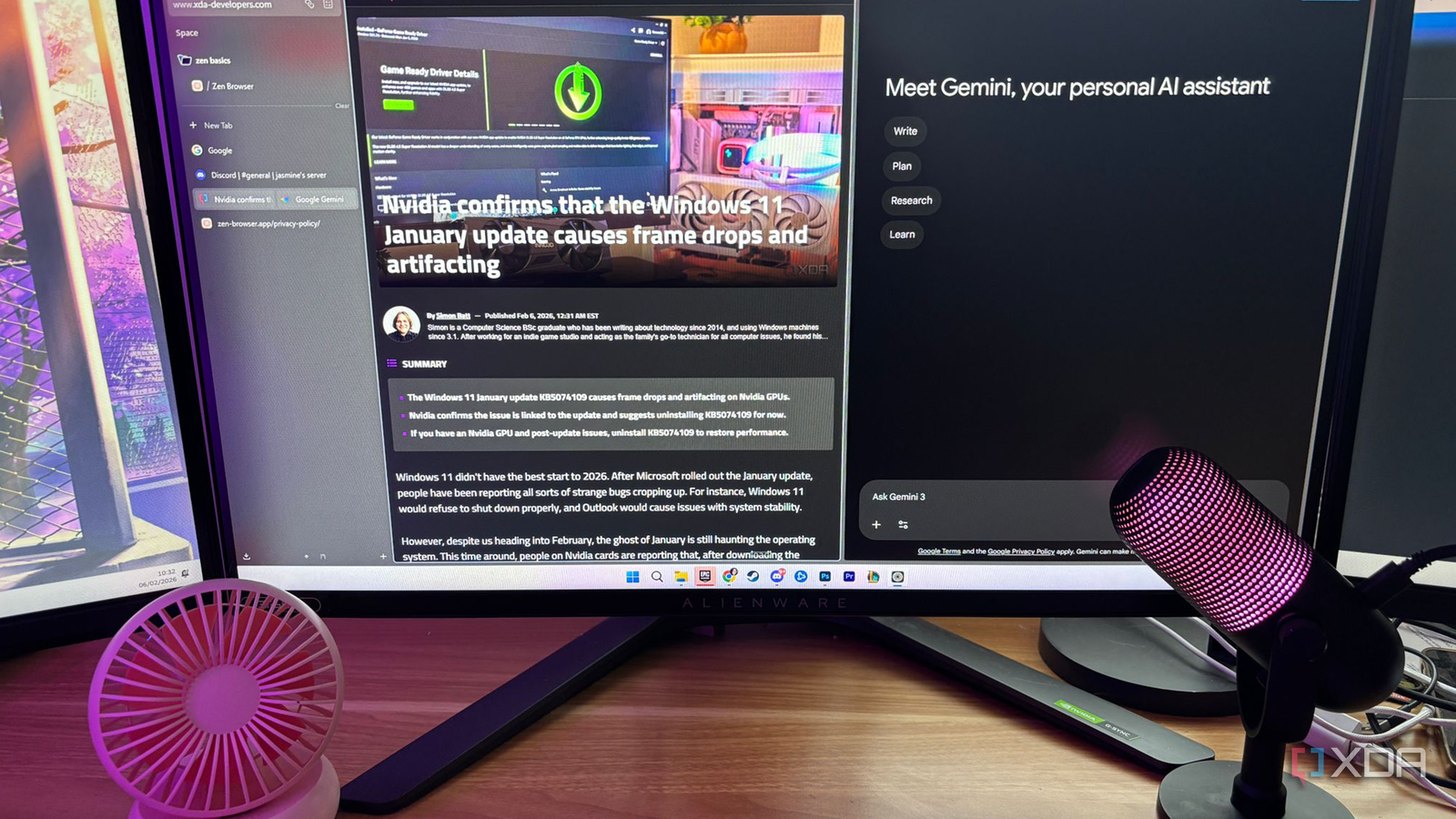
One thing that you’ll immediately notice that sets Zen apart is the UI. The design and aesthetics are absolutely stunning. You have vertical tabs by default which is an absolute game-changer for those who have ultra-wide monitors and even just tab holders. They can neatly tuck away without feeling like they’re absolutely clogging your entire screen.
You also get customization options through the theme store, and Zen makes this easy to change without having to dig through your user chrome.css files like a digital archaeologist. Just a few clicks and you can completely customize the appearance of your web browser to suit you and your style.
Beyond the basics, Zen offers amazing productivity features. It handles context switching better than Firefox’s native containers, though it still supports them if you prefer them and already have them all set up and ready to go. You now instead get Workspaces, which allow you to silo entire browsing sessions. You can have a Work workspace with all of your documents and then a Personal workspace for YouTube and Reddit. Switching between them is instantaneous and clears the visual clutter of your tab bar, making it feel like you have multiple browser instances running without the massive RAM overhead of actually doing so.
You get the option for split view, where you can tile multiple websites within a single window, which is huge for those who like to multitask and is significantly more seamless than Windows Snap. It’s handled within the browser’s own UI, meaning you don’t lose space to double title bars or borders. It turns the browser into a literal workstation. It’s the always-on utility that Firefox has lacked for years, and in Zen it feels like a natural extension of the UI rather than a bolted-on afterthought.
Another positive is that Zen feels snappier because it removes the telemetry and Pocket integration that many power users disable, anyway. It’s still 100% Firefox under the hood, meaning all of your favorite extensions will work flawlessly, but it’s just cleaner, more optimized, and gives you features that make it feel significantly more modern than Firefox.
Note the downsides too
The grass isn’t always greener

While Zen Browser might feel like the future of Gecko-based browsing, it’s worth noting that it isn’t a set-and-forget product for everyone just yet. It’s still effectively in a rapid-release beta phase that comes with the typical friction of any early-adopter software.
Zen moves fast, sometimes too fast for some users, because the development cycle is aggressive. It means that you get frequent update prompts. I’ve had to update multiple times a week, and each update requires a system restart, which can get annoying at times. You’ll get minor visual regressions like slight wobbles in the UI, but to be honest, I barely noticed these and even when I did, they were easy to ignore.
You’ll also face the DRM hurdle. Like many small Firefox forks, Zen has historically struggled with DRM-protected content like Netflix or certain Spotify playback due to the high licensing costs associated with Widevine. If you’re a heavy media streamer, you might need to keep Vanilla Firefox installed as a backup. I rarely use Netflix on my PC, so I’ve managed to avoid this issue thus far.

7 reasons why this old-school browser is worth giving a shot in 2025
This browser will make you ditch Chrome in 2025
Unlike Mozilla, which has the backing of a billion-dollar deal with Google, Zen is an open-source project driven by a small, dedicated team of developers. The upside here is that the trust factor is high, as there’s no corporate board trying to figure out how to monetize your browsing history or shove AI chatbots into your sidebar. The developers are active on socials and often implement user-requested features within a matter of days. However, the downside is a project of this scale lacks the safety net of a massive corporation. Development relies on community contributions and donations. And while the transparency is refreshing, long-term maintenance depends entirely on the passion of the maintainers and the health of the contributor community.
I wish I had adopted Zen sooner
Features aside, it even looks cleaner
Zen Browser feels like what Firefox Pro should have been. It respects the user’s intelligence and screen real estate. It feels like a browser from the future, implementing features that once you use them, you feel like you just can’t go without. If Mozilla wants to keep its power users, it should be looking at what Zen is doing and implementing these features too. Despite Zen being so fantastic, it’s worth noting that there are downsides to opting for it as well, so keep these in mind if you’re hoping to adopt.
