

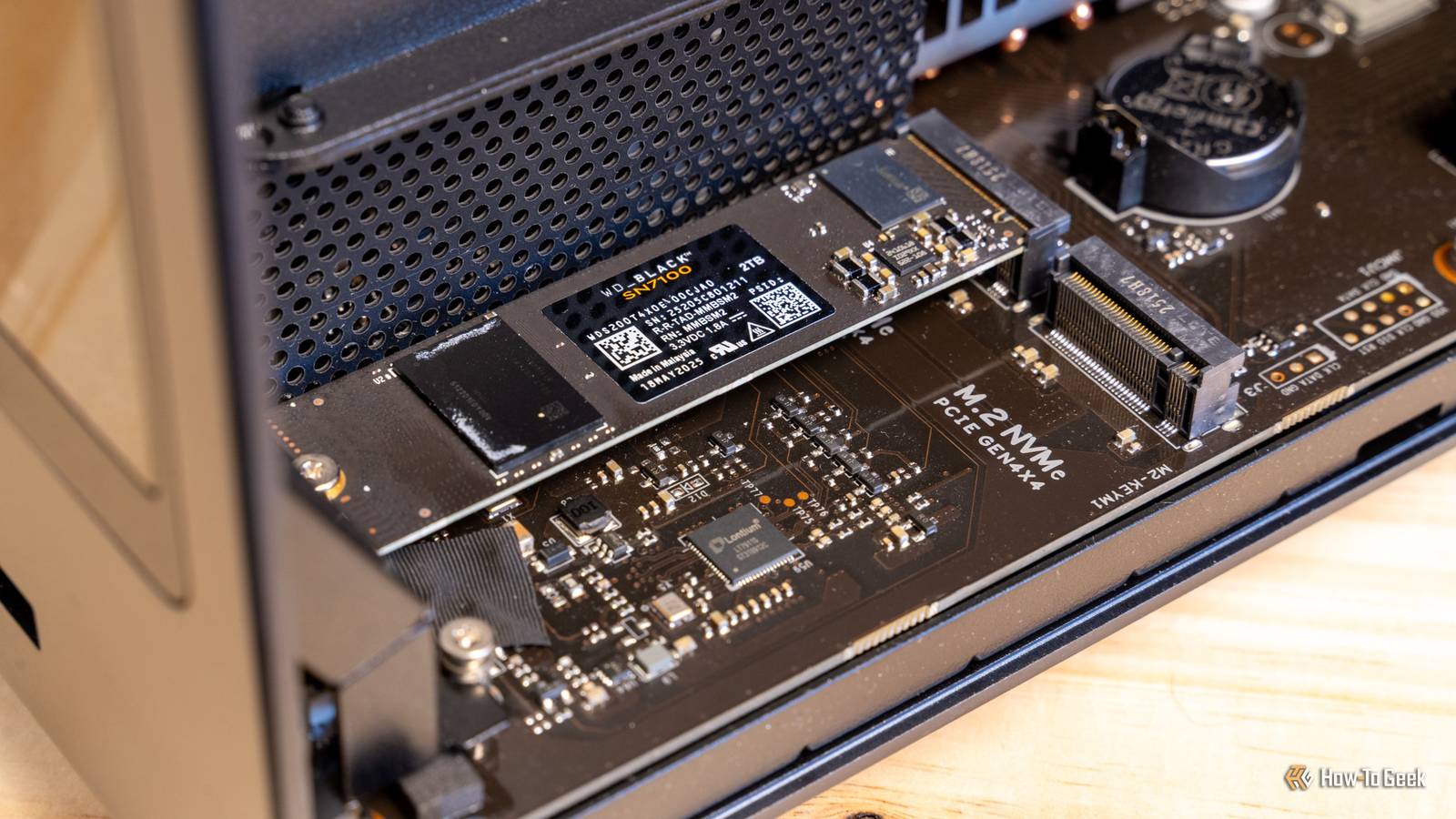
When you’re shopping for a new NVMe SSD, you’re met with an overwhelming number of specifications to consider, from PCIe generation and read/write speeds to DRAM presence and NAND type.
However, there’s one small detail that’s so often overlooked that many product pages and spec sheets don’t even mention it. And yet, it’s so crucial that it can prevent you from even using the NVMe in certain applications, leaving you to rely on reviewers or product photos just to figure it out. Of course, I’m talking about the PCB layout.
What “single-sided” and “double-sided” really mean (and why it matters)
You’ve probably encountered the terms “single-sided” and “double-sided” in relation to how NVMes are physically designed, but without context, it’s hard to understand what they actually mean.
Put simply, an NVMe SSD can have its memory chips on one side of the PCB (Printed Circuit Board; the flat board that everything is mounted on), making it a single-sided NVMe, or it can have the chips on both sides of the PCB, making it a double-sided NVMe. The heat-generating controller almost always stays on the top, drives with DRAM cache sometimes place one chip on the bottom to save space.
Generally speaking, single-sided NVMes are preferable to double-sided units for reasons that mostly come down to better compatibility and easier cooling with heatsinks.

However, some manufacturers opt for a double-sided design because it allows them to pack more storage, especially when using older memory chips that are physically taller and require more vertical space.
If you can find high-quality photos or videos of the underside of an NVMe, you can usually tell whether it’s a single-sided or double-sided design. If there are black memory chips on the underside, it’s a double-sided NVMe; if not, it’s single-sided.
Note that capacity can affect the design—even if an NVMe has the same model name and specifications, smaller-capacity variants might be single-sided, while larger ones can be double-sided. It’s best to check reviews to see if they mention the layout before making a purchase.

It’s also worth noting that the PCB layout isn’t strictly related to other NVMe specs, such as PCIe generation, raw transfer speed, controller quality, or even capacity, to some extent. For instance, you might come across double-sided 2TB NVMes and single-sided 4TB units—but more on that shortly.

Your all-SSD NAS is a massive waste of money
Do you really need all those SSDs?
Why double-sided drives can be a thermal and compatibility headache
Double-sided NVMes are at an inherent disadvantage when it comes to thermal management and fitting into tight spaces. Since the memory is located on both sides of the PCB, you have to find a way to keep the bottom of the NVMe cool in addition to the top if you want it to maintain peak performance and last a long time.
This is especially important if the NVMe places other components on the back, such as the DRAM cache.
If you rely on the heatsink that came with your motherboard, double-sided NVMes can be problematic. To be more specific, if your NVMe heatsink doesn’t have a bottom plate with a thermal pad, you should consider getting an aftermarket unit that does.
Also, if it doesn’t include a thermal pad, make sure to buy a few separately (ideally, in a few different thicknesses), as placing a plate on the bottom without any thermal interface material can make things worse instead of helping dissipate heat.

Another trick that can help with heat dissipation is installing a small rubber pad underneath the M.2 slot (assuming your motherboard didn’t come with one). In fact, rubber pads can enhance cooling on single-sided designs too.
However, some motherboards actually recommend removing that pad when installing double-sided NVMes, as the extra thickness on the bottom can require significantly more pressure during installation, which could lead to snapping a component off the NVMe.
If you ever find yourself in such a situation, be careful and use your best judgment—if you feel resistance while installing the NVMe, stop and remove the rubber pad before proceeding.
Cooling is only part of the challenge with double-sided NVMes. The real problem many people don’t realize until it’s too late is that double-sided NVMes sometimes can’t fit in the slot due to their increased thickness.

This is rare on desktop motherboards, but it’s an incredibly common issue in laptops. A good portion of ultrabooks are so thin that they simply can’t accommodate double-sided NVMes. In fact, even many workstation and gaming laptops, like the HP Victus and Razer Blade, only support single-sided drives.
Even when a laptop can physically fit a double-sided NVMe, it might not be the best choice. You’re still facing potential overheating issues on the bottom side, especially if you frequently transfer large files.
And if you plan to use the NVMe in an enclosure, make sure that it’s compatible with double-sided NVMes and, ideally, has a way to cool the chips on the bottom as well.

Single-sided NVMe drives are usually the smarter choice
The downsides of double-sided NVMes can be easily avoided by simply opting for a single-sided design. Even if the layout difference doesn’t matter to you right now because you plan to use it in a NAS or desktop PC, you might want to move the NVMe into a laptop later or resell it, so you might as well choose the “safer” design.
For laptop users looking to upgrade their storage, single-sided is always the right choice.
Fortunately, the majority of modern PCIe Gen 4 and Gen 5 NVMes with capacities of 2TB and below use a single-sided design. Double-sided layouts typically start appearing at 4TB and above, and even then, you can sometimes find single-sided units that won’t break the bank. For instance, my Crucial P3 Plus uses a single-sided design, even at 4TB.
This doesn’t mean you should avoid double-sided drives entirely. If you find a great deal on a double-sided NVMe in today’s market and don’t mind spending $5 on a decent heatsink to keep it cool, it can still be a worthwhile purchase.

Stop buying 1TB SSDs: They are a rip-off in 2026
Spending more upfront might be the only way to get your money’s worth right now.
