

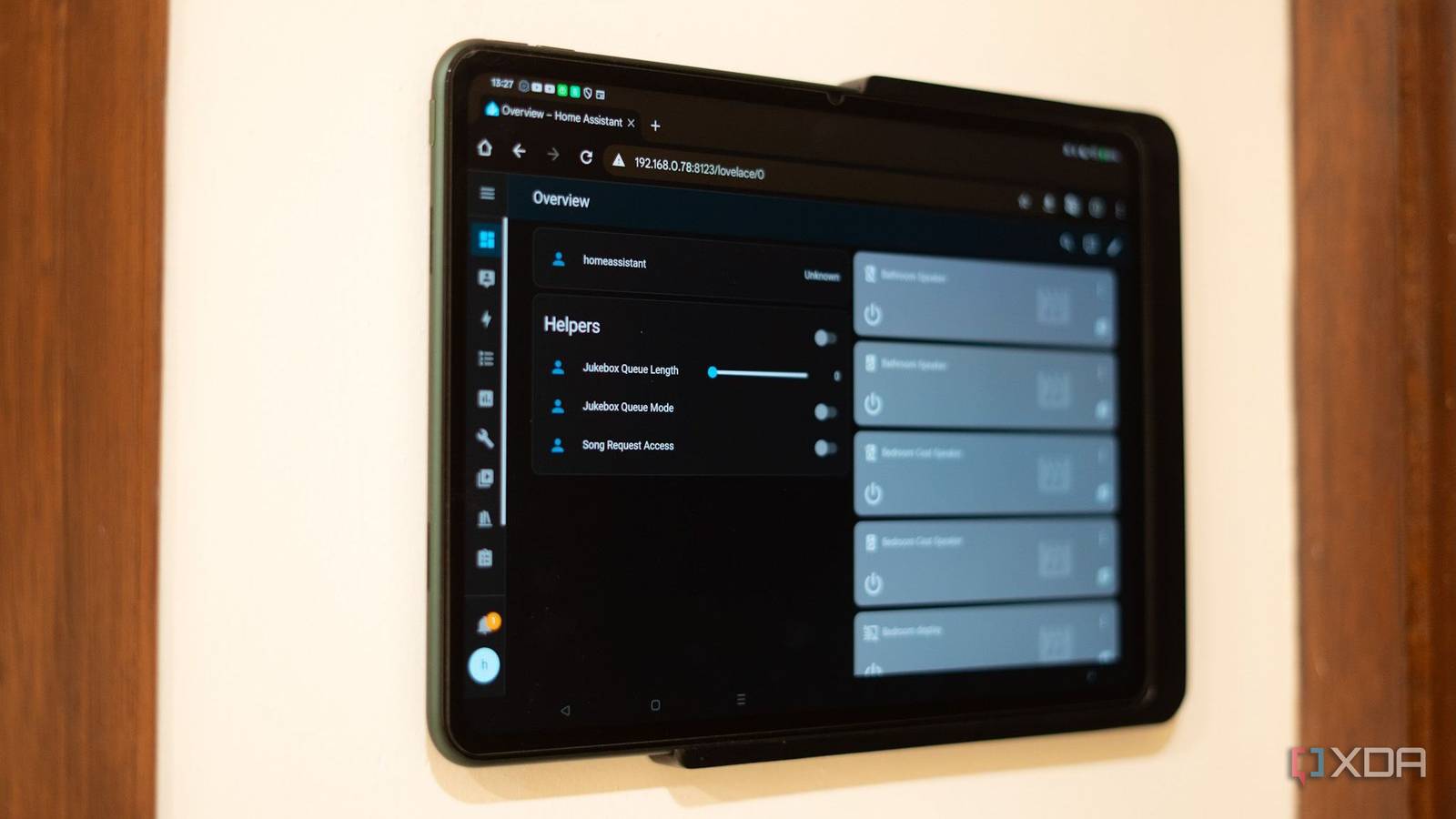
Over the years, I have tried various smart home hubs and voice assistants to control my devices. While the voice control didn’t turn out to be reliable for me, I resorted to using an old tablet as a dashboard for a smart home platform and mounted it on a wall.
Home Assistant helped understand what was happening in my home and also resurrect my smart home plans. To win the family’s approval, I needed to use a smart home controller that’s easy to interact with and operate.
So I chose my old Apple iPad, which is an overkill, as a smart home controller. Yet it still functions as a highly dependable smart home controller, mounted on a wall and placed on a table at times.

4 reasons you should build your own Home Assistant smart display
Why an old tablet works as a reliable smart home controller
Hardware that delivers
The basic problem my family and I faced, especially with smart home hubs and voice assistants, was reliability. When no one was ready to play verbal tug-of-war using voice control, using different apps to interact with smart home hubs wasn’t great either.
After deploying Home Assistant as the smart home platform, I slowly introduced my family to the dashboard on an old Apple iPad. In less than a week, everyone was comfortable using the tablet as a smart home controller.
The dashboard featured large, crisp-looking cards that were easy to understand. For vanity, I even added some animated cards to the Home Assistant’s dashboard. With that, my family preferred the iPad’s touch responsiveness.
Everyone highlighted how quickly the smart devices responded compared to using voice control for a simple task like turning on a light.
While an iPad does seem like an expensive dashboard as a smart home controller, its touch responsiveness and battery life make up for it. Also, it often gets used as a digital photo display when guests are around.
Turning the tablet into a smart home command center
Took a lot of trial and error
When I tried building a smart home dashboard earlier, the Apple Home app worked fine with HomeKit to create a clean interface. But interacting with the buttons in the Home app often confused my parents, and they often complained about too many taps for a single action.
Home Assistant’s dashboard removes all that friction with straightforward and interactive cards. A single tap to turn on or off a relevant smart home device is quite appealing to interact with. Besides, adding sliders and other weather information helps plan the day better.
Initially, I used the Kiosk Mode add-on from HACS to lock the interface to smart home control only. But with the latest iPadOS update, the Lovelace UI in the Home Assistant Companion app is optimized and works perfectly in fullscreen mode.
A single dedicated app to control all smart home devices felt much better received rather than having multiple apps or dealing with voice assistants. I wanted to mount the iPad flush on one of the living room walls. Instead of magnetic wall mounts, I installed a holder to slide the tablet in and out as needed.
What actually gets used on a daily basis
Voice control is a fallback

Taking inspiration from using the E-ink tablet did cross my mind, but it’d be more suitable as a dashboard and a smart home controller. That’s why with the tablet, smart light controls feel more instant, followed by different scenes like night or movie mode. Additionally, I added switches to another dashboard to turn off TVs and other electronics in other rooms. Although there are times and presence-specific automations in place.
For many automations, there are manual override switches, buttons, and sliders for anyone who wants more manual control. As a result, the tablet is often used as a smart home controller.
The visual confirmation of the switch or button card going on or off has been quite helpful in improving usability among family members and even guests who visit often. A quick glance gives an idea of the status of lights, TVs, and other smart devices.
Apart from that, weather information and a simple graph for motion detection are often referenced. Also, I am still evaluating a DIY smart doorbell camera over a dedicated IP camera outside to view its feed on the tablet.
My smart home still works without the internet, and it’s all thanks to one app
Home Assistant is the best unified platfom for your smart devices.
Reliability over novelty
Honestly, I never got into the idea of a smart speaker with a touch interface. I didn’t want to get locked into a single software smart home ecosystem and then install apps for using different smart home devices. That’s why a 5-year-old tablet is still the best smart controller for my smart home. Whether it’s on a wall or lying on a coffee table, it still gets used more.
A visual dashboard on a responsive screen did help reduce confusion among the family and is gradually becoming a go-to control option for setting scenes. So, if you too have an old tablet lying around in a drawer, dust it off, update it, and put it to good use as a smart home controller for your family.

- OS
-
Windows, macOS, Linux
- iOS compatible
-
Yes
- Android compatible
-
Yes
