

There’s a persistent narrative that running AI is a power-hungry endeavor. You’ve probably seen the headlines about data centers consuming as much electricity as small cities, or about how training a single model can use more energy than a hundred homes in a year. Those stories aren’t wrong, and the power demands of large-scale AI infrastructure are genuinely staggering. But they paint an incomplete picture, one that I think scares people away from running local models on their own hardware for no good reason.
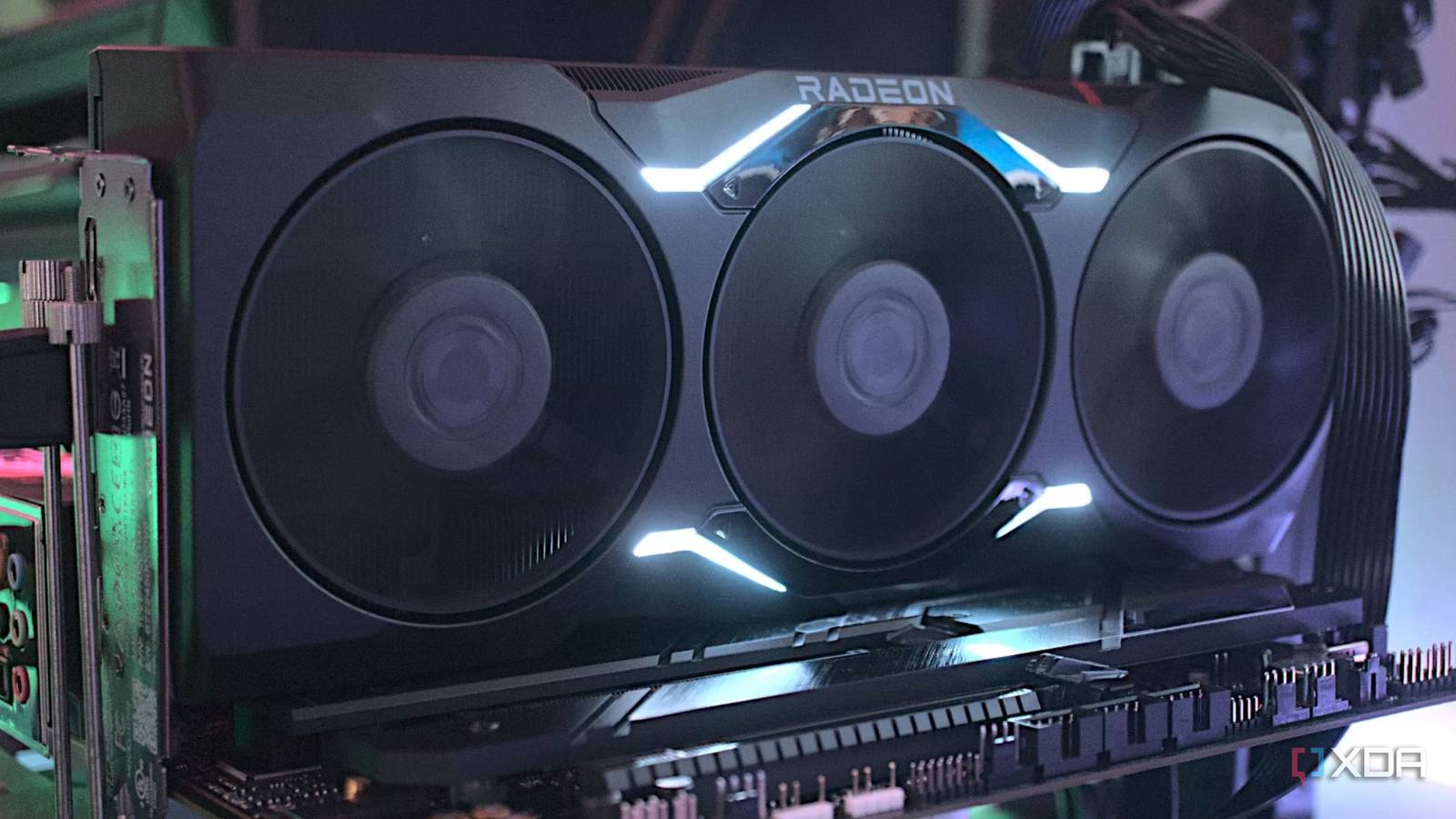
Here’s the thing: running a local LLM is not the same as training one. In fact, it’s not even close. The workloads are different, the hardware requirements are much lower, and in my experience, the actual power impact on a home setup is so small that it’s barely worth thinking about. I have a server running Ollama in a Proxmox LXC with a Radeon RX 7900 XTX, and the entire system, GPU included, idles at around 70 watts while running all of my other services alongside it. That’s less than what a lot of gaming PCs draw while doing nothing.
Of course, it varies based on hardware. A desktop GPU will obviously draw more than Apple Silicon, and running a 200 billion parameter model will draw more than running a 7 billion parameter one. But the reality for most people is that local inference adds very little to your power bill. And there are some surprisingly efficient options out there that most people don’t know about.
My server barely notices when I run an LLM
Bursty workloads are not sustained workloads

The key thing most people don’t realize about local LLM inference is that it’s bursty. A request comes in, the GPU spins up for a second or two, generates the response, and then it’s done. The power draw spikes briefly during that burst of generation, and then it drops right back down to idle. It’s nothing like gaming, where the GPU is pegged at near-full load for hours on end, or model training, where thousands of GPUs are maxed out for weeks. Inference is a quick burst followed by a drop back to idle, and that distinction changes the power math entirely.
I run gpt-oss-20b on my server for some passive data processing. It handles things like data extraction and summarization throughout the day, and the same server powers my home voice assistant. When I ask it to turn off a light or check tomorrow’s weather, the GPU wakes up, processes the request through the LLM, and goes right back to sleep. The whole exchange takes a second or two. If you were watching the power meter, you’d see a quick spike to a few hundred watts and then nothing.
To put that in context, the RX 7900 XTX has a TDP of 355 watts. That’s the maximum the card can draw under a sustained, full-load workload. During inference, it typically pulls somewhere between 150 and 250 watts, but only for the duration of the generation itself. A voice assistant query might take a second. A document processing job might take a few seconds. The rest of the time, the card is effectively asleep.
My electricity bill hasn’t meaningfully changed since I started running LLMs locally. The 70-watt idle baseline was already there for the server itself, running containers, storage, and networking. The LLM adds virtually nothing to that because it spends the overwhelming majority of its time doing absolutely nothing. The actual cost of inference, per query, is measured in fractions of a watt-hour. I’d wager that most people with a home server setup would see a similar story; the always-on services are the real draw, and the LLM is just along for the ride.
As well, I say this as someone who lives in Ireland. Energy costs in Ireland are amongst the highest in the world currently, with peak usage costing $0.62 per kilowatt hour. Trust me, if running a local LLM meaningfully impacted by energy costs, I’d know.
You don’t even need a big GPU
Apple and Lenovo have proven that much, and NPUs have too

If a desktop GPU feels like overkill for what you want to do, there are lower-power options that handle local models perfectly well. Apple’s Mac Mini with the M4 chip idles at under 5 watts for the entire system. Under heavy LLM inference, it peaks at around 65 watts. A MacBook Pro with an M4 Max tops out at roughly 110 watts under the most demanding conditions, and that includes the display and every other component in the machine.
You can run Ollama on a MacBook Pro, on battery, and it will happily generate tokens without eating through your charge any faster than you’d expect from normal use. Apple Silicon’s unified memory architecture means the GPU doesn’t need to be a separate, power-hungry component, as it shares the same memory pool as the CPU, and the whole package is built around efficiency. Models like gpt-oss-20b only need around 16 GB of memory, which fits comfortably on many systems. A Mac Studio with an M4 Ultra would give you more headroom for larger models, and it still draws well under 100 watts during inference. These aren’t compromised experiences, either, as token generation on Apple Silicon is genuinely fast thanks to MLX.
Then there’s the Lenovo ThinkStation PGX, which I reviewed recently. It packs Nvidia’s GB10 Grace Blackwell Superchip with 128 GB of unified memory into a box not much bigger than a Mac Mini. The entire system draws a maximum of 240 watts from its USB-C power supply, and during a fine-tuning workload, which is more demanding than inference, the GPU peaked at just 65.4 watts. For inference alone, the power draw would be lower still. That’s a machine with 128 GB of usable memory for AI workloads, and it sips power compared to what most people would expect.
To give you an idea of just how efficient things have gotten, a cluster of five Mac Minis running inference at full tilt draws roughly 200 watts combined. That’s less than a single high-end desktop GPU under sustained gaming load. We’ve reached a point where the hardware to run a local LLM can comfortably sit on your desk, run off a standard wall outlet, and barely make a dent in your electricity bill. The real cost is the hardware itself, not the energy bill.
Even in data centers, which are fundamentally different and filled with overheads, energy usage is decreasing. Google recently said their median AI text query uses 33x less energy than it did 12 months ago. Local inference has followed a similar curve. Runtime software like llamafile outperforms Ollama on CPU workloads while using 30-40% less power, and better quantization techniques keep pushing the floor lower.
Then there are NPUs. Qualcomm’s Snapdragon X Elite, Intel’s Lunar Lake, and AMD’s Ryzen AI 300 series all ship with dedicated neural processing units built for efficient inference. They use low-bit integer math to get maximum performance out of minimal power, and while they’re limited to smaller models right now, the goal for these companies is to massively increase that performance over the next couple of years. At that point, local AI inference starts looking more like a background process than a workload you’d ever notice.
Inference is not the same as training
They’re very, very different

A huge part of the misconception around AI power consumption comes from conflating two very different things. Training a frontier model like GPT-5 doesn’t come cheap, and some analysts have said that it could have cost upwards of a billion dollars. That involved thousands of GPUs running at full capacity for weeks on end in purpose-built data centers with dedicated power and cooling infrastructure. It’s an enormous, one-time engineering effort, and those are the numbers that end up in the headlines and are often factored in when calculating the cost per query.
Running a trained model is nothing like that. When you send a prompt to a local LLM, your single GPU processes a few thousand tokens and then it stops. The energy consumed is trivial. It’s the difference between building a car and driving one around the block. The factory costs a fortune to run, but the commute doesn’t. And yet, when people hear “AI power consumption,” they picture the factory every time.
On top of that, data centers carry a lot of overhead that doesn’t apply to a home setup, which we alluded to earlier. Cooling systems, redundant power infrastructure, networking, and the sheer scale of serving millions of users simultaneously all contribute to the energy figures that make the news. Your server in a closet doesn’t have any of that. It generates the response and goes back to idle, and the entire transaction might use as much energy as leaving a light on for a few extra seconds.
I’m not going to pretend that a 355-watt GPU is as efficient as a purpose-built AI accelerator or an Apple Silicon chip. It’s not. And if you’re running inference constantly at high volume, the power costs will add up. But for most home use cases, like a voice assistant, some document processing, and occasional queries throughout the day, the actual energy impact is negligible. The idle draw from the server itself is the dominant cost, and the LLM barely registers on top of it.
The reality is that local AI inference is one of those things that sounds expensive to run until you actually measure it. And in my case, measuring it is exactly what convinced me that the power concerns were overblown to begin with, and I say that as someone who is very aware of energy costs.
