

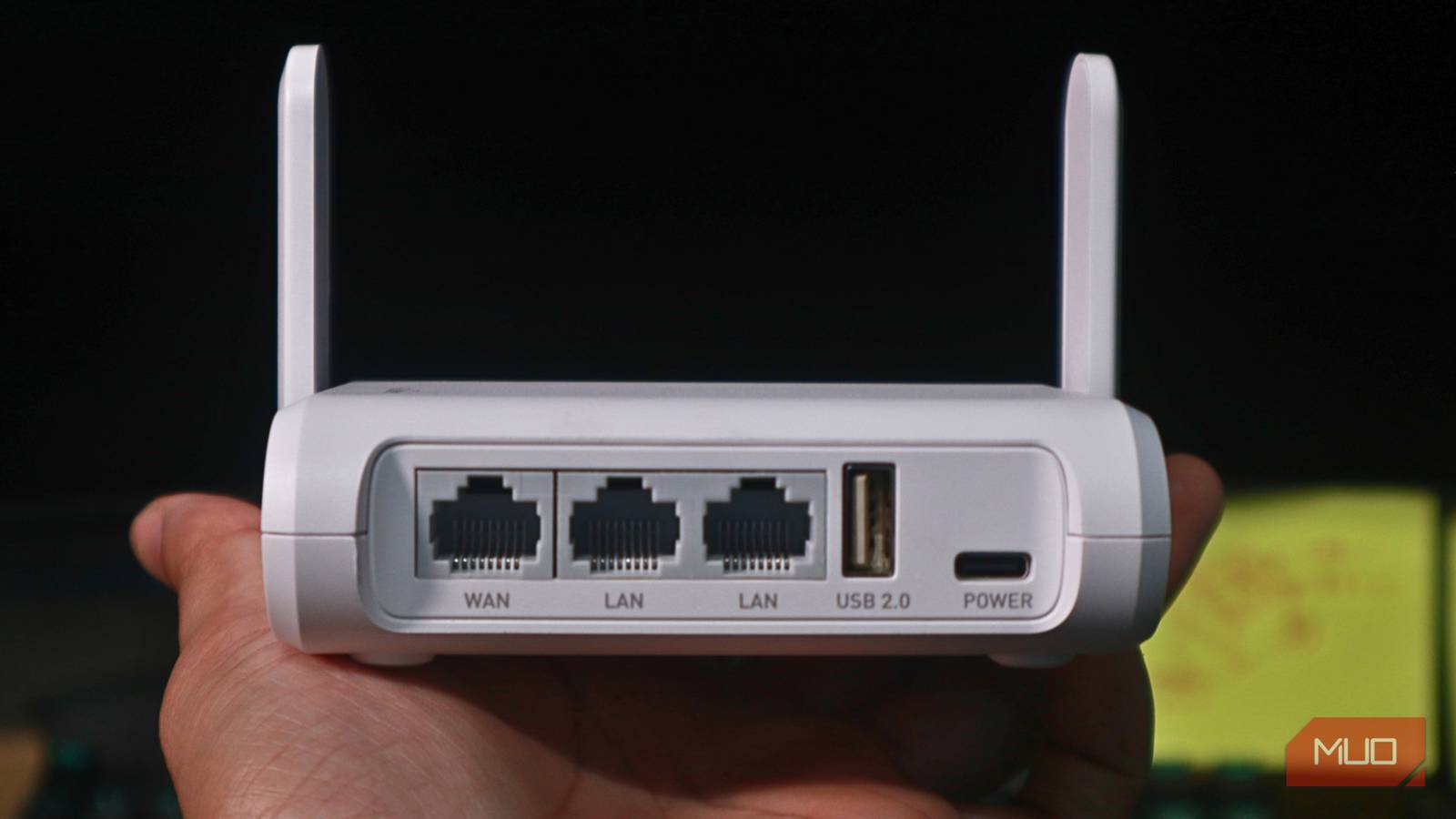
My evening internet routine used to involve one very consistent ritual: glaring at my router. Every night, somewhere between 7 and 10 PM, pages would drag, video calls would pixelate, and my streaming would drop to a grainy resolution, making videos look like they were filmed in 2003.
I was convinced it was a hardware issue, so I went through all the standard advice on what to check first when your Wi-Fi is slow. I restarted the router so many times that it probably has PTSD. I updated the firmware. I repositioned it three different times to find the optimal router placement in my home. Nothing helped. It took an off-hand comment from a tech-savvy friend to finally point me in the right direction — and once I understood what was actually happening, I couldn’t unsee it. Your router, it turns out, might be completely innocent.
Your evening slowdown isn’t a hardware problem
Spoiler: your router has been framed

Internet peak hours usually land somewhere between 7 PM and 11 PM on weekdays, and the routine is almost comically predictable. People clock out of work, get home, settle onto the couch, and instinctively reach for the same thing: the internet. They stream shows, video call family members, play online games, and scroll through social media — all of which require you to have specific minimum internet speeds for a buffer-free experience. All of these activities are also happening at once, all pulling from the same shared pool of bandwidth that serves your street, apartment block, or neighborhood.
The simplest way I’ve come to understand it is the highway analogy, and it really does hold up. Think of internet bandwidth like a highway. During rush hour, traffic crawls. Late at night, you can cruise along without thinking about it. The road itself hasn’t changed. It’s still the same as it was earlier in the day. There are just far more cars trying to squeeze into it at the same time.
Mind you, the bottleneck isn’t always inside your home. A lot of the time, the real choke point comes down to something called peering capacity. In simple terms, that’s the size of the “doorways” connecting one network to another. When too many people try to pass through that doorway at once, it gets jammed. This happens at the infrastructure level, well outside your walls, which is why restarting your router to fix connection issues does absolutely nothing. You’re tinkering with a door that’s already wide open while the actual traffic jam is three blocks away.
Congestion affects all devices, whether they’re connected via Ethernet or Wi-Fi, and that detail was what finally cracked it open for me. I had assumed that if the problem affected my laptop but not my phone (or vice versa); it had to be a device or router issue. But when every device in the house slows down together, and it happens at the same time every night, that’s the signature of network-level congestion — not a finicky piece of hardware.
Your internet connection type determines how severely the evening rush hits you
Cable, fiber, and satellite walk into a rush hour, and only one survives
Not every internet connection feels peak-hour strain the same way, and this is where it gets interesting. Fiber optic connections tend to hold their speed better in the evenings because they run on dedicated lines that aren’t shared with the neighbors. In practice, that means the usual after-dinner surge of activity doesn’t drag them down as easily. Cable internet, on the other hand, rides on shared infrastructure. Your connection is effectively split among everyone pulling from the same neighborhood node. The more households online, the thinner the bandwidth gets.
Satellite internet makes it even tougher. It relies on a limited slice of satellite bandwidth that has to serve large geographic areas, so congestion shows up quickly once everyone hops online. This is a major reason why providers like Starlink introduced a data soft cap to help manage heavy network load. If you’ve ever tried streaming a movie on a rural satellite connection on a Friday night, you already know the experience. The buffering wheel becomes part of the entertainment.

This registry tweak stops Windows from throttling your network traffic
This tweak doesn’t boost your network, it removes the leash.
Then there’s a second layer that sometimes sits on top of natural congestion, and it’s worth keeping in mind. Some ISPs apply selective throttling during busy hours, often between 6 PM and 11 PM, to prevent their networks from being overwhelmed. So, if a stream starts buffering while regular browsing still feels fine, that’s often a sign that your provider is throttling certain types of traffic rather than your entire connection. One simple way to spot the pattern is to run internet speed tests at different times of day over several days. If the numbers dip sharply every evening, you’re probably looking at congestion, throttling, or a bit of both.
Here’s a quick summary of performance by technology:
|
Technology |
Susceptibility to Neighborhood Peak Congestion |
Symmetrical Speeds (Upload/Download) |
|---|---|---|
|
Fiber (FTTH) |
Low – Uses dedicated/near-dedicated paths. |
Yes – Equal speeds both ways. |
|
Cable (DOCSIS) |
High – Shared neighborhood nodes. |
No – Typically much slower uploads. |
|
Satellite |
Very High – Limited capacity & strict data caps. |
No – Significant lag and low speeds. |
A handful of small habit changes can take the edge off peak-hour slowdowns
Without requiring you to switch providers
Now that you understand what’s happening, you can actually do something constructive about it — and the fixes aren’t complicated.
The single most impactful change I’ve made is rescheduling heavy-duty tasks. I stopped running heavy tasks in the evening. Large downloads, cloud backups, and system updates now run during off-peak hours, ideally before 7 AM or after about 10 PM. Most devices already have built-in scheduling options, so it’s usually just a matter of flipping the right switch. Set your console, laptop, or backup service to work overnight, and your evening bandwidth has a lot more breathing room.
For activities that require real-time performance, like video calls, gaming, or livestreaming, Ethernet beats Wi-Fi every time. A wired connection cuts down latency and sidesteps the interference that can creep into wireless networks, which means you get the cleanest path to whatever bandwidth is available. I switched to Ethernet for calls months ago and noticed the difference right away. Beyond that, configuring your router’s Quality of Service (QoS) settings to prioritize important traffic can ensure that a background system update doesn’t sabotage a video call you’re actively on.
If you’ve tried all of the above and your evenings are still a crawl, you might want to reconsider your connection type. Fiber and fixed wireless options often deliver more consistent evening performance because they handle congestion differently than cable infrastructure. And when you’re comparing providers, it helps to look beyond those advertised “up to” speeds. Real-world evening performance tells a far more honest story.

Don’t blame your ISP until you fix these router defaults
Your internet isn’t broken—your router settings are.
Your router deserves a formal apology
For what it’s worth, my router has been sitting in its corner ever since, completely unbothered. I might actually owe the thing an apology.
