


Introduction
Starting a blog is exciting, but driving traffic to it is often the hardest part. Search engines take time to recognize new websites, and without promotion, your blog may stay invisible. That’s where Pinterest and Instagram come in. These two visual platforms have become powerful tools for bloggers who want to grow traffic, build an audience, and make money online.
Pinterest works like a visual search engine, where people look for ideas, tips, and inspiration. Instagram, on the other hand, is a social community where creativity and personal connection rule. If you combine both platforms strategically, you can turn your blog into a traffic magnet.
This guide will walk you step by step through how to promote your blog with Pinterest and Instagram, using beginner-friendly strategies that actually work in 2025.
Why Use Pinterest and Instagram for Blog Promotion?
Before we dive into strategies, let’s look at why these two platforms are game changers for bloggers.
Pinterest Benefits for Bloggers
-
Acts like a search engine (not just social media).
-
Pins can generate traffic for months or even years.
-
Users actively search for tutorials, guides, and solutions.
-
Great for niches like lifestyle, travel, food, fitness, DIY, and personal finance.
Instagram Benefits for Bloggers
-
Builds a personal brand and loyal following.
-
Encourages real-time engagement through comments, DMs, and stories.
-
Perfect for niches like fashion, beauty, health, business, and motivation.
-
With Instagram Reels, content can go viral quickly.
📊 Comparison Table: Pinterest vs Instagram for Blog Promotion
| Feature | ||
|---|---|---|
| Content Lifespan | Long (pins last years) | Short (posts last hours–days) |
| Best for Traffic | Yes (direct link clicks) | Limited (links only in bio & stories) |
| Audience Intent | Search-based (people want info) | Engagement-based (people want connection) |
| Content Type | Pins, infographics, guides | Reels, carousels, stories, images |
| Growth Speed | Slow but steady | Can be fast with viral content |
👉 Conclusion: Use Pinterest for long-term blog traffic and Instagram for building brand awareness and community. Together, they create a powerful promotion strategy.
Setting Up Pinterest for Blog Promotion
Pinterest isn’t just about posting random images. You need a business mindset to use it effectively.
Step 1: Create a Pinterest Business Account
-
Sign up at Pinterest Business.
-
Add your blog link to increase trust.
-
Enable Rich Pins so that your blog posts display titles, descriptions, and logos automatically.
Step 2: Optimize Your Profile
-
Use a clear profile picture (logo or personal photo).
-
Write a keyword-rich bio explaining your niche.
-
Add your blog link.
Example: “Helping beginners learn easy home workouts | Fitness tips, meal plans & motivation | Visit [yourblog.com]”
Step 3: Create Pinterest Boards
-
Organize your content into themed boards.
-
Use keywords in board titles (e.g., Healthy Meal Plans, DIY Home Décor, Travel Guides for Europe).
-
Add keyword-rich descriptions to boards.
Step 4: Design Attractive Pins
Your pins are the first impression. They must grab attention.
-
Use Canva or Photoshop to design vertical pins (1000×1500 px).
-
Add text overlay with bold, readable fonts.
-
Stick to bright colors and eye-catching designs.
-
Always include your blog name or URL at the bottom.
✅ Example: Instead of a plain image of a salad, create a pin that says:
“10 Quick Salad Recipes for Busy Weeknights | [yourblog.com]”
Step 5: Write SEO-Friendly Pin Descriptions
Pinterest works like Google. Use keywords naturally.
-
Write 2–3 sentences describing the post.
-
Add 5–10 related hashtags.
-
Example: “Looking for quick healthy recipes? These 10 salad ideas are perfect for busy people who want to eat fresh. #HealthyEating #QuickMeals #SaladRecipes”
Step 6: Be Consistent
-
Pin daily (5–15 pins).
-
Use a scheduler like Tailwind to automate pinning.
📌 Pro Tip: Don’t just promote your blog. Pin other people’s content too. A balanced ratio (70% your content, 30% others) makes your account more trustworthy.
Setting Up Instagram for Blog Promotion
Instagram is where people connect with you as a person. If Pinterest drives cold traffic, Instagram warms it up.
Step 1: Create a Business or Creator Account
-
Switch your account type in settings.
-
Add a clickable link in your bio (use tools like Linktree or Beacons for multiple links).
Example:
“📚 Blogger | Helping you start a money-making blog | 👇 Free Blogging Checklist”
Step 2: Optimize Your Content Strategy
Instagram loves creative, shareable content.
-
Reels: Short videos (15–30 seconds) with tips, tutorials, or inspiration.
-
Carousels: Swipe posts with step-by-step guides.
-
Stories: Quick updates, polls, or behind-the-scenes.
-
Highlights: Save important stories under your bio.
Step 3: Use Instagram SEO
Yes, Instagram is searchable now.
-
Use keywords in captions (e.g., “blogging tips,” “travel hacks”).
-
Add relevant hashtags (5–15 is enough).
-
Use alt text (Instagram accessibility feature) to describe images.
Step 4: Engage with Your Audience
-
Reply to comments and DMs.
-
Use polls, quizzes, and Q&A in stories.
-
Collaborate with influencers in your niche.
Step 5: Drive Traffic to Your Blog
Unlike Pinterest, Instagram limits links. But here’s how to maximize it:
-
Use your bio link wisely.
-
Add links to stories (if you have 10k+ followers or use Instagram’s link sticker).
-
Promote blog posts in captions with a call-to-action:
“Want all 20 tips? Click the link in bio to read the full guide!”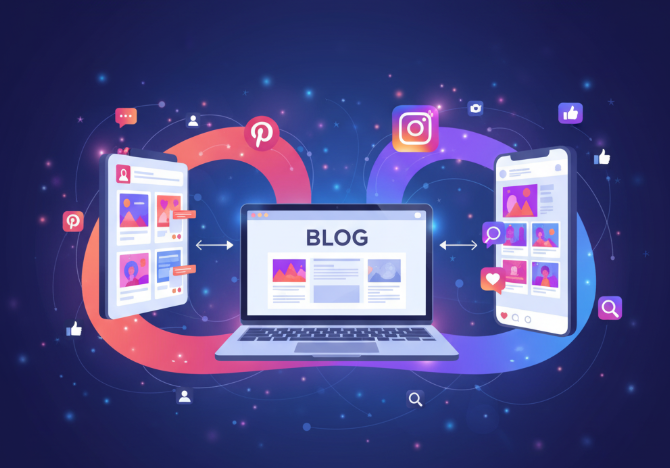
How to Promote Blog with Pinterest / Instagram
Strategies to Combine Pinterest and Instagram for Blog Growth
Instead of treating them separately, combine both platforms.
1. Repurpose Content
-
Turn a Pinterest infographic into an Instagram carousel.
-
Share Instagram Reels on Pinterest Idea Pins.
-
Use Pinterest boards as inspiration for Instagram post themes.
2. Use Cross-Promotion
-
Mention your Instagram in Pinterest pins.
-
Promote your Pinterest boards in Instagram stories.
-
Example: “New pin is live on Pinterest! Go check it out for all the step-by-step tips.”
3. Build a Funnel
-
Pinterest → Blog → Instagram → Email List.
-
Instagram → Blog → Pinterest → Products.
📊 Simple Funnel Chart
Content Ideas for Pinterest and Instagram
Running out of content? Here’s a list of blog-friendly ideas for both platforms.
Pinterest Pin Ideas
-
How-to guides (e.g., “How to Start a Blog in 10 Easy Steps”).
-
Listicles (“15 Healthy Breakfast Ideas”).
-
Infographics (“Morning Routine for Productivity”).
-
Seasonal tips (“Best Christmas DIY Decorations”).
-
Free printables or checklists.
Instagram Post Ideas
-
Behind-the-scenes of your blogging process.
-
Personal stories that connect with your audience.
-
Quick tips in carousel format.
-
30-second mini tutorials in Reels.
-
Story polls like: “Do you prefer short or long blog posts?”
Common Mistakes to Avoid
Even with the best strategies, mistakes can ruin your efforts.
Pinterest Mistakes
-
Using low-quality images.
-
Ignoring SEO in pin descriptions.
-
Pinning inconsistently.
Instagram Mistakes
-
Posting without a clear niche.
-
Overusing hashtags (spammy look).
-
Ignoring followers (not replying to DMs).
Growth Hacks for Faster Results
If you want to see results quicker, try these hacks:
-
Pinterest Group Boards – Join boards with high followers.
-
Tailwind Tribes – Share pins with other bloggers.
-
Instagram Collaborations – Do joint Reels with other creators.
-
Giveaways – Host contests to boost engagement.
-
Email Capture – Offer freebies on your blog and promote them on both platforms.
Case Study: How a Lifestyle Blogger Grew with Pinterest & Instagram
-
Blog niche: Home décor and DIY projects.
-
Pinterest strategy: Posted 10 new pins daily with keyword-rich descriptions.
-
Instagram strategy: Shared 3 Reels per week + daily stories.
-
Result: Blog traffic grew from 1,000 to 25,000 monthly visits in 6 months.
This proves that consistent effort + cross-platform promotion = blog growth.
Conclusion
Promoting your blog in 2025 doesn’t have to be complicated. With Pinterest’s search power and Instagram’s social connection, you can build a strong online presence.
-
Pinterest brings long-term, evergreen traffic.
-
Instagram builds brand loyalty and engagement.
-
Together, they create a traffic + community + income formula.
If you’re just starting, focus on one platform first (Pinterest for traffic). Once you’re comfortable, add Instagram for brand building. Consistency, creativity, and smart strategies will make your blog grow.
👉 Start today: Create a Pinterest business account, design your first 5 pins, then share a teaser Reel on Instagram about your latest blog post. Small steps now will bring big results later.
