

Introduction: Why Phishing Scams Are So Dangerous
Imagine opening your email and finding a message that looks like it’s from your bank. The logo is there, the subject line warns of “suspicious activity,” and there’s a button asking you to “verify your account.” It feels urgent, almost scary. You click it, type in your login details, and within seconds—your personal information is in the wrong hands.
That’s how phishing scams work. They trick people into giving away private data such as passwords, credit card numbers, or social security details. In 2025, phishing has become more advanced than ever. Cybercriminals now use not only emails but also text messages, fake websites, social media DMs, and even voice calls to fool people.
But here’s the good news: with the right knowledge and habits, you can spot phishing scams before they trap you. This guide will give you practical steps, real-life examples, and useful tips to stay safe while browsing, shopping, and working online.
What Exactly Is a Phishing Scam?
Phishing is an online scam where criminals pretend to be a trusted organization (like a bank, e-commerce site, government agency, or even your boss) to trick you into:
-
Clicking dangerous links
-
Downloading harmful attachments
-
Entering personal details into fake websites
-
Sending money or gift cards
These scams are designed to look real. That’s why millions of people fall victim each year.
Common Places Where Phishing Scams Appear
Phishing can show up in almost every digital space you use. Some of the most common include:
-
Emails – The most popular method. Attackers copy the design of real companies.
-
Text Messages (Smishing) – Fake shipping updates, lottery wins, or bank alerts.
-
Phone Calls (Vishing) – Scammers pretend to be officials or support agents.
-
Social Media – Fake accounts send links or friend requests.
-
Fake Websites – Lookalike pages that capture login details.
Red Flags That Signal a Phishing Attempt
Spotting phishing scams is like learning body language—you start to notice signs that something feels “off.”
Email and Message Clues
-
Strange Sender Address: Real companies use official domains (e.g.,
@paypal.com), not free services like Gmail. -
Urgency and Threats: “Your account will be suspended in 24 hours!”
-
Spelling and Grammar Errors: Many phishing emails have small mistakes.
-
Suspicious Links: Hovering over a link often reveals a weird URL.
-
Unexpected Attachments: Especially
.exe,.zip, or documents asking to “enable macros.”
Fake Website Signs
-
Unsecure URL: No “https://” or padlock symbol in the browser.
-
Lookalike Domain: Example –
amaz0n.cominstead ofamazon.com. -
Poor Design: Low-quality logos, odd spacing, or blurry images.
-
No Contact Info: Legit companies always provide clear customer support details.
Practical Steps to Protect Yourself from Phishing
1. Think Before You Click
If you get a message urging you to act fast, pause. Scammers thrive on urgency. Take a moment to question:
-
Do I really need to click this link?
-
Does the sender sound genuine?
2. Verify the Sender
-
Look at the full email address, not just the display name.
-
Call the company using their official customer service number—not the one in the suspicious email.
3. Use Strong, Unique Passwords
-
Create different passwords for each account.
-
Use a mix of uppercase, lowercase, numbers, and symbols.
-
Consider a password manager to store them safely.
4. Enable Two-Factor Authentication (2FA)
Even if scammers get your password, 2FA adds another layer of security, like a text code or app notification.
5. Keep Software Updated
-
Regular updates close security gaps.
-
Always update browsers, operating systems, and apps.
6. Don’t Share Sensitive Data Over Email
Banks, PayPal, and government agencies will never ask you for passwords or full credit card numbers via email.
7. Check Links Before Clicking
Hover over any link and read the destination URL. If it looks strange—don’t click.
8. Secure Your Devices
-
Install antivirus or anti-malware software.
-
Use firewalls.
-
Avoid public Wi-Fi when logging into sensitive accounts.
Types of Phishing Scams You Must Watch Out For
| Type of Scam | How It Works | Example |
|---|---|---|
| Email Phishing | Fake company emails trick users into clicking links. | “Update your PayPal account today!” |
| Spear Phishing | Personalized attacks targeting one person. | Email looks like it’s from your boss. |
| Whaling | Targets CEOs or executives. | Fake legal notice sent to a CEO. |
| Smishing (SMS) | Scam texts pretending to be banks or couriers. | “Your parcel is waiting, click to track.” |
| Vishing (Voice) | Phone scams posing as officials. | “This is the IRS, pay immediately.” |
| Clone Phishing | Copies a real email but swaps safe links with fake ones. | Fake invoice email. |
| Pharming | Redirects you to fake websites without you knowing. | Typing bank URL but landing on a fake site. |
Real-Life Examples of Phishing Scams
-
Banking Scam
Victims receive a text saying: “Suspicious login detected, click here to secure your account.” The link takes them to a fake banking site where they unknowingly type their real details. -
Job Offer Scam
Scammers send fake job offers asking applicants to “verify details” by uploading ID and bank information. -
Tech Support Scam
Pop-ups on websites say: “Your computer is infected! Call Microsoft now.” Victims who call are tricked into paying for fake support.
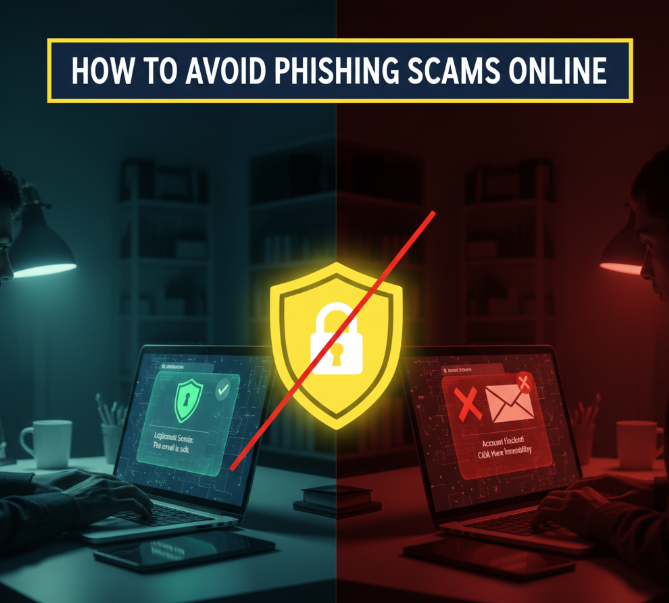
How to Avoid Phishing Scams Online
What To Do If You Suspect a Phishing Scam
If something feels suspicious, here’s a simple checklist:
-
Do Not Click Anything – No links, no attachments.
-
Report the Email or Message – Most email providers have a “Report Phishing” button.
-
Block the Sender – Prevent future attempts.
-
Change Passwords Immediately – Especially if you clicked or entered details.
-
Enable 2FA – Add extra protection fast.
-
Run a Security Scan – Use antivirus to detect hidden malware.
A Quick Comparison: Legit Emails vs Phishing Emails
| Feature | Legit Email | Phishing Email |
|---|---|---|
| Sender Address | support@paypal.com |
support@paypall123.com |
| Tone of Message | Calm and professional | Urgent and threatening |
| Links | Lead to official domain | Strange or misspelled domains |
| Attachments | Rare, only for receipts | Suspicious files like .zip or .exe |
| Personalization | Uses your real name | Generic greetings like “Dear Customer” |
Tools That Help Protect Against Phishing
There are many free and paid tools that make life harder for scammers:
-
Browser Extensions: Some extensions block suspicious websites.
-
Password Managers: Automatically detect fake login pages.
-
Antivirus Software: Scans attachments and downloads.
-
Email Filters: Move phishing attempts straight to spam.
Educating Yourself and Others
Cybercriminals succeed when people don’t know what to look for. Share what you learn with:
-
Family members who shop online.
-
Kids and teens using social media.
-
Elderly relatives who may not recognize online tricks.
Quick Checklist: How to Stay Safe Every Day
Here’s a daily routine to keep phishing attempts away:
-
✅ Think twice before clicking links.
-
✅ Never download unknown attachments.
-
✅ Check sender details carefully.
-
✅ Use 2FA on all important accounts.
-
✅ Keep devices updated and secure.
-
✅ Use strong, unique passwords.
Final Thoughts: Outsmarting Phishers in 2025
Phishing scams are not going away anytime soon. In fact, scammers are becoming smarter and more convincing. But that doesn’t mean you have to fall for their tricks.
By following the strategies in this guide—staying cautious, double-checking emails, protecting your accounts with strong passwords and 2FA—you can confidently use the internet without constantly worrying about scammers.
The truth is, phishing only works when people trust blindly. Once you develop the habit of questioning suspicious messages, you become much harder to fool.
So the next time an “urgent” email pops up, take a breath, stay calm, and remember: you hold the power to outsmart online scams.
