
Close Menu
    Facebook X (Twitter) Instagram
    Wifi PortalWifi Portal
    • Blogging
    • SEO & Digital Marketing
    • WiFi / Internet & Networking
    • Cybersecurity
    • Tech Tools & Mobile / Apps
    • Privacy & Online Earning
    Facebook X (Twitter) Instagram
    Wifi PortalWifi Portal
    Home»Tech Tools & Mobile / Apps»Download the Samsung Galaxy S26 wallpapers here
    Tech Tools & Mobile / Apps

    Download the Samsung Galaxy S26 wallpapers here

    adminBy adminMarch 1, 2026No Comments4 Mins Read
    Facebook Twitter LinkedIn Telegram Pinterest Tumblr Reddit WhatsApp Email
    Download the Samsung Galaxy S26 wallpapers here
    Share
    Facebook Twitter LinkedIn Pinterest Email

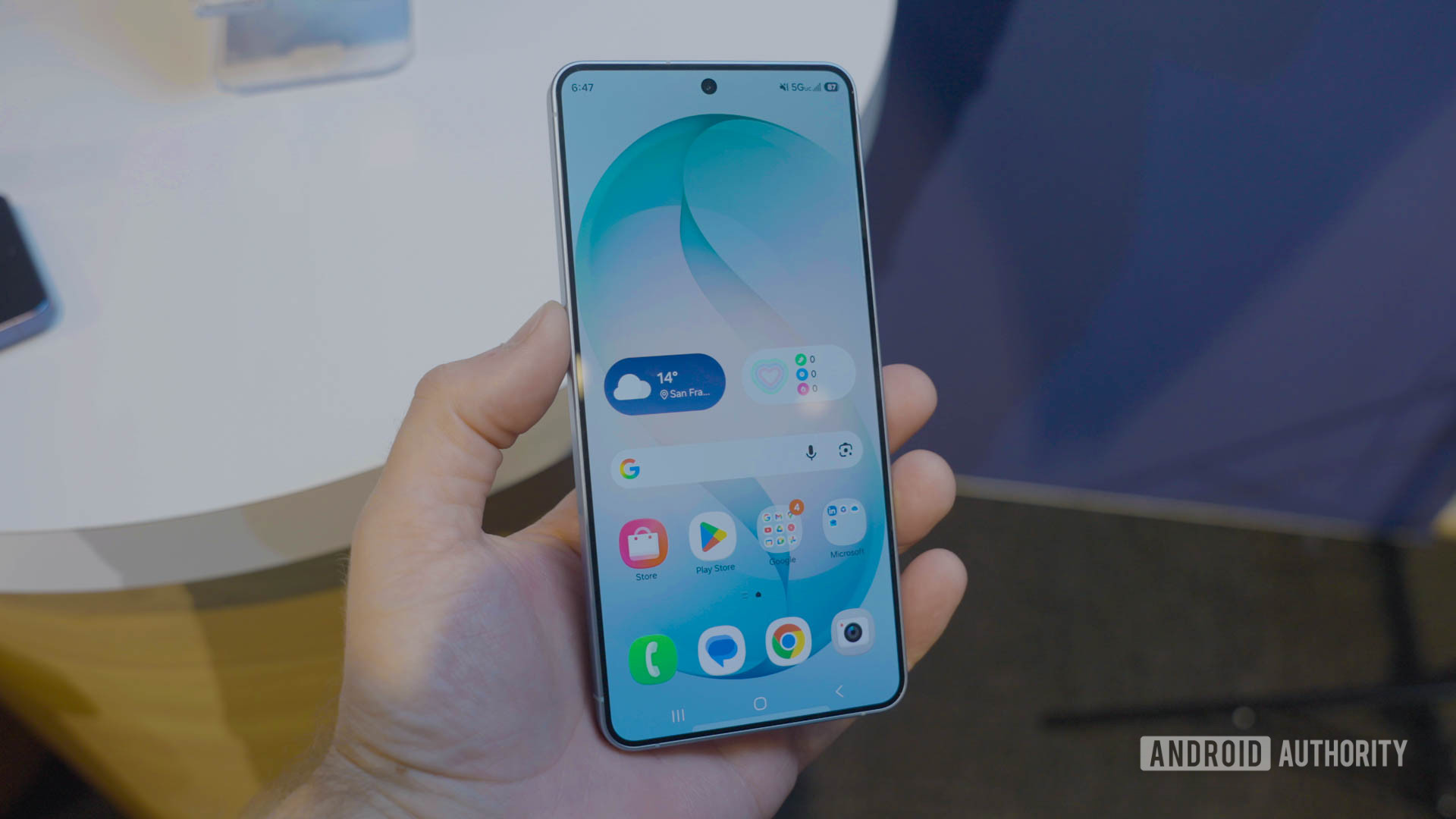
    A good wallpaper is timeless, but maybe you want something fresh and right out of the factory. The Samsung Galaxy S26 series brings a few of the newest devices in the industry, and they are bound to be among the most popular, too. Whether you buy one or not, you can still enjoy these devices’ wallpapers. We have them for you here (courtesy of our friends at YTECHB)!

    Things are pretty simple with the new Samsung Galaxy S26 wallpapers. They share the same design, featuring an abstract, minimalist “S”. The only difference among the wallpapers is the color. There is a matching wallpaper color for each color version of these phones. These include Cobalt Violet, Sky Blue, Black, White, Silver Shadow, and Pink Gold.

    Download the Samsung Galaxy S26 wallpapers here

    First, let’s go over the basics. You shouldn’t simply download the images you see below. These are previews for demonstrational purposes. As such, we have compressed and optimized these images for website performance, so they won’t look as good as they should.

    Instead, click on the download button right below the previews. You will be redirected to a Google Drive folder where you can download the full-resolution files.

    Let’s not waste any time! Here’s a quick look at the Samsung Galaxy S26 wallpapers.

    How to set the Samsung Galaxy S26 wallpapers on your phone

    As already mentioned, wallpapers are timeless. This is because they are simple images, so you can really use them with any device that lets you change the background. That said, these are made with mobile devices in mind, so their dimensions are better suited for smartphones and maybe tablets. With that in mind, we will show you how to use these on Android and iOS devices, the two leading mobile platforms. 

    Let’s get started. Once you’ve found the wallpaper you want, make sure you have it stored in the device. This won’t be an issue if you downloaded it using your phone. If you used any other device to save the file, you can use other transfer methods, such as Bluetooth, QuickShare, AirDrop, a physical storage device, or even a cloud storage solution like Google Drive.

    Once the image is on your phone, follow the steps below to set it as your wallpaper. 

    How to set a wallpaper on Android:

    1. Launch the Settings app.
    2. Select Wallpaper & style.
    3. Tap on More wallpapers.
    4. Find and select your Samsung Galaxy S26 wallpaper.
    5. Customize the wallpaper, then hit Set Wallpaper.
    6. Choose whether you want to set the wallpaper on your Home screen or Lock screen (or highlight both).
    7. Pick Set.

    How to set a wallpaper on iPhone:

    1. Open the Settings app.
    2. Tap on Wallpaper.
    3. Select Add New Wallpaper.
    4. Find and select the Samsung Galaxy S26 wallpaper you want to set.
    5. Customize your wallpaper and settings to your liking, then tap on Add.
    6. Hit Set as Wallpaper Pair.

    Editor’s note: These instructions were put together using a Google Pixel 8a running Android 16 and an Apple iPhone 15 running iOS 18.5. Steps may differ, depending on your device and software version.


    Frequently asked questions

    Stock wallpapers usually correspond with the specific device’s screen. In this case, the images are wider because they account for you swiping left and right, while the wallpaper moves along with your actions. These have a resolution of 3,120 x 3,120.

    Wallpapers are simply images, so yes, you can use this with any device, as long as the OS allows you to change the background.

    Thank you for being part of our community. Read our Comment Policy before posting.

    Download Galaxy S26 Samsung wallpapers
    Share. Facebook Twitter Pinterest LinkedIn Tumblr Telegram Email
    Previous ArticleSamsung TVs to stop collecting Texans’ data without express consent
    Next Article I fixed my YouTube feed, and here’s what actually worked
    admin
    • Website

    Related Posts

    The Galaxy S26 Ultra makes it clear this feature isn’t coming back

    March 4, 2026

    Oukitel WP63 is a phone I would stock for the apocalypse

    March 4, 2026

    Apple March Event Live Blog: MacBook Neo, iPhone 17e, M5 Macs, and More

    March 4, 2026
    Add A Comment
    Leave A Reply Cancel Reply

    Search Blog
    About
    About

    At WifiPortal.tech, we share simple, easy-to-follow guides on cybersecurity, online privacy, and digital opportunities. Our goal is to help everyday users browse safely, protect personal data, and explore smart ways to earn online. Whether you’re new to the digital world or looking to strengthen your online knowledge, our content is here to keep you informed and secure.

    Trending Blogs

    How to Focus on Topics (Not Keywords) in Your SEO Strategy

    March 4, 2026

    The Galaxy S26 Ultra makes it clear this feature isn’t coming back

    March 4, 2026

    The vulnerability that turns your AI agent against you

    March 4, 2026

    Seraphinite Accelerator WordPress Plugin Vulnerabilities Affect 60K Sites

    March 4, 2026
    Categories
    • Blogging (32)
    • Cybersecurity (594)
    • Privacy & Online Earning (88)
    • SEO & Digital Marketing (374)
    • Tech Tools & Mobile / Apps (730)
    • WiFi / Internet & Networking (106)

    Subscribe to Updates

    Stay updated with the latest tips on cybersecurity, online privacy, and digital opportunities straight to your inbox.

    WifiPortal.tech is a blogging platform focused on cybersecurity, online privacy, and digital opportunities. We share easy-to-follow guides, tips, and resources to help you stay safe online and explore new ways of working in the digital world.

    Our Picks

    How to Focus on Topics (Not Keywords) in Your SEO Strategy

    March 4, 2026

    The Galaxy S26 Ultra makes it clear this feature isn’t coming back

    March 4, 2026

    The vulnerability that turns your AI agent against you

    March 4, 2026
    Most Popular
    • How to Focus on Topics (Not Keywords) in Your SEO Strategy
    • The Galaxy S26 Ultra makes it clear this feature isn’t coming back
    • The vulnerability that turns your AI agent against you
    • Seraphinite Accelerator WordPress Plugin Vulnerabilities Affect 60K Sites
    • Oukitel WP63 is a phone I would stock for the apocalypse
    • Paint maker giant AkzoNobel confirms cyberattack on U.S. site
    • Apple March Event Live Blog: MacBook Neo, iPhone 17e, M5 Macs, and More
    • VMware Aria Operations Vulnerability Exploited in the Wild
    © 2026 WifiPortal.tech. Designed by WifiPortal.tech.
    • Home
    • About Us
    • Contact Us
    • Privacy Policy
    • Terms and Conditions
    • Disclaimer

    Type above and press Enter to search. Press Esc to cancel.