

Every student needs a good system for notes. The right app helps you capture ideas fast, organize class material, and study for exams without panic. This guide walks you through the best note taking apps for students, how they differ, and which one might fit your study style. I’ll keep language simple and clear so it’s easy to follow.
Why a good note app matters
-
Saves time when you search for something later.
-
Keeps all class stuff (notes, slides, recordings) in one place.
-
Lets you study anywhere — phone, tablet, or laptop.
-
Helps turn notes into quizzes, flashcards, or essays.
A note app is more than a digital notebook — it becomes your study hub.
Quick list: Top note-taking apps students use today
-
Notion — super flexible workspace for notes, tasks, and projects. Many students get free education plans. Notion+1
-
Microsoft OneNote — great if you use Office 365; flexible pages and good for handwriting. Microsoft
-
Evernote — long-time note app with Web Clipper and strong syncing features. Evernote+1
-
GoodNotes (iPad) — best for handwriting and digital planners on iPad. Goodnotes
-
Notability (iPad) — handwriting + audio syncing; popular with students. Notability
-
Obsidian — linked notes and knowledge graph for deep study and research. Reddit
-
Google Keep — fast, simple notes and checklists; now with richer formatting. Google Workspace+1
-
Joplin / Simplenote / Bear — lighter options for students who like simplicity. TechRadar
This list mixes full-featured apps and lighter tools so you can pick one that fits your habit and device.
Quick comparison table — which app does what?
| App | Best for | Platforms | Price (basic) | Student perks |
|---|---|---|---|---|
| Notion | Project pages + class notes | Web, Windows, Mac, iOS, Android | Free (personal) | Free Education Plan for students/teachers. Notion+1 |
| OneNote | Freehand notes, Office users | Web, Windows, Mac, iOS, Android | Free | Integrated in Microsoft Education tools. Microsoft |
| Evernote | Web clipping, search | Web, Windows, Mac, iOS, Android | Free tier | Student discounts sometimes available. Evernote+1 |
| GoodNotes | Handwriting, planners | iPad (iOS) | Paid | Student templates & planners available. Goodnotes |
| Notability | Audio + handwriting | iPad (iOS), Mac | Paid/sub | Education features and admin tools. Notability |
| Obsidian | Personal knowledge base | Windows, Mac, Linux, Mobile | Free (local) | Plugins for students; local-first notes. Reddit |
| Google Keep | Quick notes, lists | Web, Android, iOS | Free | Built into Google Workspace, now with formatting. Google Workspace+1 |
Notes: “Platforms” shows where apps run. Prices and perks can change, so check the app’s website before buying.
How I picked these apps (short)
-
Student-friendliness: easy to learn, fast to use.
-
Cross-device sync: works on phone and computer.
-
Study features: search, tags, handwriting, export options.
-
Student plans or discounts (where available). Notion+1
Deep dive — strengths and weaknesses
Notion — the flexible campus notebook
Strengths
-
Blocks let you mix text, lists, tables, and media.
-
Great for organizing semesters: pages for classes, projects, revision plans.
-
Free plan for students/teachers makes it accessible. Notion+1
Weaknesses
-
Not the fastest for quick jotting (more setup needed).
-
Offline editing can be clunky compared to native apps.
Best if: You want a single place for notes, tasks, and study plans.
Microsoft OneNote — freehand and typed notes together
Strengths
-
Infinite canvas: type, draw, insert images anywhere.
-
Good handwriting tools and stylus support.
-
Built into Microsoft Education tools, so many schools use it. Microsoft
Weaknesses
-
Interface can feel messy if you overuse notebooks.
-
Sync can be slow for very large notebooks.
Best if: You use Microsoft Office and like to mix typed notes with handwriting.
Evernote — strong search and web clipping
Strengths
-
Excellent Web Clipper for saving articles and PDFs.
-
Powerful search inside notes and attachments.
-
Active updates and improvements in recent years. Evernote+1
Weaknesses
-
Free tier limits uploads and devices.
-
Full power needs subscription.
Best if: You research online a lot and need to save web articles quickly.
GoodNotes & Notability — handwriting champions (iPad)
Strengths
-
Smooth handwriting experience with Apple Pencil.
-
Templates, planners, and clean page layouts.
-
Notability includes audio recording synced to notes (handy for lectures). Goodnotes+1
Weaknesses
-
Mostly iPad-only (limited cross-platform support).
-
Paid apps; free alternatives exist but may lack polish.
Best if: You prefer handwriting notes like a paper notebook but want digital perks.
Obsidian — link notes for deeper learning
Strengths
-
Local-first Markdown files (your notes are yours).
-
Graph view shows how ideas connect.
-
Powerful if you like building a “second brain” for long-term knowledge. Reddit
Weaknesses
-
Steeper learning curve; many plugins to choose from.
-
Not as suited for quick lecture notes unless you set it up right.
Best if: You’re doing research or want to connect concepts across classes.
Google Keep — speed and simplicity
Strengths
-
Instant sticky-note style; great for reminders and checklists.
-
Now supports formatting on the web. The Verge+1
-
Syncs with Google account and integrates with Google Docs.
Weaknesses
-
Lacks advanced organization (no nested folders, limited tags).
-
Not ideal for long-form notes.
Best if: You need fast notes and checklists, and you use Google apps.
Real student workflows — pick a system that works
Below are practical ways students use these apps in real life.
Workflow A — The organized multi-class student (Notion + OneNote)
-
Use Notion for course pages, timetables, reading lists, assignment trackers.
-
Use OneNote for live lecture notes where you mix handwriting and diagrams.
-
Weekly: move key insights from OneNote to Notion pages to keep a master summary.
Why it works: Notion holds structure; OneNote captures messy, real-time notes.
Workflow B — The research-heavy student (Evernote + Obsidian)
-
Save articles, PDFs, and highlights in Evernote using the Web Clipper.
-
Export key ideas to Obsidian as Markdown notes and link them into your knowledge graph.
-
Use Obsidian to write essays from connected notes.
Why it works: Evernote collects sources; Obsidian turns sources into connected knowledge.
Workflow C — The iPad-first student (GoodNotes or Notability)
-
Use GoodNotes or Notability for handwriting, annotating slides, and planners.
-
Record lectures if needed (Notability) and tag pages for revision.
-
Export PDFs to Google Drive or OneDrive for backup.
Why it works: Feels like paper but gives digital advantages — search, backup, share.
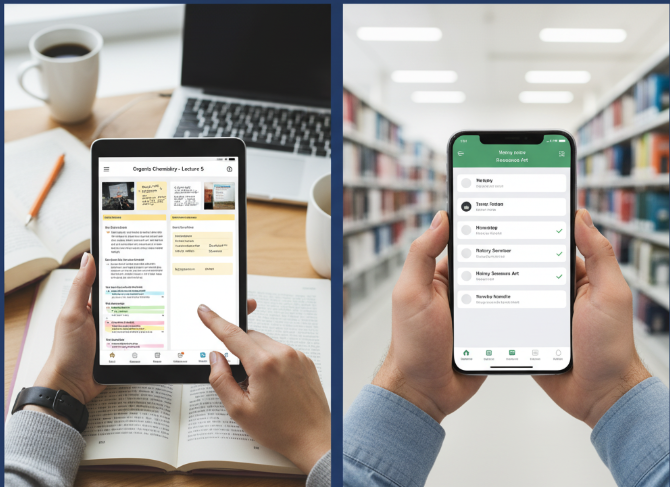
How to choose the best app for you — step-by-step
-
List your needs (handwriting? audio? web clipping?).
-
Check your devices (iPad-only or multiple systems?).
-
Try free plans first — Notion, OneNote, Google Keep, and Obsidian have free tiers. Notion+2Microsoft+2
-
Think about long-term use — can you export notes easily?
-
Look for student discounts (Notion and Evernote often have education deals). Notion+1
Study tips: turn notes into exam power
Use these practical steps to make notes actually help you study.
-
After class, summarize each lecture in 3–5 bullet points.
-
Turn your notes into flashcards (many apps or add-ons do this).
-
Use headings and tags so you can find topics fast.
-
Schedule a weekly review — re-read and condense older notes.
-
Connect new notes to previous ones (Obsidian-style links help here).
Numbered study routine (simple):
-
Record or take notes during class.
-
Within 24 hours, rewrite or highlight the main ideas.
-
Create 5–10 flashcards from the key facts.
-
Review flashcards daily until the exam.
-
One week before the test, make a 2–page cheat-sheet summary.
A simple comparison chart (text-based) — feature score
Below is a simple scoring (out of 5) for common student needs. Scores are illustrative — pick what fits you.
| App | Handwriting | Web Clipper | Collaboration | Offline | Ease of use |
|---|---|---|---|---|---|
| OneNote | 5 | 3 | 4 | 5 | 4 |
| Notion | 2 | 4 | 5 | 3 | 3 |
| Evernote | 3 | 5 | 3 | 4 | 4 |
| GoodNotes | 5 | 1 | 2 | 5 | 5 |
| Notability | 5 | 1 | 2 | 5 | 5 |
| Obsidian | 2 | 2 | 3 | 5 | 3 |
| Google Keep | 1 | 2 | 4 | 4 | 5 |
Tip: If handwriting and offline work matter most (e.g., long lectures), pick GoodNotes/Notability or OneNote. If collaboration and project pages matter, pick Notion.
Common student questions — answered
Q: Can I use more than one app?
Yes — many students use a combo (e.g., GoodNotes for handwritten class notes + Notion for project planning). Back up regularly.
Q: Are student discounts real?
Yes. Some apps offer free or discounted plans for students (Notion, Evernote, Microsoft education tools). Always verify eligibility. Notion+1
Q: Will my notes be safe if I use a free app?
Most major apps use cloud backups. Still, export important notes periodically (PDF or Markdown) so you have a local copy.
Q: Which app is best for college vs. school?
-
School (younger students): Simpler tools like Google Keep or OneNote work great.
-
College (research-heavy): Notion, Evernote, or Obsidian give more power and structure.
Templates and quick setups (get started fast)
1-page lecture template (works in Notion, OneNote, GoodNotes)
-
Course name / date / topic
-
3 key ideas (bullet points)
-
Diagrams / drawing area
-
Action items / homework
-
Tags: #chapter #exam #homework
Weekly study plan (Notion or Google Doc)
-
Monday: Review class notes (30 mins)
-
Tuesday: Flashcards (30 mins)
-
Wednesday: Practice problems (45 mins)
-
Thursday: Group study (60 mins)
-
Friday: Summary + rest
Use templates to avoid starting from scratch — many apps have community templates for students.
