


Slow Wi-Fi, dead zones, buffering during video calls — we’ve all been there. Mesh Wi-Fi systems fix those annoyances by replacing a single router with multiple units (a “mesh”) that share a single network name and deliver strong coverage across your whole home. This guide walks you through the best mesh Wi-Fi systems in 2025, why they work, which one fits your home, and how to get the most from any mesh setup.
I’ll keep this easy to follow (8th–9th grade reading level), include clear buy/use advice, and give a compact comparison so you can decide fast.
Quick takeaways — if you only skim
-
Netgear Orbi 370 — Best budget-friendly Wi-Fi 7 mesh for most homes (great futureproofing at a fair price). The Verge
-
Netgear Orbi RBKE963 (Orbi 960) — Ultra-fast Wi-Fi 6E mesh for very large homes or heavy 4K/gaming households. Tom’s Guide
-
ASUS ZenWiFi XT8 — Strong, reliable Wi-Fi 6 mesh with good features and parental controls. WIRED+1
-
Eero 6+ / Eero Max 7 — Simple setup, good smart-home compatibility; pick 6+ for value, Max 7 for top speed. Power Moves+1
-
Google Nest Wifi Pro — Easy to use and still supported with updates in 2025; good choice for plug-and-play homes. 9to5Google+1
These picks cover budgets, tech generations (Wi-Fi 6/6E/7), and different home sizes. Below you’ll find full pros/cons, who each system is best for, setup tips, placement tricks, and a comparison table.
What a mesh system actually does (short and simple)
-
A mesh replaces one router + range extenders with several nodes that coordinate to cover your home.
-
Devices roam automatically between nodes without disconnecting.
-
Mesh systems often provide easy mobile apps for setup, device control, and parental limits.
Key benefits:
-
Fewer dead zones
-
Easier scaling (add nodes later)
-
Better performance for multi-room homes
Who needs mesh Wi-Fi?
Choose mesh if any of these are true:
-
Your home is multi-floor or wide (1000+ sq ft) with weak spots.
-
You stream 4K, game online, host frequent video calls, or run many smart home devices.
-
You don’t want to reconfigure many extenders and SSIDs.
-
You want an easy app-driven setup with parental controls and guest networks.
If you live in a small apartment and your single router covers everything, a mesh may be overkill — a powerful single router could be cheaper.
Top mesh Wi-Fi systems (detailed)
1) Netgear Orbi 370 — Best budget Wi-Fi 7 mesh
Why pick it: Brings Wi-Fi 7 features to a lower price tier, good range for family homes, and multi-gig ports for devices that need high throughput. Great way to get early Wi-Fi 7 benefits without breaking the bank. The Verge
Good for: Families who want futureproofing, streaming, mixed-device homes.
Pros
-
Wi-Fi 7 performance at accessible price
-
Multi-gig Ethernet ports on some units
-
Available in 2-pack and 3-pack kits
Cons
-
Wi-Fi 7 client devices are still rare (benefits are partly future-facing)
-
Newer tech can have firmware maturity issues early on
2) Netgear Orbi RBKE963 (Orbi 960) — Speed king (Wi-Fi 6E)
Why pick it: One of the fastest mesh systems on the market. Excellent for very large homes with gigabit internet, heavy streaming and gaming. If you want maximum wireless throughput today, this is a top choice. Tom’s Guide
Good for: Gigabit broadband users, large homes, pro gamers and content creators.
Pros
-
Extremely fast in real testing
-
Wide coverage with dedicated backhaul
-
Solid feature set for advanced users
Cons
-
Very expensive compared to other options
-
Overkill for small homes or slower internet plans
3) ASUS ZenWiFi XT8 — Balanced performer with features
Why pick it: Reliable Wi-Fi 6 mesh with strong range, integrated features (AiProtection, parental controls), and flexible configuration through Asus’s robust interface. Reviewers praise its balance of value, performance, and advanced options. WIRED+1
Good for: Users who want more control and advanced features without top-tier cost.
Pros
-
Strong real-world range and stability
-
Good parental controls and QoS
-
Flexible wired/wireless backhaul
Cons
-
A bit older tech compared to Wi-Fi 6E/7 choices
-
Slightly larger units and power draw
4) Eero family (Eero 6+, Eero Max 7) — Simple, smart-home friendly
Why pick it: Eero is built for easy app setup and integrates nicely with Alexa/smart home systems. Eero 6+ is a practical, budget-friendly mesh; Max 7 is the top model for faster speeds. Eero’s strength is simplicity. Power Moves+1
Good for: Smart home beginners, families wanting easy setup, Amazon Echo households.
Pros
-
Super simple app-based setup
-
Good coverage per unit and easy expansion
-
Regular software updates and integrations
Cons
-
Limited advanced settings compared to ASUS/Netgear
-
Ethernet port speeds vary by model (check multi-gig needs)
5) Google Nest Wifi Pro — Plug-and-play, still supported
Why pick it: Google keeps releasing updates and support patches in 2025, making Nest Wifi Pro a dependable choice for users who want minimal fuss. The app is friendly and it works seamlessly with Google Home. 9to5Google+1
Good for: Non-technical users, Google Home ecosystems, one-app management.
Pros
-
Fast setup and attractive hardware
-
Solid, regular firmware updates
-
Tight integration with Google ecosystem
Cons
-
Some advanced features or multi-gig setups need careful checking
-
Google sometimes discontinues products; keep an eye on official support pages
Side-by-side comparison table (quick view)
| System | Wi-Fi Gen | Typical 2-pack Coverage | Best for | Multi-gig Ethernet | Price Tier |
|---|---|---|---|---|---|
| Orbi 370 | Wi-Fi 7 | 4,000–6,000 sq ft (3-pack) | Futureproof budget | Yes (select models) | Mid |
| Orbi RBKE963 | Wi-Fi 6E | 5,000+ sq ft | Max speed & range | Yes | High |
| ASUS ZenWiFi XT8 | Wi-Fi 6 | 4,000 sq ft | Features & controls | Depends on model | Mid |
| Eero 6+ / Max 7 | 6 / 7 | 2,500–5,000 sq ft | Ease of use | Varies by model | Low–High |
| Google Nest Wifi Pro | Wi-Fi 6E | 3,000–4,500 sq ft | Simple setup | Limited | Mid |
(Coverage numbers are typical ranges and will vary by home layout and obstacles. Always check vendor specs and independent reviews). The Verge+2Tom’s Guide+2
How to choose the right mesh for your home — a checklist
-
Match the mesh to your internet plan
-
Don’t buy a multi-gig mesh if you have 100 Mbps internet. It won’t make downloads faster than your ISP allows.
-
-
Pick the right Wi-Fi generation
-
Wi-Fi 6 = excellent today; Wi-Fi 6E = adds 6 GHz band for less interference; Wi-Fi 7 = newer with features like MLO (futureproof). If you want maximum longevity, Wi-Fi 6E or 7 is best. Tom’s Guide+1
-
-
Home size and layout
-
Large multi-floor homes often need 3+ nodes. Terrace homes often do well with wired backhaul between units.
-
-
Smart home & management
-
If you use Google or Alexa heavily, pick a mesh that integrates (Google Nest, Eero). If you want deep controls, ASUS or Netgear provide advanced settings.
-
-
Budget
-
Decide whether you need premium speed or reliable midrange performance.
-
Setup and placement — real tips that help
Best node placement (numbered list)
-
Place the main router where the internet enters your home (near the modem).
-
Put the next node roughly halfway between the main router and the area with weak Wi-Fi. Don’t hide it in a cabinet.
-
Elevate nodes (shelves are better than the floor). Keep them away from big metal objects and microwaves.
-
If possible, use wired Ethernet backhaul between nodes for the best stability.
-
Run a speed test in each room; move nodes 1–2 meters if performance dips.
App setup tips
-
Use the vendor app (Orbi/Eero/ASUS/Google) for guided setup.
-
Name devices (TV, Phone) in the app for easy QoS or parental rules.
-
Update firmware right after setup — many early issues are fixed in updates. 9to5Google+1
Best choices by household scenario
For renters or small homes — pick affordability and simplicity
-
Eero 6+ or Google Nest Wifi Pro: Simple setup, small units, good coverage for apartments.
For gamers and content creators — low latency + fast backhaul
-
Orbi RBKE963 or Eero Max 7: Multi-gig Ethernet, dedicated backhaul bands, and tested low latency.
For large homes and multiple floors
-
Orbi RBKE963 or multi-pack ZenWiFi/Orbi 370: high coverage with room to add satellites.
For techy users who want control
-
ASUS ZenWiFi: Deep settings, AiProtection, custom QoS, advanced logging.
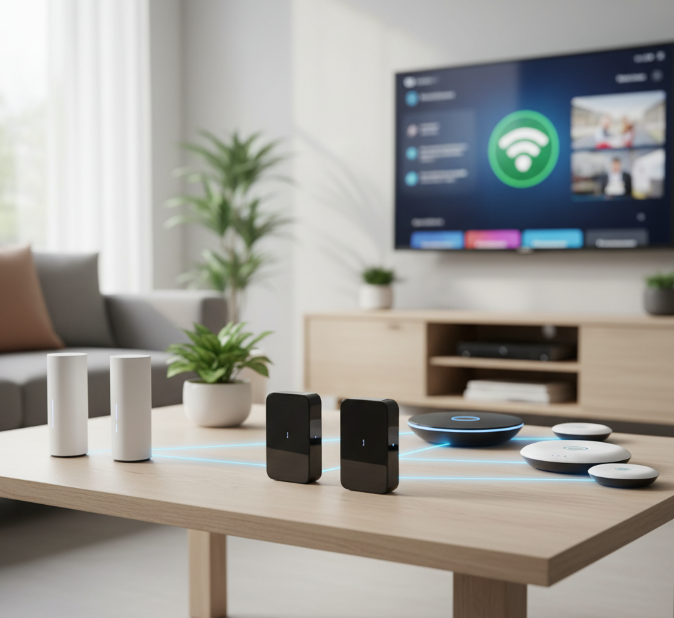
Best Mesh WiFi Systems for Home Use
Common problems and fixes
Problem: Devices drop to slow speeds near the edges.
Fix: Check that nodes are not too far apart; add a node or enable wired backhaul.
Problem: Newer Wi-Fi 7/6E features not working on older phones.
Fix: Only devices with Wi-Fi 6E/7 radios can use 6 GHz/7 GHz bands. Older devices will use 2.4/5 GHz.
Problem: Mesh slow after firmware update.
Fix: Reboot all nodes in order (main router, then satellites). Check vendor release notes and roll back if the vendor provides the option.
Problem: Smart devices disconnect often.
Fix: Assign a reserved IP, or create a separate network for IoT devices to reduce interference.
Value vs. futureproofing — should you buy Wi-Fi 7 now?
-
If you have gigabit+ broadband or plan to buy many Wi-Fi 7 devices soon: Wi-Fi 7 routers (like Orbi 370) offer real benefits (multi-link, lower latency). The Verge
-
If your internet is <500 Mbps and you mostly stream 4K/HD: a Wi-Fi 6 mesh is usually enough and cheaper.
-
If you want a long-lasting system and don’t mind paying more: Wi-Fi 6E or 7 increases longevity but expect diminishing returns until more client devices adopt the new bands.
Small table — feature checklist to compare when you shop
| Feature to check | Why it matters |
|---|---|
| Wi-Fi generation (6, 6E, 7) | Determines top speeds & new bands |
| Number of Ethernet ports / Multi-gig | Needed for NAS, gaming consoles, wired backhaul |
| Separate backhaul band | Improves mesh performance when wireless |
| App vs. web UI | App = easy; web UI = advanced controls |
| Parental controls | Useful for families |
| Security features (TP-Link HomeCare, AiProtection) | Added protection from malware |
| Expandability (add satellites) | Important for future growth |
| Price of extra satellites | Affects long-term cost |
Real-world performance — what reviewers say
-
Independent tests show Orbi RBKE963 as one of the fastest mesh systems in real world throughput tests for Wi-Fi 6E. If ultimate speed is your priority, it tops many lab lists. Tom’s Guide
-
Wired and other reviewers rank ASUS ZenWiFi XT8 highly for a balanced experience with strong range and many features. WIRED+1
-
Reviewers note Eero systems excel in simplicity and smart home compatibility, making them very beginner-friendly. RTINGS.com+1
Short buying guide (step-by-step)
-
Check your internet speed — if >500 Mbps, aim for Wi-Fi 6E/7 or multi-gig capable gear.
-
Measure your home — roughly calculate square footage and number of floors.
-
Decide on a budget tier — low, mid, high; consider the price of additional satellites.
-
Pick a brand based on needs:
-
Simplicity: Eero, Google Nest.
-
Control: ASUS, Netgear.
-
Speed: Netgear Orbi (high end), Eero Max 7 (fast but simpler).
-
-
Read independent reviews — look for real tests that mirror your home size. The Verge+1
Maintenance and security tips
-
Keep firmware updated — vendors push security patches. (Check vendor app monthly.) 9to5Google
-
Enable WPA3 if supported.
-
Use a guest network for visitors and IoT devices.
-
Change default admin passwords and enable two-factor authentication for the vendor account if available.
Final recommendation — which should you buy?
-
Best overall value (midrange + modern features): ASUS ZenWiFi XT8 — strong features, wide support, balanced price. WIRED+1
-
Best for futureproofing on a budget: Netgear Orbi 370 (Wi-Fi 7 entry) — new tech at a friendlier price point. The Verge
-
Best for maximum speed and large homes: Netgear Orbi RBKE963 — if money is no object and you want top throughput. Tom’s Guide
-
Best for plug-and-play simplicity: Eero 6+ or Google Nest Wifi Pro — set it up quickly and forget about it. RTINGS.com+1
Quick FAQ
Q: Do mesh systems slow down wired devices?
A: No — wired devices keep their wired speeds. Make sure they’re plugged into the router or a node with a direct Ethernet backhaul for best results.
Q: Can I mix brands in a mesh?
A: Generally no; stick to the same brand/model family or use standard access point mode where supported.
Q: How many nodes do I need?
A: Start with a 2-pack for 1–3 bedroom homes, 3-pack for larger homes. Add satellites if you still see weak spots.
Closing — make your Wi-Fi invisible in the best way
The right mesh system makes Wi-Fi feel invisible: fast where you need it, stable for video calls, and seamless when you walk through your home. Pick a system that matches your internet plan, your home size, and how much control you want. If you want my short, personalized pick: tell me your home size (sq ft), number of floors, and your internet speed — I’ll recommend the exact kit and where to place each node.
Sources & further reading (selected)
-
Netgear Orbi Wi-Fi 6E (RBKE963) review — Tom’s Guide. Tom’s Guide
-
Best mesh Wi-Fi systems — WIRED testing roundup. WIRED
-
Orbi 370 announcement and pricing — The Verge. The Verge
-
Eero 6 review — RTINGS and comparisons. RTINGS.com+1
-
Google Nest Wifi Pro update and support notes — 9to5Google / Google community. 9to5Google+1
