

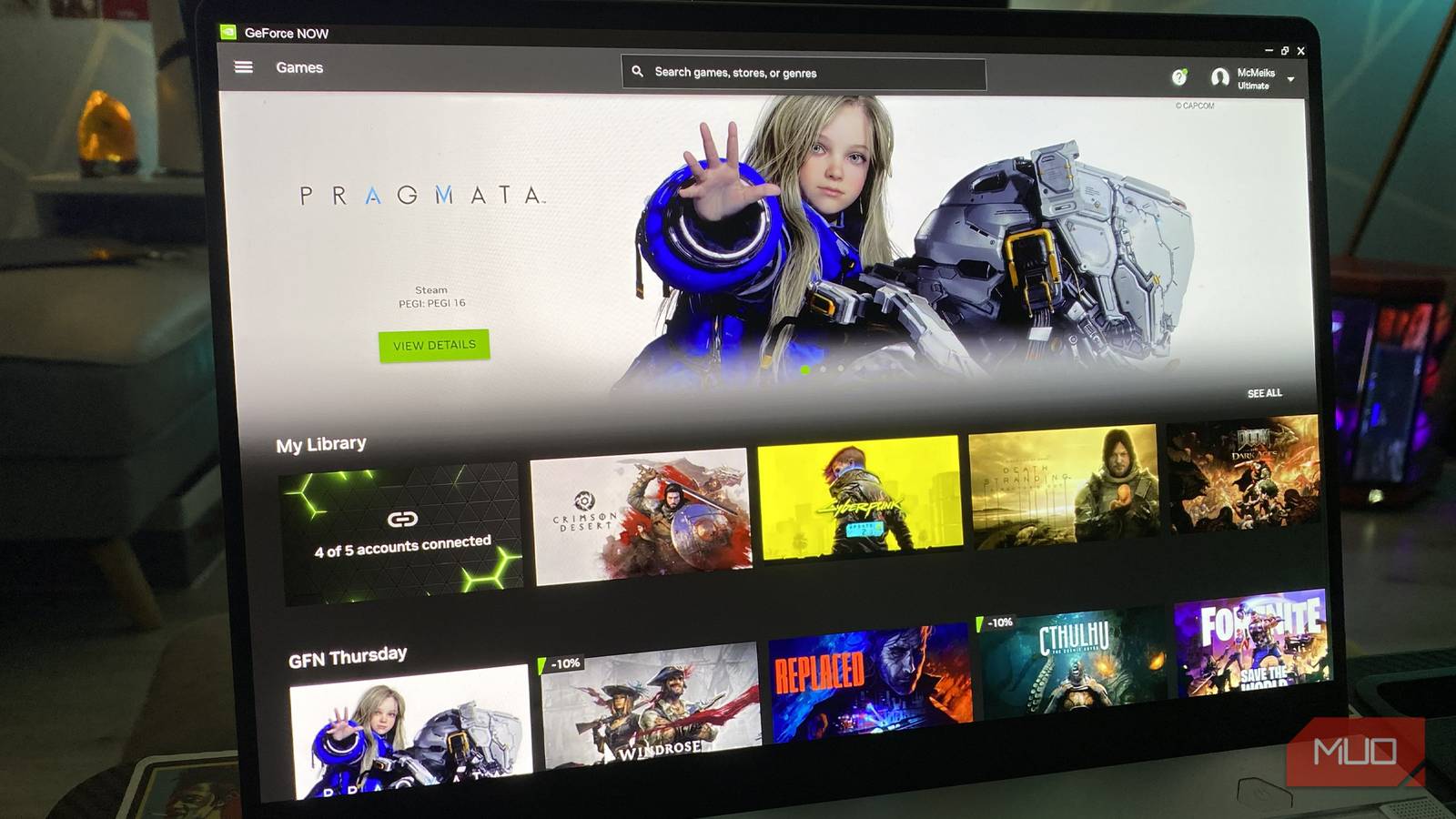
I can’t believe how much game streaming has improved over the past few years. Once, I was a colossal skeptic when it came to cloud gaming. I’d been burnt by Google Stadia, then got duped into buying a PlayStation Portal to stream PS5 games on Sony’s handheld, only to be met with hideous video artifacting and lag. If only I’d discovered this Nvidia app that has completely transformed my Steam Deck and $3,000 Asus ROG Zephyrus G14 a little sooner.
The client/platform I’m talking about is the RTX 5080 tier of Nvidia GeForce Now Ultimate. The top subscription model on Team Green’s cloud service delivers such fantastic visuals and console-beating performance for just $20 a month, it’s made me massively regret paying over $3200 for a high-end gaming laptop.
Provided your Wi-Fi is good enough, cutting-edge local hardware is no longer needed to produce amazing frame rates in the most demanding of PC games.

The Latest Nvidia Update Will Make Your GPU Feel Like New
Finally, an update that actually increases performance.
What is Nvidia GeForce Now Ultimate?
Breaking down Team Green’s most advanced streaming tech

Nvidia’s GeForce Now Ultimate is currently the most advanced level of cloud-based game streaming Team Green offers. First launched back in 2020, Now has since gone from strength to strength. Six years after release, the Ultimate tier of Nvidia’s subscription service offers the power of a GeForce RTX 5080 for $20 a month/$200 for 6 months. Considering your average secondhand 5080 normally retails for $1200, that’s a pretty enticing deal. And while I have you, here are some reasons you should think twice before upgrading your GPU right now.
Taking advantage of incredibly powerful remote servers, the 5080 Ultimate tier of GeForce Now can lean on up to 62 TFLOPS and 48GB of VRAM. This opens up avenues to 120 FPS/4K gaming, and also 360 FPS/1080p and 240 FPS/1440p for folks on sub-Ultra HD monitors.
GeForce Now Ultimate also takes advantage of Nvidia DLSS 4.0 features
GeForce Now Ultimate also takes advantage of Nvidia DLSS 4.0 features, like AI-boosted frame gen performance. And that’s a good thing, seeing as frame generation is everywhere now.
There are slight caveats if you’re a ludicrously committed gamer with all the spare time on your hands. Nvidia caps streaming usage at 100 hours of gameplay a month, meaning you’re restricted to a “mere” 22 hours of cloud gaming a week. However will you manage? Oh, and you’ll also need a minimum broadband connection of 45 Mbps for 4K/120 FPS streaming.
Remote vs. native gaming on a laptop
Weighing up the pros and cons of cloud gaming

I love Nvidia GeForce Now. And I say that as someone who paid over $3,000 for an Asus ROG Zephyrus G14 a little over a year ago. It’s hardly a monocle-dropping shocker that one of the world’s most powerful gaming laptops has subsequently gone up in price since the latest G14’s launch. Thanks for that, AI data farms.
In a world where the cost of native hardware has become so prohibitive, it’s no wonder people are turning to remote servers for performant PC gaming.
Not only does cloud streaming require no native hardware juice from my gaming laptop to function well, but the GeForce Now app is also genuinely lovely to interact with on the G14. It’s snappy, works seamlessly with a variety of controllers, and the layout also courts a console-level intuitiveness. If you can steer your way around a PS5 home screen with little issue, you’ll have no problem navigating your way around GeForce Now’s UI.
Performance on my 2.8K OLED gaming laptop using GeForce Now Ultimate is astounding. Sure, I’m lucky enough to be able to lean on 1GB fiber optic to squeeze the most out of Team Green’s premium service. Yet compared to playing games natively on a high-end laptop that can consistently deliver 120 FPS without sacrificing image quality much, I can scarcely tell the difference in visuals.
The main reason I love cloud gaming on a laptop
It all comes down to UI friendliness and noise levels

There are several reasons G-Force Now Ultimate has sold me on streaming games, next to playing on my oh-so-powerful gaming laptop natively. First off, if you enable turbo mode on my G14, some of the most demanding Steam games will instantly assault your ears with over 52 dB of noise. That can ruin story-driven titles that demand quiet immersion, which is something I only remedied by pairing noise-canceling headphones with a noisy gaming laptop.
Compared and contrasted to streaming modern games through Nvidia GeForce Now Ultimate, my eardrums are reveling in quiet bliss. You’ll squeeze as much noise from having a few Chrome browsers open as you will playing ray-traced AAA games via Team Green’s Ultimate streaming service.
Whether testing Pragmata, Indiana Jones and the Great Circle, or Resident Evil Requiem with amazing path tracing features enabled, these punishing games weren’t just whisper quiet; those RTX 5080-backed servers also made sure they felt super-responsive.
Though my usually reliable Nvidia App outlay screen didn’t let me measure precise input lag figures in these titles, all I can tell you is that they felt darn snappy. So much so, I swear I’ve felt more lag playing these games natively on an RTX 5090-powered PC that costs more than my car. Nvidia claims GeForce Now Ultimate streaming normally operates at around 30ms of latency or lower, and based on my testing, I believe that figure.
Why cloud streaming on a gaming laptop is totally worth it

For $20 a month, I’ve become all in on cloud streaming on my ROG Zephyrus G14. When it comes to comparing a native mobile 5080 vs a full-fat (albeit server-powered) 5080, I’m going with the latter all day long. Sure, picture quality might not be as pin-sharp as native play, yet when it comes to the benefits of reduced noise and power consumption, Nvidia has completely sold me on the future (and present) of cloud gaming on a laptop.

- Brand
-
Gigabyte
- GPU Speed
-
2.73 GHz
- Memory
-
16GB
- Power
-
360W TDP
- CUDA Cores
-
10,752
The Gigabyte GeForce RTX 5080 delivers next-generation performance for gaming and creative workloads, featuring advanced ray tracing, AI-enhanced graphics, and high-speed GDDR7 memory. Its robust cooling system ensures stable operation under load, while factory overclocking and modern connectivity make it ideal for high-resolution gaming, streaming, and demanding GPU-intensive tasks.
