

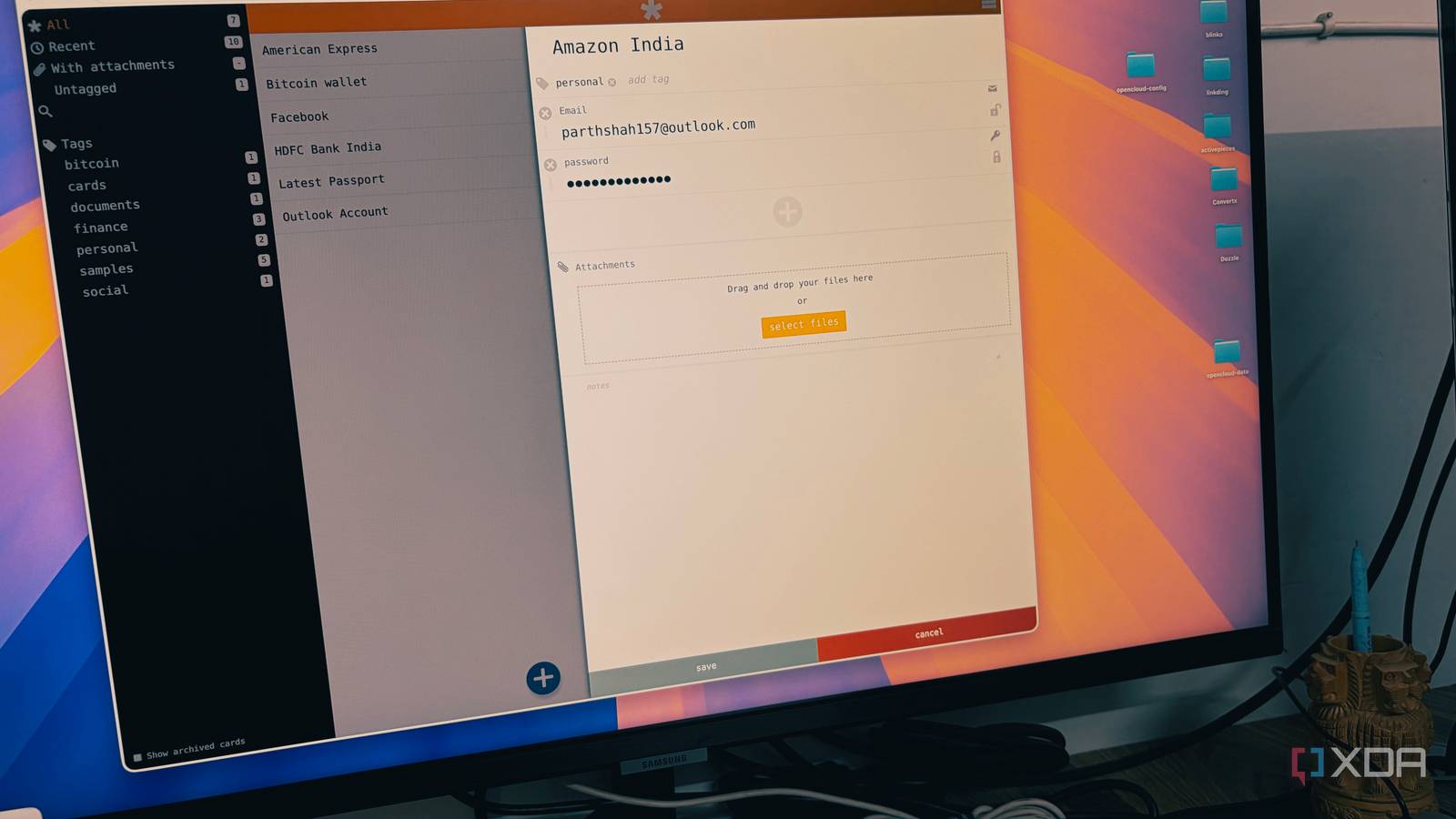
We are constantly forced to choose between the convenience of the cloud and the absolute control of self-hosting. Clipperz emerges as a compelling middle ground. This open-source password manager offers the seamless accessibility of a web-based service while ensuring that your sensitive data remains encrypted and unreadable to everyone.
Clipperz lets you maintain a host-proof vault that combines the flexibility of modern cloud tools with the uncompromised privacy of a local database. Whether you are looking to escape the ecosystem of major tech giants or simply want a more transparent way to manage your digital keys, this tool might just be the hybrid solution you have been waiting for.

4 of the best self-hosted password managers for privacy enthusiasts
If you want to take your security into your own hands, look no further than these 4 options.
Zero-knowledge by design
Best of both worlds

To truly understand why Clipperz stands out, you have to look at its host-proof architecture. When I log in to Clipper in my browser, the application doesn’t just send my username and password to their server for verification. Instead, the entire security process is handled locally on my device.
When I add a new password or update a note, my browser uses JavaScript to encrypt that information locally. By the time that data leaves my computer and travels across the internet, it is already unreadable and encrypted.
The Clipperz server serves only as a digital storage unit. It receives encrypted data, stores it, and sends it back to me when I log in from another device. The encryption keys never leave my browser.
When I want to view my passwords, the server sends that encrypted blob back to my browser. Only then, using my master passphrase, which never touched the server, does the browser decrypt the data so I can see it.
The beauty of this architecture is that it removes the ‘Single point of failure’ that affects traditional cloud services. This approach gives me peace of mind.
I get the primary benefit of the cloud — the ability to access my passwords on my phone, laptop, or a public computer — without the anxiety that my most sensitive information is sitting in a format that only a specific provider can access.
Covers all the essentials
With privacy and security
While Clipperz has been around for a long time, it’s the recent ‘Epsilon’ updates that have brought it into the modern era for me. In the past, some might have dismissed it as a legacy tool, but the latest version proves it can handle the basics just as well as the big players.
The first thing I noticed with the Epsilon update is how much cleaner the interface feels. It’s a responsive, intuitive dashboard that actually feels like a modern web app.
It’s snappy, and more importantly, it makes managing a large vault feel effortless. I can add custom fields as well. If I need to store a secret API key, a recovery code, or a specific security question, I can add custom fields on the fly.
Being able to securely store small files or images directly within an entry is a game-changer. Whether it’s a backup of a 2FA recovery sheet or a digital scan of a key document, it stays encrypted right alongside the password.
I tend to get buried in hundreds of entries, so the tagging system is a lifesaver. I can tag things by Work, Home Lab, or Finance, and make it easy to filter my vault in seconds.
Beyond the surface-level features, the Epsilon update brings better device syncing and performance improvements that users have been asking for years. It bridges the gap between the older versions of Clipperz and the feature-rich expectations we have in 2026.
The one-click backup
Convenience of an offline copy

With Clipperz, you can download and use all your data for offline usage. The way it works is brilliant in simplicity. With a single click, I can download my entire vault as a standalone HTML file.
But this isn’t just a boring spreadsheet or a raw data dump; it’s actually a localized, compact version of the Clipperz application itself.
I can take that file, put it on a secure USB drive, and open it in any web browser on any computer, even if I’m completely offline. I don’t need to install a client or connect to a server.
Even though it’s a portable file, it’s not a security risk. The file is just as encrypted as the data on the server, so if I lose that USB drive, no one can see my credentials without that master key.
For a self-hoster like me, I get the effortless syncing of a web app for my daily use, but I maintain the physical ownership of my data as well.
Total control, zero friction
Finding the right balance between convenience and security always feels challenging, but Clipperz proves that you don’t have to sacrifice one for the other. It’s a rare tool in today’s subscription-dominated market. It’s an ideal option for those who value transparency and want to own their data without dealing with a complex home server.
Aside from Clipperz, here are other open-source tools you can try in your workflow.
