

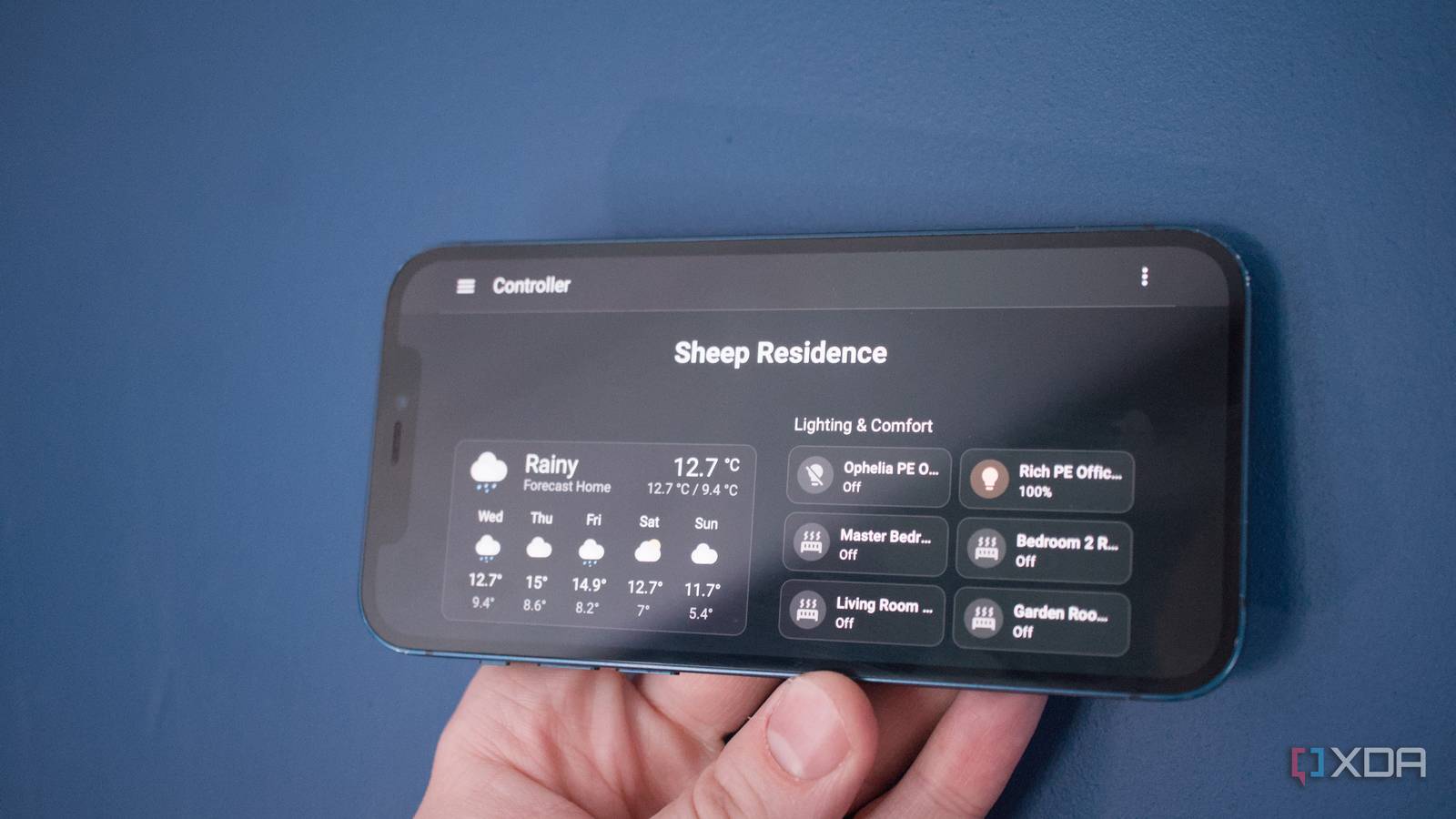
When it comes to managing your smart appliances, Home Assistant surpasses practically every platform out there, be it a FOSS tool designed by the tinkering community or a proprietary one released by some IoT device manufacturer. As someone who has been using HASS for years, I believe it’s still pretty simple once you get accustomed to its quirks.
However, its DIY nature can make it somewhat intimidating for complete beginners – to the point where your first couple of days with Home Assistant can seem like a nightmare. But if you avoid certain pitfalls that end up swallowing newcomers, the difficulty curve of managing all your smart devices from a centralized UI becomes a lot more bearable.

I revived my old Android phone by turning it into a better voice assistant than any smart speaker I’ve owned
This free Home Assistant setup finally made my old Android phone useful again
The web UI is more intuitive than it has ever been

YAML may be one of the easier serialization languages, but it can make your Home Assistant journey a lot more annoying when you’re starting out. Heck, I’ve been designing YAML config files for ages, and I still find its strict indentation rules a massive pain. But contrary to what you may think, YAML scripting is completely optional in Home Assistant these days. In fact, I daresay that you can design a fully-functional HASS setup – one with proper automations and dashboards – without typing a single line of YAML syntax.
That’s because Home Assistant’s interface has become significantly more user-friendly than it used to be when I first jumped into this rabbit hole. Adding devices to Home Assistant is as simple as locating their integrations (or installing the right apps, if they aren’t available by default) and filling in their connection details. I’ve even had my Home Assistant automatically detect the Philips, TP-Link, Aqara, and Yaber devices as soon as I hooked them up to my home network, whereas EcoFlow, Kasa, and a handful of brands worked well once I added the right integrations.
Even automations, which may seem overwhelming at first, are surprisingly simple when you use the trigger-action rules instead of coding everything in YAML. Likewise, you don’t need to modify the UI elements of your dashboards with YAML when you can do it just by dragging windows, adding devices, and grouping cards with the press of a few buttons. And trust me, you can design gorgeous dashboards without wasting hours micromanaging every entity. While we’re on this subject…
A disorganized dashboard can feel overwhelming
You can either group different devices under the default one, or look into multiple dashboards
When you add a new device to Home Assistant, you’ll typically assign it to a specific room and import it into the default dashboard. If you’ve got a handful of devices, you’ll probably end up choking the main dashboard with all their sensors, buttons, and toggles in no time. It’s something I faced during my early Home Assistant days, and the fix was as simple as moving stuff to different dashboards. For some reason, the option to create new dashboards is hidden within Home Assistant’s Settings tab, so you might end up thinking the base UI is the only way to access your smart devices.
But I really recommend splitting all your devices across a couple of dashboards, as it will make managing everything as a beginner a lot simpler. Got specific devices in the kitchen? They can reside in their own dashboards. Bought too many smart plugs? Welp, you can toss them into a single dashboard, with entire columns dedicated to the metrics pulled by each smart plug. You might end up with a somewhat fragmented setup this way, but it will make your life a lot easier. And once you start to get familiar with Home Assistant, you can spend a few minutes designing a central dashboard with proper groups of tiles, cards, and entities.
Integrations and apps are your best friends
They can connect even seemingly “dumb” devices to Home Assistant
If your Home Assistant experience has been marred by cheap devices that refuse to connect to the smart home management platform, you can always check the unofficial community repos for integrations that can pair even unsupported gizmos with HASS. The Home Assistant Community Store is a great place for these integrations. Heck, it’s the sole reason I was able to monitor my Elegoo 3D printer’s operations, modify certain print settings, and create automated notifications involving my model-making machine.
In fact, you can even use them to hook unconventional devices to your Home Assistant hub. For example, I’ve connected my Proxmox cluster to Home Assistant, and the process was so simple that it barely took a few minutes. The same holds true about my TrueNAS server, Beszel container, and Jellyfin instance, though the last one already has a fantastic integration built into Home Assistant. That’s before you include Frigate, ESPHome, Node-RED, Whisper, and other must-have apps that add even more functionality to Home Assistant. More often than not, deploying these tools is a cakewalk, and if you’re willing to read a few pages of documentation, you can get Home Assistant apps working without a lot of hassle.
All you need is a little bit of patience

Considering how easy it is to break a fully-operational Home Assistant setup, it’s not uncommon to lose your cool when you’re working with this platform. If you’re wondering, then yes, I speak from experience. In fact, I create frequent backups of my HASS instance just so I don’t have to troubleshoot a cascading series of errors caused by a faulty app. And once you include malfunctioning automations and buggy integrations, you’re completely justified in considering Home Assistant too complex.
But trust me when I say this: Home Assistant is a terrific tool for managing your smart devices, IoT products, and everything in between, and it’s worth the pain you’d experience during your first couple of days with the platform. Plus, recent updates have added more QoL features to HASS and made it easier to build your centralized smart home control hub even if you have zero prior tinkering experience.

- OS
-
Windows, macOS, Linux
- iOS compatible
-
Yes
- Android compatible
-
Yes
