

Introduction
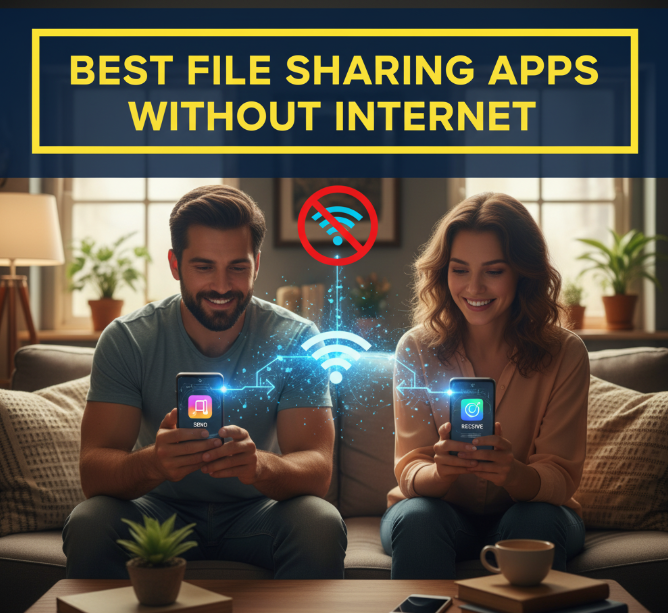
Imagine this—you want to send a 1GB video or hundreds of photos to your friend, but there’s no Wi-Fi and your mobile data is almost gone. What do you do? Thankfully, modern technology has made it possible to share large files without the internet. Offline file sharing apps use Wi-Fi Direct, Bluetooth, or peer-to-peer hotspots to transfer data quickly and securely.
In this detailed guide, we’ll explore the best file sharing apps without internet in 2025. We’ll look at their features, speed, ease of use, and compatibility. By the end, you’ll know exactly which app suits your needs for fast, secure, and reliable offline file transfer.
Why Choose File Sharing Apps Without Internet?
Not every situation allows you to rely on mobile data or Wi-Fi. Offline transfer apps are essential because:
-
Save Data Costs: No need to spend on expensive mobile data.
-
Work Anywhere: Useful in rural areas, travel, or when networks fail.
-
Faster Speed: Direct device-to-device transfer is usually faster than cloud uploads.
-
No File Size Limits: Unlike email or messaging apps, these tools let you share GBs easily.
-
Cross-Platform Use: Most apps work on Android, iOS, Windows, and macOS.
Top 10 Best File Sharing Apps Without Internet
Let’s explore the leading offline transfer apps for 2025.
1. SHAREit
One of the oldest and most popular apps for offline sharing, SHAREit is still a reliable choice in 2025.
Key Features:
-
Transfer speed up to 20 MB/s
-
Works without mobile data
-
Supports Android, iOS, Windows, and Mac
-
Can send apps, videos, images, and music files
-
Built-in media player
Pros:
-
Extremely fast compared to Bluetooth
-
Multi-platform support
-
Easy to use
Cons:
-
Contains ads and extra features some may not like
Best For: Users who need cross-platform compatibility.
2. Xender
Xender is another favorite worldwide for quick offline transfers.
Key Features:
-
Transfer speed up to 40 MB/s
-
No need for USB cables or mobile data
-
Supports group file sharing
-
Compatible with Android, iOS, Windows, and Mac
Pros:
-
Super-fast transfer speeds
-
Simple user interface
-
Can share multiple files at once
Cons:
-
May lag on older devices
Best For: People who need very fast large file transfers.
3. Files by Google
Google’s official file manager also doubles as a secure offline sharing tool.
Key Features:
-
Transfer files offline using Nearby Share technology
-
Completely free, no ads
-
Works on all Android devices
-
Lightweight and secure
Pros:
-
Safe and trustworthy (Google product)
-
Clean design
-
Extra tools like storage cleaner
Cons:
-
Only works on Android
-
Slower than some dedicated apps
Best For: Android users who want a simple, ad-free solution.
4. Zapya
Zapya is widely used in regions with limited internet connectivity.
Key Features:
-
Transfer files without Wi-Fi or data
-
Share across Android, iOS, PC, and Mac
-
Supports QR code connection
-
Speed up to 10 MB/s
Pros:
-
Multilingual support
-
Easy group file sharing
-
Simple to set up
Cons:
-
Slower compared to Xender or SHAREit
Best For: Users in areas with poor connectivity.
5. Send Anywhere (Offline Mode)
While Send Anywhere is famous for online file sharing, it also supports offline mode.
Key Features:
-
Offline file transfer using Wi-Fi Direct
-
Cross-platform sharing (Android, iOS, Windows, macOS, Linux)
-
Send files with unique codes or QR
Pros:
-
Very secure with encryption
-
Supports huge file sizes
-
No quality loss
Cons:
-
Offline mode setup is a bit tricky
Best For: Security-conscious users who share sensitive files.
6. Nearby Share (Android)
Google’s Nearby Share works like Apple’s AirDrop but for Android devices.
Key Features:
-
Direct sharing between nearby Android devices
-
Works with Wi-Fi Direct or Bluetooth
-
Encrypted transfers
-
Integrated into Android 11+
Pros:
-
Seamless and fast
-
No extra app required
-
High security
Cons:
-
Only available on Android
-
Limited advanced features
Best For: Android users looking for built-in sharing.

7. AirDrop (Apple Devices)
For iPhone, iPad, and Mac users, AirDrop is the ultimate offline sharing option.
Key Features:
-
Works without internet
-
Uses Wi-Fi Direct and Bluetooth
-
Can send photos, videos, documents instantly
-
Integrated into iOS and macOS
Pros:
-
Extremely fast
-
Reliable and secure
-
No app needed
Cons:
-
Apple ecosystem only
-
No Windows or Android support
Best For: Apple users sharing between iPhones, iPads, and Macs.
8. Feem v4
Feem is lesser-known but very powerful for offline file transfer.
Key Features:
-
Creates a local Wi-Fi hotspot for sharing
-
Works on Android, iOS, Windows, Linux, Mac
-
Supports unlimited file sizes
-
No internet required
Pros:
-
Works across all major platforms
-
Fast speeds
-
No ads in premium version
Cons:
-
Free version has limitations
-
Interface looks outdated
Best For: Users who want cross-platform PC-to-mobile transfers.
9. SuperBeam
A unique file-sharing app that uses QR codes for instant connection.
Key Features:
-
Transfers files via Wi-Fi Direct
-
Pair devices using QR code
-
Works on Android, Windows, and Mac
-
Supports large file transfers
Pros:
-
Easy pairing system
-
Fast transfer speeds
-
Works with PCs
Cons:
-
Some features are premium only
-
Limited updates recently
Best For: Tech-savvy users who prefer QR-based sharing.
10. TrebleShot
An open-source file sharing app loved by Android geeks.
Key Features:
-
Works completely offline
-
Supports simultaneous file sharing
-
Open-source and free
-
No ads
Pros:
-
Privacy-friendly
-
Lightweight and fast
-
Community-driven development
Cons:
-
Android-only
-
Interface is very basic
Best For: Open-source enthusiasts who want privacy and control.
Comparison Table: Best File Sharing Apps Without Internet
| App Name | Speed (Approx.) | Platforms Supported | Best For | Internet Needed? |
|---|---|---|---|---|
| SHAREit | 20 MB/s | Android, iOS, Windows, Mac | Cross-platform use | No |
| Xender | 40 MB/s | Android, iOS, Windows, Mac | Fast large file transfers | No |
| Files by Google | 10 MB/s | Android only | Simple, ad-free transfers | No |
| Zapya | 10 MB/s | Android, iOS, Windows, Mac | Low-internet regions | No |
| Send Anywhere | 25 MB/s | Android, iOS, Windows, Mac | Security-focused sharing | No |
| Nearby Share | 20 MB/s | Android only | Built-in Android feature | No |
| AirDrop | 30 MB/s | iOS, macOS | Apple ecosystem | No |
| Feem v4 | 15 MB/s | Android, iOS, Windows, Mac | PC-to-mobile sharing | No |
| SuperBeam | 20 MB/s | Android, Windows, Mac | QR code sharing | No |
| TrebleShot | 15 MB/s | Android only | Privacy-friendly offline transfers | No |
Tips for Choosing the Right Offline File Sharing App
When deciding which app to use, consider these factors:
-
Device Type
-
Apple users → AirDrop
-
Android users → Nearby Share or Xender
-
Mixed devices → SHAREit, Zapya, or Feem
-
-
File Size
-
For very large files, choose Xender, Feem, or Send Anywhere
-
-
Security
-
If you care about privacy → Send Anywhere or TrebleShot
-
-
Ease of Use
-
Beginners → Files by Google or AirDrop
-
Tech enthusiasts → SuperBeam or TrebleShot
-
Future of Offline File Sharing Apps
With faster Wi-Fi Direct technology, offline file sharing apps are becoming more powerful. Future trends include:
-
Even Faster Speeds: Up to 100 MB/s expected.
-
Cross-Platform Improvements: Better support between iOS and Android.
-
Stronger Encryption: More focus on secure, private transfers.
-
Integration into OS: Like Nearby Share and AirDrop, built-in solutions will dominate.
Conclusion
In 2025, file sharing without internet is easier, faster, and more reliable than ever. Whether you’re an Android user, an Apple fan, or someone who works across multiple devices, there’s an app that fits your needs.
-
Best for Android → Nearby Share, Xender
-
Best for Apple → AirDrop
-
Best Cross-Platform → SHAREit, Feem, Send Anywhere
-
Best for Security → TrebleShot, Send Anywhere
No matter where you are—at school, work, or traveling—you can share your favorite videos, music, documents, or apps without worrying about internet speed or data costs.
Final Tip: Keep at least one offline file transfer app installed on your phone. You never know when you’ll need it.
