

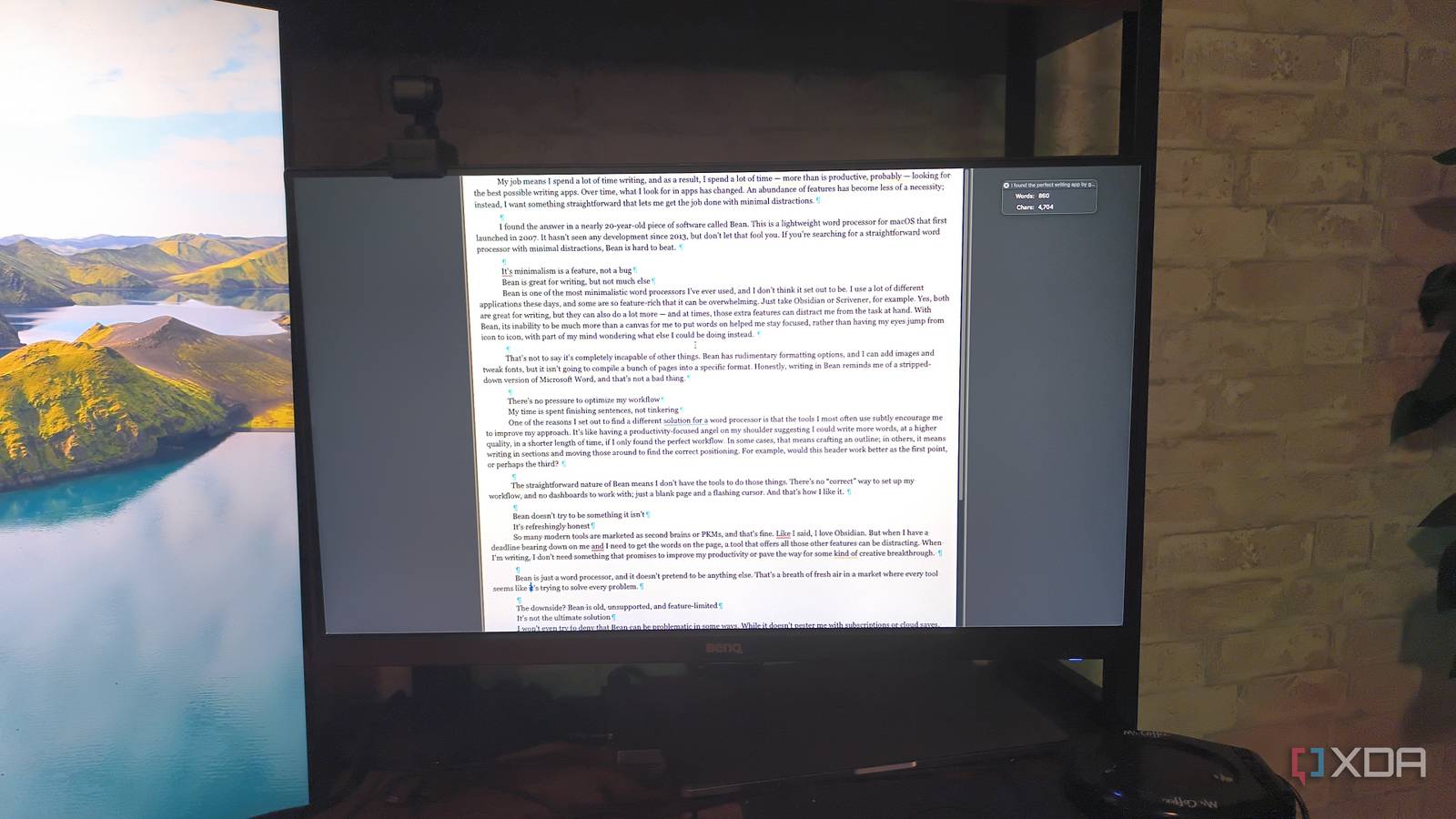
My job means I spend a lot of time writing, and as a result, I spend a lot of time — more than is productive, probably — looking for the best possible writing apps. Over time, what I look for in apps has changed. An abundance of features has become less of a necessity; instead, I want something straightforward that lets me get the job done with minimal distractions.
I found the answer in a piece of software nearly 20 years old called Bean. This is a lightweight word processor for macOS that first launched in 2007. It hasn’t seen any development since 2013, but don’t let that fool you. If you’re searching for a straightforward word processor that’s designed to get the words on the page, Bean is hard to beat.
Its minimalism is a feature, not a bug
Bean is great for writing, but not much else
Bean is one of the most minimalistic word processors I’ve ever used, and I don’t think it set out to be. I use a lot of different applications these days, and some are so feature-rich that it can be overwhelming. Just take Obsidian or Scrivener, for example. Yes, both are great for writing, but they can also do a lot more — and at times, those extra features can distract me from the task at hand. With Bean, its inability to be much more than a canvas for me to put words on helped me stay focused, rather than having my eyes jump from icon to icon, with part of my mind wondering what else I could be doing instead.
That’s not to say it’s completely incapable of other things. Bean has rudimentary formatting options, and I can add images and tweak fonts, but it isn’t going to compile a bunch of pages into a specific format. Honestly, writing in Bean reminds me of a stripped-down version of Microsoft Word, and that’s not a bad thing.

6 distraction free writing-focused apps you should be using
Write without distractions
There’s no pressure to optimize my workflow
My time is spent finishing sentences, not tinkering

One of the reasons I set out to find a different solution for a word processor is that the tools I most often use subtly encourage me to improve my approach. It’s like having a productivity-focused angel on my shoulder suggesting that I could write more words, to a higher quality, in less time, if I only found the perfect workflow. In some cases, that means crafting an outline; in others, it means writing in sections and moving them around to find the right placement. For example, would this header work better as the first point, or perhaps the third?
The straightforward nature of Bean means I don’t have the tools to do those things. There’s no “correct” way to set up my workflow, and no dashboards to work with; just a blank page and a flashing cursor. And that’s how I like it.
Bean doesn’t try to be something it isn’t
It’s refreshingly honest

So many modern tools are marketed as second brains or PKMs, and that’s fine. As I said, I love Obsidian. But when I have a deadline bearing down on me, and I need to get the words on the page, a tool that offers all those other features can be distracting. When I’m writing, I don’t need something that promises to improve my productivity or pave the way for some kind of creative breakthrough.
Bean is just a word processor, and it doesn’t pretend to be anything else. That’s a breath of fresh air in a market where every tool seems like it’s trying to solve every problem.
The downside? Bean is old, unsupported, and feature-limited
It’s not the ultimate solution

I won’t even try to deny that Bean can be problematic in some ways. While it doesn’t pester me with subscriptions or cloud saves, it also hasn’t had an update since 2013. That’s 13 years ago, for those keeping track. It has no collaborative tools, no mobile version, and no cloud functionality. If I want a file from Bean, I have to manually transfer it.
And that’s exactly why it works
For this particular use case, those drawbacks are the appeal

Here’s the thing: I’ve tried dozens of productivity tools over the years. I’ve tested different tricks and systems to stay focused. While a lot of them work, the easiest approach is simply to remove all distractions, and that’s what Bean does. It might be old, but it works. I highly doubt an update is coming that will change the settings and layout.
For me, Bean is a tool for drafting. I can write freely, knowing that anything I write in it will go through multiple rounds of edits before being published. It’s a place to think. Bean gets out of my way, because it literally can’t get in my way.
Sometimes, the limitations of age are a perk
Bean might be nothing more than a word processor, but for what I need, that’s all I ask of it. I still use Obsidian, Scrivener, and a dozen other tools daily, but I found Bean to be a great option for cranking out first drafts. I wrote this article in Bean, in fact. Did I make a lot of changes to its formatting later? Absolutely. But I also found the first draft flowed more easily, too.
