

Virtual try-ons have been around for some time, but the idea of being able to change your look has been taken up a few notches with the latest AI technologies. It’s not just one basic virtual try-on feature I’m talking about, but several that are either available across any premium Android phone or specific ones.
There are three that I have especially been using and enjoy. First, there’s Google’s Circle to Search, which has been upgraded to make it easier to find not only outfit items one by one, but all at once. Second is Google’s Try On, which helps you visualize how you’d look in a specific outfit before you tap that “buy now” button while online shopping. Finally, there’s Photo Assist in the Samsung Galaxy S26 series, which lets you alter photos with personalized prompts and works incredibly well.
Circle to Search can identify every item for an outfit

Article continues below
After circling or highlighting an image of a person, the option to Find the Look pops up. Tap it and from there, you’ll see where you can purchase each item they’re wearing, from the top to the pants, shoes, hat, purse, and other visible and identifiable accessories.

I tried this with a photo from the Netflix series “Emily in Paris,” wanting to replicate Emily’s killer blue pantsuit look. I got results that made it easy to find a similar blazer, wide-legged pants, pointy-toed shoes, and a funky, patterned purse.

Using an image of actor Walton Goggins, I was able to find his entire cool and casual look, or at least items close to it. If you’re scrolling Instagram and see a look you love on a celebrity or influencer, even in an ad, this is a great way to look up similar items for quick purchase.
Google Try On lets you try before you buy

Another relatively new feature is Google Try On, which officially launched in the U.S. last summer and finally came to Canada, where I’m based, in October 2025. It allows you to virtually try on clothing from participating retail shops.
First, take a head-to-toe photo of yourself wearing something fitted so the image captures your body’s natural curves. Stick with a neutral pose with your hands at your sides. After uploading the photo once, it’s saved for a quick, easy try-on, but you can replace it at any time.
It works well, though it puts all the clothing from the model on you, including the pants if you just want to see a top or vice versa. Nonetheless, you get a decent idea of how the item would look.

Once you find an item that works with Google Try On, you’ll see the Try it on icon in the listing (if it’s not there, it means the item or the retailer is not available for the feature). Tap it, upload your full-body shot if this is your first time using it, or simply wait while your existing photo is analyzed. In seconds, the clothing will appear on you virtually, so you can get an idea of how it looks.

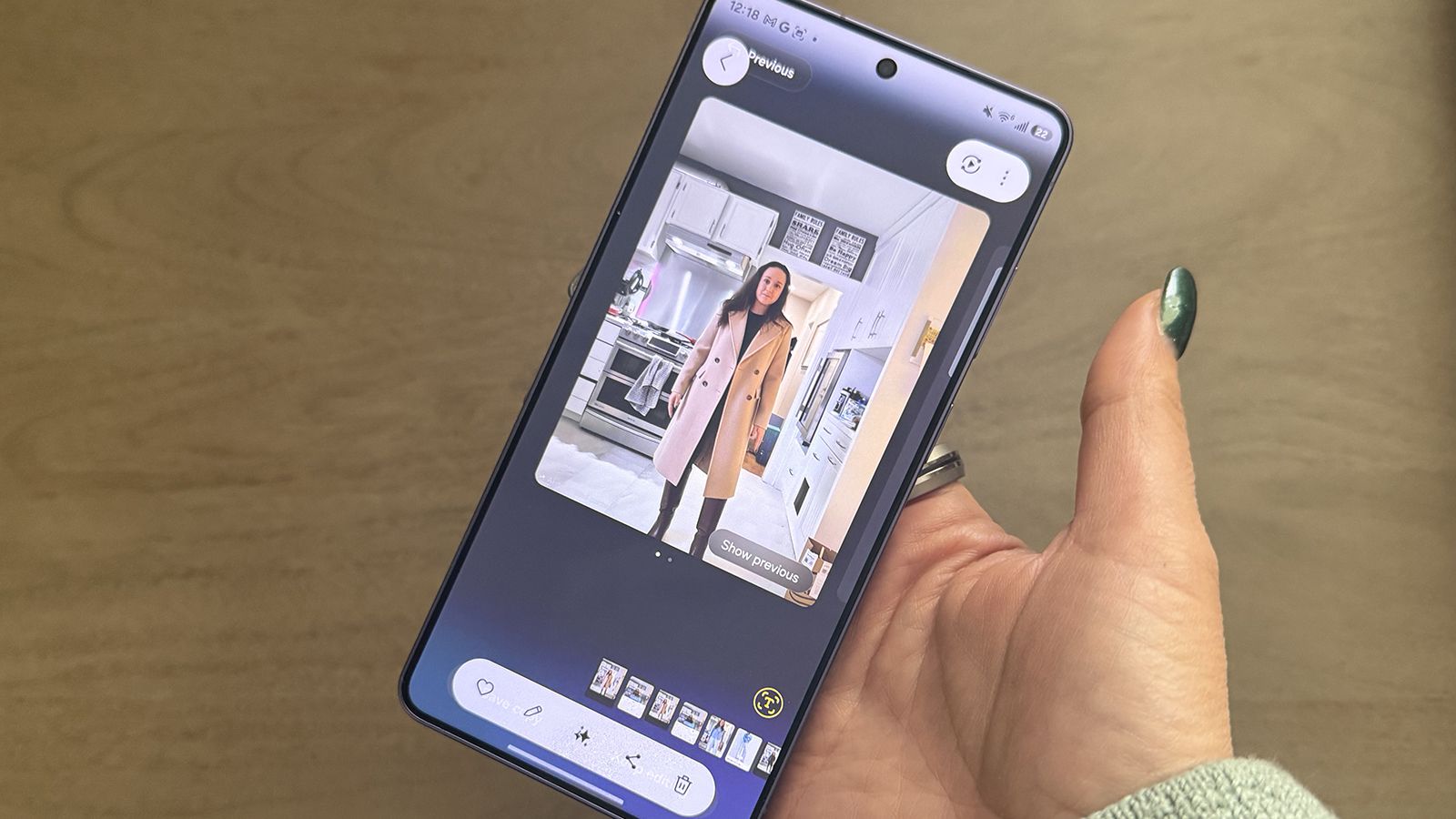
Available on the Samsung Galaxy S26 line, including the premium Samsung Galaxy S26 Ultra, the upgraded Photo Assist has some wild capabilities. It works like other generative AI programs, allowing you to type a prompt specifying exactly what you want done to the photo.
I had a lot of fun trying to trip it up, but it worked 90% of the time. You can do things like change the color of a blouse from green to blue, swap a sweater for a T-shirt, add a hat, sunglasses, boots, or even remove socks!
You can even add an image in the prompt field, which will create a sticker from another photo you have in your gallery. This is ideal for when you see someone who has an outfit or item of clothing you like, and you happen to have a photo saved in your Gallery. If you want to be granular about what Galaxy AI extracts from a photo, you can tap the Reselect button in the other image to draw around the item of clothing you want. The AI will insert it naturally into the photo, such as a hat or a shirt, although your results may vary.

I used the same image I captured for the Google Try On feature as a base, then attempted to style it. Doing so, I was able to easily see how I can change the look with a jean jacket versus an ankle-length peacoat, or pointy-toed heels versus knee-length boots. For men, it could be everything from the color of your tie (or adding one in the first place) to the style of blazer and shoes. It’s a useful hack that saves you from having to spend hours changing outfits in front of the mirror.
It’s easier than ever to plan outfits

These features, available on some of the best Android phones, help you plan outfits in so many ways. With Circle to Search, you can use clothing you see on actors in TV shows or ads online for inspiration and easily find the same or similar items to replicate the look.
With Google’s Try On, get an idea of how an item of clothing would look on you before you click the “add to cart” button. And with Photo Assist in the Samsung Galaxy S26 series phones, you can create looks from a sample photo to decide what to pull out of your existing wardrobe or buy new to complete a look. After researching for this article, I may be looking for a beige peacoat to add to my wardrobe!
If you’re considering what to wear to an event or looking for inspiration, any and all of these three features help you visualize your look virtually. Of course, it’s not the same as actually trying something on. But from styles to colors and overall looks, these features can give you a good idea.

A powerful AI prompting tool
With the upgraded Photo Assist in the Samsung Galaxy S26 Ultra, you can do everything from adding missing pieces back into a piece of cake, alter photos to remove distracting objects, and even visualize yourself in outfits, all using natural language text prompts.
