

I’ve spent many hours of my life working on automations in Home Assistant. While some of these are brand new, I often find myself tinkering with automations that I’ve been working on for years. It’s like a compulsion, and it’s all part of using such a powerful smart home platform.

7 Things That Drive Me Mad About My Smart Home (and My Fixes)
I love my smart home, but it can drive me insane.
Some automations are never done
Even simple automations can take on a life of their own
This is one of the first lessons I learned when I first started tinkering with smart home automation. There are some automations that are simple enough that you can create them and then never touch them again. There are plenty of others, however, that are never truly finished.
These automations might start off simple. For example, I had an automation that was triggered first thing every Friday by a motion sensor in the kitchen. The automation would play an announcement on the smart speaker stating which garbage collection was due that day. It solved a constant source of pain by both reminding us to put the trash out and telling us which type of collection it was.
The trouble was, it worked so well that I soon wanted to add stuff to it. Why should it only work on garbage days? I could also pull in the relevant information and use it to announce to the kids what they had for their school lunch that day. This also worked really well.
Then I started adding more and more, turning it into a full morning briefing that pulls information from our family calendar and announces everything from what after-school activities the kids have to whether my favorite soccer team is playing that day.
The latest addition is using Qwen3-TTS voice cloning to generate the announcements in the voices of my family and me rather than having them read out in a generic TTS voice. It randomly chooses a voice each day to constantly keep us guessing. Next week, I’m sure I’ll think of something else I want to add.
Every improvement reveals a new problem to solve
There’s always something to fix

Another consequence of constantly tinkering with automations is that when you make a change, it usually brings up additional problems that you then have to figure out. Sometimes it’s a case of one step forward, two steps back, as making what you think will be a positive change causes things to break.
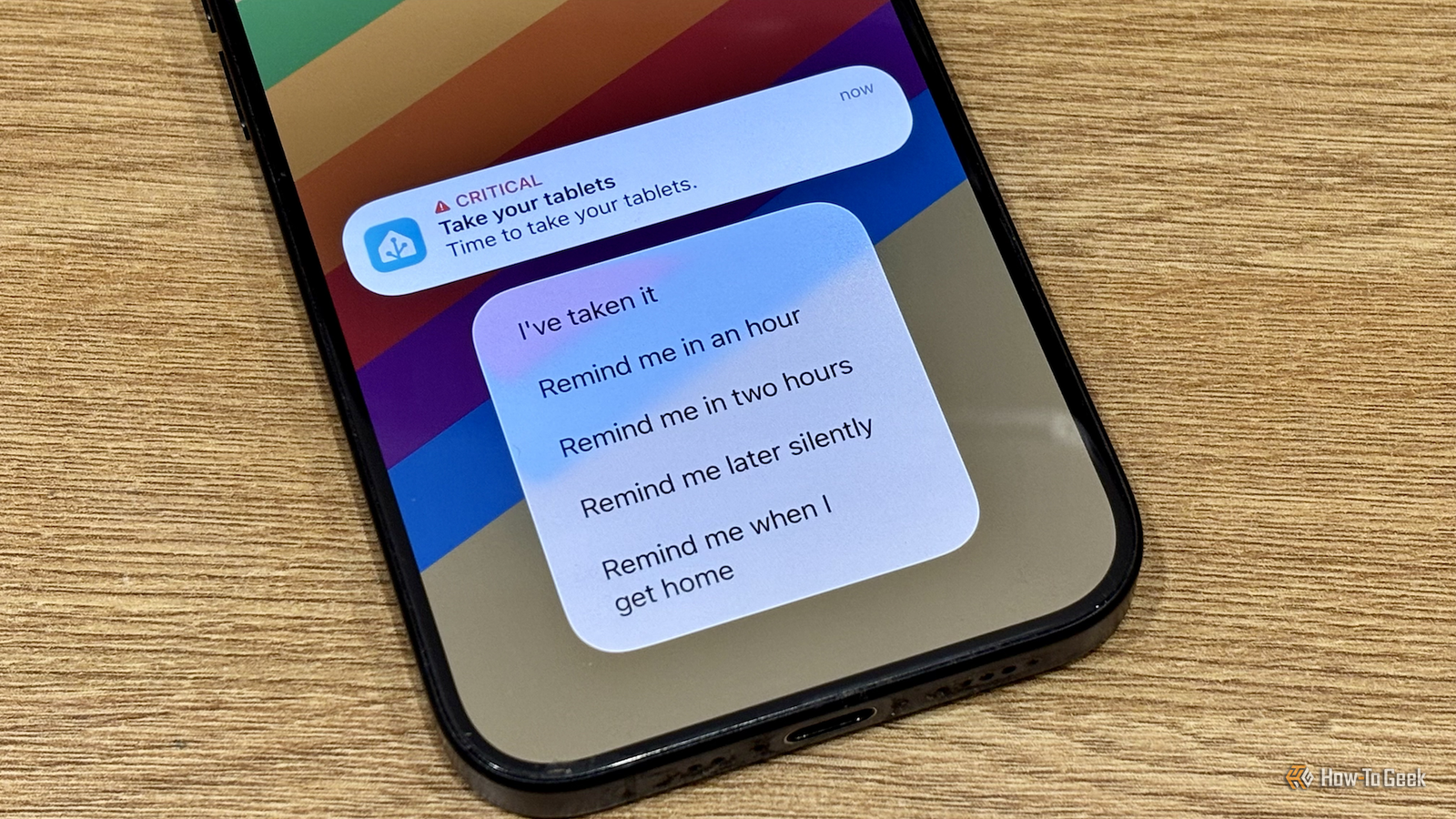
I have a medication alert system that I created in Home Assistant. It sends me a reminder to take my meds, and using actionable notifications, I can mark them as taken or pause the reminders for set amounts of time. If I don’t select any of the actions, the automation keeps sending me reminders until I finally mark the meds as taken.
It worked fine at home, but when I was out, I would get loud critical notifications on my phone every 30 minutes, which was far from ideal. I decided to add an option to pause notifications until I got back home. It uses geolocation to pause the reminders until I’m detected as being back in my home zone.
This worked perfectly, but it stopped the reminders from repeating. If I ignored the reminder that popped up when I got home, it wouldn’t remind me again, which could mean I’d forget to take my meds. It took a fair bit of tinkering to rework the automation to get it to start repeating again once I was home.
Tinkering is not always your fault
Sometimes things just break

Sometimes the reasons you have to tweak your automation are beyond your control. By far my most complex automation is the one that controls my universal remote. After Logitech discontinued its line of Harmony remotes, I was forced to make my own using a Wi-Fi remote and an insanely complex automation in the Node-RED flow-based automation tool.
For a long time, it worked (mostly) as I wanted it to, with the odd issue that I could live with. Unfortunately, after a Home Assistant update, a severe problem appeared.
Previously, I could use the power button on the remote in my automation to power the TV on and off. The update changed how my Home Assistant setup reacts to power buttons being pressed, and instead of turning off my TV, pressing the power button on the remote caused Home Assistant to shut down instead.
I’ve spent hours trying to find a solution to this problem, but as yet I’ve failed to crack it. I need to change a setting in the logind.conf file, but in Home Assistant OS, that file is read-only, so I’m unable to make the change. I’ve tried drop-in files, mounting the system as writable, and other possible solutions, but none of them have worked thus far, so for now, I’m just having to use a different button to control the power.
Why an unfinished smart home is a good thing
Your smart home doesn’t stand still

If you’re not tinkering with at least some of your automations, then something is probably wrong. Your smart home is constantly changing, whether that’s due to adding new devices, upgrading hardware, or just updating your software. The reality is that if you leave your automations untouched, some of them may stop working.
In my opinion, the need for constant tinkering is also a good thing. While automating my smart home is incredibly useful in many different ways, that’s not the main reason I do it. I do it because it’s a whole lot of fun. I hate to think of a day when I could paraphrase the famous (mis)quote about Alexander the Great: when I saw the breadth of my smart home, I wept, for there were no more automations to tinker.

- Dimensions (exterior)
-
4.41″L x 4.41″W x 1.26″H
- Weight
-
12 Ounces
Home Assistant Green is a pre-built hub directly from the Home Assistant team. It’s a plug-and-play solution that comes with everything you need to set up Home Assistant in your home without needing to install the software yourself.
The joy (and curse) of endless tinkering
I honestly don’t think that I will ever reach the stage where some of my automations are “finished.” There are still so many things I can do to improve them, and to my mind, that’s a good thing. Tinkering is fun, it’s the whole reason I mess with Home Assistant, and if the urge to endlessly tinker is my curse, it’s one I’m willing to live with.
