

Some popular recent Home Assistant posts on Reddit revealed that the smart home of someone living in Miami Gardens was exposed to the internet. Other people could turn off their lights and even rename their devices. This was all due to their MQTT broker being public and unsecured.
Here’s how to make sure you don’t fall victim to the same security snafu.

Your Smart Home Needs a Guest Mode, Here’s How to Set One Up
A dedicated guest mode is better for you and for your guests.
Why smart homes use MQTT
Efficient communication for smart devices

MQTT stands for Message Queuing Telemetry Transport. The name may sound confusing, but the concept is fairly simple. It’s a lightweight messaging protocol that uses a publish-subscribe model. One device “publishes” messages, and another device can “subscribe” to those messages.
For example, a temperature sensor might publish the current temperature every ten minutes. Your smart home software can then subscribe to those messages to find out what the current temperature reading is.
The key to this process is the MQTT broker. The broker is in charge of receiving the information from the publisher and passing it on to the relevant subscribers. The publisher and subscriber don’t need to know the other exists; the MQTT broker takes charge to make sure that messages get where they need to go.
MQTT is ideal for smart homes because it’s fast, low-bandwidth, and can run on simple devices such as smart home sensors or microcontrollers. For example, in Home Assistant, you can use MQTT to allow your Zigbee devices to pass information to your Home Assistant server using Zigbee2MQTT.
How brokers end up exposed on the internet
Avoid using a public MQTT broker
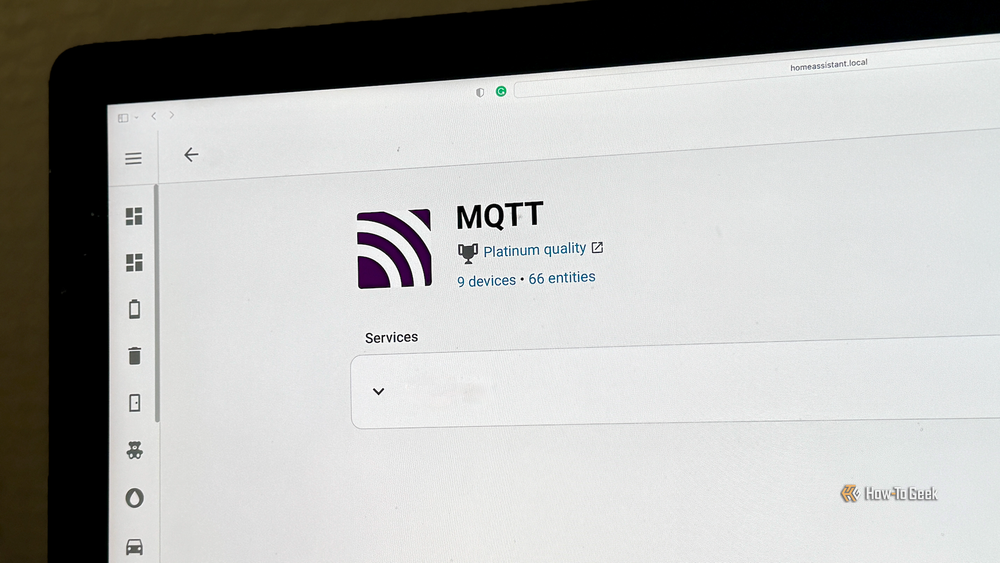
For your smart home and devices to communicate using MQTT, you need to run an MQTT broker that can handle the job of routing the messages. This is something that should run locally in your home, so that all of the communication between your sensors and your smart home takes place on your local network.
In the case of the person in Miami Gardens, it seems that instead of setting up their own MQTT broker, they were using a public MQTT broker. Since this broker was accessible to anyone with internet access, other people were able to send messages to the Miami Gardens smart home from the MQTT broker. With the right commands, anyone could control the connected smart home devices, such as turning the lights on and off.
There’s no real reason you should need to use a public MQTT broker for your smart home in most instances. Some guides may mention doing it for testing purposes, and this may be what the person in Miami Gardens did. It’s possible that an AI chatbot regurgitated the wrong information and advised the user to use a public MQTT broker.
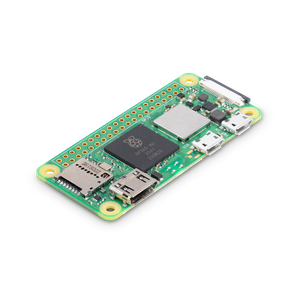
For the purposes of clarity: don’t do this. You should always run an MQTT broker locally on your own devices. It’s incredibly lightweight; you could run an MQTT broker on a Raspberry Pi Zero if you wanted to, so there’s no reason not to host your own.
- Brand
-
Raspberry Pi
- CPU
-
Quad-core 64-bit ARM Cortex-A53
The Raspberry Pi Zero 2 W is super tiny and super affordable, but it packs enough computing power for a variety of DIY projects. You can use it to create a handheld retro gaming console, for Klipper/Mainsail, a super compact home or media server, and more.
How to check if your MQTT broker is publicly accessible
Make sure it’s local and not exposed
The quick way to check if your MQTT broker is exposed is to try to access it from outside your home network. You can turn off your Wi-Fi on your phone and use an app such as MQTT Explorer, passing it your public IP address and port 1883. If you can connect to your MQTT broker over the cellular network, then your MQTT broker is exposed.
In Home Assistant, check that your MQTT broker is set up with a local IP address rather than a public web address. Go to Settings > Devices & services, open the MQTT integration, and click the three-dots icon. Select Reconfigure. Ensure that Broker is set to a local IP address or internal hostname, and not an external URL. You should also make sure that you have a strong password set up.
If you do run your own MQTT broker (which you absolutely should), then the most likely way for it to be exposed outside your home is because you’ve set up port forwarding. If you forward port 1883 to your home server, anyone on the internet can reach it, too. This can also happen accidentally if you’re using features such as Universal Plug and Play (UPnP).
You can see whether your MQTT broker is exposed to the outside world by using an online service such as Shodan and providing your public IP address. It can then let you see exposed services on your public IP. You can also use nmap from the command line to similar effect.
Locking down your MQTT broker
Security is key
If you do accidentally expose your MQTT broker, and it’s unsecured, you may find that strangers on the other side of the world start turning off your lights, or worse. That’s why it’s important not to allow anonymous connections; the good news is that the MQTT integration in Home Assistant does not support anonymous connections.
Try to avoid port forwarding, too. While forwarding port 1883 can let you control your lights remotely, it may allow other people to do it, too. There are plenty of other, more secure options for accessing Home Assistant remotely. You can improve security for your MQTT broker by enabling TLS encryption and using port 8883.
Don’t let other people turn off your lights
This is an unusual example, but it shows what can happen if you don’t set up your smart home correctly. Reddit users didn’t do anything more malicious than turning a few lights on and off, but bad actors could do a lot worse.
