

A Raspberry Pi is great at feeling “fine” right up until it starts wasting your time. Services stay up, the status lights blink like everything’s normal, and you chalk the occasional lag up to a cheap SD card or a noisy container update. Under the hood, though, the Pi can quietly reduce its clock speed to keep temperatures under control. That’s thermal throttling, and it often manifests as small annoyances rather than a dramatic failure.
When the Pi stays cool, it stays predictable, and that’s the kind of reliability you actually notice.
What makes throttling tricky is that it rarely appears to be a temperature problem. It looks like dashboards that load a little slower, backups that stretch out, and random spikes that vanish before you can pin them down. If your Pi is tucked into a case, hidden behind a TV, or acting as home lab glue, you might never see an obvious warning. The performance drop becomes part of the background hum, and you adjust your expectations without realizing it.

11 ways to maximize your Raspberry Pi’s performance
If you want to really get the most out of your Raspberry Pi, these tips will help maximize its performance.
Throttling looks like “random slowness”
The subtle signals you’ll likely ignore

Thermal throttling usually doesn’t announce itself with a crash, so you learn to live with it. A reboot “fixes” things for a while, making the problem feel like software drift rather than heat. Updates and maintenance tasks take longer than they used to, but you assume the project you’re running simply got heavier. The Pi is still doing the job, just with less headroom than you think.
The most telling clue is the inconsistency that tracks with busy moments. A container host can feel snappy all day, then turn sluggish during an image pull, decompression, or a batch of restarts. Media servers can coast while you browse, then bog down during library scans, metadata refreshes, or thumbnail generation. Even Home Assistant can spike when it’s compiling automations, running database cleanup, or dealing with a chatty integration. When these events line up, the Pi heats up fast and then politely slows itself down.
Throttling also gets misdiagnosed because it mimics other Pi pain points. SD cards, USB storage, and lightweight CPUs already train you to expect occasional delays. Network hiccups can look identical to a hot CPU when timeouts and retries start piling up. If you troubleshoot everything except temperature, you might get small improvements while the real problem keeps returning. Heat is the kind of culprit that can hide behind every other suspect.
Cases, placement, and peripherals add up
Most Raspberry Pi heat problems aren’t caused by a single dramatic workload. They’re caused by a normal workload running in an environment that’s not so normal. A Pi inside a tight plastic case can trap warm air, turning a mild load into sustained heat. A board pressed against a surface that doesn’t breathe, like fabric or foam, loses a lot of passive cooling. Even a tidy little stack of gear can become an oven if it blocks airflow around the Pi.
Peripherals are another quiet multiplier. USB SSDs and enclosures can radiate warmth into the same small pocket of air the Pi is trying to cool. Wi-Fi and Bluetooth can add a steady power draw that turns into steady heat, especially when signal quality is poor. A display output you don’t really need can keep the graphics pipeline busier than expected. None of these are “bad,” but they reduce your thermal margin until the Pi has no choice but to back off.
Power can make the whole situation more confusing, because it can look like a performance issue, too. A marginal power supply might run fine at idle and wobble under load, right when the Pi is hottest. USB devices and fans increase demand, and that can push an already borderline setup into odd behavior. If you see stutters, disconnects, or strange pauses, it’s easy to blame one thing and miss the combination. A warm Pi with shaky power is the perfect recipe for vague symptoms.
Checking it doesn’t take long
A few quick readings tell you

You don’t need a full monitoring stack to confirm throttling. The Pi exposes its temperature and its throttling state, and those two pieces of data are usually enough to stop guessing. Temperature tells you whether you’re approaching the danger zone during normal use. The throttling flags tell you whether the system has already had to pull the handbrake, even if it cooled down later. When both line up with your “it felt slow” moments, the case is basically closed.
The fastest way to catch it is to look while you do the thing that annoys you. Run your usual updates, rebuild the container that takes forever, or kick off the library scan that makes everything lag. Then check the temperature reading and see whether it climbs quickly and stays elevated. If you also check the throttling status and it reports current or previous throttling since boot, you have a clear explanation for the mystery slowdowns. This is especially useful when the Pi feels fine again after the task ends, because the history still tells on it.
If you want a quick yes-or-no on whether heat has been dragging your Raspberry Pi down, run vcgencmd get_throttled while the system is under its usual heavy load, then run it again right after. A return value of 0x0 means it hasn’t recorded throttling or undervoltage since the last reboot, while any non-zero value indicates the Pi has had to protect itself at some point. This is especially useful because the Pi can cool back down and feel normal, but the throttling history still tells the story. If you keep seeing non-zero results during routine tasks, it’s a strong signal that you should improve cooling or power stability.
If you’d rather not babysit a terminal, you can still make the process low-effort. Check once at idle, once during your heaviest routine task, and once again right after. That tiny snapshot often reveals whether heat is a real factor or just a theory. If the numbers don’t move much, you can focus on storage, networking, or the workload itself. If they swing hard, it’s time to treat cooling as an infrastructure upgrade, not a hobby accessory.
Cooling upgrades that actually help
Practical fixes that don’t add drama
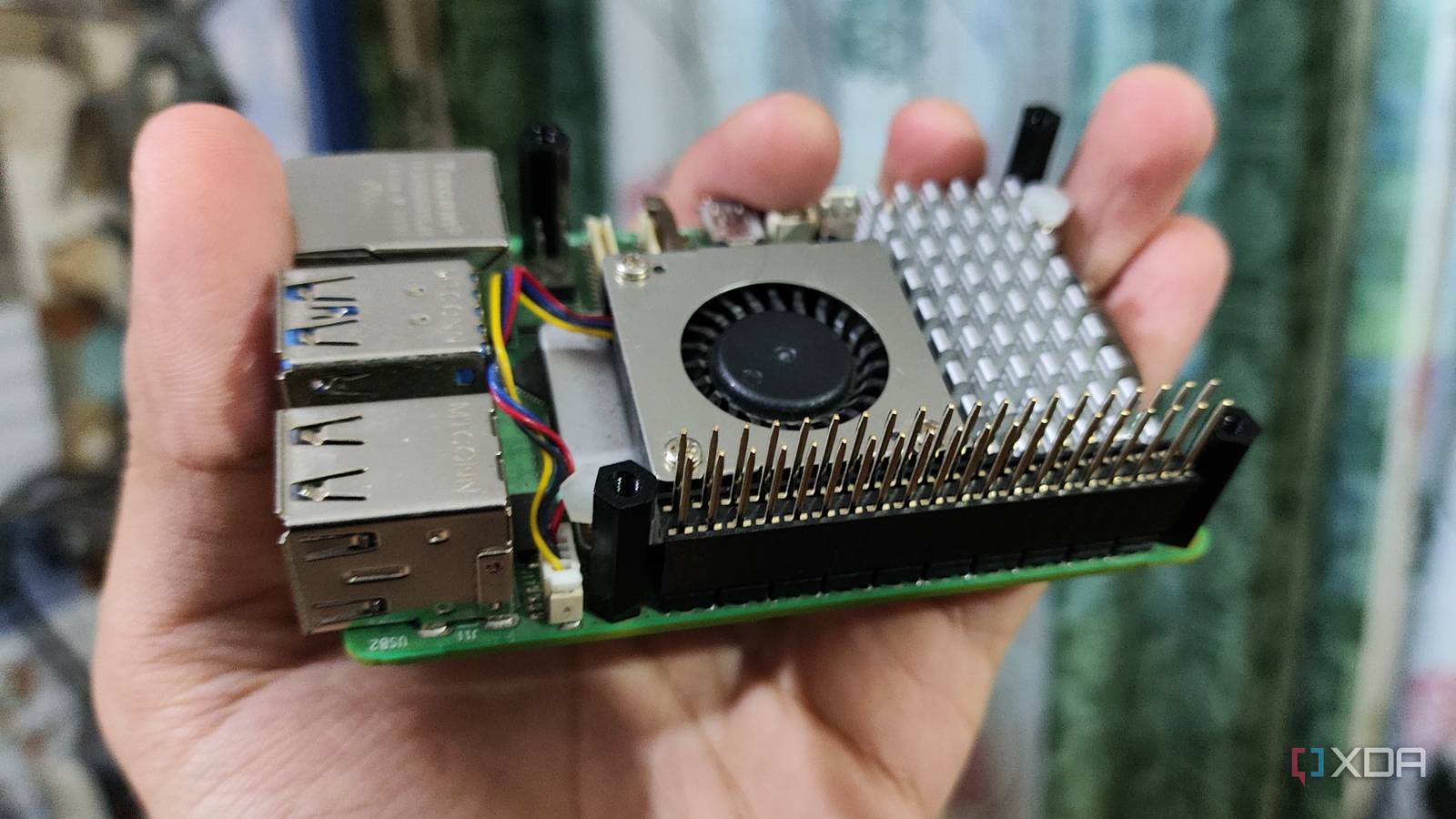
The most reliable fix is also the least exciting: get heat off the chips and out of the case. A properly fitted heatsink can buy you real headroom, especially during short bursts where the Pi would otherwise spike and throttle. Active cooling, even a small fan at low speed, can keep temperatures predictable under sustained load. If you hate noise, you can still win by using a fan that only ramps up when the Pi is working hard. The goal isn’t arctic temperatures, it’s consistency.
Case choice matters more than people like to admit. A case with poor airflow can defeat a decent heatsink by trapping hot air in the wrong places. A case designed around cooling, with vents where the hot components actually are, often performs better than a “sealed but stylish” enclosure. Placement matters too, and it costs nothing. Moving the Pi out of a tight corner, away from other warm gear, or into open air can drop temperatures enough to avoid throttling entirely.
It’s also worth treating power as part of the same cleanup, because stability is a package deal. A solid power supply reduces the chance that load spikes turn into weird stutters that feel like thermal issues. If you’re running USB storage, don’t assume the Pi will happily feed everything forever without consequences. Reduce strain where you can, and the entire system behaves more predictably. Once you’ve done that, the Pi stops feeling like a fragile science project and starts acting like infrastructure.
Keeping your Pi consistently quick
Thermal throttling is common because the Pi is small and dense, and it is often installed where airflow is an afterthought. The worst part is that it doesn’t fail loudly, so you slowly accept the performance drop as “just how it is.” A quick check of temperature and throttling status can confirm whether heat is the real culprit behind your slow moments. From there, a sensible cooler, a case that breathes, and stable power usually solve it without turning your setup into a noisy mess. When the Pi stays cool, it stays predictable, and that’s the kind of reliability you actually notice.

- CPU
-
Arm Cortex-A76 (quad-core, 2.4GHz)
- Memory
-
Up to 8GB LPDDR4X SDRAM
- Operating System
-
Raspberry Pi OS (official)
- Ports
-
2× USB 3.0, 2× USB 2.0, Ethernet, 2x micro HDMI, 2× 4-lane MIPI transceivers, PCIe Gen 2.0 interface, USB-C, 40-pin GPIO header
- GPU
-
VideoCore VII
- Starting Price
-
$60
The Raspberry Pi 5 is a powerful addition to your home lab, but keep it cool.
