

Introduction
The internet is the backbone of modern life. From online classes to gaming, streaming, and remote work, a reliable WiFi connection isn’t a luxury—it’s a necessity. But not all WiFi is created equal. Over the years, WiFi technology has evolved, with WiFi 5 (802.11ac) and WiFi 6 (802.11ax) being two of the most widely used generations.
If you’ve ever wondered whether upgrading to WiFi 6 is worth it, or if sticking with WiFi 5 still makes sense, this article breaks it all down in simple terms. We’ll compare both technologies across speed, range, device capacity, security, and everyday performance. By the end, you’ll know exactly which one is right for you.
What is WiFi 5?
WiFi 5, also known as 802.11ac, was released in 2014. It quickly became the standard for home and office networks because it brought faster speeds compared to its predecessor (WiFi 4).
Key Features of WiFi 5:
-
Operates mainly on the 5 GHz band
-
Maximum theoretical speeds up to 3.5 Gbps
-
Improved streaming and gaming performance compared to older WiFi
-
Widely compatible with most devices released after 2014
-
Uses MU-MIMO (multi-user, multiple-input, multiple-output) for handling multiple devices
WiFi 5 was a big step forward at the time, but it wasn’t designed for the explosion of smart devices, 4K/8K streaming, or ultra-fast fiber internet connections we see today.
What is WiFi 6?
WiFi 6, also called 802.11ax, was introduced in 2019. It was built with the modern digital lifestyle in mind—more devices, more bandwidth, and more efficiency.
Key Features of WiFi 6:
-
Works on both 2.4 GHz and 5 GHz bands (and some WiFi 6E models also add 6 GHz)
-
Maximum theoretical speeds up to 9.6 Gbps
-
Better performance in crowded areas (airports, apartments, offices)
-
Enhanced MU-MIMO and OFDMA (Orthogonal Frequency Division Multiple Access) for higher efficiency
-
Longer battery life for mobile devices (thanks to Target Wake Time)
-
Stronger security with WPA3 encryption
In short: WiFi 6 is faster, smarter, and more future-proof than WiFi 5.
Side-by-Side Comparison: WiFi 6 vs WiFi 5
Here’s a quick comparison table for a clear snapshot:
| Feature | WiFi 5 (802.11ac) | WiFi 6 (802.11ax) |
|---|---|---|
| Release Year | 2014 | 2019 |
| Frequency Bands | 5 GHz only | 2.4 GHz + 5 GHz (and 6 GHz with WiFi 6E) |
| Max Speed (theoretical) | ~3.5 Gbps | ~9.6 Gbps |
| Device Capacity | Limited | High (with OFDMA + MU-MIMO) |
| Security Standard | WPA2 | WPA3 |
| Battery Efficiency | Standard | Improved (Target Wake Time) |
| Best Use Case | Homes with fewer devices | Homes, offices, crowded areas, IoT-heavy setups |
Speed and Performance
One of the biggest questions people ask: Is WiFi 6 faster than WiFi 5?
WiFi 5 Speeds:
-
Typically delivers 500 Mbps – 1 Gbps on good connections
-
Works great for HD streaming, casual gaming, and browsing
WiFi 6 Speeds:
-
Can reach 1–2 Gbps in real-world conditions (and much higher with fiber internet)
-
Perfect for 4K/8K streaming, competitive gaming, cloud computing, and smart homes
Verdict: If speed matters to you, WiFi 6 is a clear winner.
Capacity: Handling More Devices
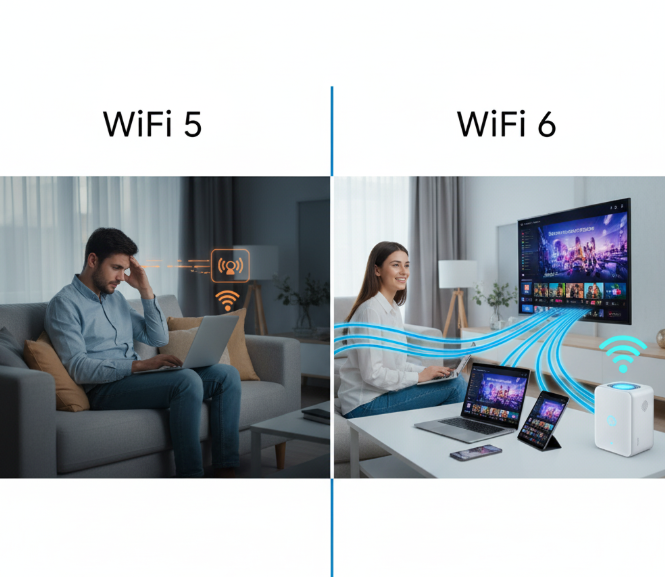
In 2014, most households had maybe 5–10 connected devices. Today, it’s common to have 20–50 devices (smart TVs, tablets, smartphones, speakers, cameras, and IoT gadgets).
-
WiFi 5: Struggles when too many devices connect at once.
-
WiFi 6: Designed for high-density environments, allowing smooth connections even with dozens of active devices.
Example: In a family of 5 where everyone is streaming, gaming, and video calling at the same time, WiFi 6 keeps things stable while WiFi 5 may lag.
Range and Coverage
WiFi 5:
-
Works well within a medium-sized home
-
Best on the 5 GHz band, but walls and distance can weaken the signal
WiFi 6:
-
Uses both 2.4 GHz and 5 GHz, giving better balance between speed and coverage
-
Maintains stronger connections across larger homes or offices
Tip: For really big houses, mesh WiFi systems (available in both WiFi 5 and WiFi 6) can extend coverage. But WiFi 6 mesh systems are generally more reliable.
Security Improvements
Cybersecurity is more important than ever.
-
WiFi 5: Primarily uses WPA2 encryption, which is still decent but has vulnerabilities.
-
WiFi 6: Comes with WPA3 encryption, offering stronger protection against hacking attempts.
For businesses and privacy-conscious users, WiFi 6 is a safer choice.
Battery Life Benefits
WiFi 6 introduced a new feature called Target Wake Time (TWT).
-
It allows devices like smartphones, laptops, and IoT gadgets to “sleep” when not actively using WiFi.
-
This reduces unnecessary power use and extends battery life.
WiFi 5 does not have this feature, meaning devices use more energy to stay connected.
Real-Life Scenarios: Which One Should You Choose?
1. For Gamers
-
WiFi 5: Fine for casual gaming
-
WiFi 6: Better for competitive online gaming, reducing latency and lag
2. For Large Families
-
WiFi 5: Can handle basic streaming and browsing
-
WiFi 6: Ideal when multiple people stream 4K, video call, or play games simultaneously
3. For Smart Homes
-
WiFi 5: Works but may get overwhelmed by many IoT devices
-
WiFi 6: Built for dozens of connected devices without slowdowns
4. For Small Businesses
-
WiFi 5: Suitable for small offices with light use
-
WiFi 6: Better for heavy workloads, many employees, and secure communication
Graph: Speed Growth from WiFi 1 to WiFi 6
(Visual idea: A line graph showing speed increase over WiFi generations: WiFi 1 (~11 Mbps), WiFi 4 (~600 Mbps), WiFi 5 (~3.5 Gbps), WiFi 6 (~9.6 Gbps).)
This demonstrates how WiFi 6 is nearly 3x faster than WiFi 5.
Cost Considerations
-
WiFi 5 routers are cheaper (often $50–100) and still widely available.
-
WiFi 6 routers are more expensive (usually $120–300+), but prices have dropped in 2025 compared to launch.
Tip: If you’re on a budget and don’t need blazing speeds, WiFi 5 is fine. But if you want a long-term investment, go with WiFi 6.
Pros and Cons Breakdown
WiFi 5 Pros:
-
Affordable routers
-
Still fast enough for most homes
-
Widely supported by older devices
WiFi 5 Cons:
-
Limited device handling
-
Weaker security (WPA2 only)
-
Less efficient with battery life
WiFi 6 Pros:
-
Much faster speeds
-
Handles many devices easily
-
Stronger security with WPA3
-
Better range and efficiency
-
Longer battery life for devices
WiFi 6 Cons:
-
Higher cost
-
Some older devices may not fully support WiFi 6 features
Future-Proofing Your Network
Technology moves fast. While WiFi 7 is on the horizon, WiFi 6 is expected to remain mainstream for years. Upgrading now means you’re prepared for the next 5–7 years of internet growth, smart devices, and streaming innovations.
Conclusion
When comparing WiFi 6 vs WiFi 5, the differences are clear:
-
WiFi 5 is affordable and reliable for smaller households with fewer devices.
-
WiFi 6 offers faster speeds, stronger security, better device management, and is future-ready.
If you just use the internet for light browsing and occasional streaming, WiFi 5 is still good enough. But if you have a busy household, multiple gamers, smart home devices, or high-speed fiber internet, WiFi 6 is absolutely worth the upgrade.
In 2025, the smart choice for most people is to go with WiFi 6—because it doesn’t just give you faster internet, it gives you a smoother, safer, and more reliable online experience.
