
Close Menu
    Facebook X (Twitter) Instagram
    Wifi PortalWifi Portal
    • Blogging
    • SEO & Digital Marketing
    • WiFi / Internet & Networking
    • Cybersecurity
    • Tech Tools & Mobile / Apps
    • Privacy & Online Earning
    Facebook X (Twitter) Instagram
    Wifi PortalWifi Portal
    Home»Tech Tools & Mobile / Apps»My favorite Pixel 10 Pro XL feature proves how good on-device AI really is
    Tech Tools & Mobile / Apps

    My favorite Pixel 10 Pro XL feature proves how good on-device AI really is

    adminBy adminFebruary 9, 2026No Comments3 Mins Read
    Facebook Twitter LinkedIn Telegram Pinterest Tumblr Reddit WhatsApp Email
    My favorite Pixel 10 Pro XL feature proves how good on-device AI really is
    Share
    Facebook Twitter LinkedIn Pinterest Email

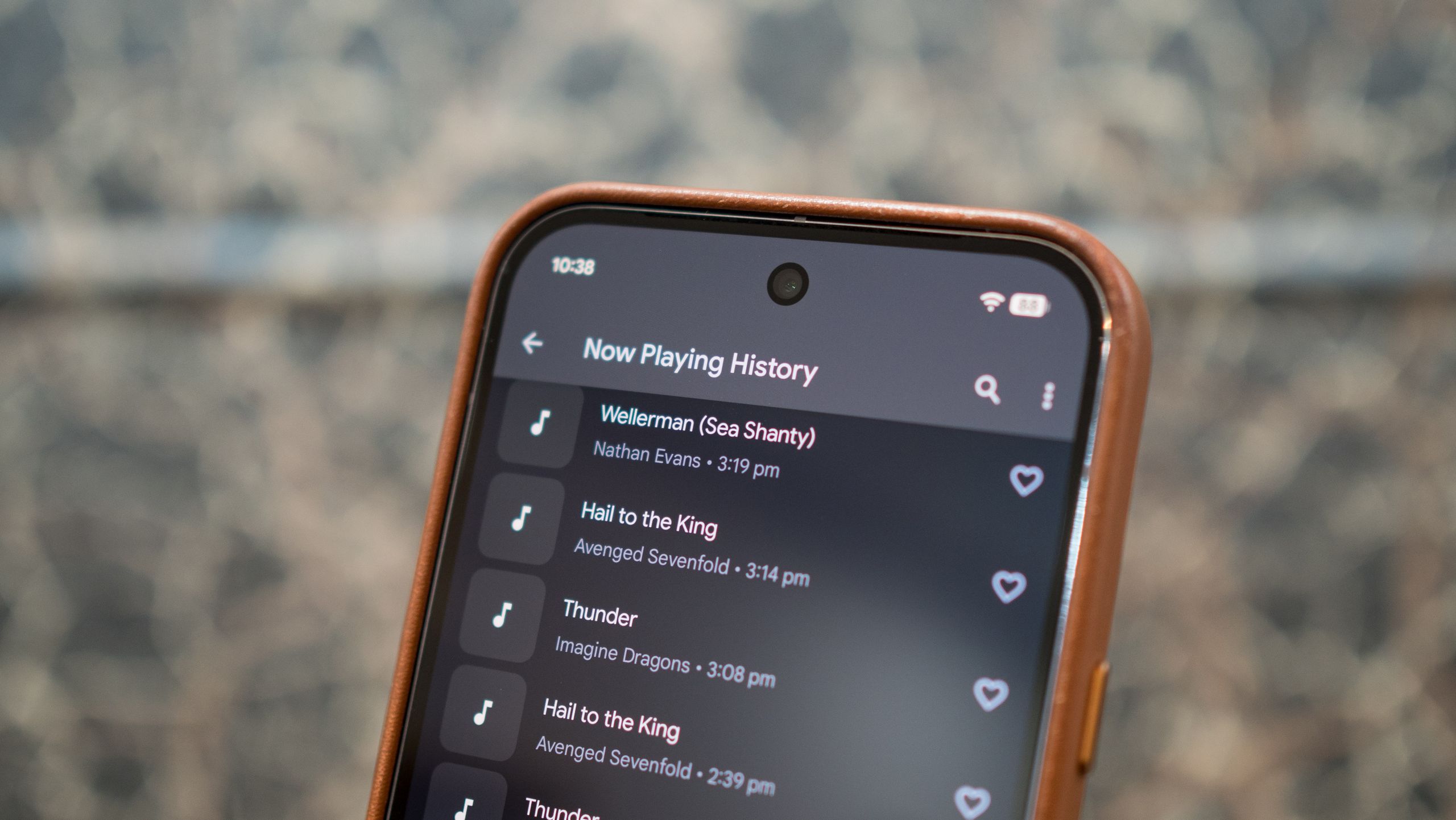
    One of the main reasons I use the Pixel 10 Pro XL as my daily driver is the software; while the hardware isn’t quite as good as most other phones, Google does a phenomenal job delivering unique features you don’t get on any other phone. One of those features is Now Playing; the feature lets your Pixel automatically identify music playing in the background, and it continues to be amazing.

    What’s particularly great about Now Playing is that it works on-device; it doesn’t need to connect to a cloud server, and you can use it even without an internet connection — all the identification is done locally on your Pixel.

    How does Now Playing work?

    Now Playing isn’t a new feature; in fact, it made its debut all the way back in 2017 on the Pixel 2 and 2 XL. Google has refined the feature over the years, providing a way to view a history of all identified songs, and making the database smaller in size.


    You may like

    The way Google implemented this feature is pretty clever. Basically, Now Playing relies on a music database that’s stored locally on your Pixel. It uses the mic to listen to ambient sounds, and if it recognizes music playing, it analyzes that audio with the information stored in the database and provides details on the song title and artist either on the lock screen or as a silent notification.

    All of this is done near-instantly; the feature just needs to listen to a few seconds of audio to be able to provide a match, and after using it on every single Pixel over the last eight years, it’s eerie how well it works. The best part is that Now Playing does all of this locally — no data is sent to Google, and the feature doesn’t even need an internet connection.

    All it does it match the audio playing in your vicinity to the data stored in the local music database. Coming to the database itself, it doesn’t store the entire audio files, and is instead limited to short segments that make it easier to identify popular songs. It stored fingerprints of around 10,000 songs when it came out, but Google continually built up the feature over the course of the last eight years, and it stores a wider selection of music now.

    And if you’re worried about Now Playing taking up storage on your Pixel, the entire database comes in at under 500MB. Similarly, battery life isn’t affected unduly, and it takes up less than 1% on average.

    Get the latest news from Android Central, your trusted companion in the world of Android

    How to enable Now Playing

    You can set up Now Playing on your Pixel during initial configuration, but if you haven’t done that, it’s easy to enable the feature via the phone’s settings. As the feature needs a local database that’s managed by Google, Now Playing is limited to Pixels.

    1. Go to Settings.
    2. Navigate to Sound and vibration.
    3. Go to Now Playing.
    4. Toggle Identify songs playing nearby to On.

    Google now provides additional utility; if you want album art or come across a song that isn’t in the local database, you can have the feature use Google Search to pull in the data from online sources. I haven’t felt the need to do so, and even with most regional music and older songs, the Pixel 10 Pro XL managed to do a standout job.

    Google Pixel 10 Pro XL in Moonstone

    favorite feature good ondevice Pixel Pro proves
    Share. Facebook Twitter Pinterest LinkedIn Tumblr Telegram Email
    Previous ArticleSteam’s handy new feature will help you choose the right Early Access game
    Next Article 7 Insights From Washington Post’s Strategy To Win Back Traffic
    admin
    • Website

    Related Posts

    I replaced my entire streaming setup with a $30 device and free apps

    April 20, 2026

    Blood Strike – FPS for all 1.003.650015 APK Download by NetEase Games

    April 20, 2026

    The Ray-Ban Meta (Gen 1) smart glasses just scored a rare 25% discount at Amazon

    April 20, 2026
    Add A Comment
    Leave A Reply Cancel Reply

    Search Blog
    About
    About

    At WifiPortal.tech, we share simple, easy-to-follow guides on cybersecurity, online privacy, and digital opportunities. Our goal is to help everyday users browse safely, protect personal data, and explore smart ways to earn online. Whether you’re new to the digital world or looking to strengthen your online knowledge, our content is here to keep you informed and secure.

    Trending Blogs

    I replaced my entire streaming setup with a $30 device and free apps

    April 20, 2026

    Blood Strike – FPS for all 1.003.650015 APK Download by NetEase Games

    April 20, 2026

    The Ray-Ban Meta (Gen 1) smart glasses just scored a rare 25% discount at Amazon

    April 20, 2026

    The best robot vacuum in Australia: reliable, effective, effort-free automated cleaners

    April 20, 2026
    Categories
    • Blogging (65)
    • Cybersecurity (1,403)
    • Privacy & Online Earning (172)
    • SEO & Digital Marketing (850)
    • Tech Tools & Mobile / Apps (1,686)
    • WiFi / Internet & Networking (232)

    Subscribe to Updates

    Stay updated with the latest tips on cybersecurity, online privacy, and digital opportunities straight to your inbox.

    WifiPortal.tech is a blogging platform focused on cybersecurity, online privacy, and digital opportunities. We share easy-to-follow guides, tips, and resources to help you stay safe online and explore new ways of working in the digital world.

    Our Picks

    I replaced my entire streaming setup with a $30 device and free apps

    April 20, 2026

    Blood Strike – FPS for all 1.003.650015 APK Download by NetEase Games

    April 20, 2026

    The Ray-Ban Meta (Gen 1) smart glasses just scored a rare 25% discount at Amazon

    April 20, 2026
    Most Popular
    • I replaced my entire streaming setup with a $30 device and free apps
    • Blood Strike – FPS for all 1.003.650015 APK Download by NetEase Games
    • The Ray-Ban Meta (Gen 1) smart glasses just scored a rare 25% discount at Amazon
    • The best robot vacuum in Australia: reliable, effective, effort-free automated cleaners
    • Monitor spec sheets hide the one thing that actually decides whether a display feels premium
    • Apple account change alerts abused to send phishing emails
    • Apple AirPods Pro 3 review: A masterclass in sound, a lesson in lock-in
    • Samsung Galaxy S23 Ultra versus vivo X300 Ultra
    © 2026 WifiPortal.tech. Designed by WifiPortal.tech.
    • Home
    • About Us
    • Contact Us
    • Privacy Policy
    • Terms and Conditions
    • Disclaimer

    Type above and press Enter to search. Press Esc to cancel.