

I’m a big believer in smart home automation over smart home control. Being able to turn on a light using an app on your phone or by asking Alexa is great, but the light turning on automatically when you enter the room is much better.
That said, there are times when you just want to be able to make something happen by pushing a button. Grabbing your phone or walking over to your smart home dashboard isn’t always the best solution. That’s where smart buttons can be the perfect choice.
Using a smart button to start your day
Bedside automation

There are a lot of things that you can use to trigger automations, but it’s impossible to automatically detect not only when you’re awake but also conscious enough to want to start your day. The last thing you want is for your automation to start your morning routine before you’re ready.
This is where a smart button is perfect. Keep one by your bed within easy reach, and when you’re finally ready to start the day, you can press the button to start your morning routine. Pressing the button might start your coffee machine, slowly open your blinds, put on some relaxing music, and even get your smart speaker to tell you what events are on your calendar for that day. With a single push of a button, you’re ready to start your day.

The Flic Duo Might Be the Ultimate Smart Button
The Flic got a huge upgrade.
Late night control without waking everyone
No need to bark out voice commands

Smart buttons can also be very helpful at the opposite end of the day. When it’s time for bed, there are a lot of things you might want to happen, such as turning off the lights, locking your front door, closing the blinds, powering off your smart plugs, and more.
Running these automations from a voice command is easy enough to do, but if everyone else is asleep, having to shout at your voice assistant isn’t ideal. Using a smart button means that with one press, you can do everything you need to do now that the day is over. You can even use the same smart button that you use in the morning, with the actions that it performs changing depending on the time of day.
Activating your most frequent automations
Powerful actions at an arm’s reach
There are some automations that you run over and over again. If these automations can’t be easily triggered automatically, then you need some way to activate them. Tapping your phone or asking your voice assistant are valid options, but doing this, again and again, can soon get tiresome.
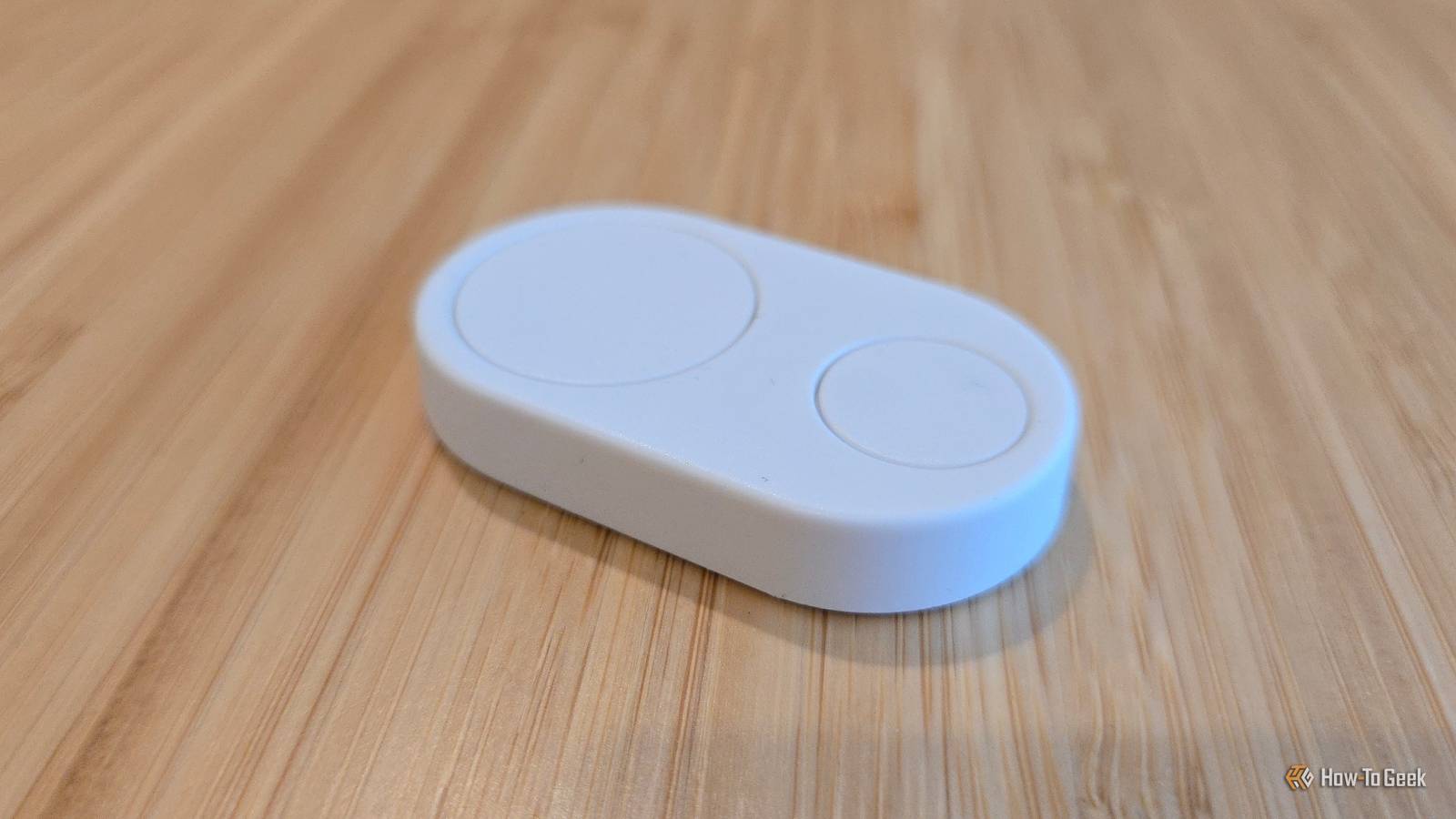
Using a smart button to run these frequent automations can make life a little easier. I have a smart button in my kitchen that has two different buttons on it. When I press the top button, it sends an announcement to all the smart speakers in the house, saying that it’s time for everyone to come and eat.
Sometimes, however, we’ll eat later than the kids, especially if we’re having something that they don’t really like. In this instance, the bottom button will announce that the food is ready just for the kids. It’s a simple thing, but it’s saved a huge amount of yelling up the stairs every day.
Shutting everything down when you leave
Leave a button by the door

When you leave the house, there are a lot of things you might want to happen. You might need to arm your security system, lock the front door, turn off the lights, start the robot vacuum cleaner, and more.
There are a lot of ways to trigger these automations when you leave home. For example, you can use geolocation to track the location of your phone. When everyone’s phones are detected as being a set distance away from the house, you can be reasonably sure that everyone has left.
There are other ways to achieve the same end, but none of them are perfect. If you have guests staying in your home, for example, and you leave while they’re still in the house, your entire smart home may shut down, assuming that everyone has left.
A smart button is a simple but effective way to ensure that the routines you want to run when you leave home are only activated when you want them to be. Just place a smart button by your front door, and the last person out of the house can press it as they leave.


6/10
- Dimensions (exterior)
-
51 x 29 x 8mm
- Compatibility
-
Android, iOS
- Weight
-
12g
- Colors
-
White, black
Flic Duo is a smart home controller that can serve either as a fixed button or a portable remote. It integrates with smart home devices via Matter or third-party smart home platforms, allowing you to control lights, music, fans, and more. The top button includes swipe and rotation gestures intended for granular controls like dimming lights or adjusting volume.
Smart buttons are perfect for kids
Anyone can press a button

The beauty of a smart button is that it’s about as simple as a smart device can get. Even young children know how to press a button, so it’s an ideal option for giving your kids control over their smart devices.
I have an automation for my kids that slowly dims the smart light bulbs in their room until they’re off and plays the playlist of relaxing music that they like to listen to as they go to sleep. When they’re finished reading, they don’t need to get out of bed to turn off the light; they just press the smart button next to their bed, and the automation starts to run. During the night, the same button will turn on the light to a low level if they need to get up to use the bathroom.
When you can’t rely on Wi-Fi
No cloud connectivity required

Voice assistants such as Alexa and Google Assistant can be useful ways to trigger automations, if you can get them to understand what you’re saying. However, they have a major flaw. These voice assistants record what you say and send those recordings to the cloud to be processed before sending information back about how to respond.

How Well Do Smart Speakers Protect Privacy While Listening to Everything?
There are steps you can take to boost privacy
Usually, this works without a problem, but if your internet connection goes down or there’s a problem with servers for your chosen voice assistant, then you can shout as much as you want, but nothing will happen.
Many smart buttons can be integrated locally into your home without any need to communicate with the outside world. It means that even if your Wi-Fi is down, your smart buttons can still be used to trigger your automations.
I use a smart button for this very instance; if my Wi-Fi goes down, I have a smart button that turns off the smart plug connected to the router and then turns it back on again. It’s often enough to get things back up and running again without having to leave my desk.
Where smart speakers aren’t an option
Lower cost, more privacy

Many smart speakers are inexpensive enough that you can place them in all of the rooms that you use the most. You’re unlikely to have smart speakers in every location in your home, however. For instance, I don’t have access to power in my bathroom, so I can’t install one in there.
Most smart buttons are small enough to be battery-powered, so you can place them anywhere you want. I’ve yet to set this one up, but at some point, I’m really going to need to set up a “please bring me some more toilet paper” button for the bathroom. You never know when you might need it.
The dream for my smart home is that everything it does will happen by magic, without needing my input at all. The reality is that some things are always going to need to be triggered manually. While smart dashboards, voice assistants, or phone apps can be useful ways to start your automations, sometimes you just need a nice big button to push.
